


Adding a contractor to your approved list
What you'll end up with: a firm on your contractor panel with its trade, contact details and public liability insurance on file, so work can be sent to it.
Before you start you need: the firm's name, a contact, and a copy of their public liability insurance certificate with its expiry date. To load many firms at once, see Loading your portfolio from spreadsheets.
No work order can be sent to a firm until its public liability cover is recorded and in date. If a contractor is hurt on site, or damages the building, without cover, the cost can fall on the leaseholders.
- Go to Contacts → Contractors. The Contractor Panel lists each firm with its status and its cover.
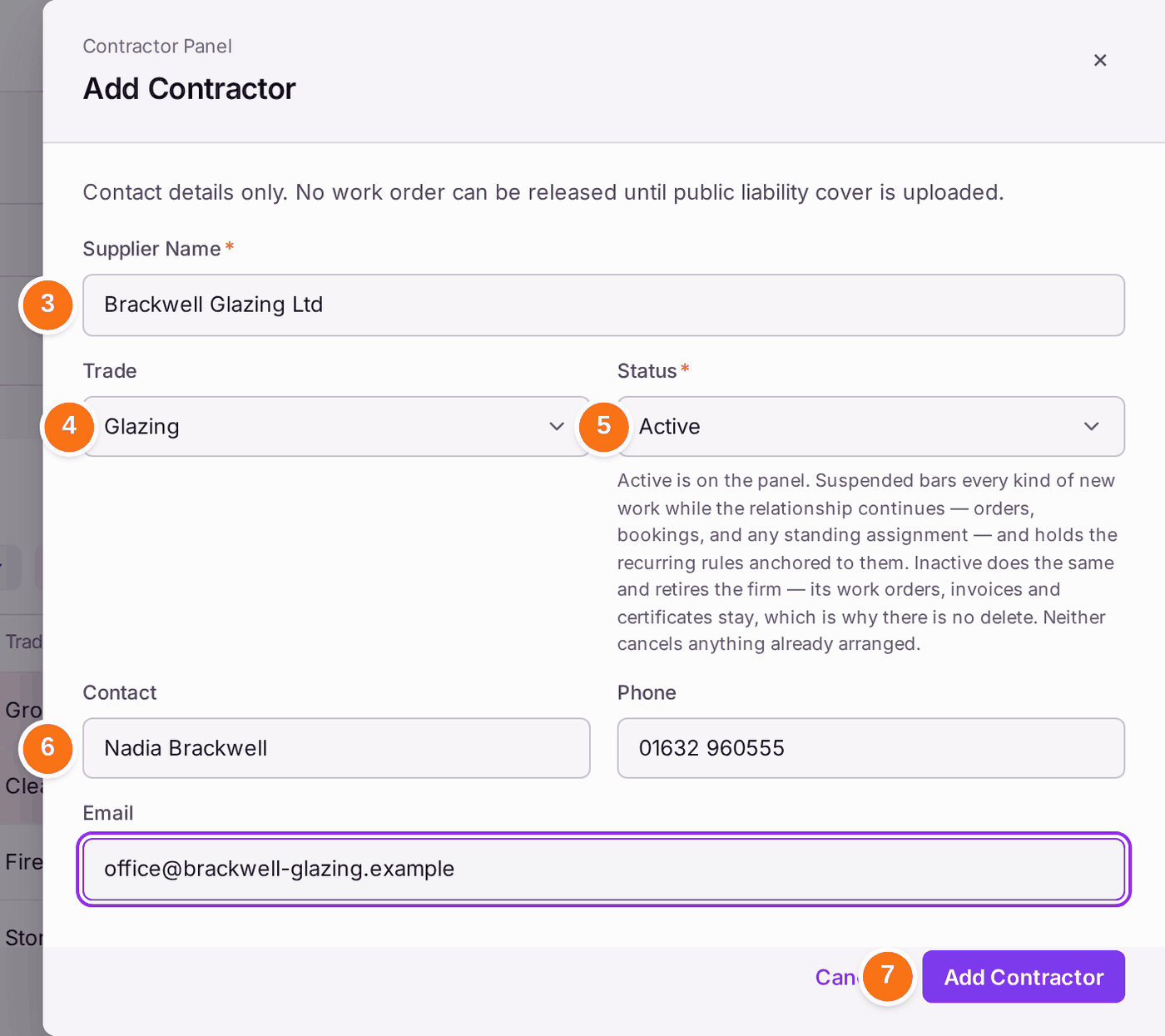
- Press Add Contractor.
- Type the firm's name in Supplier Name.
- Choose the Trade.
- Leave the Status as Active.
- Type the Contact, Phone and Email.
- Press Add Contractor. "Added [firm]."
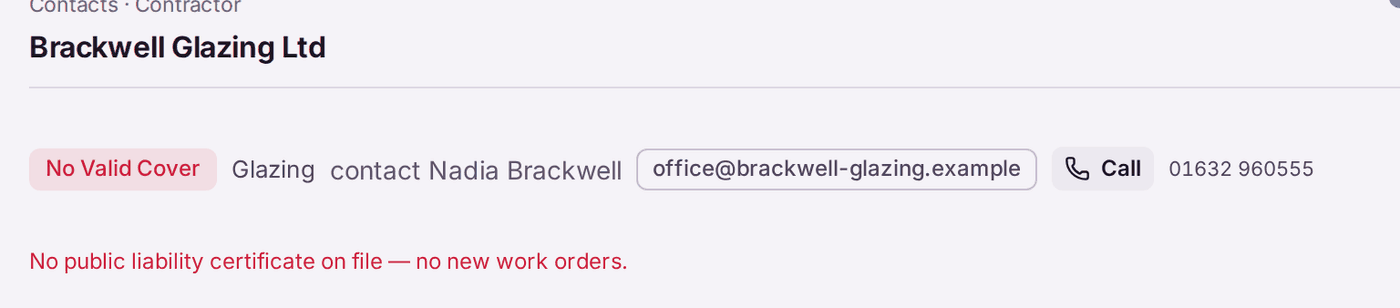
- Open the firm from the panel. It reads No Valid Cover: "No public liability certificate on file — no new work orders."
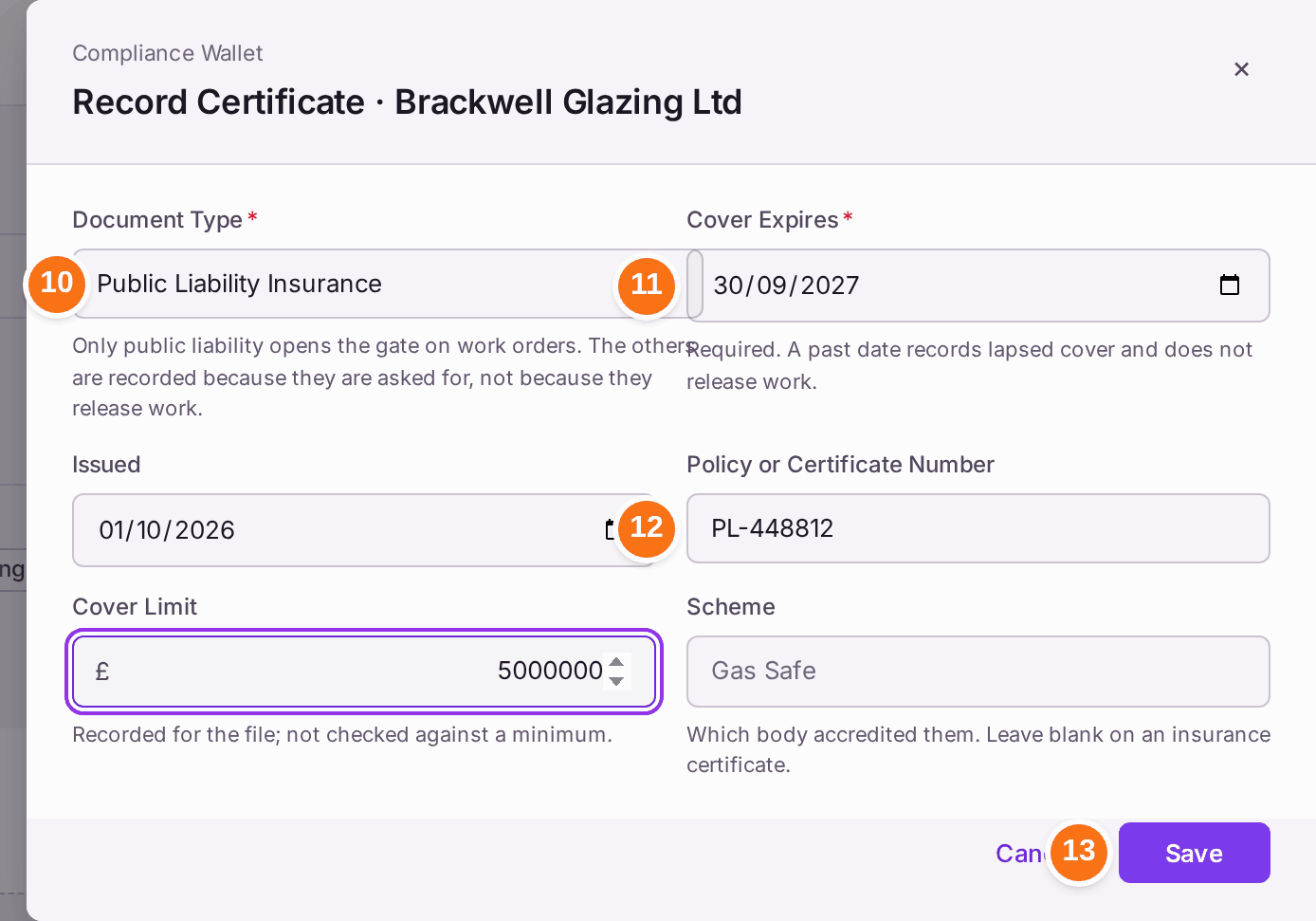
- Under Compliance Wallet, press Add Certificate.
- Choose Public Liability Insurance as the Document Type.
- Choose the date the Cover Expires, and the date it was Issued.
- Type the Policy or Certificate Number and the Cover Limit.
- Press Save. "Recorded. Work can be released to this firm."
Record employers' liability, risk assessments and accreditations (such as Gas Safe) the same way. Only public liability releases work; the others are kept because clients and auditors ask for them.
Before the firm's invoices can be paid, add its bank details under Bank Details and have a colleague who pays suppliers verify them (see Recording a supplier's bank details, and checking a change).
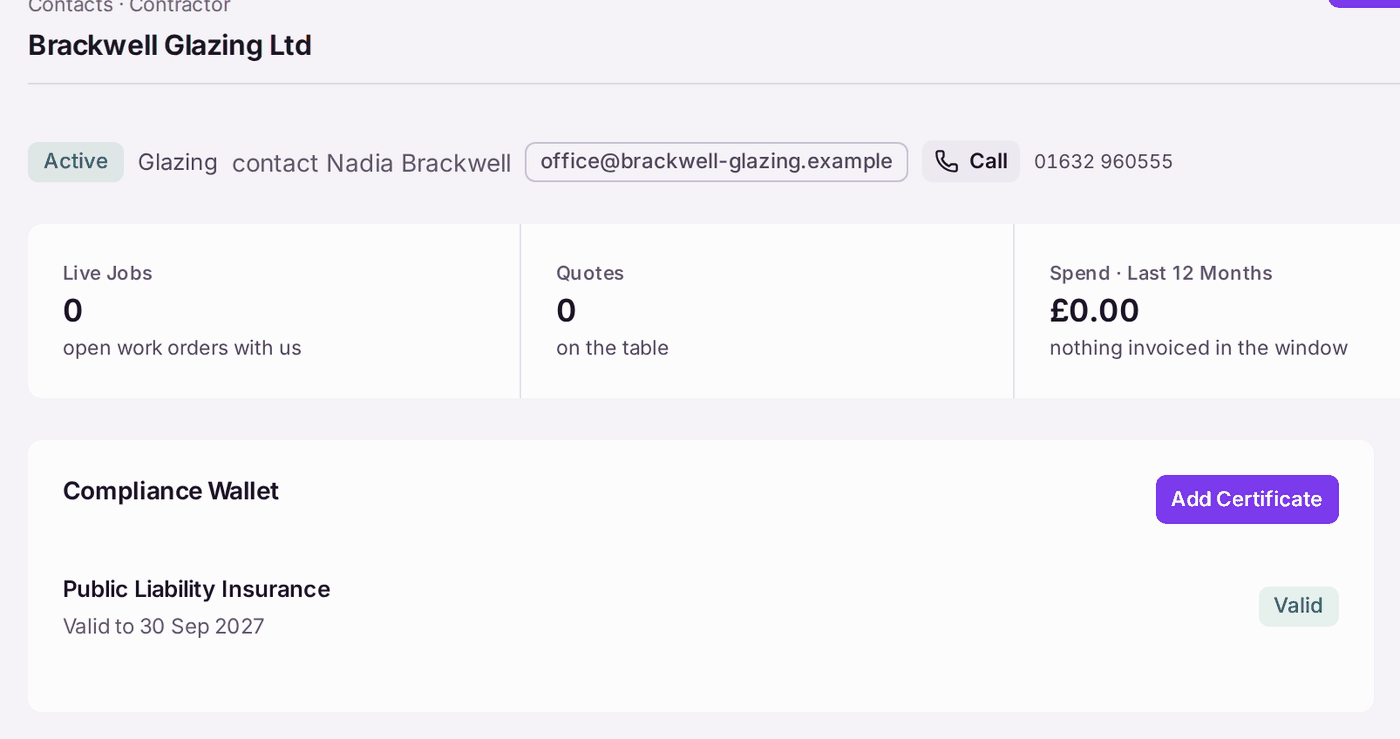
You'll know it worked when: the firm reads Active, and its Compliance Wallet shows Public Liability Insurance, "Valid to 30 Sep 2027" (with your date).
If something's wrong:
- "A past date records lapsed cover and does not release work." The certificate you were sent has run out. Ask the firm for the renewal.
- The panel says "Cover expiring — chase the renewal certificate now". The cover ends within 60 days. Ask for the renewal and record it with Add Certificate. Once it lapses, no new work can be sent.
- A firm should not get any more work. Press Edit Details and set the Status to Suspended. Work already arranged is not cancelled. Inactive retires the firm; its work orders, invoices and certificates stay, which is why a firm is never deleted.
- The firm wants to receive jobs in an app. See Inviting a contractor onto SynkroTech Trade.