


Seeing what your plan includes and how much you have used
What you'll end up with: your plan, its renewal date, what it includes, and how many users, properties, units, letters and emails you have used against any limits.
Before you start you need: nothing.
- Go to Settings, then Your Plan, under Organisation.
- Read the top: Plan, Renews, Seats Sold, and the Properties and Units you have against any limit. Included lists every part of SynkroTech your plan covers.
- Read Usage: users, properties, units and storage now, and inspections, letters posted and emails sent this month, each against its limit.
- To change your plan, press Get Help under Contact.
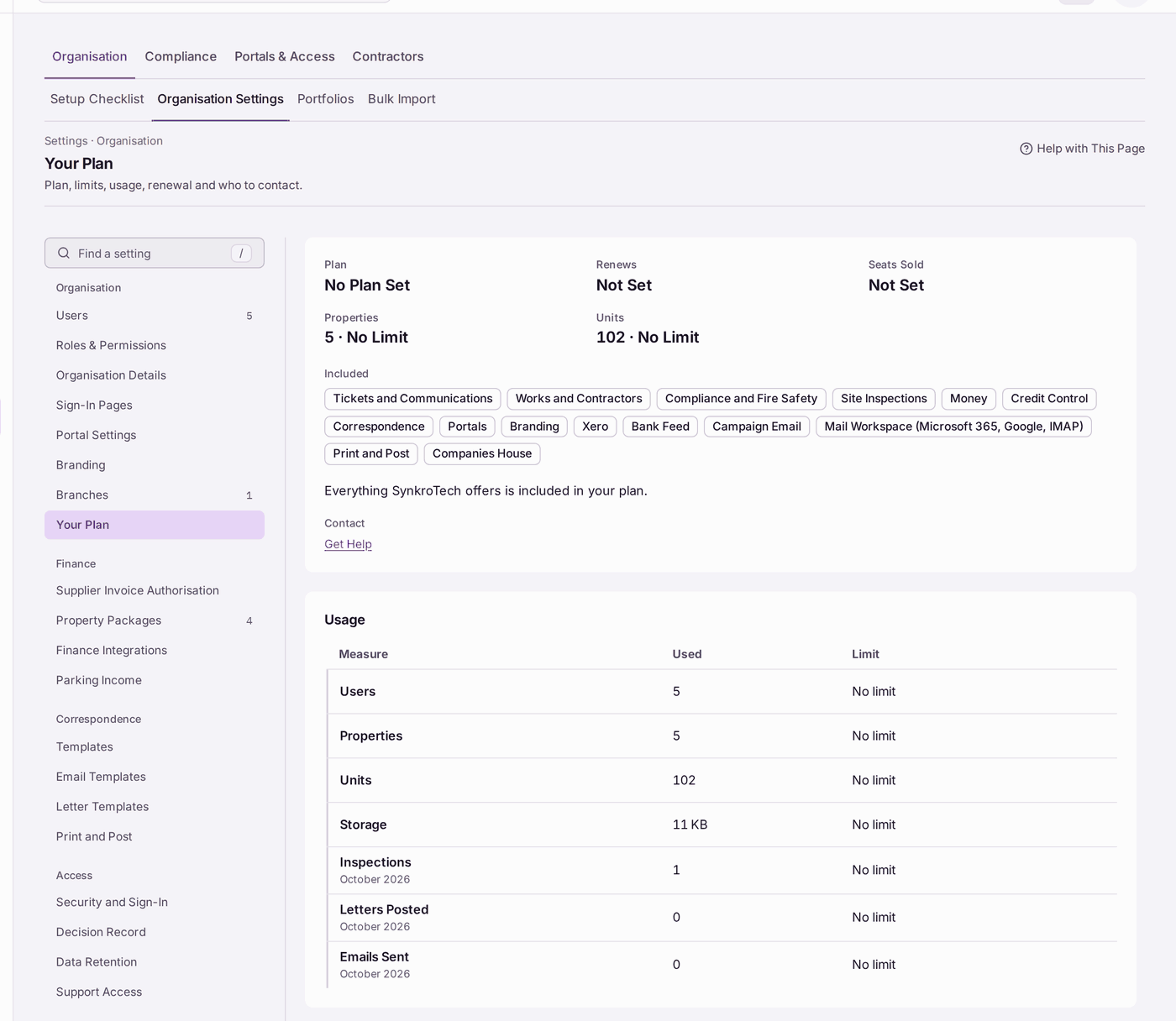
You'll know it worked when: you can say what your plan includes and how close you are to each limit.
If something's wrong:
- It reads "No Plan Set" or "Not Set". SynkroTech has not recorded your plan's details. Ask them (see Asking SynkroTech for help).
- A figure looks wrong. Usage counts what is on SynkroTech now. Ask SynkroTech if a figure does not match your records.