


Seeing what a reserve or ground rent fund holds, and what was paid out
What you'll end up with: for one reserve fund or ground rent fund, what came in, what went out and on what, what is left, and the payments out year by year, ready to show a client, a director or an auditor.
Before you start you need: nothing. The pot is read from the fund's own ledger; nothing has to be entered.
A director asking "what is in the reserve, and what did we spend it on?" is asking for this page.
For a reserve fund:
- Go to Finance → Funds.
- Scroll to Reserve Funds. Each reserve fund shows its balance, what it gained this year, and how its collections compare with the budget.
- Press View Log on a reserve fund. Reserve Pot opens.
For a ground rent fund:
- Go to Finance → Ground Rent Pay-Over.
- Press the property's row under Ground Rent Held. Ground Rent Pot opens.
Reading the pot: the top gives In, Out and Left. Under them, In and Out are broken down by kind (receipts; paid over to the landlord, supplier payments, transfers, refunds, adjustments), with how many of each. Payments Out lists each of the property's budget years, with every payment out on its day, its description and its kind. A year whose accounts are signed or closed reads "Closed" with the date and "Archived", and is folded away; an open year reads Open.
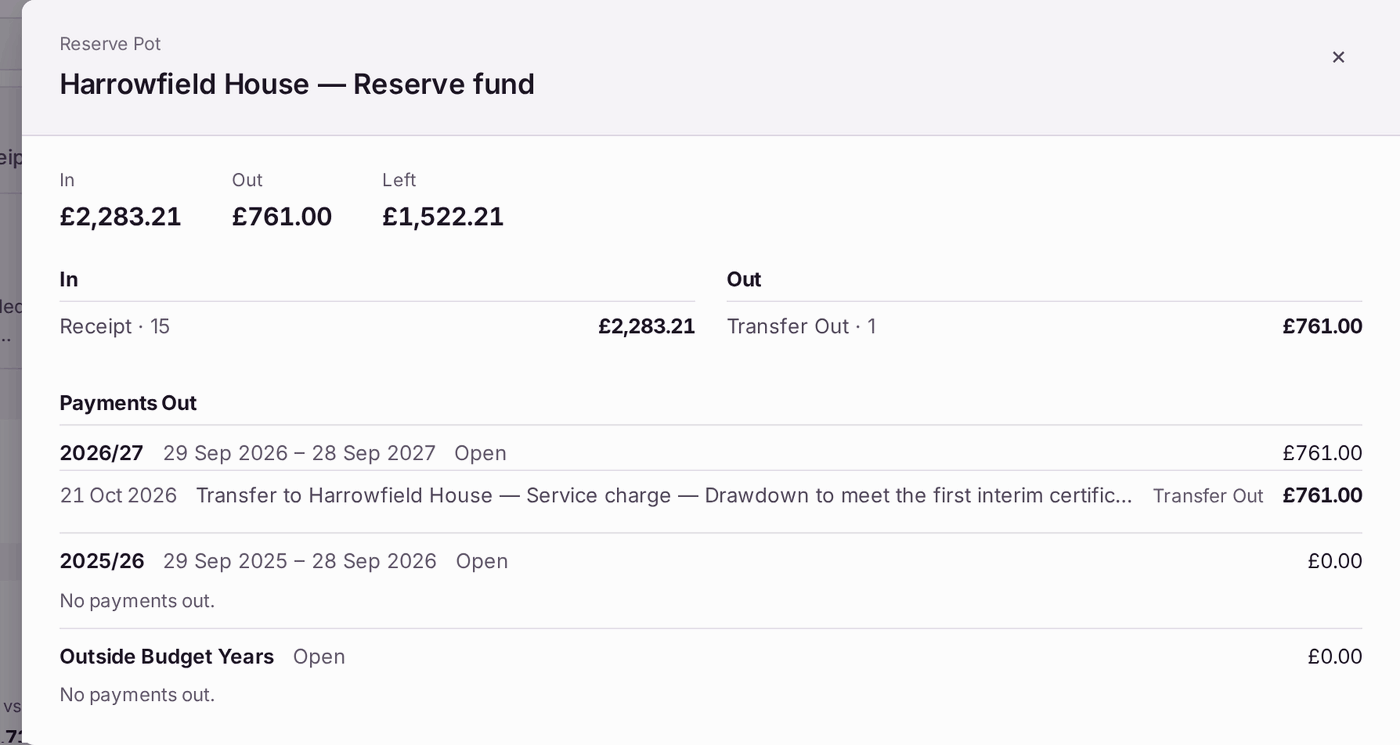
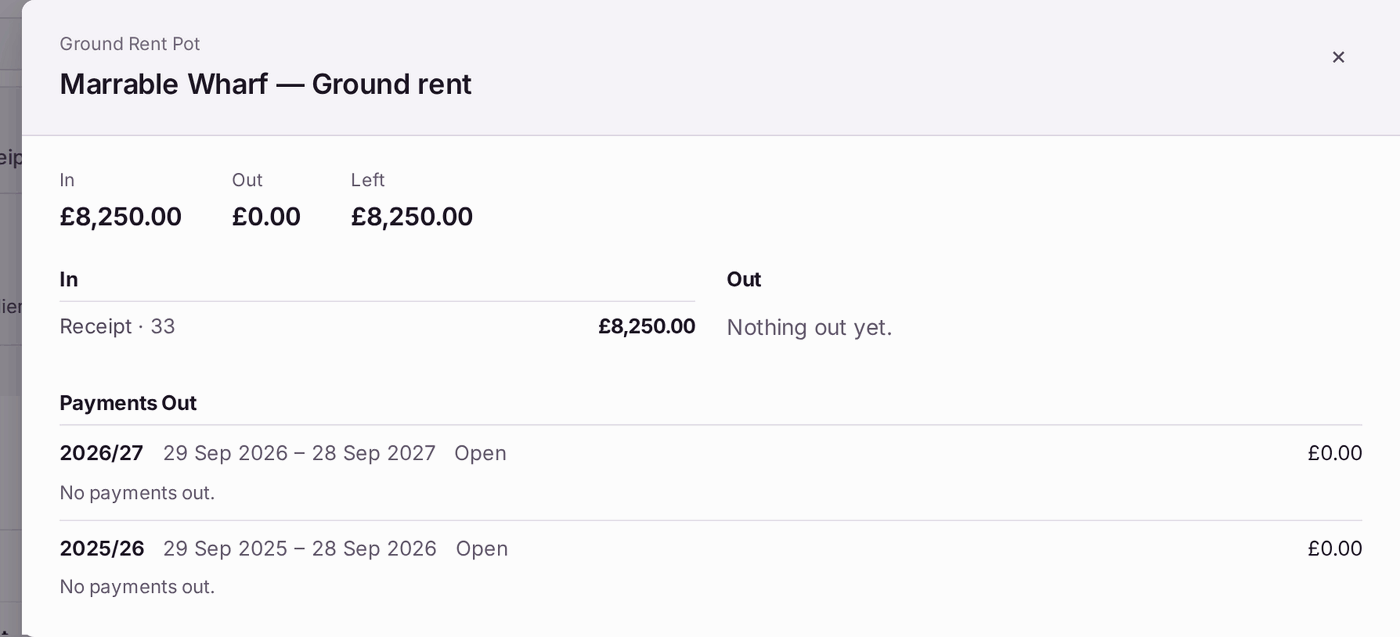
You'll know it worked when: Left equals the fund's balance on Funds.
If something's wrong:
- A payment out is in the wrong year. Payments are placed by the day they were made, in the budget year that day falls in. Check the payment's date on the fund's ledger (View Ledger… on Funds).
- A reversed payment still shows. It is marked as reversed. Reversals are kept on the record, never deleted.
- A year stays Open after its year end. A year is closed only when its accounts are signed or Close Year is pressed (see Closing the year and sending it to the accountants (year end)).