


Keeping buildings insurance in force
What you'll end up with: each property's buildings policy recorded with its insurer, period, sum insured, premium and the broker's commission, renewals recorded before cover runs out, and a reinstatement valuation (what it would cost to rebuild) held against the sum insured.
Before you start you need: the insurance schedule, and the latest reinstatement valuation if you have one.
Most leases require the landlord to keep the building insured for its full rebuilding cost. If the sum insured is below that cost, the insurer may cut every claim by the same proportion. From the Leasehold and Freehold Reform Act 2024, the broker's commission must be told to leaseholders, so it is recorded with the policy.
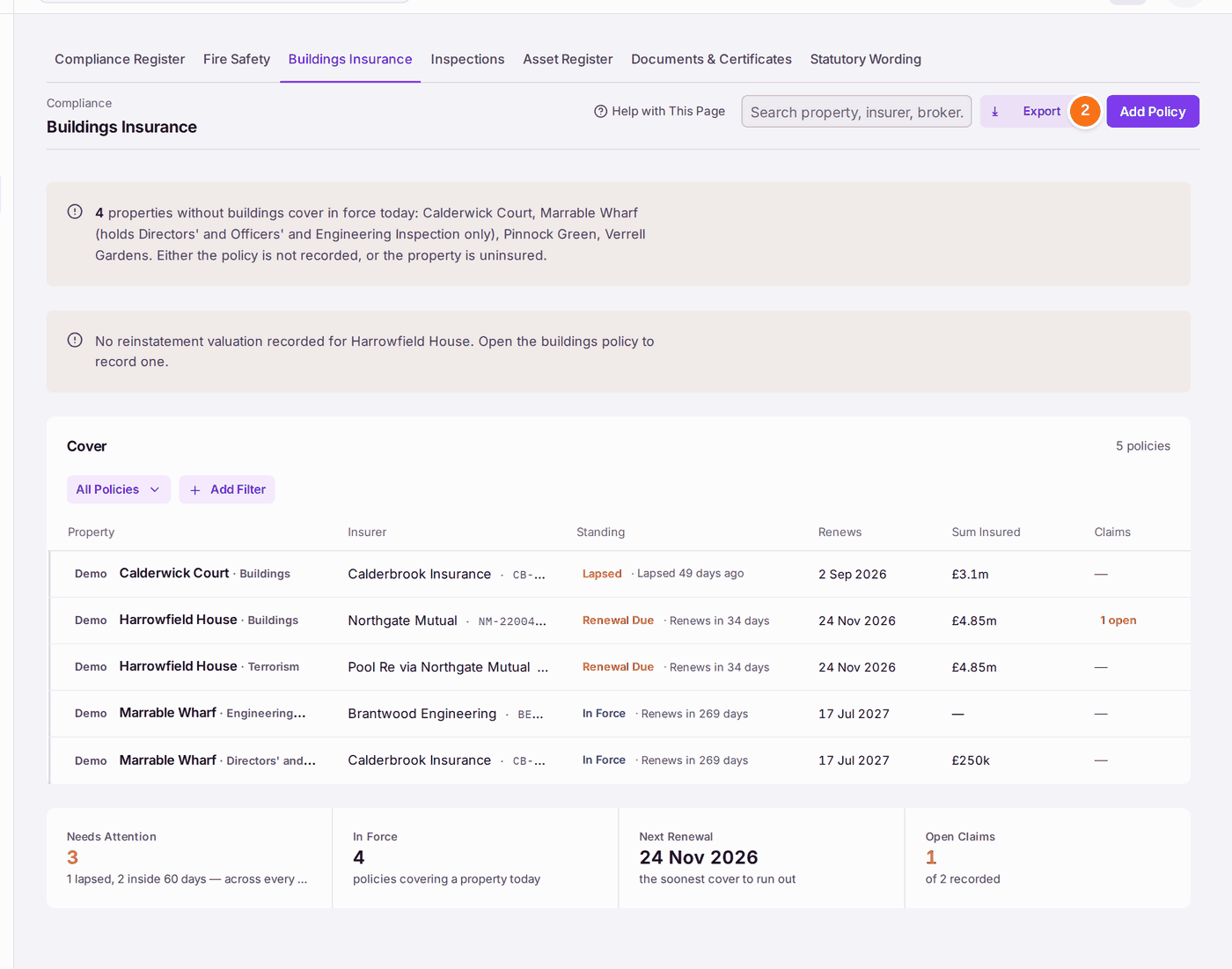
- Go to Compliance → Buildings Insurance. The register lists every policy with its standing: In Force, Renewal Due, Lapsed or Renewed.
- Press Add Policy.
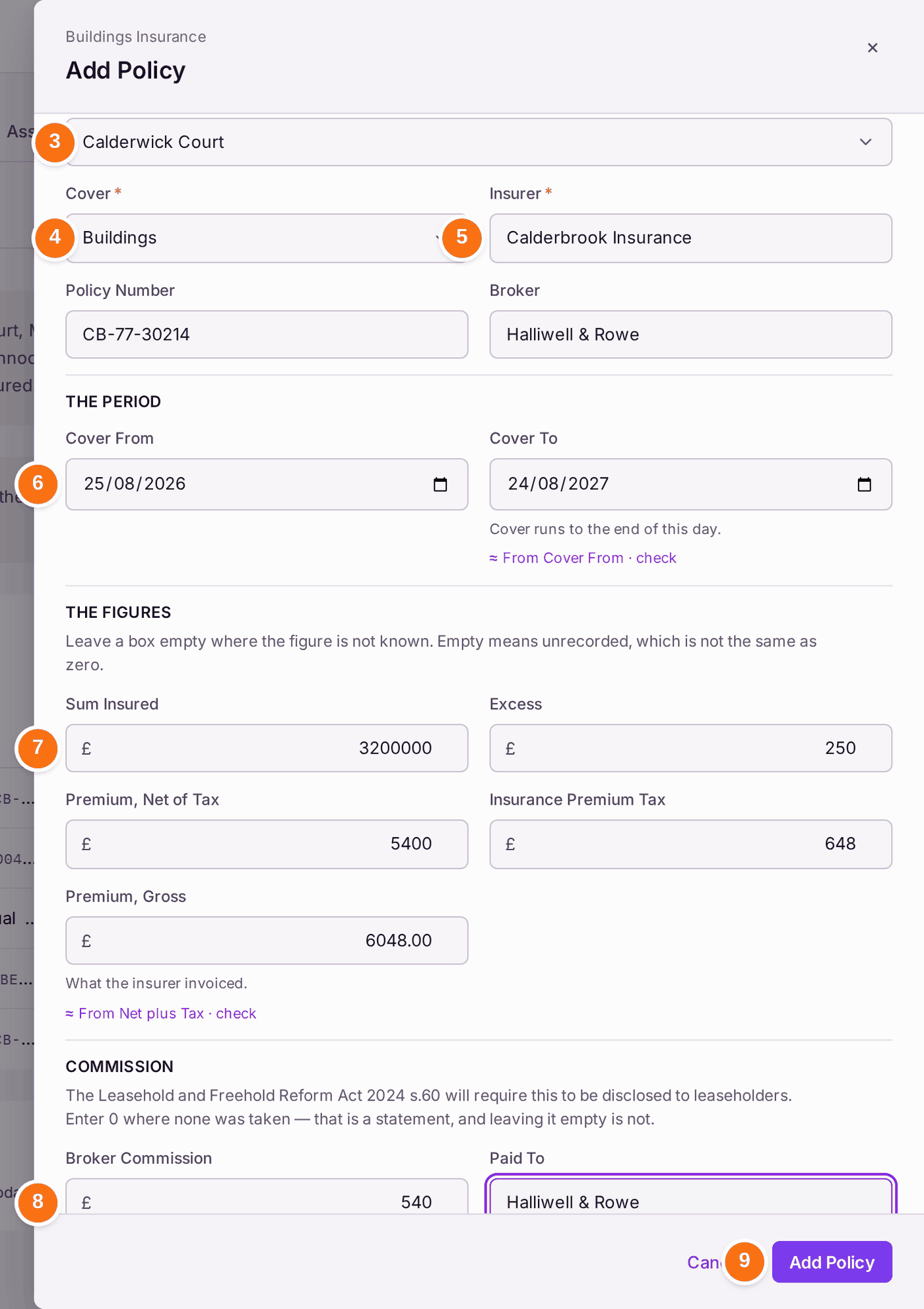
- Choose the Property. When the register is filtered to one property, it is already chosen.
- Choose the Cover: Buildings for the main policy. Terrorism, engineering inspection and directors' and officers' cover are recorded the same way.
- Type the Insurer, and the Policy Number and Broker.
- Choose Cover From. Cover To fills itself with a year on, less a day, marked "From Cover From · check"; change it if the schedule says otherwise. Cover runs to the end of the last day.
- Type the figures: Sum Insured, Excess, the premium net of tax and the Insurance Premium Tax. Premium, Gross fills itself with the two added up, marked; type the invoice's figure over it if it differs. Leave a box empty if you do not know the figure: empty means unrecorded, not zero.
- Type the Broker Commission and who it was Paid To. Type 0 if none was taken.
- Press Add Policy. "Policy recorded". A renewal of an earlier policy marks the earlier one Renewed.
- Open the policy from the register.
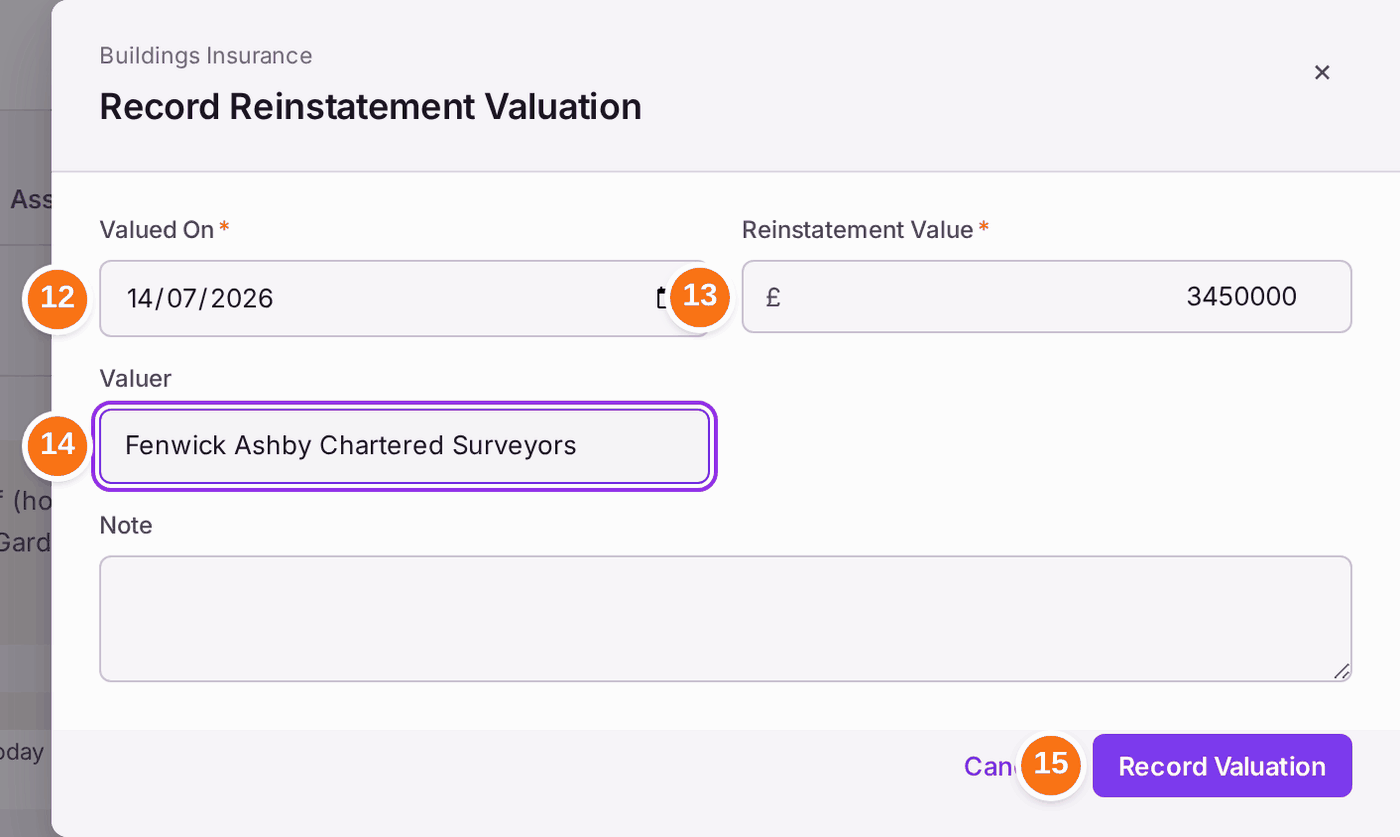
- Under Reinstatement Valuation, press Record Valuation.
- Choose Valued On.
- Type the Reinstatement Value.
- Type the Valuer.
- Press Record Valuation.
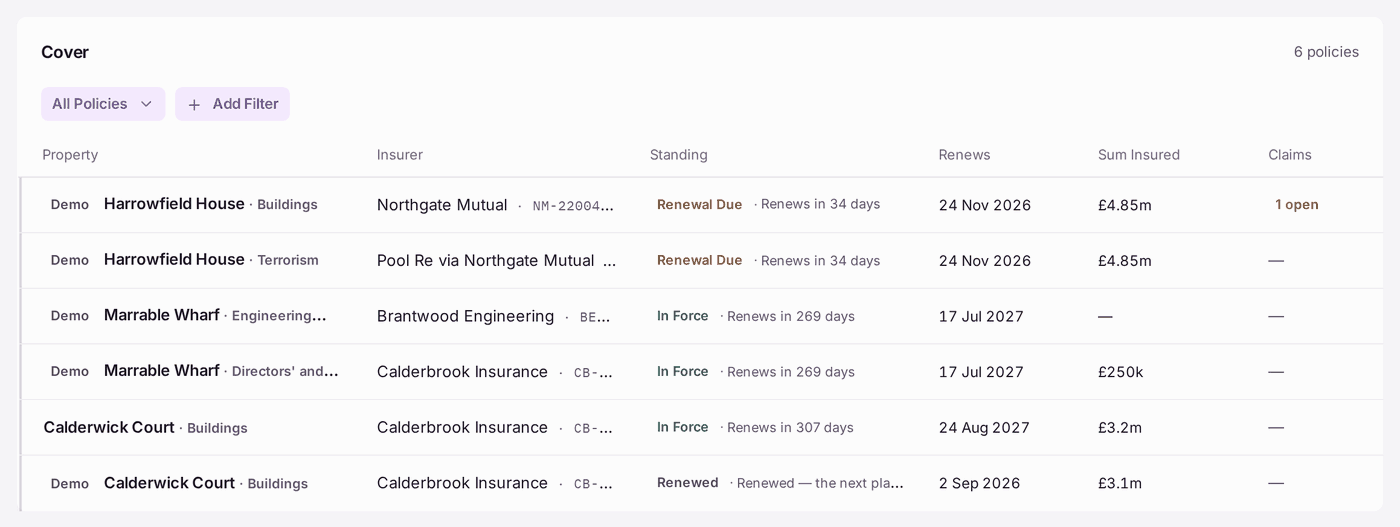
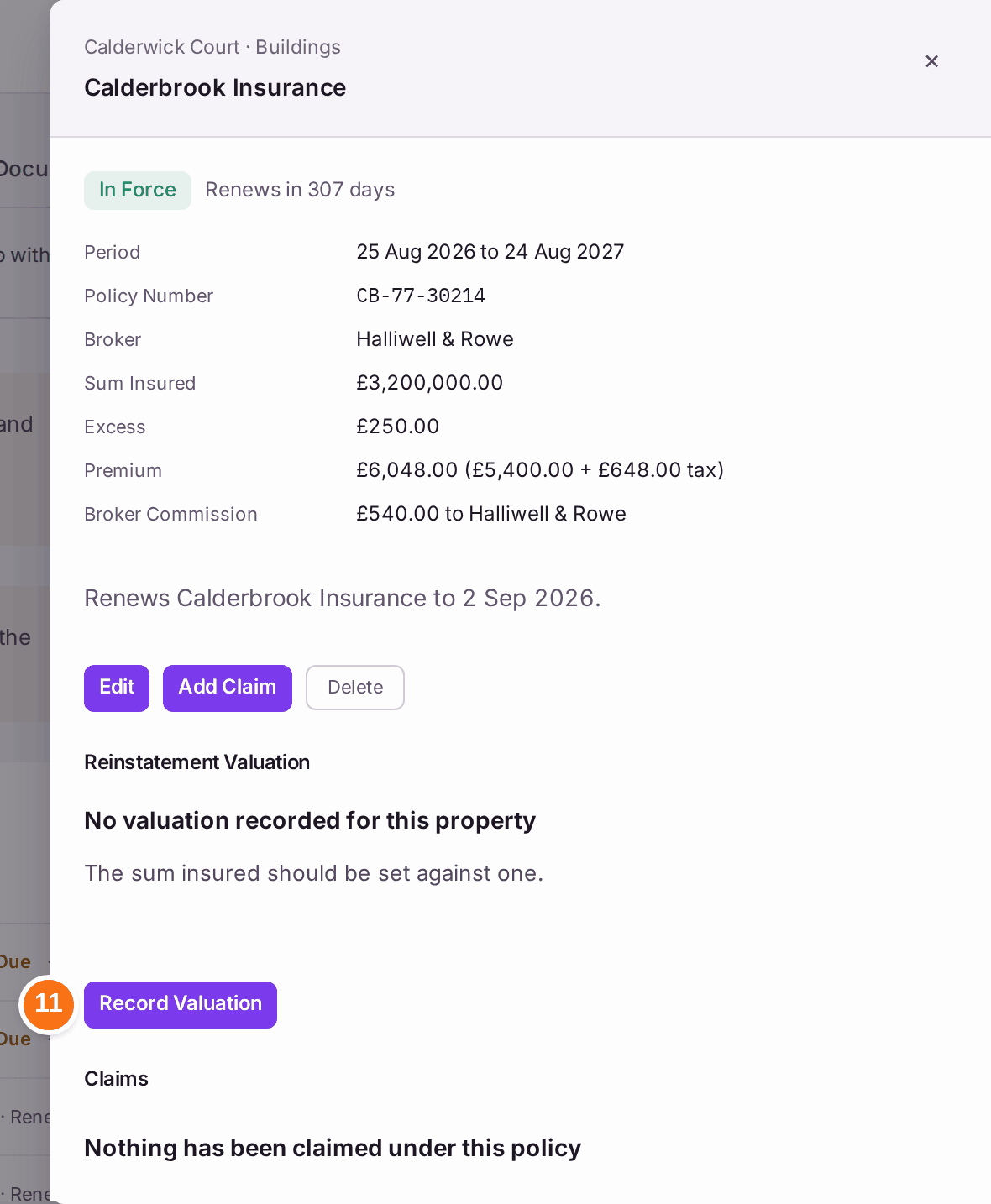
You'll know it worked when: the property's buildings policy reads In Force with its renewal date, and the policy shows the current valuation with the date the next one is due.
If something's wrong:
"The sum insured is below the latest reinstatement valuation". The building is under-insured. Ask the broker to raise the sum insured, then press Edit on the policy to record it.
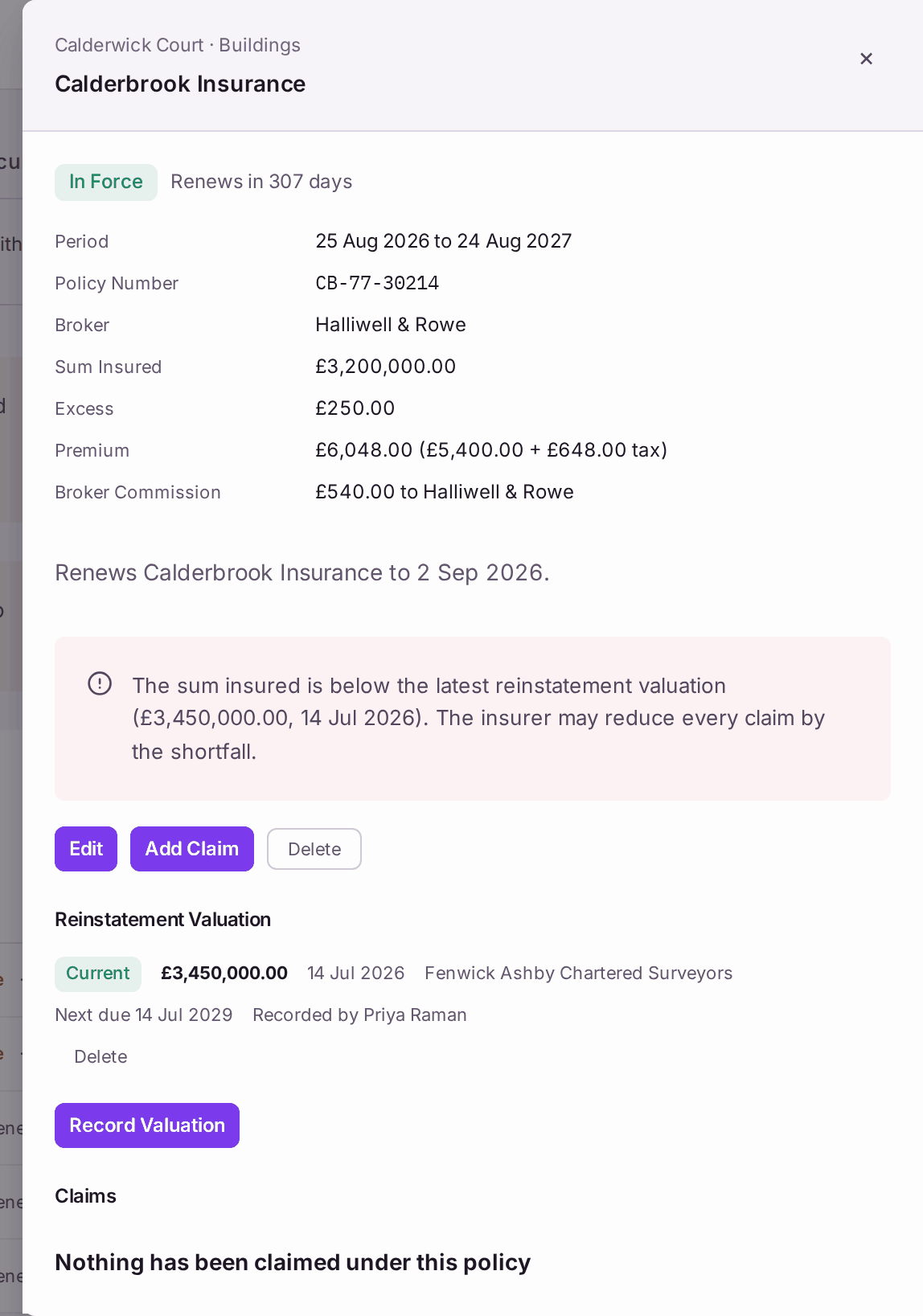
"The insurer may reduce every claim by the shortfall." - A policy reads Lapsed. Either it was renewed and the renewal is not recorded, or the building is not insured. Record the renewal (steps 2 to 9), or contact the broker today.
- A property is named as having no buildings cover in force. Record its policy. If the freeholder insures it, record their policy so the register shows it is covered.
- A claim is made. Press Add Claim on the policy, so the claim is tracked and shown on the register.
- You recorded a policy by mistake. Press Delete on it.