


Finding out who did what (the Decision Record)
What you'll end up with: the answer to "who did this, and when?" for any decision in SynkroTech, ready to export for a client, an auditor or a tribunal.
Before you start you need: nothing.
Each decision is filed at the moment it is made and can never be edited or deleted. A request refused because the person was not allowed to make it is not recorded.
- Go to Settings, then Decision Record, under Access.
- To see one kind of decision, choose it under Decision Type: for example Demand, Duty, Portal login, User or Setting.
- Read each entry: when, who, what was decided, whether it was Applied, what it was about, and what changed (such as "off → 2h").
- To keep a copy, press Export. Technical Details on an entry shows the full record behind it.
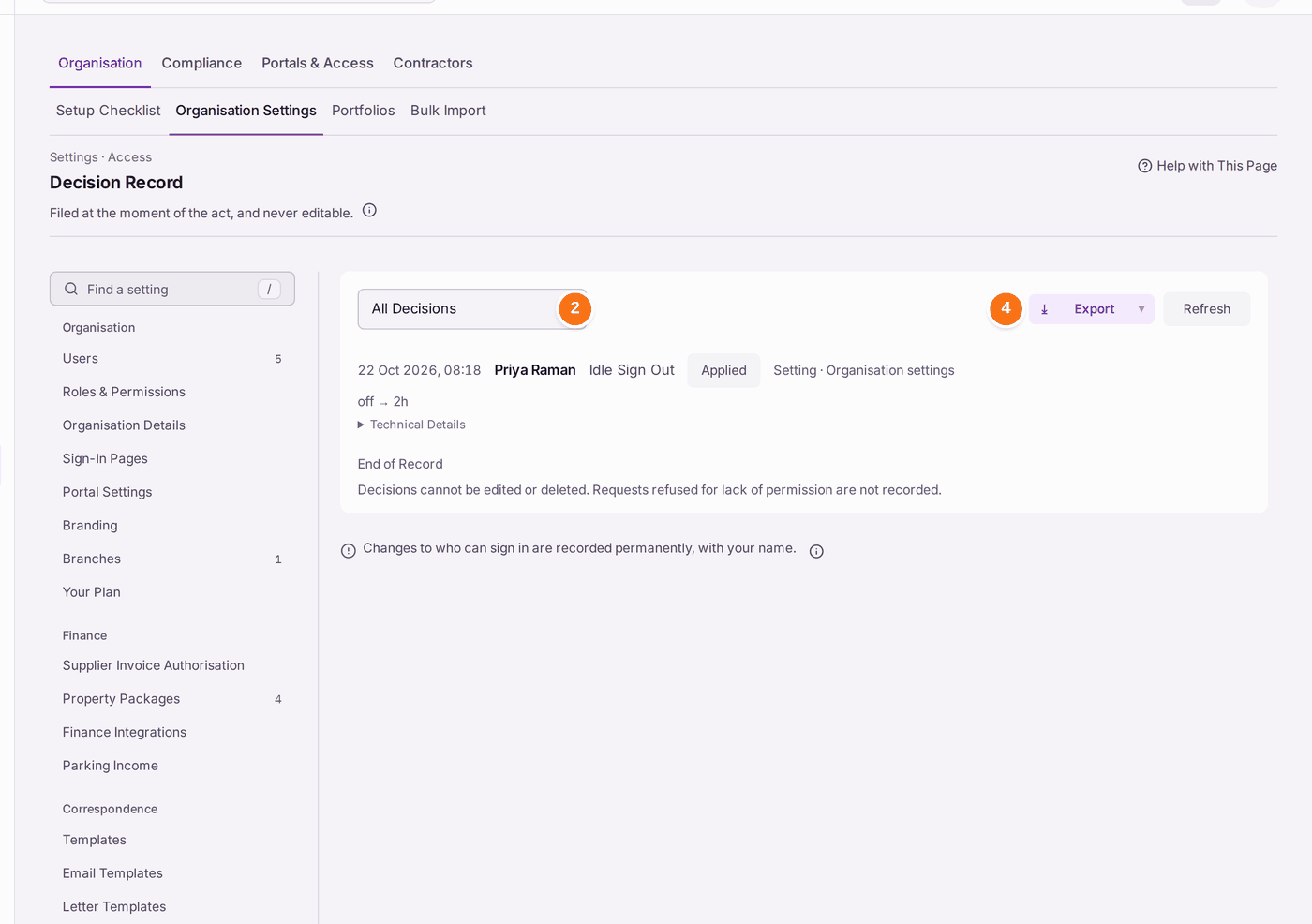
You'll know it worked when: you can name who made the decision, when, and what it changed.
If something's wrong:
- A decision you expected is missing. Choose All Decisions and press Refresh. Everyday changes to a record are on that record's Activity, not here.
- You need to correct a decision. The record cannot be edited. Make the correcting decision; it is filed too, with your name.