


Setting up bank accounts and funds
What you'll end up with: each client bank account on record with the bank details leaseholders pay into, and each property's funds (its service charge, reserve and ground rent money) set up inside it, so every payment in and out lands in the right fund.
Before you start you need: the bank account's name, bank, sort code and account number, and for each property the funds its lease and your client expect: usually a service charge fund, a reserve fund and a ground rent fund.
A demand prints the bank details of the fund it is paid into. A fund with no bank account means the demand tells the leaseholder to contact you for how to pay.
- Go to Finance → Funds.
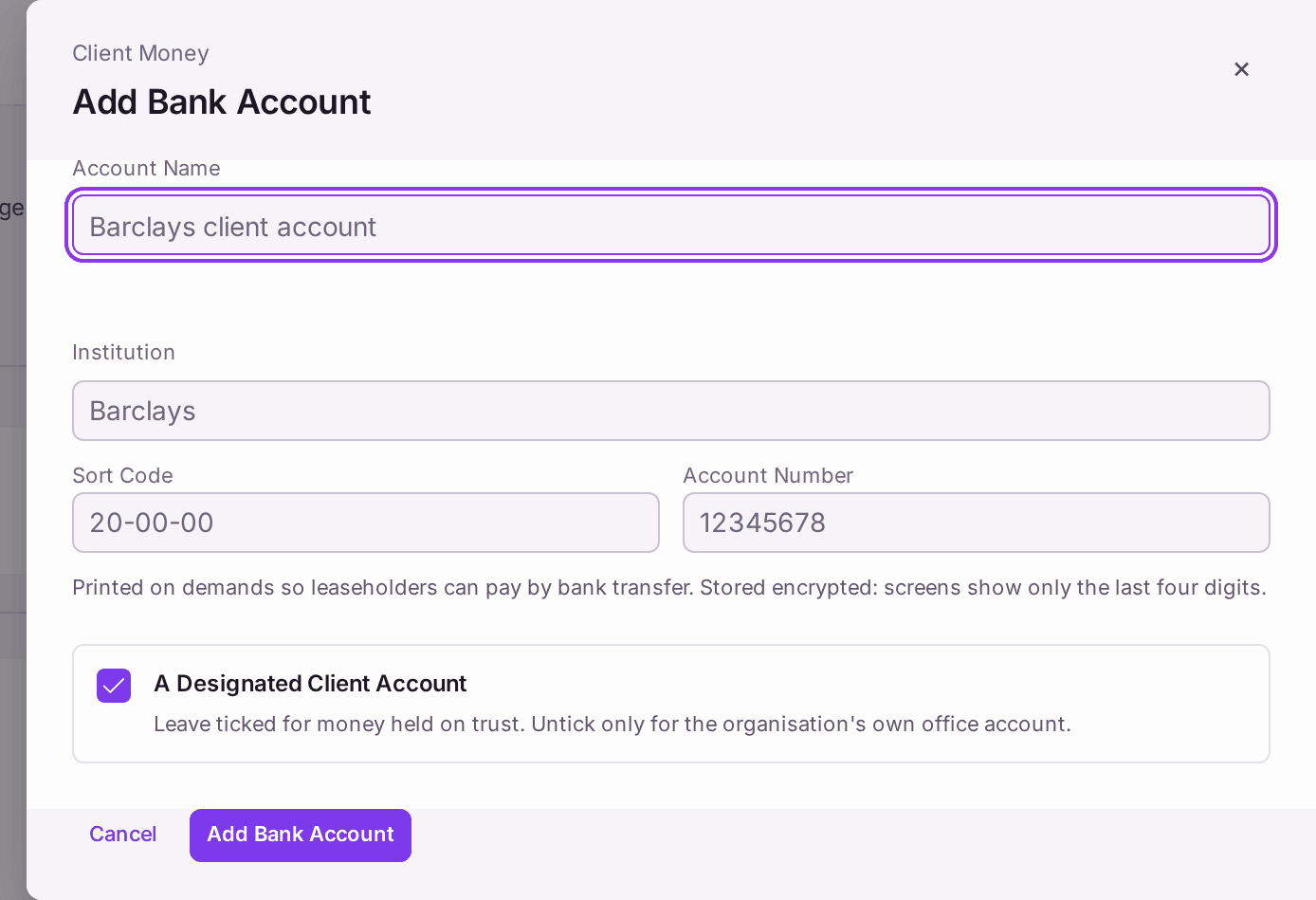
- Press Add Bank Account….
- Type the Account Name, Institution, Sort Code and Account Number. The account number is stored encrypted, and screens show only its last four digits.
- Leave A Designated Client Account ticked for money held on trust. Untick it only for your organisation's own office account.
- Press Add Bank Account.
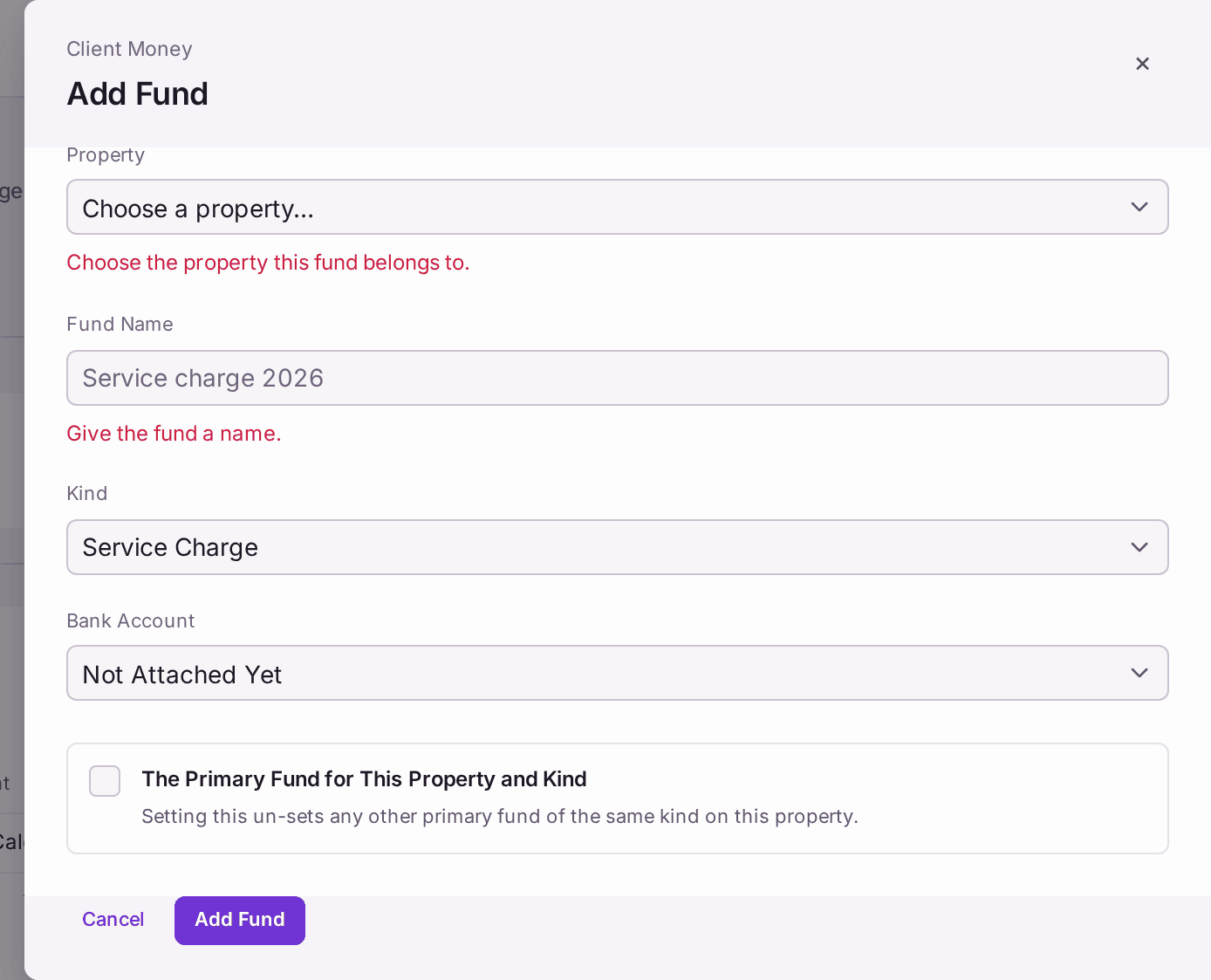
- Press Add Fund….
- Choose the Property (already chosen when the Funds list is filtered to one property) and the fund's Kind: Service Charge, Reserve, Ground Rent, Major Works or Office (agent's own). The Fund Name is offered from the two, such as "Ashcombe House — Service Charge", marked "From … · check". Type over it if you name funds differently.
- Choose the Bank Account it sits in.
- Tick The Primary Fund for This Property and Kind, so receipts and demands of that kind use it.
- Press Add Fund.
- Repeat steps 6 to 10 for each fund each property needs.
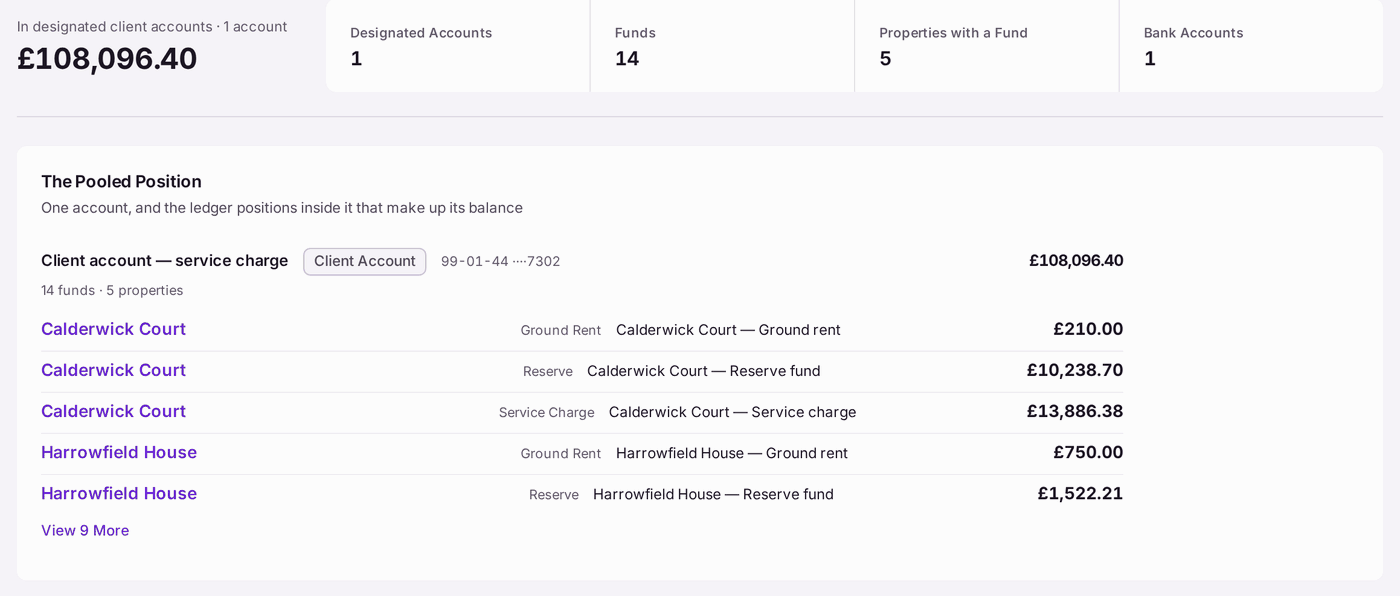
You'll know it worked when: The Pooled Position shows the bank account with each property's funds inside it, and further down Bank Accounts shows for each account the money In, Out and the Balance from the ledger, against the bank's own balance on its latest reconciliation: Matched, or "Differs by" an amount.
If something's wrong:
- "Choose the property this fund belongs to." / "Give the fund a name." A box is empty. Fill it in, then press Add Fund again.
- A bank account says "Differs by" an amount. The ledger and the bank disagree on the day of the last statement. Reconcile the account (see Reconciling the bank account): the reconciliation names each item that makes up the difference.
- "Not Reconciled Yet" beside an account. No statement has been reconciled for it yet.
- Two funds of the same kind on one property. Only one can be primary. Ticking The Primary Fund for This Property and Kind on one un-sets it on the other.
- A fund is no longer used. Press Close… on its row. It is kept on record; Show Closed Funds and Accounts… shows it again.
- Moving money between funds. Use an inter-fund transfer, not Add Movement… (see Moving money between a property's funds).