Running the residents' company: filings, AGMs, directors and members
What you'll end up with: each residents' company you act for with its Companies House deadlines counted for you, its directors and secretary listed with the dates Companies House was told, its register of members kept, and its AGM minutes filed.
Before you start you need: the residents' company on your client list (see Adding a client and appointing yourselves to their property). Each client company has one record here. Add Company is greyed with "Every client already has a company record" when there is none to add.
A residents' management company (RMC) or right to manage (RTM) company is a company like any other: it must file accounts and a confirmation statement (the yearly check of its details) at Companies House, and tell Companies House within 14 days when a director joins or leaves. SynkroTech works out each deadline from the dates you enter, so the dates must be right.
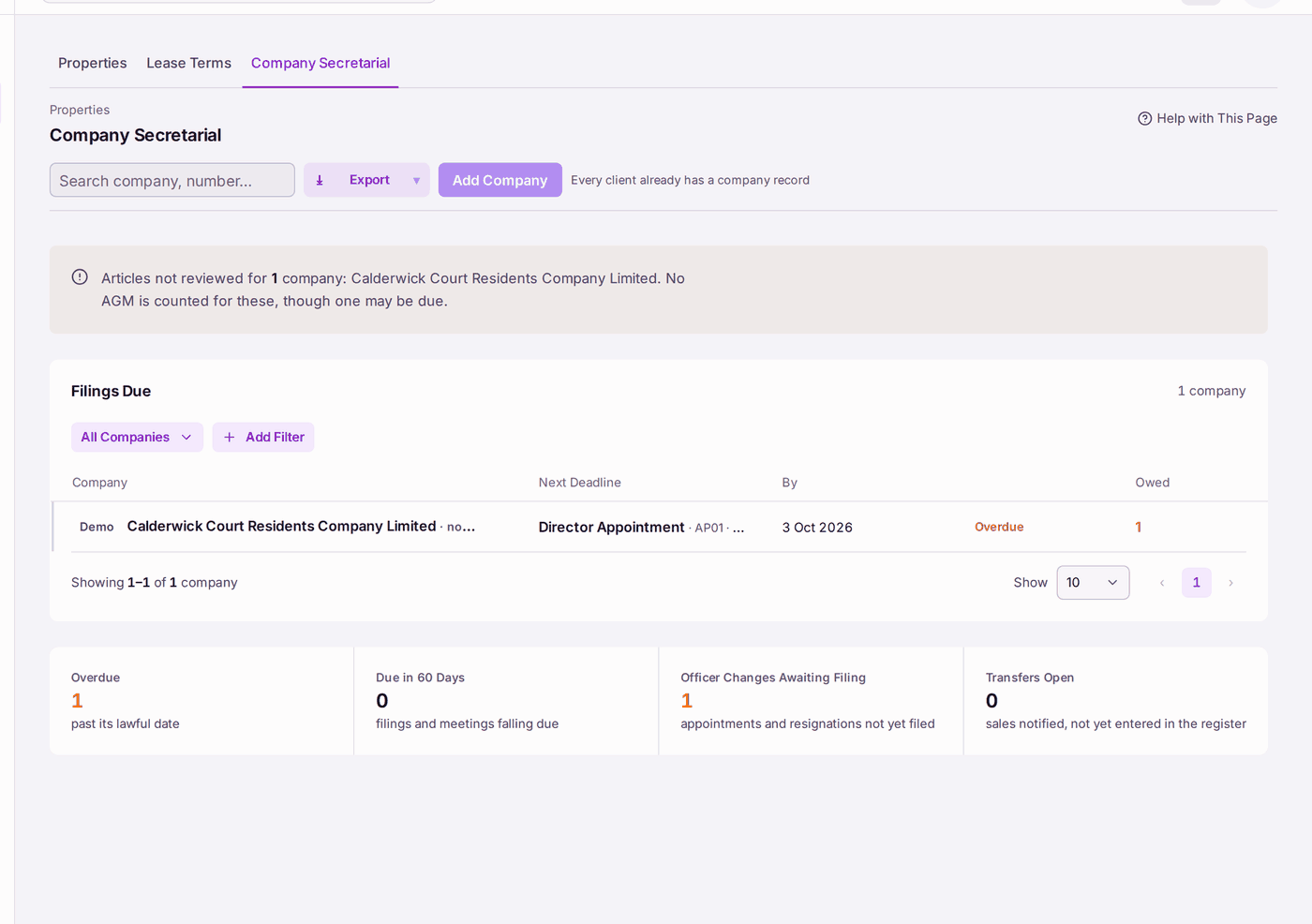
- Go to Properties, then Company Secretarial. Filings Due lists each company with its next deadline, overdue first.
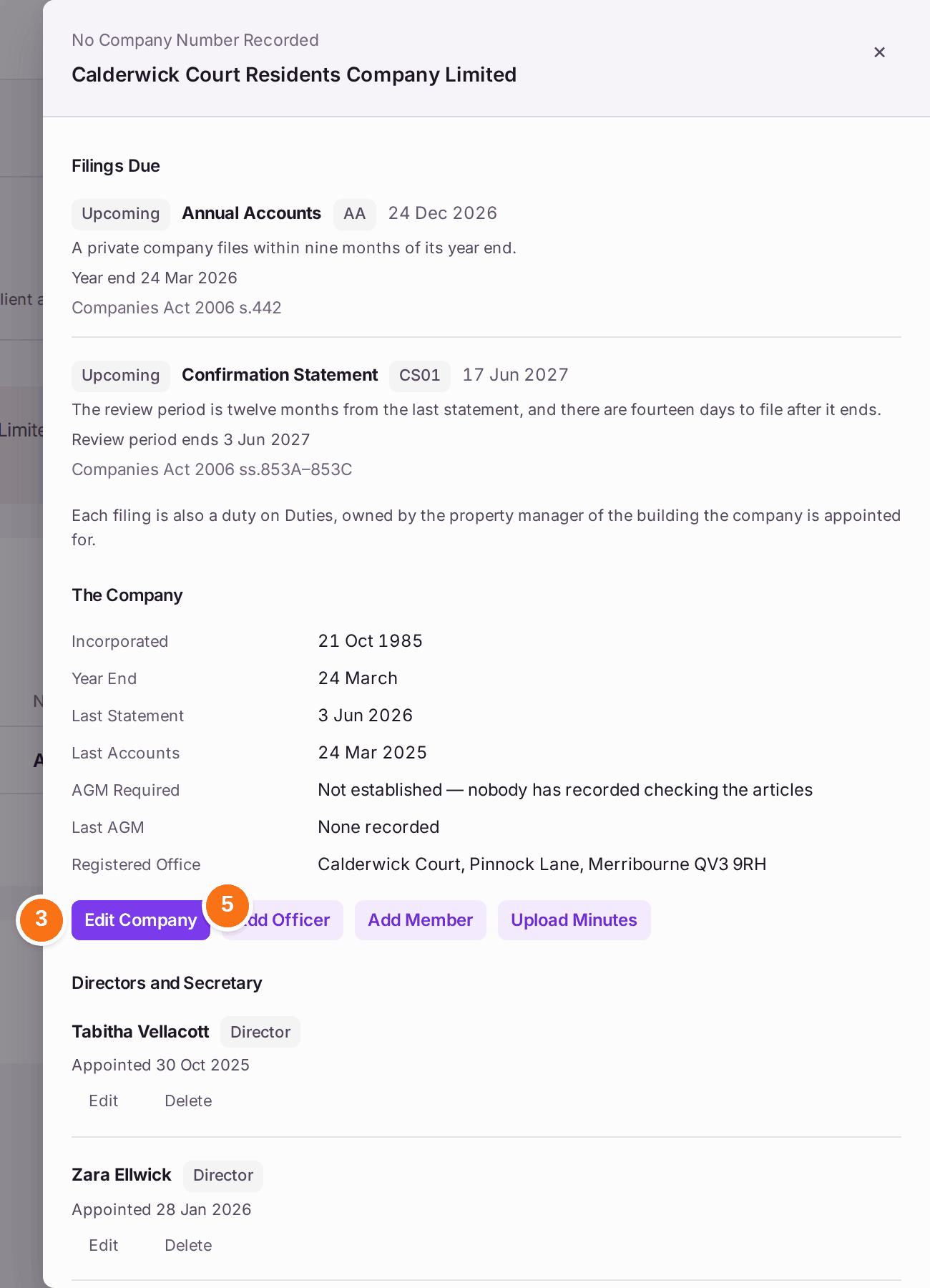
- Press the company's name. Its record opens: Filings Due with the date and the law for each, The Company, Directors and Secretary, Members and Minutes.
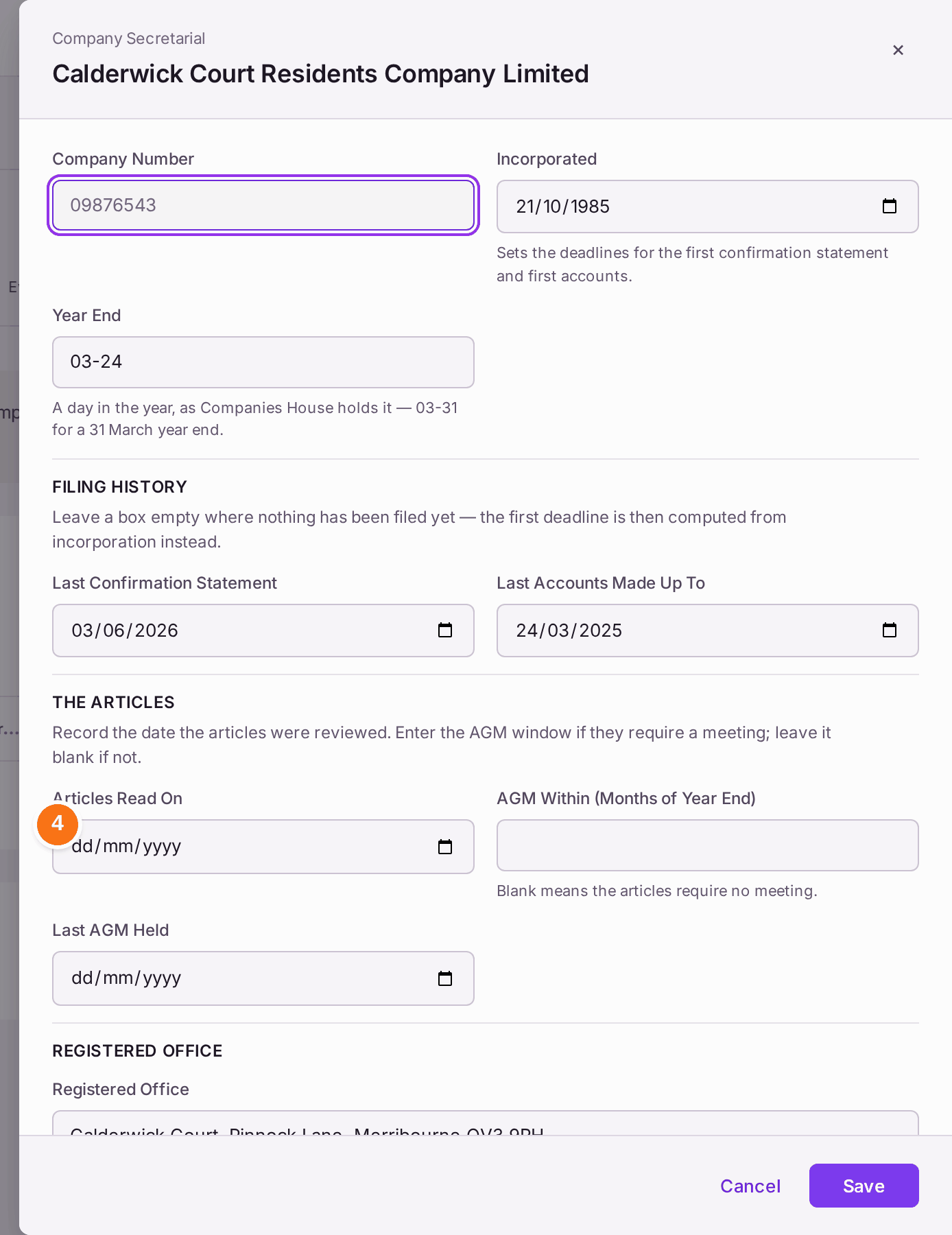
- Press Edit Company. Check the Company Number, Incorporated, Year End, and the dates of the Last Confirmation Statement and Last Accounts Made Up To.
- Under The Articles (the company's own rules), enter Articles Read On: the day someone read them. If they require an AGM (annual general meeting), enter AGM Within (Months of Year End); leave it blank if they do not. Press Save.
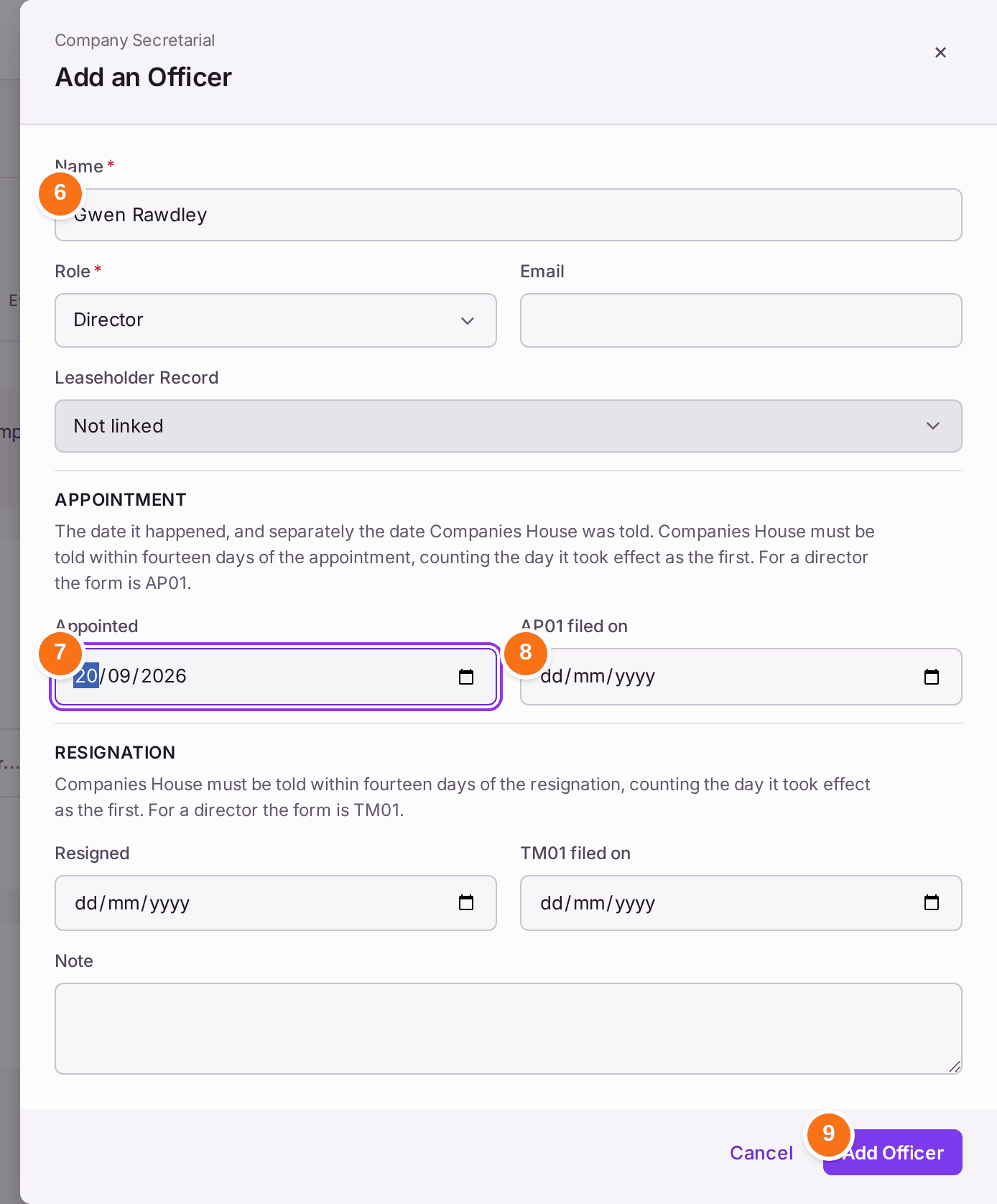
- To record a new director or secretary, press Add Officer.
- Type the Name. Choose the Role. If they are a leaseholder, choose them under Leaseholder Record.
- Choose Appointed: the day the appointment took effect.
- Choose AP01 filed on: the day Companies House was told (AP01 is the Companies House form for a new director). Leave it blank until it is filed.
- Press Add Officer. "Officer added".
- When a director resigns, press Edit beside them, then fill in Resigned and TM01 filed on (TM01 is the form for a director leaving).
- Use Add Member for each member of the company (usually each leaseholder), with the date a sale was Notified and the date it was Entered in the Register. Before a meeting, book it on the building's Overview, under Meetings: press Add Meeting, then choose the Meeting (Annual General Meeting, Extraordinary General Meeting or Board Meeting) and enter the Date, the time it Starts, the Place or an Online Link, and the Agenda, one item a line. Press Add Meeting. It shows on the building's Duties until its day, and the AGM Notice template states it when you send it from Group Email or the Outbox. For a general meeting of the residents' company or the right to manage company, tick Company Meeting (Members' general meeting): the AGM Notice then states each member's right to appoint a proxy, and sending it with fewer than 14 clear days left asks first. A board meeting cannot be ticked. A meeting whose notice has been sent cannot be removed: press Cancel Meeting and give a reason. It stays on the card as Cancelled, with the reason, and leaves the building's Duties. One nobody has been sent a notice of can still be removed.
- After each meeting, press Upload Minutes, then choose the Date of the Meeting, the Kind of Meeting (AGM, Board or EGM) and the file. Filing AGM minutes sets the company's Last AGM.
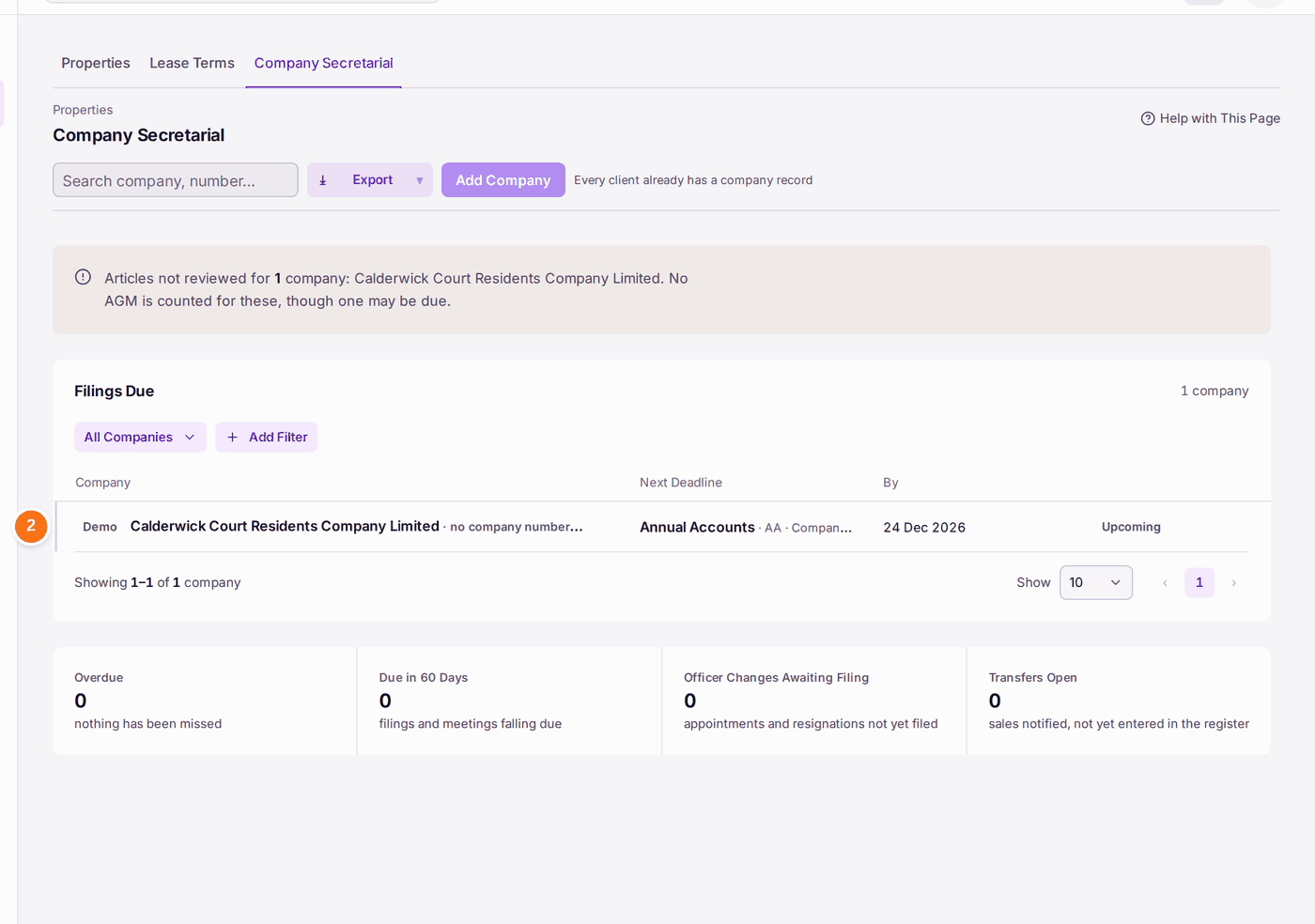
You'll know it worked when: the company's Filings Due shows the right next deadlines, and the figures at the foot of the register read 0 under Overdue and Officer Changes Awaiting Filing.
If something's wrong:
- "Articles not reviewed … No AGM is counted for these, though one may be due." Nobody has recorded reading the company's articles, so SynkroTech cannot tell whether an AGM is required. Do step 4.
- A director appointment shows Overdue. It was entered with no AP01 filed on date, and more than 14 days have passed. File the AP01 at Companies House, then enter the date with Edit.
- "Name is required." Add Officer needs at least the name and the role.
- A deadline is wrong. The dates under The Company are wrong. Check the year end and the last filing dates against Companies House, and correct them with Edit Company. Each filing is also a duty on Duties, owned by the property manager of the company's building.