


Letting SynkroTech support look at your account
What you'll end up with: SynkroTech's support team able to read the part of your records they need, for a fixed time, with every look they take logged, and their access ending on its own.
Before you start you need: a request from SynkroTech support, usually in reply to a help request (see Asking SynkroTech for help).
SynkroTech cannot see your records unless you allow it. A grant is read-only unless you also tick Allow Changes, and you can end it at any moment.
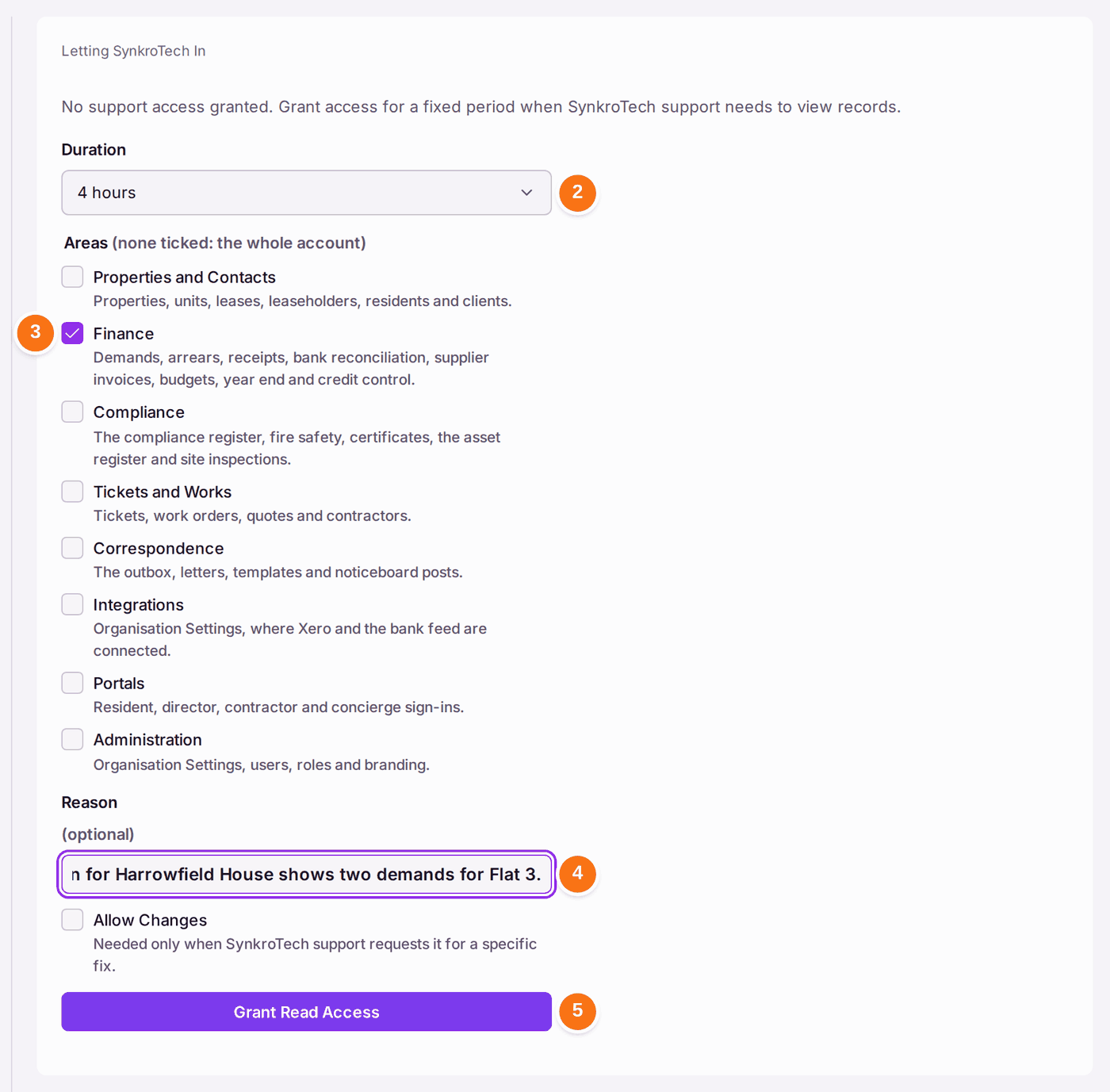
- Go to Settings, then Support Access, under Access.
- Choose the Duration: from 30 minutes to 72 hours, the maximum.
- Tick the Areas support may read, such as Finance. With none ticked, they can read the whole account.
- Type the Reason, such as the help request's subject.
- Press Grant Read Access. Tick Allow Changes first only if support has asked for it for a specific fix.
- To end it before its time, press Revoke Access: "Support access revoked."
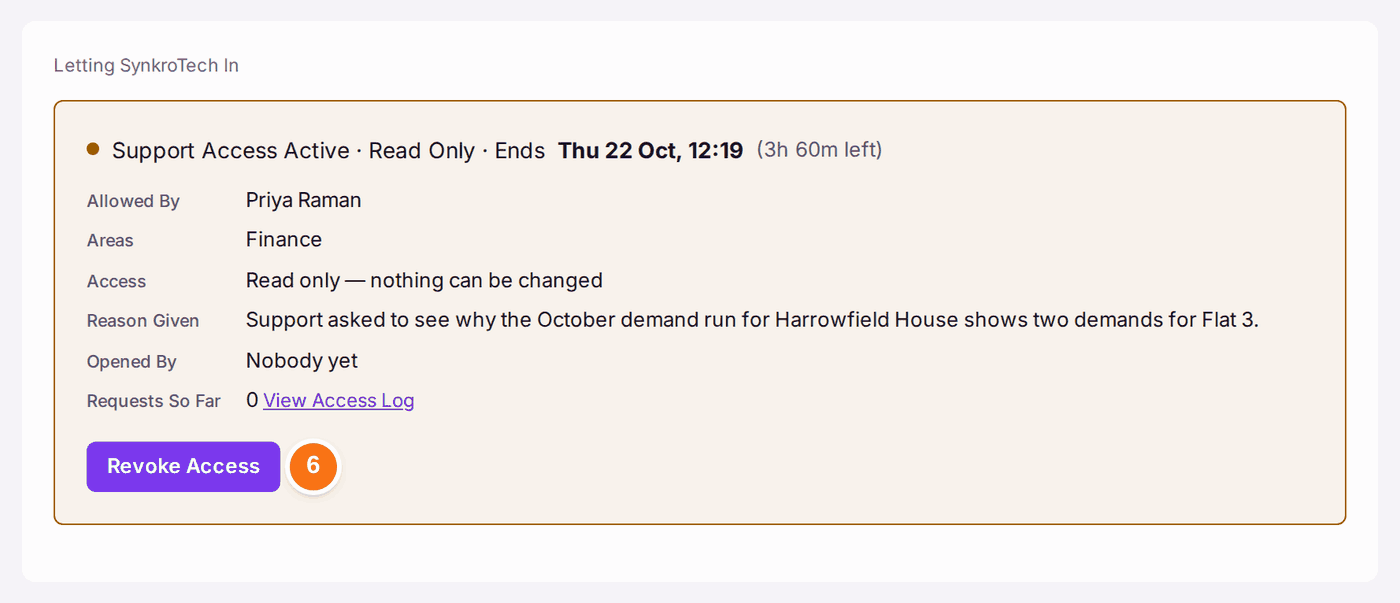
You'll know it worked when: the card reads "Support Access Active · Read Only" with the time it ends, who allowed it, the reason, who has opened it and how many requests they have made. View Access Log lists every look.
History keeps each grant, with the number of requests made under it.
If something's wrong:
- Support says they still cannot see what they need. The area may not be ticked. Revoke the grant and grant again with the right area.
- You granted too long or too much. Press Revoke Access and grant again.
- You want to know what they looked at. Press View Access Log, during or after the grant.