


Showing directors how their building is doing
What you'll end up with: the directors of a residents' company able to see, on one page, their building's inspection findings, safety checks, your service standards, the budget and the evidence held, and you knowing what they see before the board meeting.
Before you start you need: the directors on the company's register (see Running the residents' company: filings, AGMs, directors and members) and a director portal login for each (see Giving a leaseholder, resident or director a portal login, choosing Director as the access type).
The director portal is one page. What it shows comes from your records as they stand, so a gap on your side is a gap on theirs.
- Open the property, such as Calderwick Court.
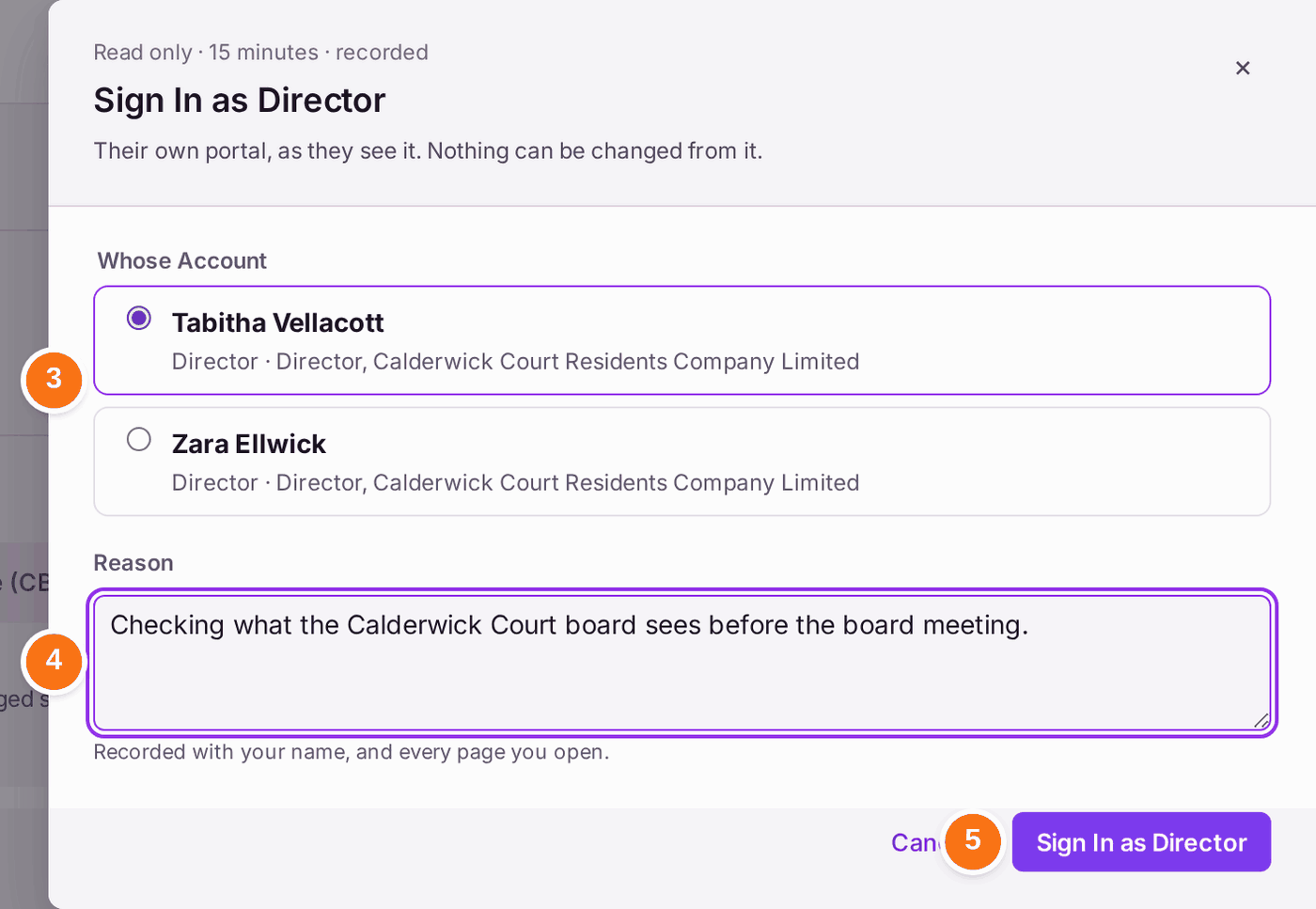
- Press Sign In as Director at the top.
- Choose Whose Account: the director you want to see it as.
- Type the Reason: who asked and why. It is recorded with your name.
- Press Sign In as Director. Until you choose an account it reads Sign In as… and is greyed.
- Read the page as they will: Unactioned Findings from inspections, Statutory Compliance (each check, overdue first), Service Standards ("The agent's own standards, not law"), the Budget, Evidence Held, Year-End Accounts and Major Works (each project, its stage and its cost). Anything you have switched off in Portal Settings is not there: it is listed under On Request, with Request Details for the director to ask you.
- Press Exit when you have finished. The session also ends by itself after 15 minutes.

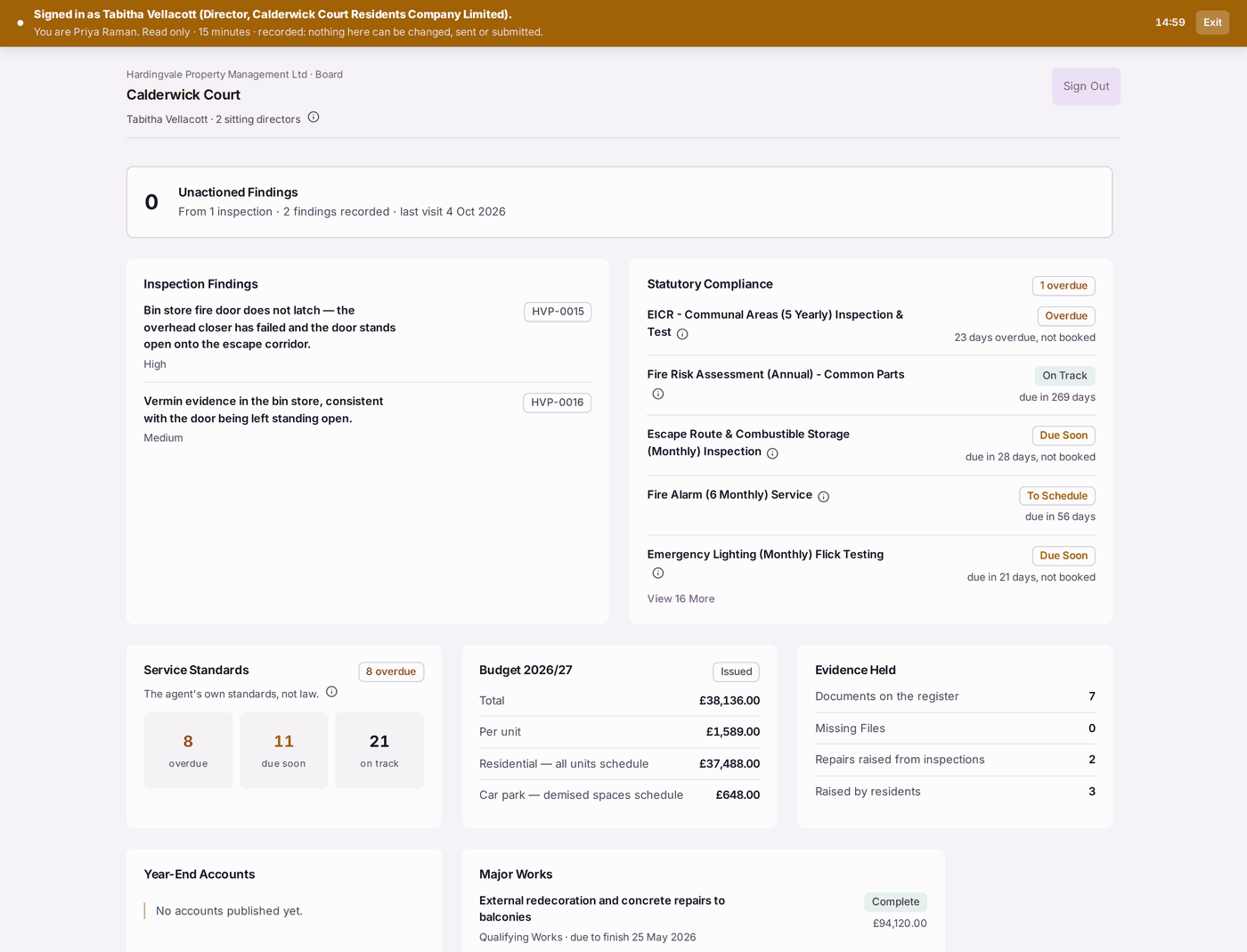
You'll know it worked when: you can answer the board's likely questions before they ask: what is overdue and why, what was found at the last inspection, and where the budget stands.
If something's wrong:
- "No accounts published yet." Publish the signed accounts (see Publishing the signed year-end accounts to leaseholders and directors).
- A check shows Overdue that was done. Its certificate is not filed. File it (see Recording that a check was done (filing a certificate)).
- A card is missing, and On Request lists it. It is switched off in Settings → Portal Settings → What Directors See. Switch it on there; everything except Sitting Directors can be switched.
- Sign In as Director is not on the property. SynkroTech has nobody at the property it can show as a director, or your role does not include viewing as someone else. Check the company's directors and their portal logins.