


Recording that a check was done (filing a certificate)
What you'll end up with: the duty marked as done on the day the work was done, its next due date moved on, and the certificate itself filed against it, so you can show it to a client, an insurer, the fire service or a buyer.
Before you start you need: the certificate or report, as a file, with the date the work was done and its reference.
A duty is done only with its certificate. Upload Certificate takes the date, the reference and the certificate together: the file is filed on the property and linked to the duty, its asset and the firm on it.
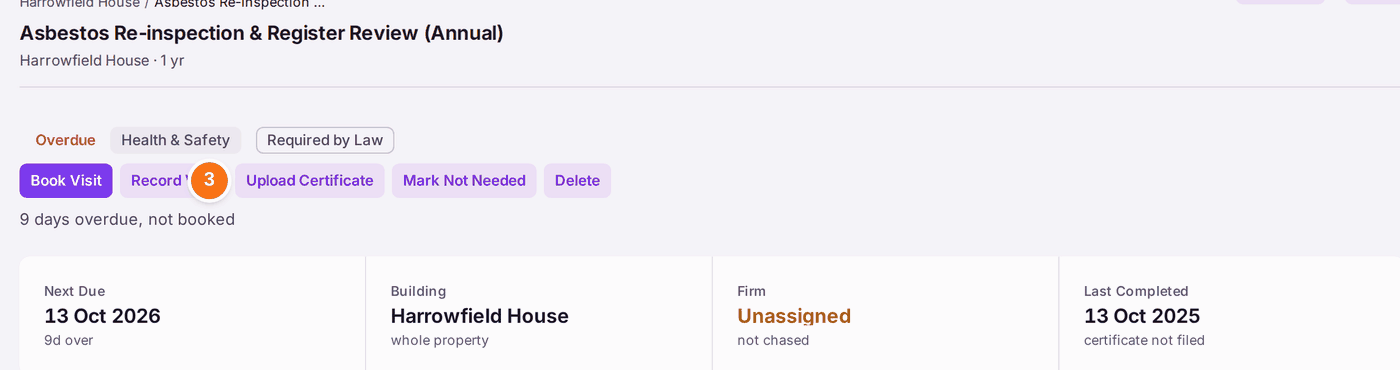
- Go to Compliance → Compliance Register and open the duty.
- Check the duty's status: what is due, when it was last done, and whether a certificate is on file.
- Press Upload Certificate, at the top of the duty.
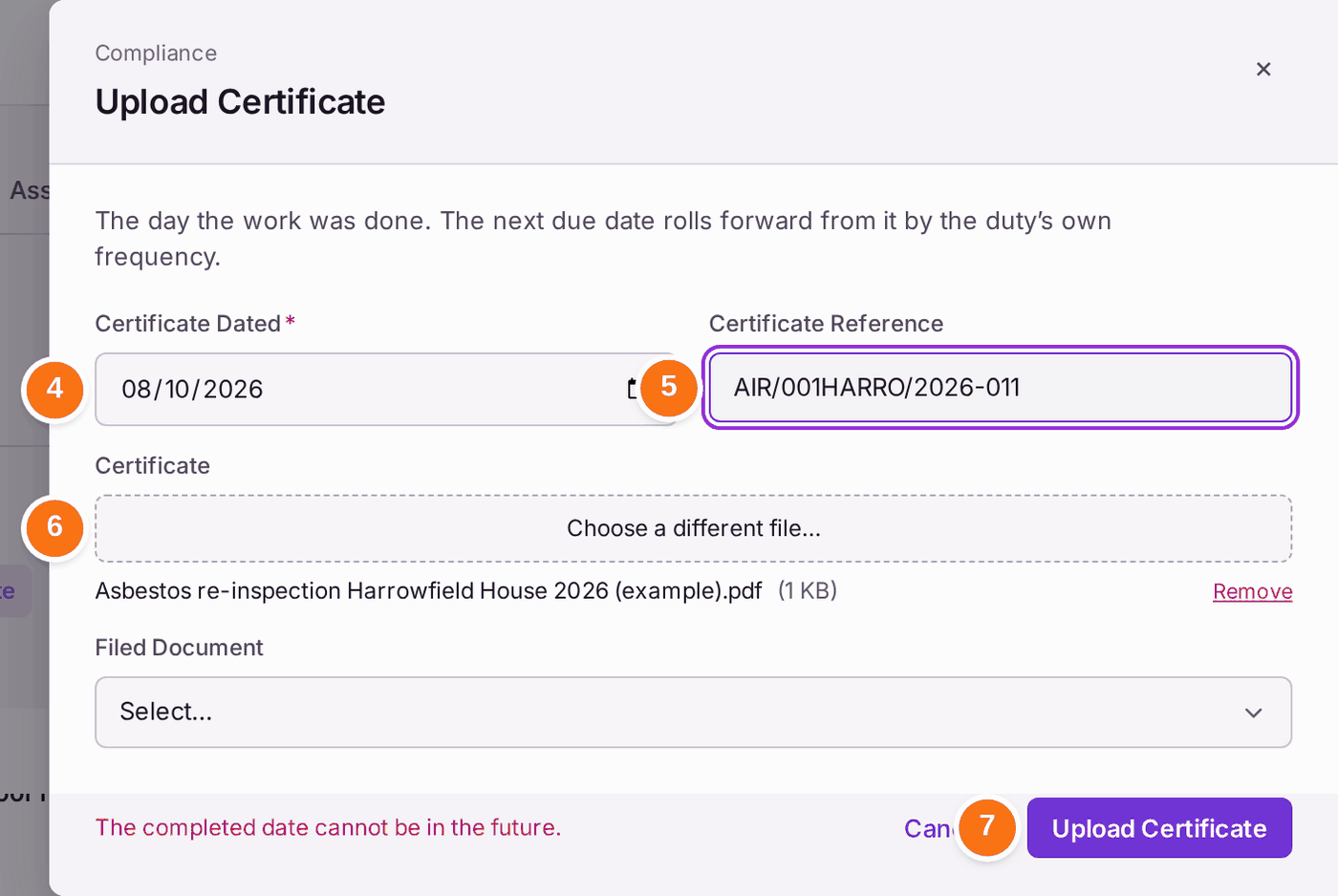
- Check Certificate Dated: the day the work was done, not today. When the engineer's attendance is recorded, it is filled in with that day, and marked.
- Check the Certificate Reference against the document. When the attendance came from completing a work order, a reference found in the job's completion report is filled in, marked "From WO-… · check". Otherwise type it.
- Under Certificate, choose the file. If the certificate is already filed on the property (for example from an email), choose it under Filed Document instead.
- Press Upload Certificate. "Upload Certificate — recorded". The next due date moves on by the duty's frequency.
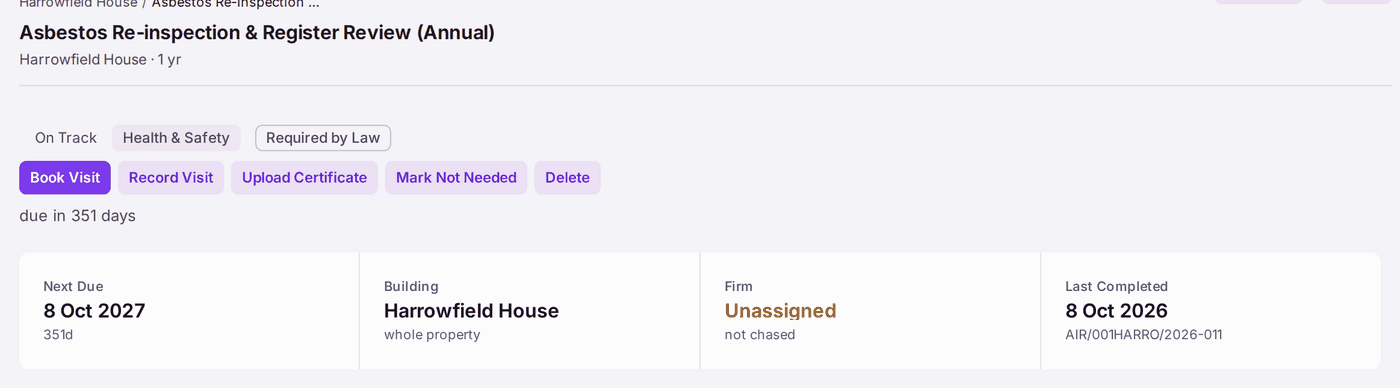
You'll know it worked when: the duty reads On Track with the new Next Due date, Last Completed shows the date and the reference, and the certificate is on file. The duty's Activity names the certificate on the line that records it. The certificate is one document, linked to the duty, its asset and the firm on the duty: its page says Also Linked To.
If something's wrong:
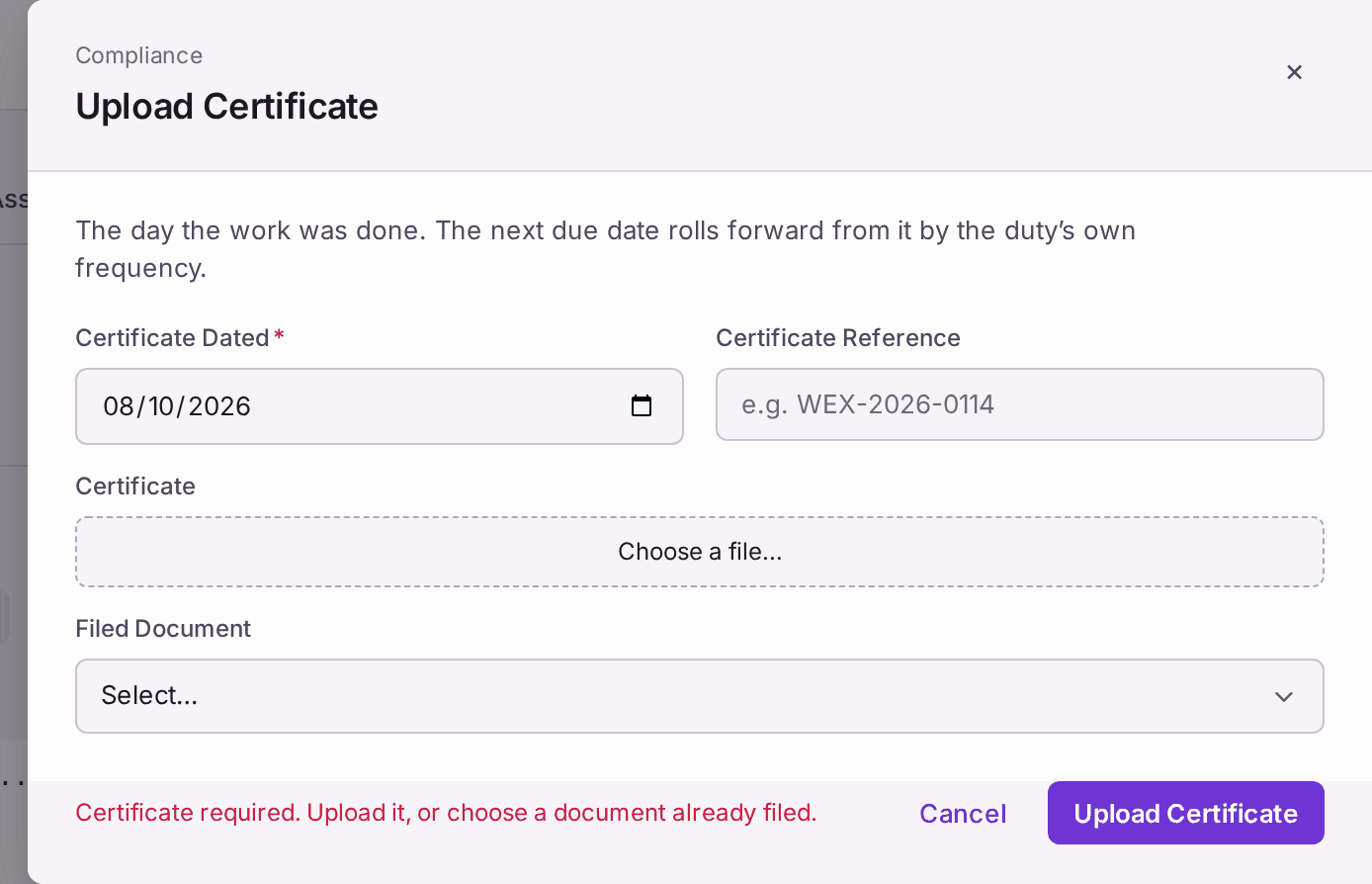
"Certificate required. Upload it, or choose a document already filed." Nothing is recorded without the certificate. Choose the file under Certificate, or the filed document under Filed Document, and press Upload Certificate again.
The date does not move until the certificate is given. - The check issues no certificate. Some duties are a person's own dated check in a log book, such as a weekly fire alarm test or a monthly emergency lighting check. For these the form also has No Certificate Reason: write where the record is, for example "Weekly call point test, logbook page 14". It is kept on the duty's Activity with your name. A duty whose evidence is a certificate is refused a reason: "This duty is evidenced by a certificate. Upload it, or choose a document already filed."
- "That document is filed on another property." The certificate must be filed on this duty's property. Choose the file again under Certificate, or move the document to the right property first.
"The completed date cannot be in the future." Choose the day the work was actually done.
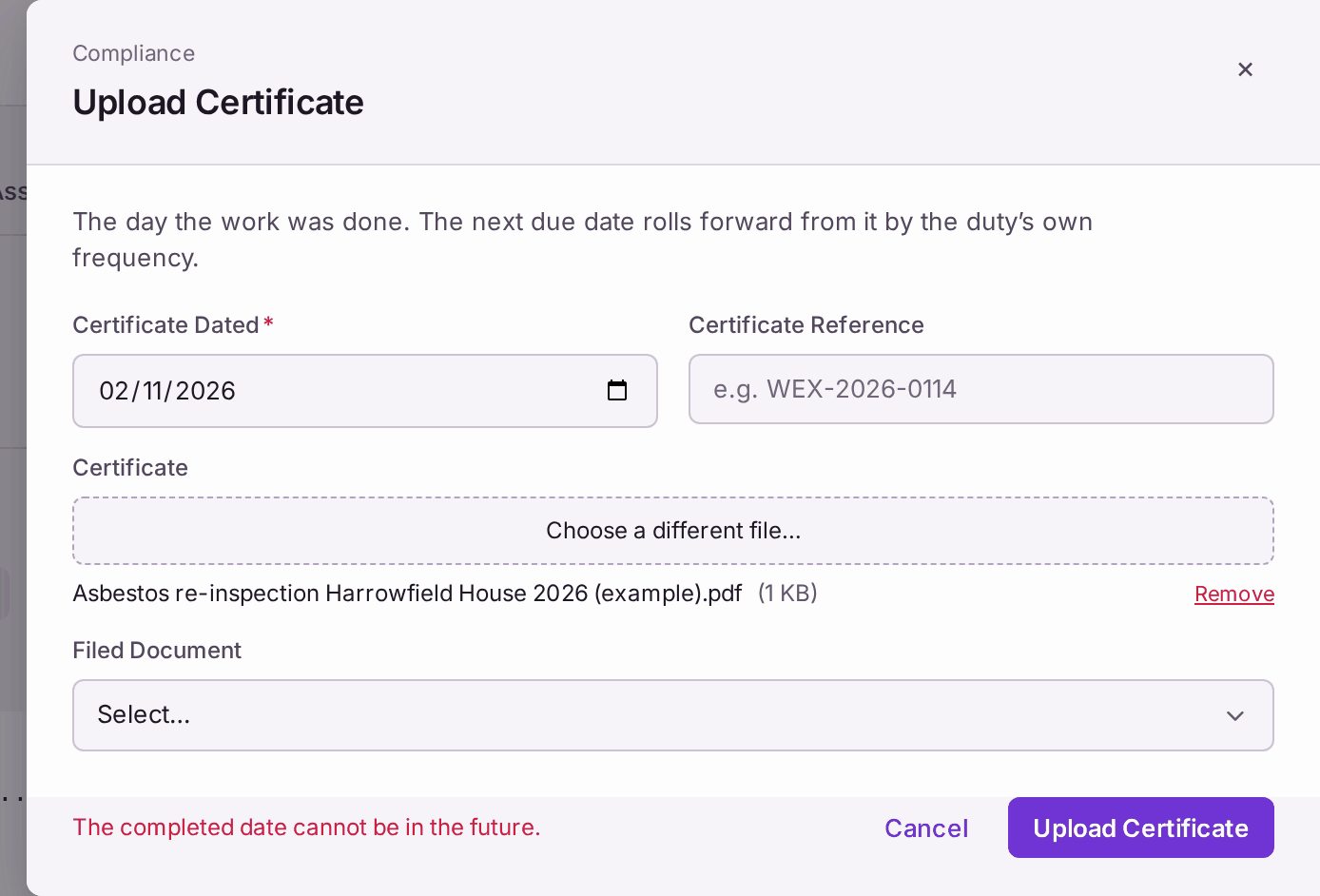
Nothing is recorded until the date is right. - You uploaded the certificate on the property's documents but the duty is still overdue. Uploading files the document; it does not record the date. Press Upload Certificate on the duty and choose it under Filed Document.
- The contractor attended but the certificate has not arrived. Use Record Visit on the duty, and More → Send Reminder to chase the firm. The duty shows as awaiting a certificate. When the visit was a work order raised for the duty (from the duty, or from a ticket raised from it), completing the work order records the attendance for you, on the day it was completed.
- Upload Certificate is refused: "nothing records the engineer attending". The duty's visit is booked for a day that has not come, and no attendance is recorded. If the work was done early, complete its work order (or press Record Visit), then record the certificate.
- The certificate shows the work failed. Record it, then raise a ticket for the remedial work with Create Ticket on the Create menu, so it is followed up.
- Done from the duties board, or from a combined certificate. Complete Duty on My Duties, and Upload Certificate for a combined certificate on the register, ask for the certificate in the same way: Certificate or Filed Document (and, on Complete Duty, No Certificate Reason for a check that issues none).