


Seeing how the whole portfolio is doing
What you'll end up with: the figures that say how the portfolio is doing (arrears, overdue checks, insurance renewals, budgets), for everyone or for one colleague's buildings, each one opening the list of records behind it. And how each person on the team is getting on.
Before you start you need: See Reports. Administrators have it. Anyone else needs it given in Roles & Permissions (see Deciding what each colleague can do).
- Go to Reports.
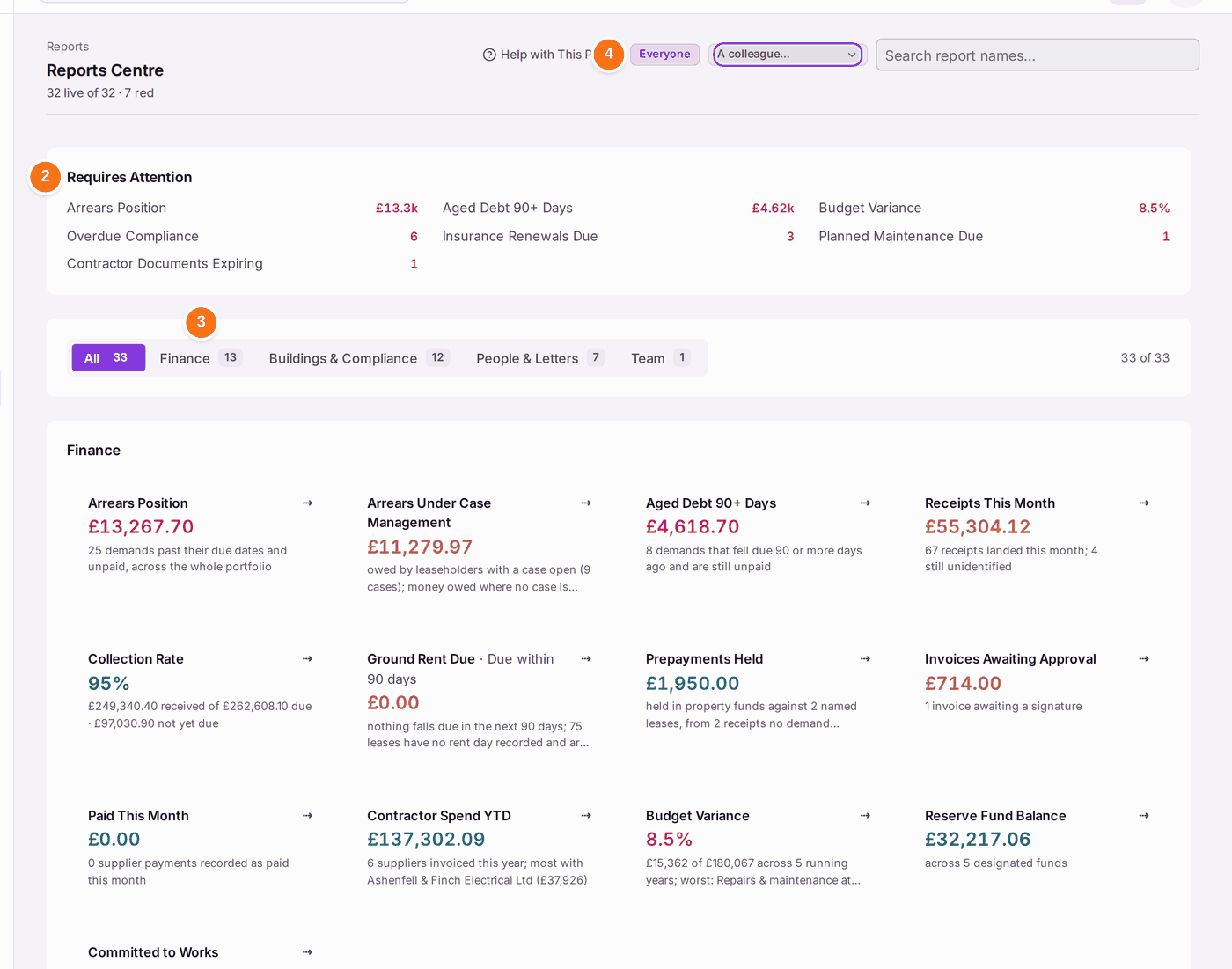
- Read Requires Attention first: the figures that are red now, such as Arrears Position and Overdue Compliance.
- To see one group, choose Finance, Buildings & Compliance, People & Letters or Team. The line on each tile says what it counts.
- To see one colleague's buildings, choose them under View Colleague's Portfolio, in place of Everyone.
- Press a tile to open the records behind it. Arrears Position opens Demands & Arrears with the overdue demands listed.
To see how the team is getting on:
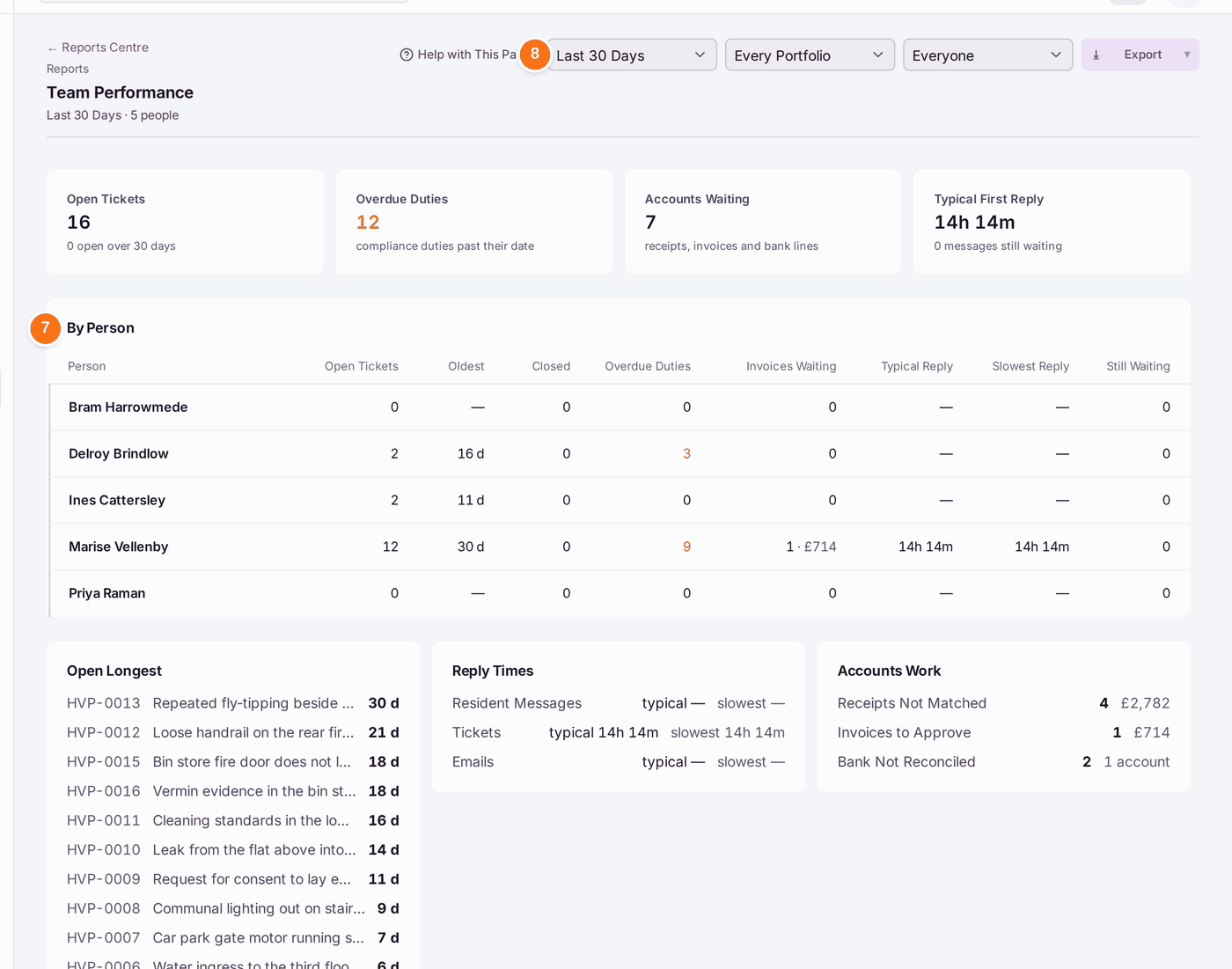
- Under Team, press Team Performance.
- Read By Person: each person's open tickets, the oldest, tickets closed, overdue duties, invoices waiting and reply times.
- Choose a period, a portfolio or a person at the top to narrow it.
- Read Open Longest, Reply Times and Accounts Work below. Press a row to open it.
You'll know it worked when: you can say, for each red figure, which records are behind it, and who has the oldest open work.
If something's wrong:
- Reports is not on the menu. You need See Reports. Ask an administrator.
- A figure looks too low. Read the line under it: it says what is not counted, such as "75 leases have no rent day recorded and are not counted". Complete those records and the figure follows.
- A colleague reads "no patch". No properties are set as theirs. Set their patch (see Deciding what each colleague can do).
- A reply time looks long. It runs from their message to the office's first reply they can read. Internal notes do not count.
- Invoices sit under Unassigned. The building has no manager. Set one on the property.
- Receipts and bank lines are not given to anyone. They name no building until they are matched, so they count for the whole organisation.
- You need the figures for a board or client. Press Export on Team Performance, or open the register behind a tile and press Export (see Exporting a register to a spreadsheet).