


Recording the outgoing agent's handover and opening position
What you'll end up with: each property you took over from another agent showing the money it held on the day it became yours, fund by fund, and what each leaseholder owed, approved as final once the outgoing agent's reconciled accounts match.
Before you start you need:
- The property's Conversion Date (the day its money became yours) on its Statutory Profile (see Setting a property's service charge year end).
- The property's funds added (see Setting up bank accounts and funds) and its leaseholders on their units.
- The outgoing agent's figures: what each fund held, and what each leaseholder owed or was in credit, on the conversion date. Their final, reconciled accounts follow within 90 days of handover.
If you skip the opening balances, every leaseholder starts at £0.00: arrears brought across are never chased, and credits are never repaid.
Entering the opening balances:
- Open the property. On its Overview, press Opening Balances on the Opening Position card (or go to Finance → Opening Balances and choose the Property).
- Under Funds, type each fund's Opening Balance, in pounds and pence. A fund that held nothing is 0.00; an overdrawn fund is a minus figure. As At is the conversion date unless you change it.
- Under Leaseholders, type what each leaseholder Owed on the conversion date, or what they were In Credit.
- Press Check. Each figure is checked as the import files would check it, and a line says what saving will do for each ("Flat 1, Harrowfield House — £345.00 service charge, …"). A figure that would be refused is said in red.
- Press Save. The figures are saved, the Stated column shows them, and the save is listed on the card as a restatement, which Bulk Import can undo.
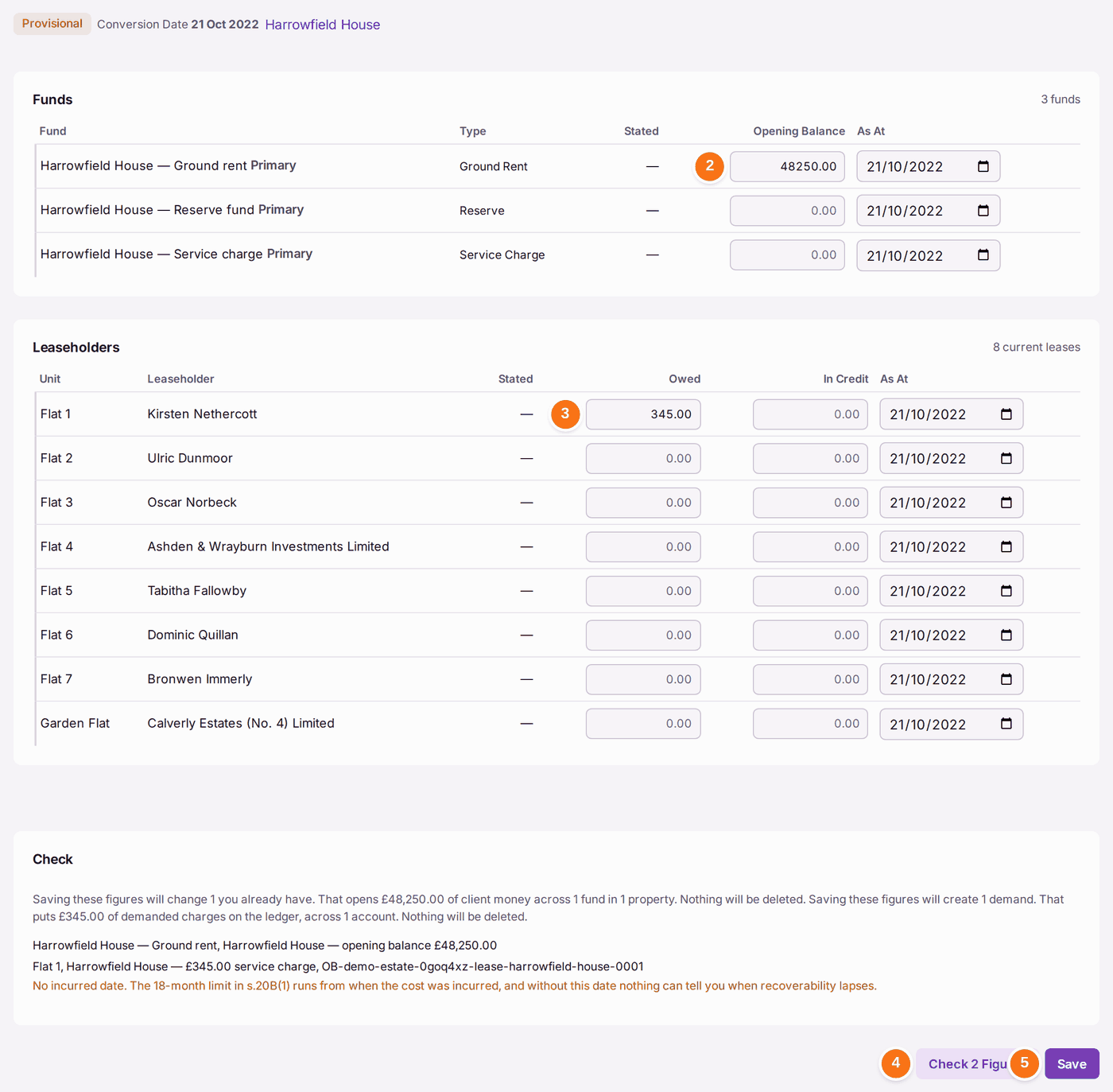
A service charge fund and a reserve fund may each be the primary fund for its kind; Check warns only of two primary funds of the same kind.
A large portfolio can load the same figures from the Fund Balances and Opening Balances spreadsheets under Settings → Bulk Import instead (see Loading your portfolio from spreadsheets).
Approving them:
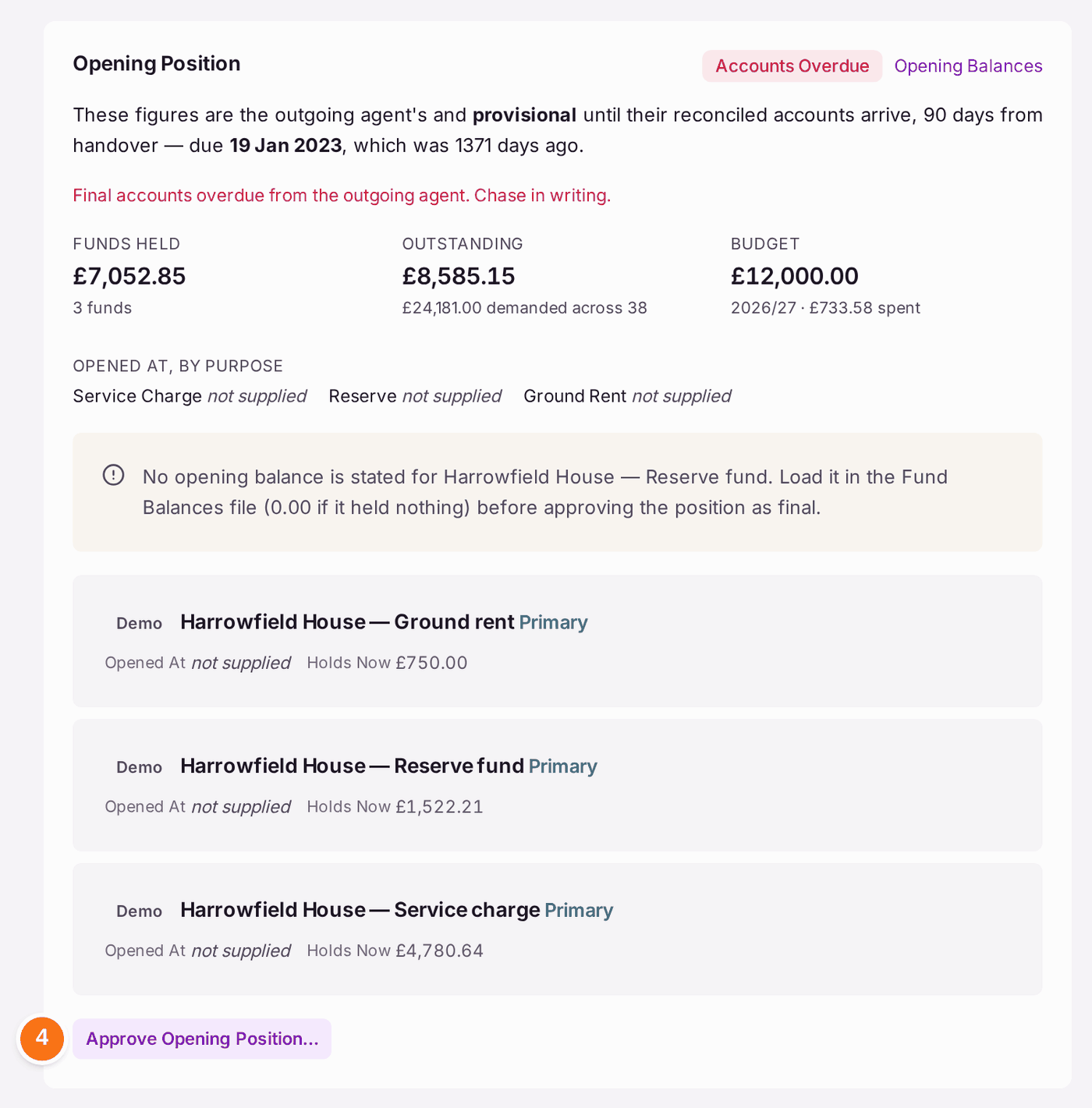
- On the property's Overview, read Funds Held, Outstanding and Budget on the Opening Position card, and the line for each fund under Funds.
- Compare them with the outgoing agent's final accounts.
- Press Approve Opening Position… once they match.
- Read the sentence that appears: it repeats the figures you are confirming, in your name. Then press Confirm Books Final.
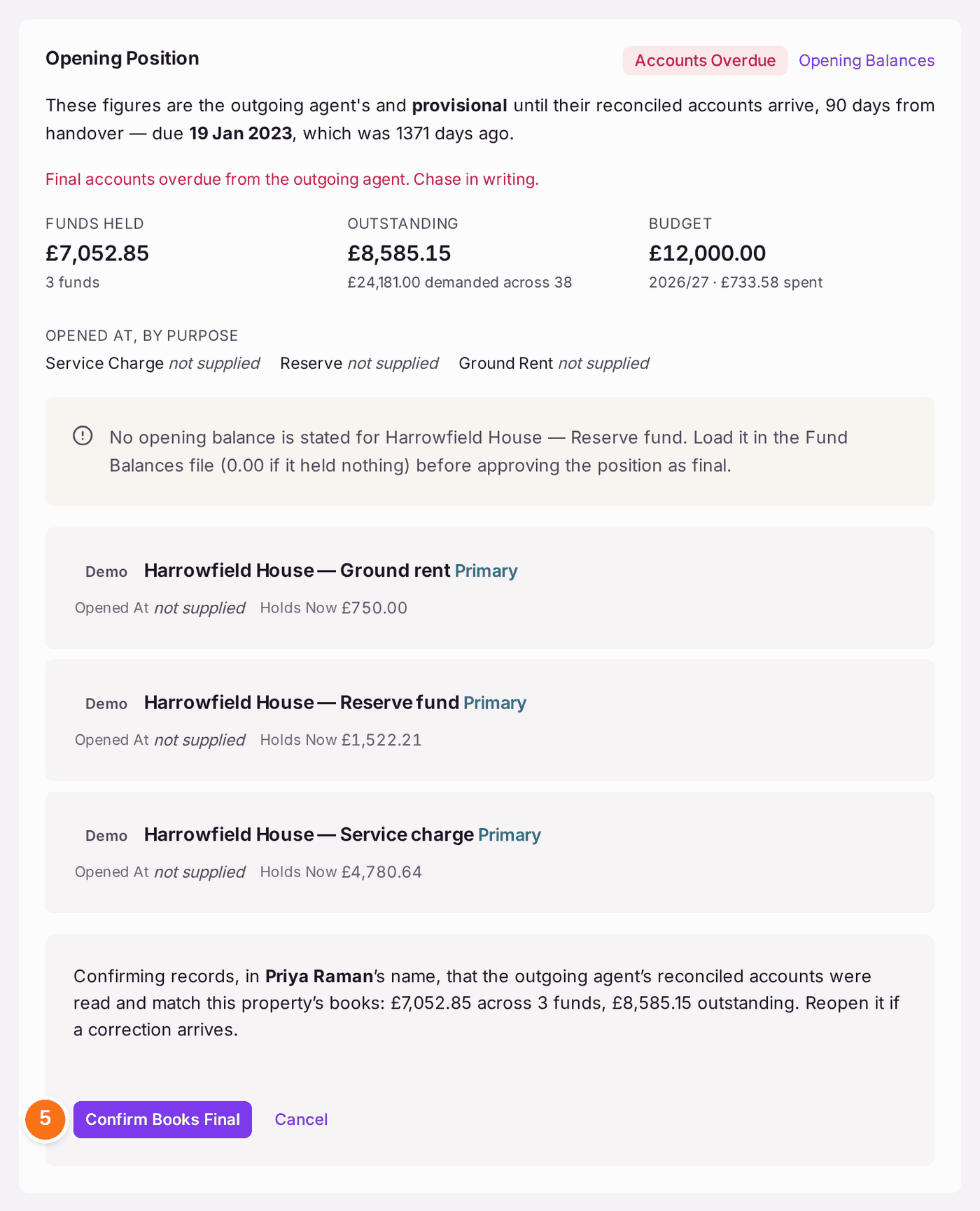
You'll know it worked when: the card no longer says the figures are provisional, and the Setup Checklist shows Confirm Final Accounts Received as Done for that property.
If something's wrong:
"No opening balance is stated for … Reserve fund." Every fund needs a stated opening balance before the position can be final, because reserve and major works money is held apart from the service charge. If the fund held nothing, the figure is 0.00. Type it on Opening Balances, then approve again.
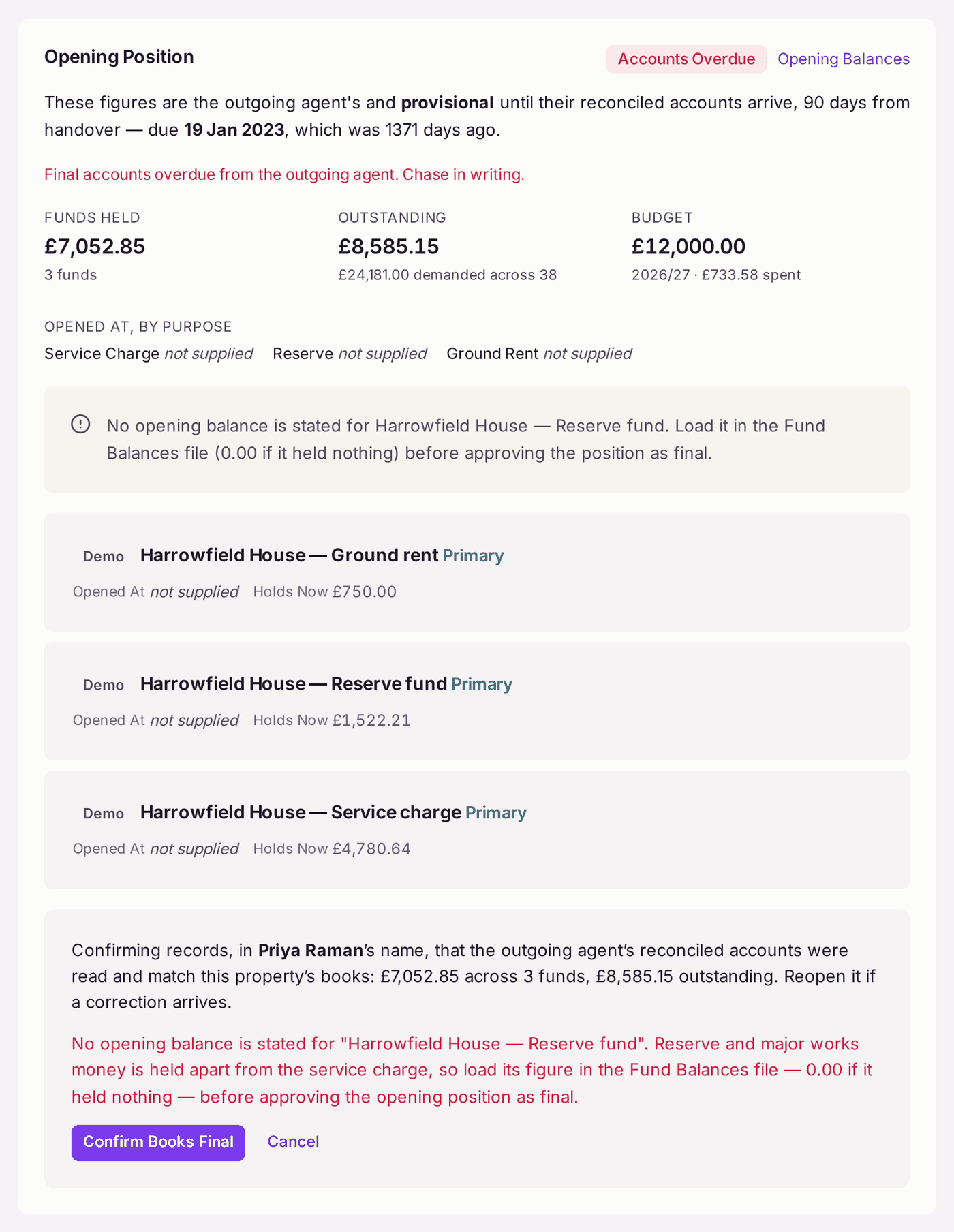
The red line names the fund. Nothing is approved until every fund has a figure. - "Accounts Overdue". The outgoing agent's 90 days have passed. The card says "Final accounts overdue from the outgoing agent. Chase in writing." Write to them; the obligation is theirs.
- "The opening position is approved as Final." on Opening Balances. Figures are not restated once approved. Reopen the position on the property first.
- A figure differs from the final accounts. Do not approve. Type the right figure on Opening Balances and save: it replaces the one stated before. If a correction arrives after you approved, reopen the position: the confirmation says "Reopen it if a correction arrives."
- The property never moved from another agent. There is no opening position to approve. On the Setup Checklist, mark the handover step Not Applicable with the reason.