


Finding a leaseholder and their account
What you'll end up with: the leaseholder's record open, showing where their post goes, what they owe and when it was due, the flats they hold and everything sent to them.
Before you start you need: part of their name, their flat, a demand reference or their email address.
Most phone calls start with "I'm calling about my account". Finding the record in a few seconds, and reading the balance the same way every time, avoids giving a leaseholder the wrong figure.
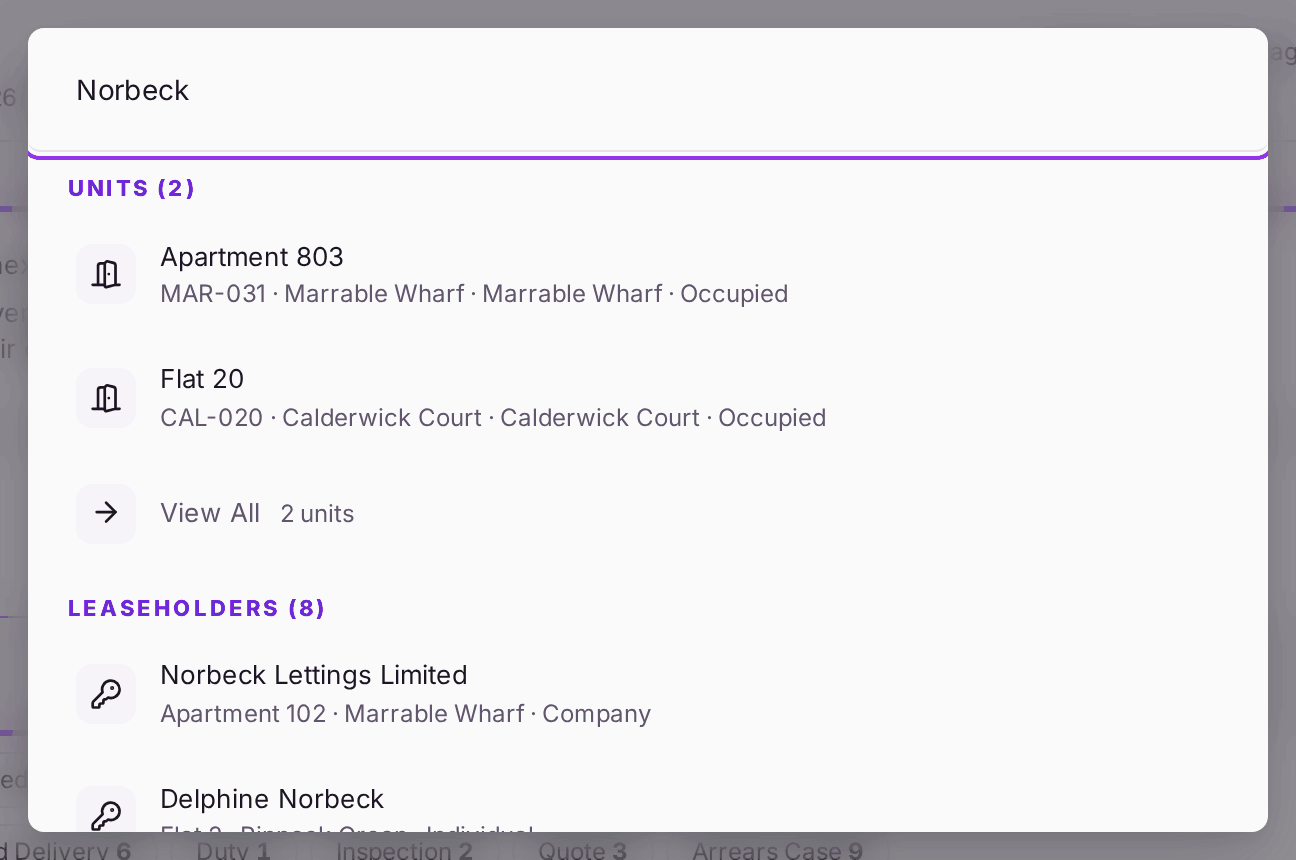
- Press Ctrl+K on any page (or click the search box at the top) and type part of the name, the flat, a demand reference or the property's code, such as HV-01.
- Choose the leaseholder from the results. Results are grouped: leaseholders, residents, demands and more.
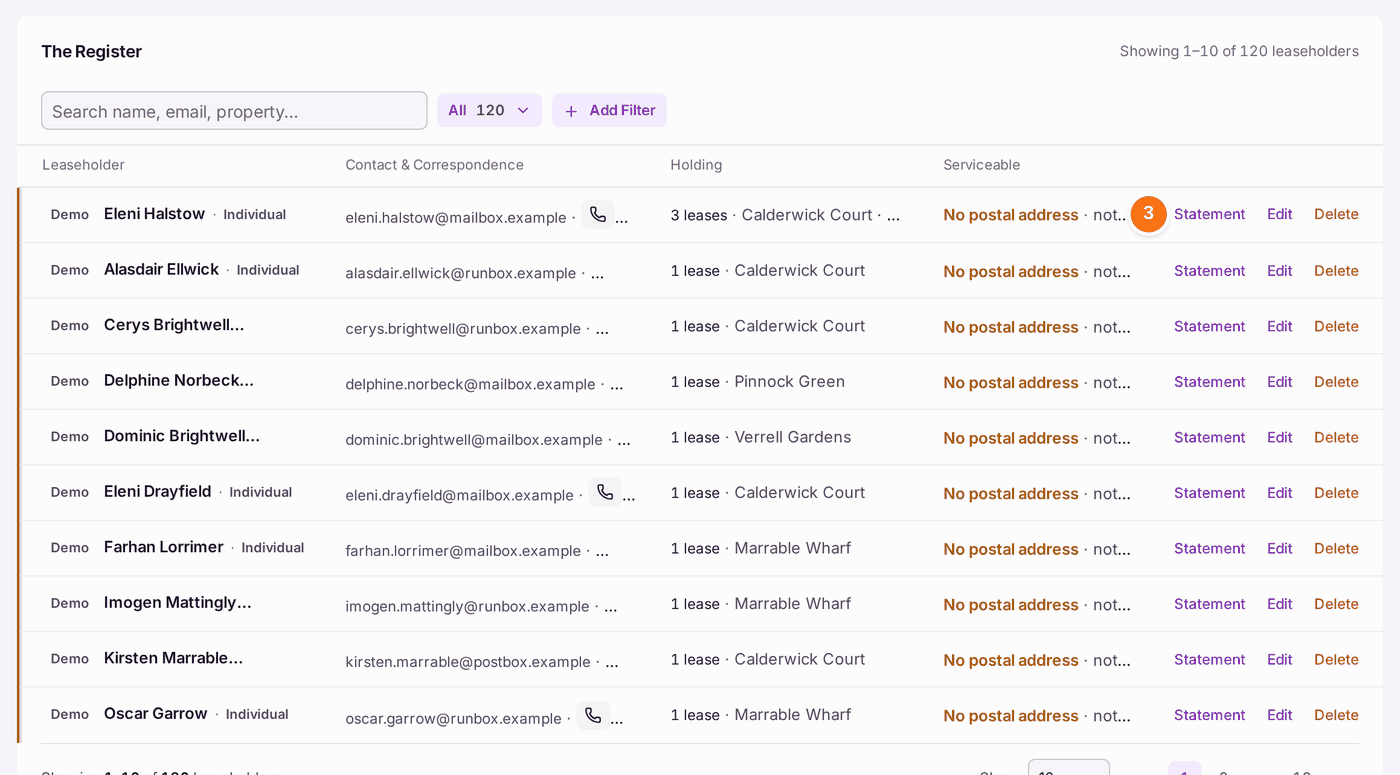
- Or go to Contacts → Leaseholders for the whole register, hardest to serve first. Statement on each row opens their account statement.
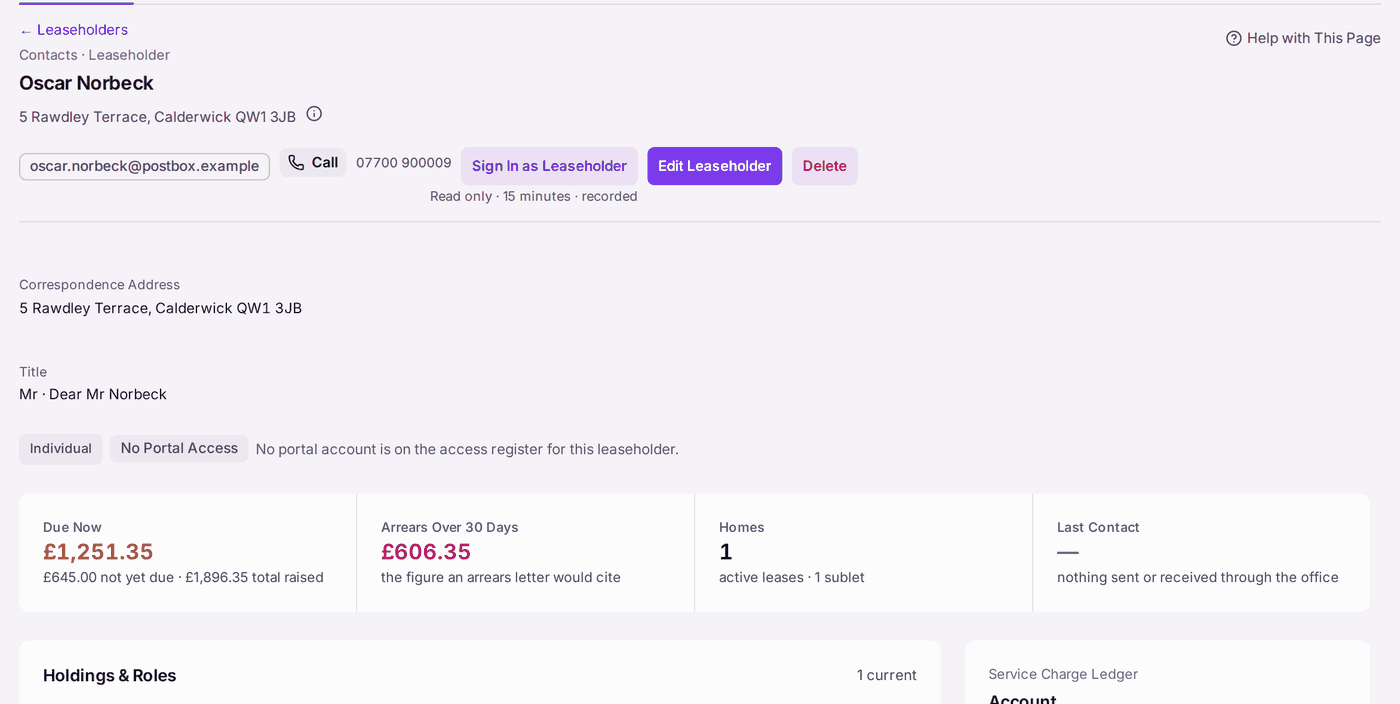
- On the record, read the top: the correspondence address, their Title and how letters greet them ("Ms · Dear Ms Okafor"), and whether they have a portal login. To add or change the Title, press Edit Leaseholder.
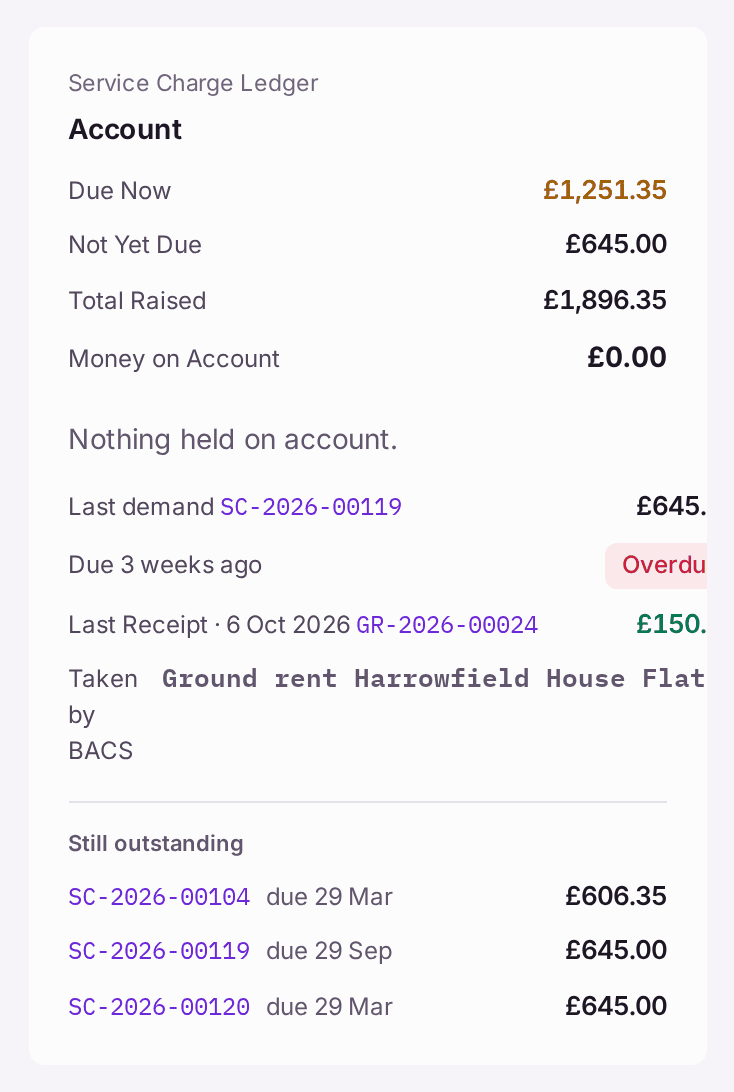
- Read the balance: Due Now (unpaid on demands already due), Not Yet Due, and Arrears Over 30 Days (the figure an arrears letter would cite). Money on Account is what is held for them (a year-end credit, or money paid ahead), as their portal shows it. Where they also owe, it lists the overdue demands it would pay, oldest first: press Use Credit, then Use Credit again to apply it. The question says how many demands it settles and how many it only part-pays. In their portal it reads as credit on account used, never as a payment they made. Nothing moves until you confirm.
- Scroll for the Service Charge Ledger, Holdings & Roles (each flat and role), Leases, letters and emails sent, documents and activity.
You'll know it worked when: you can tell the caller what they owe now, what falls due later, and what their last payment was.
← Back to Leaseholders, at the top of a record you opened from the register, takes you back to it with your place kept: the search, the view, the page and how far down you had scrolled.
If something's wrong:
- The search finds nobody. Try the flat, the surname only, or a demand reference. A tenant is listed under residents, not leaseholders.
- One record names two people, such as "Mr and Mrs …". Names That May Be Two People, on the register, lists them, so each person can have their own record.
- The record says "No postal address" or "nothing to post a demand to". A demand cannot be served by post. Set where their post goes (see Setting where a leaseholder's post goes).
- The caller is not the leaseholder. Check they are named on the record (for example a joint leaseholder or a letting agent with written authority) before you discuss the account.