


Raising a repair from something found on an inspection
What you'll end up with: a ticket for the repair, raised from the finding while you stand in front of it, linked to the inspection so anyone can see where it came from.
Before you start you need: a finding on an inspection (see Doing the inspection: answering the checklist, recording findings and photos).
A finding with no ticket is a problem written down and not dealt with. Raising the ticket on the spot means it has an owner and a date before you leave the building. Sign-off lists findings with no ticket, but does not stop you.
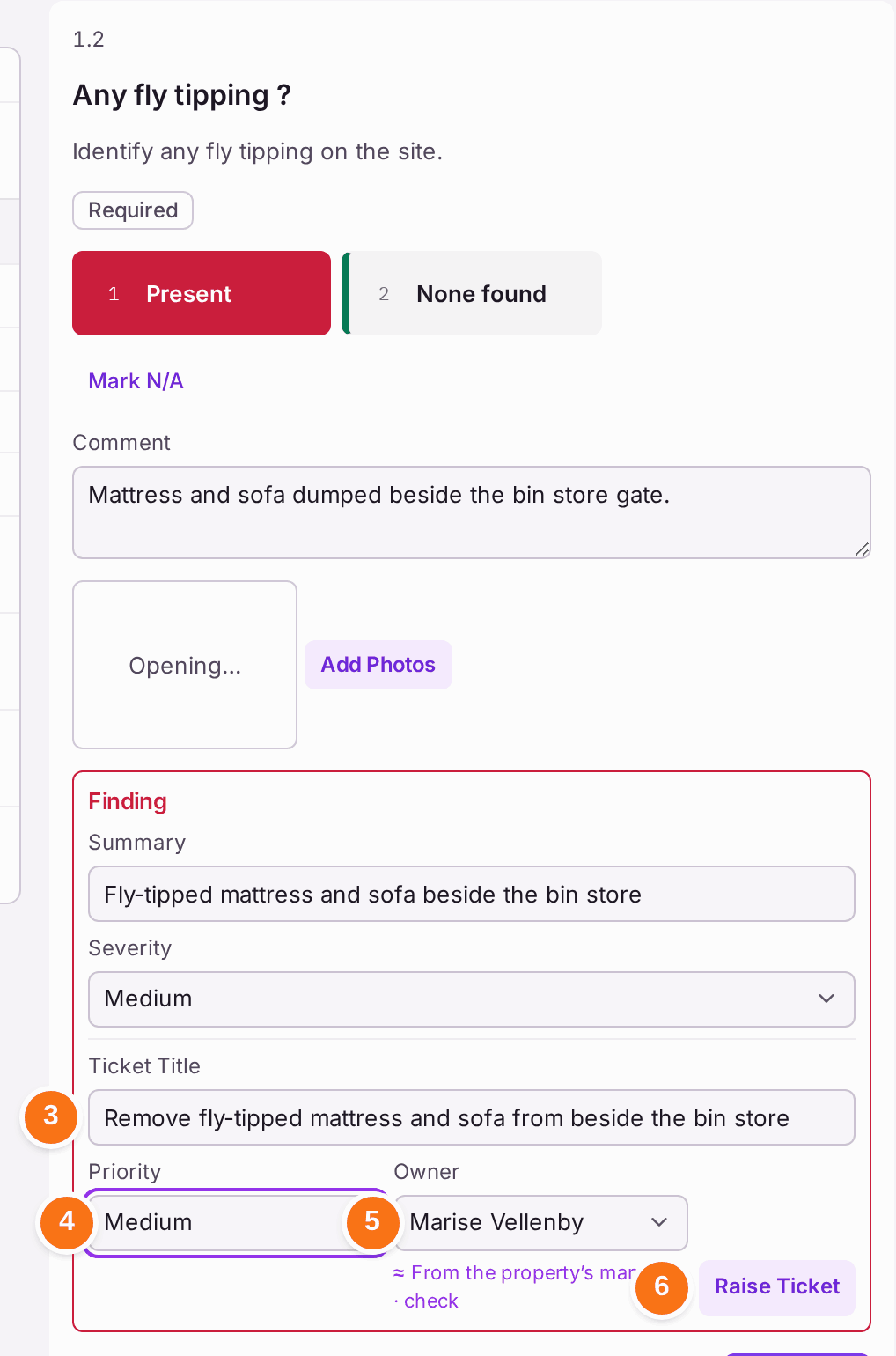
- On the question with the finding, under Finding, check the Summary and Severity. A summary taken from your comment is marked "From the comment · check".
- Find Ticket Title under the finding.
- Type the Ticket Title: what needs doing. Left empty, the ticket takes the summary.
- Choose the Priority.
- Check the Owner: the property's manager is filled in, marked "From the property's manager · check". Choose someone else, or Unassigned.
- Press Raise Ticket. The ticket carries the answer's comment and where it was found as its details, and the answer's photographs.
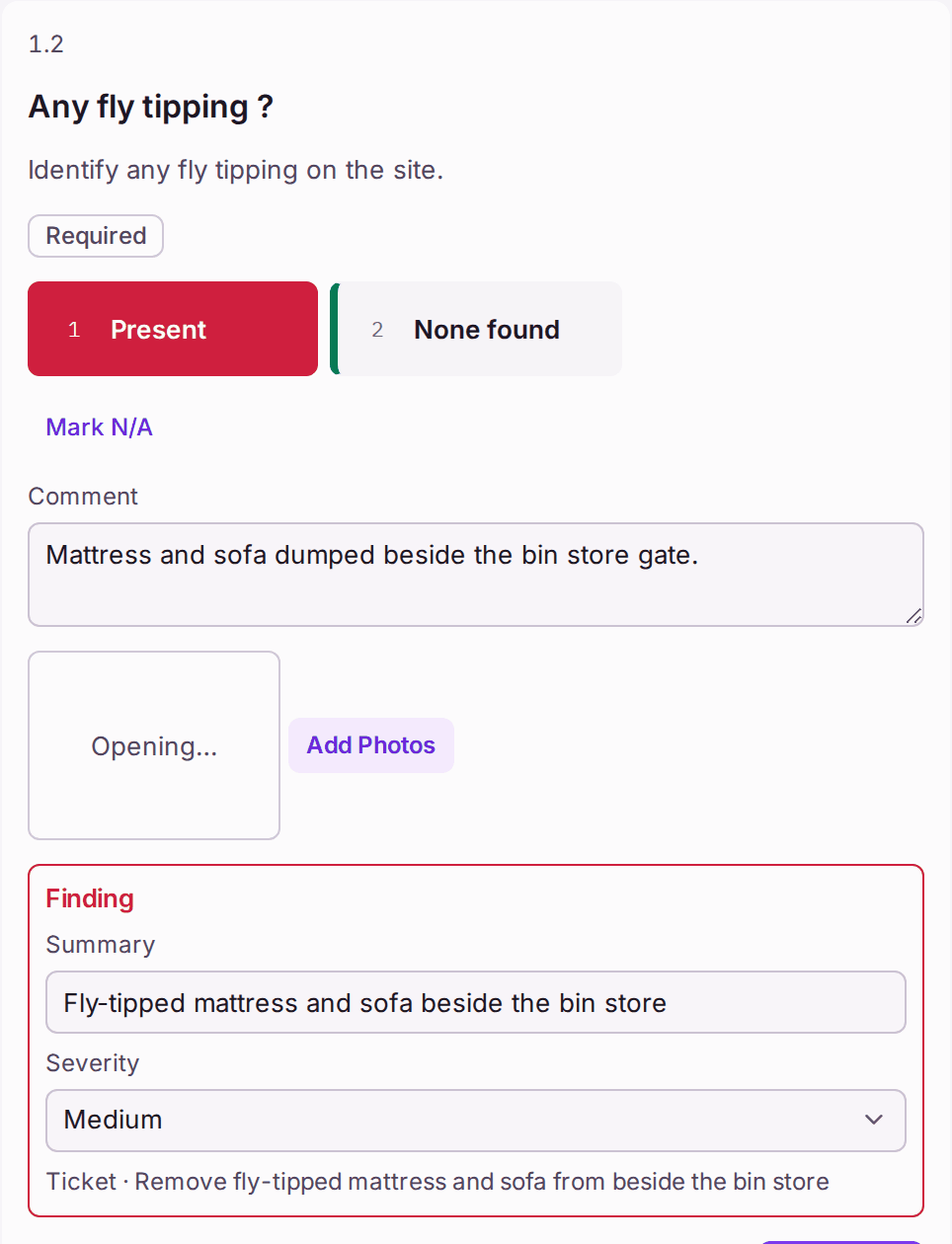
You'll know it worked when: the finding reads "Ticket · [title]", and the inspection lists the ticket under Tickets Raised with its reference, priority and status. On the ticket, Related To names the inspection it came from, and its Activity (Whole Job) starts with the finding.
If something's wrong:
- You raised the ticket against the wrong finding. Open the ticket from Tickets Raised, set its Status to Closed and add an internal note saying why, then raise the right one.
- The repair is already on an open ticket. Do not raise another. The inspection lists the property's open tickets under Earlier Tickets: press Carry Over on it if the problem is still there, or Close if it has been fixed.