


Recording money that has come in (matching receipts)
What you'll end up with: every payment that reached the client account posted to the right fund and, where it is a leaseholder's payment, set against their demands, oldest first, so their balance and arrears are right.
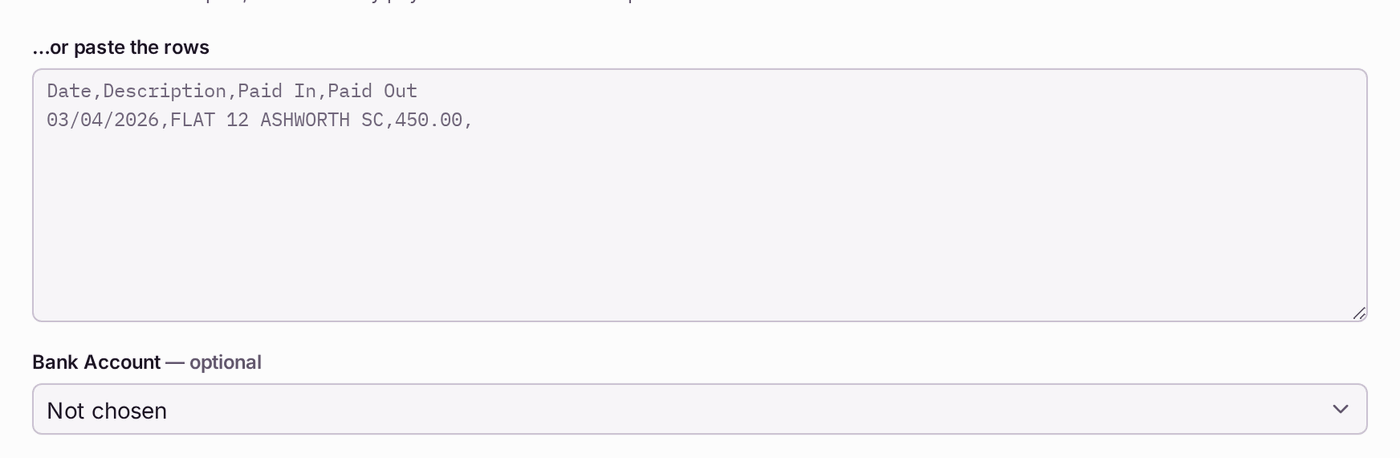
Before you start you need: the bank feed connected, or the bank statement imported with Import Statement at the top of Receipts Inbox. Each payment then appears as a row on the Bank Feed.
When you import a statement, choose the Bank Account it is for, if you know it. SynkroTech then knows which account each payment arrived in: money assigned to a fund goes only to a fund held in that account, so interest on the reserve account goes to the reserve. Leave it as Not chosen and the statement imports as before.
Until a payment is matched, the leaseholder still owes the money on SynkroTech, and may be chased for it.
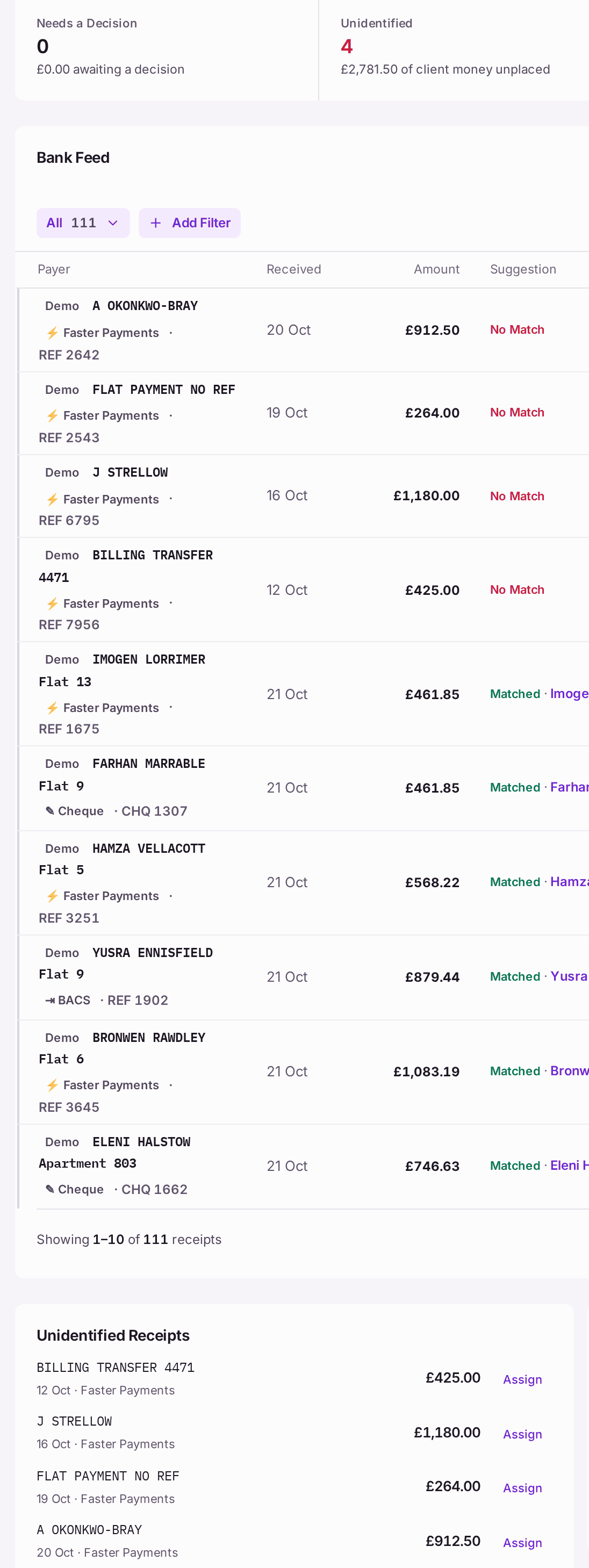
- Go to Finance → Receipts Inbox.
- Read the four figures at the top: Needs a Decision, Unidentified (money no-one has placed yet), Matched and Feed Total.
- For a row where Suggestion names a leaseholder with a strong match, press Match. A strong match (90% or more: the reference and the amount agree) posts at once. Assign on a suggested row opens Assign Receipt with the suggestion's property, unit and the property's primary service charge fund already chosen, each marked with the match, such as "From Good Match · 78% · check". Check them, then press Assign & Post.
For a payment nobody has placed (Unidentified Receipts):
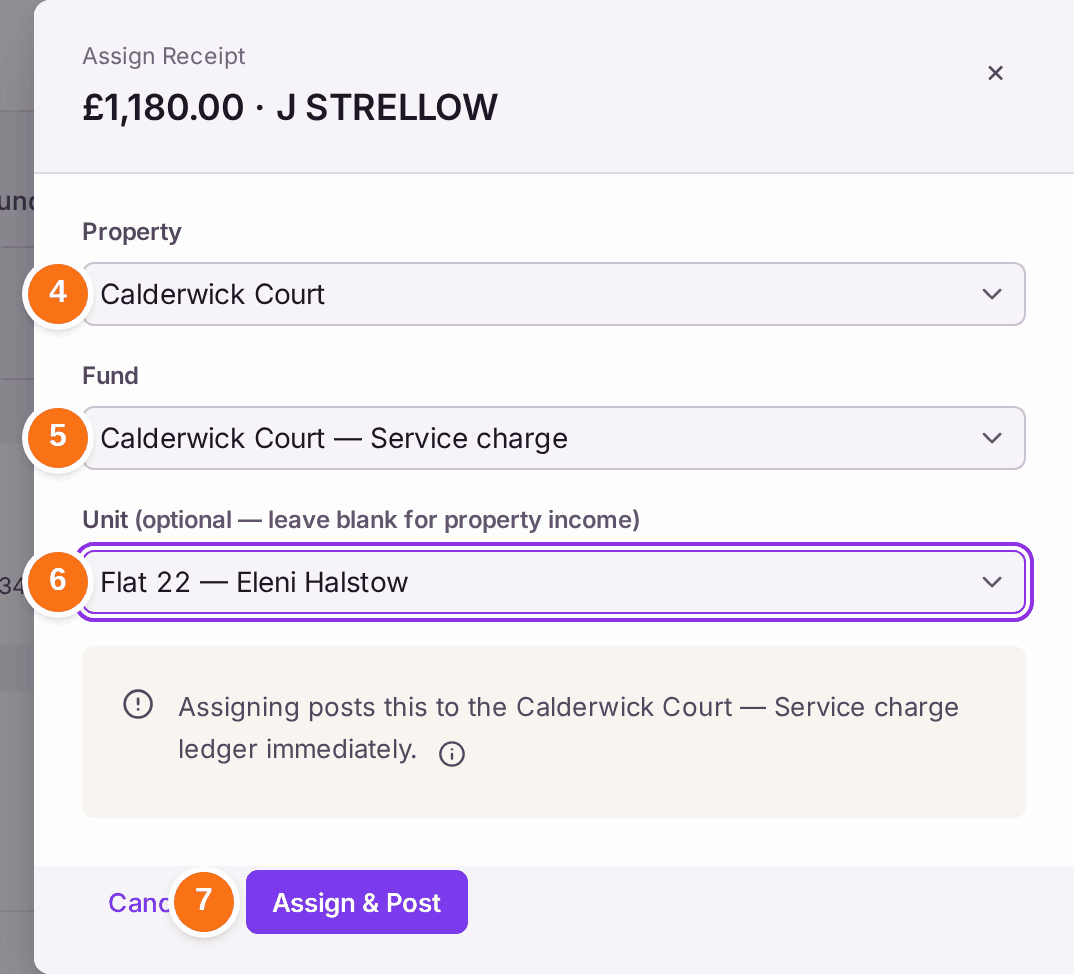
- Press Assign on its row. Assign Receipt opens with the amount and the payer's name from the bank.
- Choose the Property.
- Choose the Fund it belongs to, usually the property's service charge fund. Bank interest the bank feed brought from an account that holds one fund (a reserve account, say) opens on that fund, marked "From Bank Interest · check": interest belongs to the fund whose money earned it.
- Choose the Unit, if it is a leaseholder's payment. Leave it as "No unit — property-level receipt" for income that is not from a leaseholder.
- Press Assign & Post. The line above the button says which ledger it posts to: "Assigning posts this to the … ledger immediately."
For one payment that covers several demands:
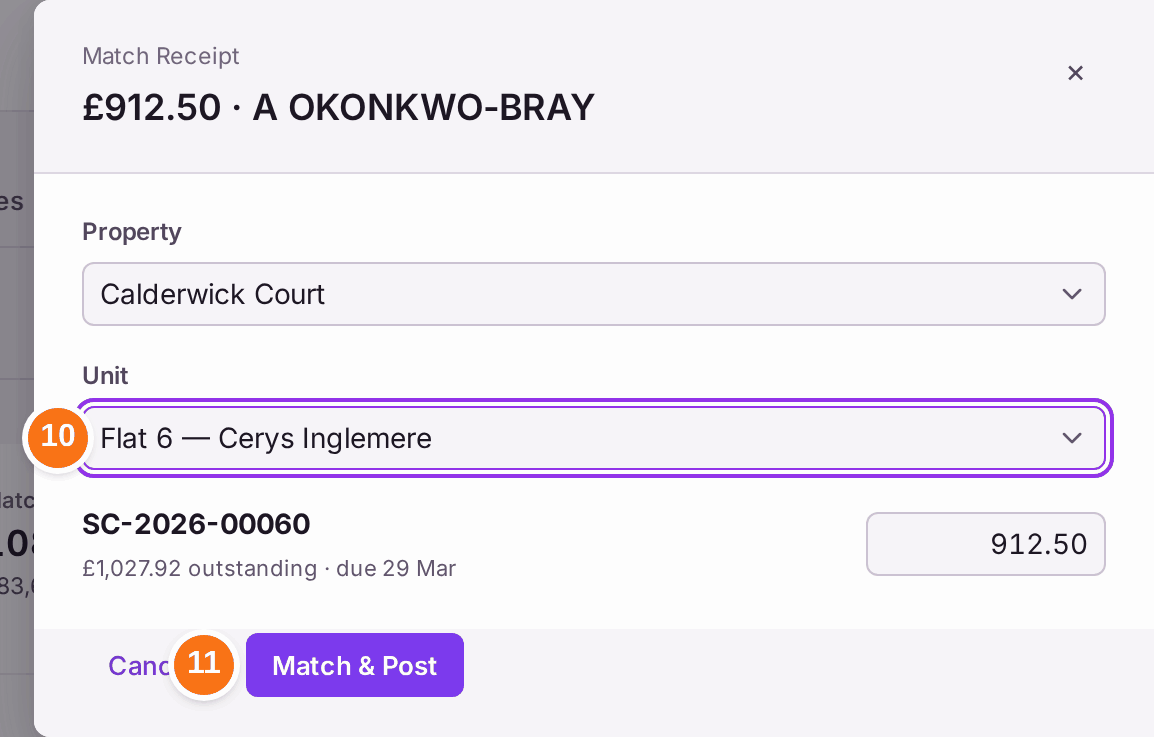
- Press Match Several on its row, then choose the Property.
- Choose the Unit. The leaseholder's unpaid demands are listed, oldest due first, with the payment spread across them.
- Change any figure if the leaseholder told you which demand they were paying, then press Match & Post. Anything left over is held on their account.
You'll know it worked when: a message says, for example, "Assigned £1,180.00 to Calderwick Court — Service charge", the row reads Matched with the leaseholder and property, and Unidentified goes down. The leaseholder's Due Now on their record goes down by the amount.
If something's wrong:
- You came from My Work. Match Receipt there opens this inbox with that payment's Assign panel open.
- The wrong leaseholder was matched. Press Reverse on the row. The payment goes back to the inbox to be matched again; the reversal is kept on record.
- Assign & Post stays greyed. Choose a Fund: it reads "Pick a property first" until a property is chosen.
- "This money arrived in … , not …'s account. Post it to …" The bank feed brought this line from a different client account from the fund chosen (from 20 October 2026, D167). Money stays with the fund held in the account it arrived in, so interest on the reserve account goes to the reserve. Choose the fund the message names. A line from an imported statement does not say which account it came from, so this check does not apply to it.
- The suggestion is weak. "Check · Under 70%" means the match is ambiguous: "Match only if you can name the payer yourself." Look at the payer's name and reference on the bank line, then use Assign or Match Several instead.
- A payment is a parking bay fee. Press Match Bay Fee on its row (see Charging a fee for a parking bay).
- A line is not a receipt at all, such as a duplicate the bank sent twice. Press Delete on it.