


Recording a building's parking bays
What you'll end up with: the Parking card on the property saying how parking works there, every bay on record with its type, and each bay held the way the lease or an agreement says: with a flat's lease, under a licence or rental, or by nobody.
Before you start you need: the property and its units (see Taking on a new block by hand), and from the leases or the outgoing agent: how many bays there are, which go with which flat, and any bays let separately.
The easiest way to add bays that go with flats is when the units are added: tick A Bay Each on Add Units, and Flat 1 gets Bay 1, and so on. A bay added that way waits for its flat's lease and goes with it from the day the lease is recorded. This task covers the rest: how parking works, visitor and other bays, and bays let to someone.
- Open the property. Its Overview has a Parking card.
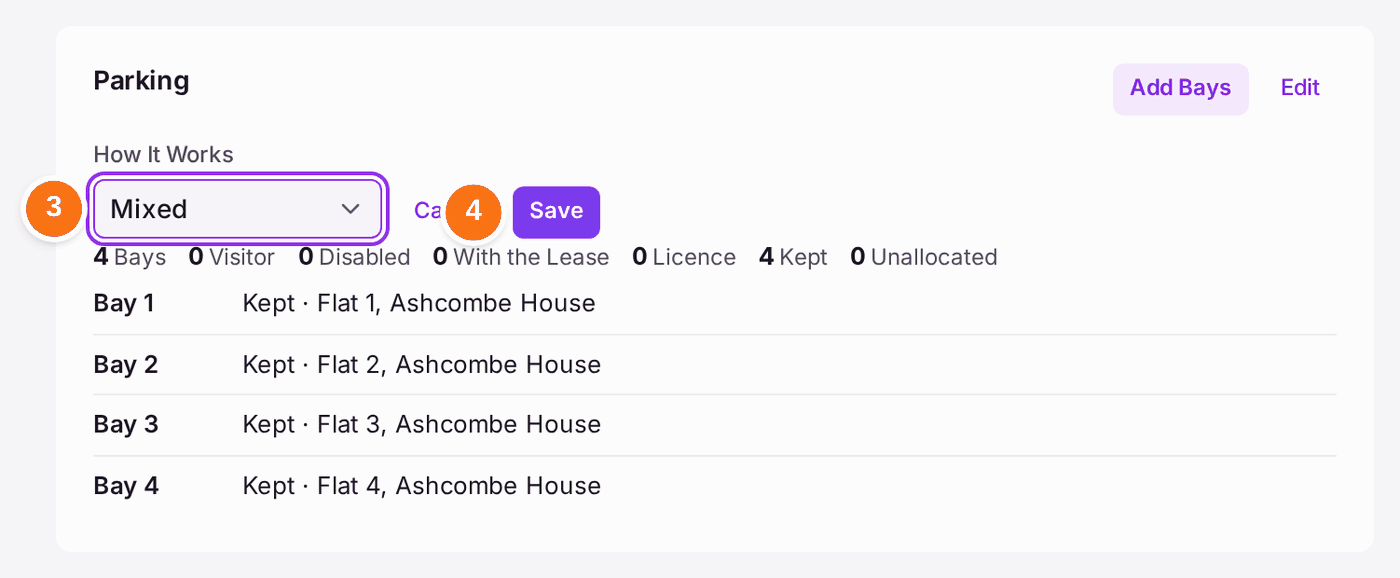
- Press Edit on the Parking card.
- Choose how parking works in How It Works: No Parking, Unallocated (first come, first served), Allocated or Mixed.
- Press Save.
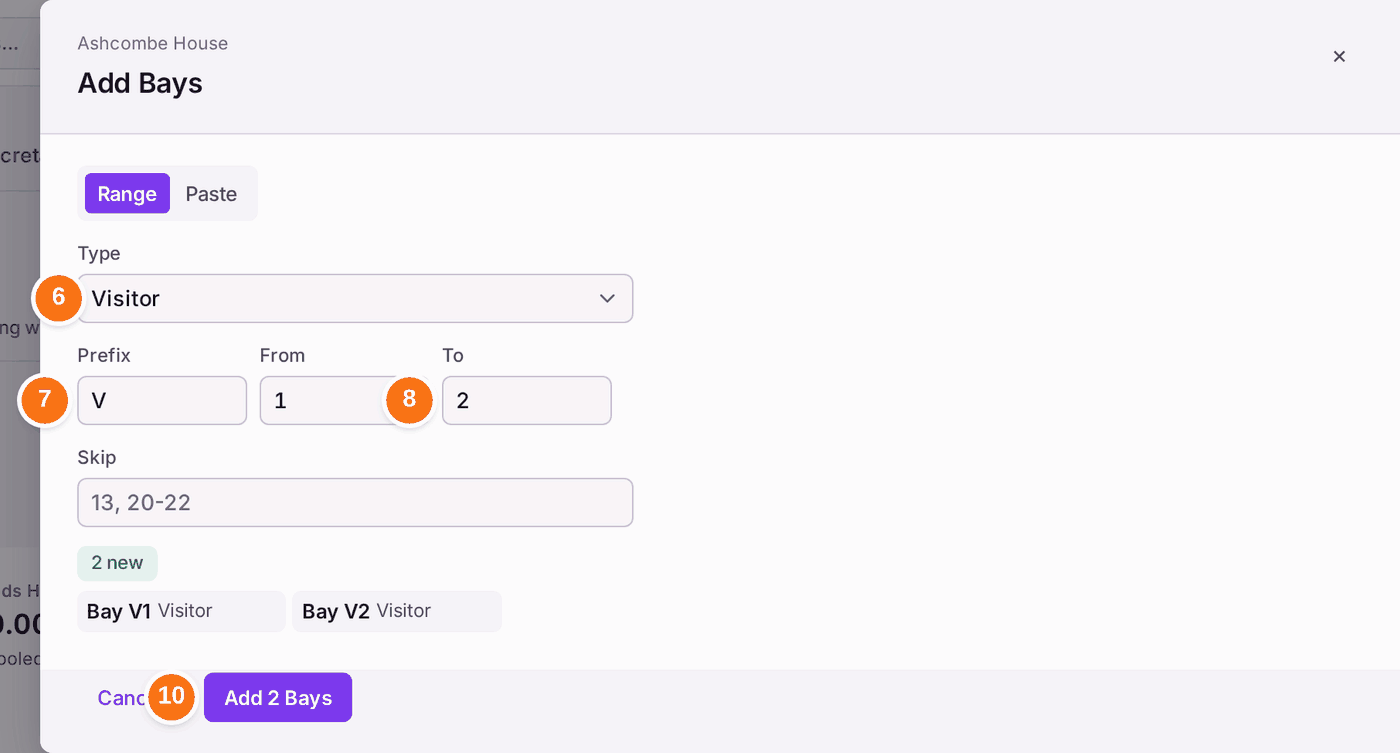
- Press Add Bays on the same card.
- Choose the bays' Type: Standard, Disabled, EV Charging, Visitor, Motorcycle or Garage.
- Type a Prefix (such as V for visitor bays) and the first number in From.
- Type the last number in To, and any numbers to leave out in Skip.
- Press Preview, then check the list.
- Press Add 2 Bays (the number is however many the preview shows).
To say who holds a bay:
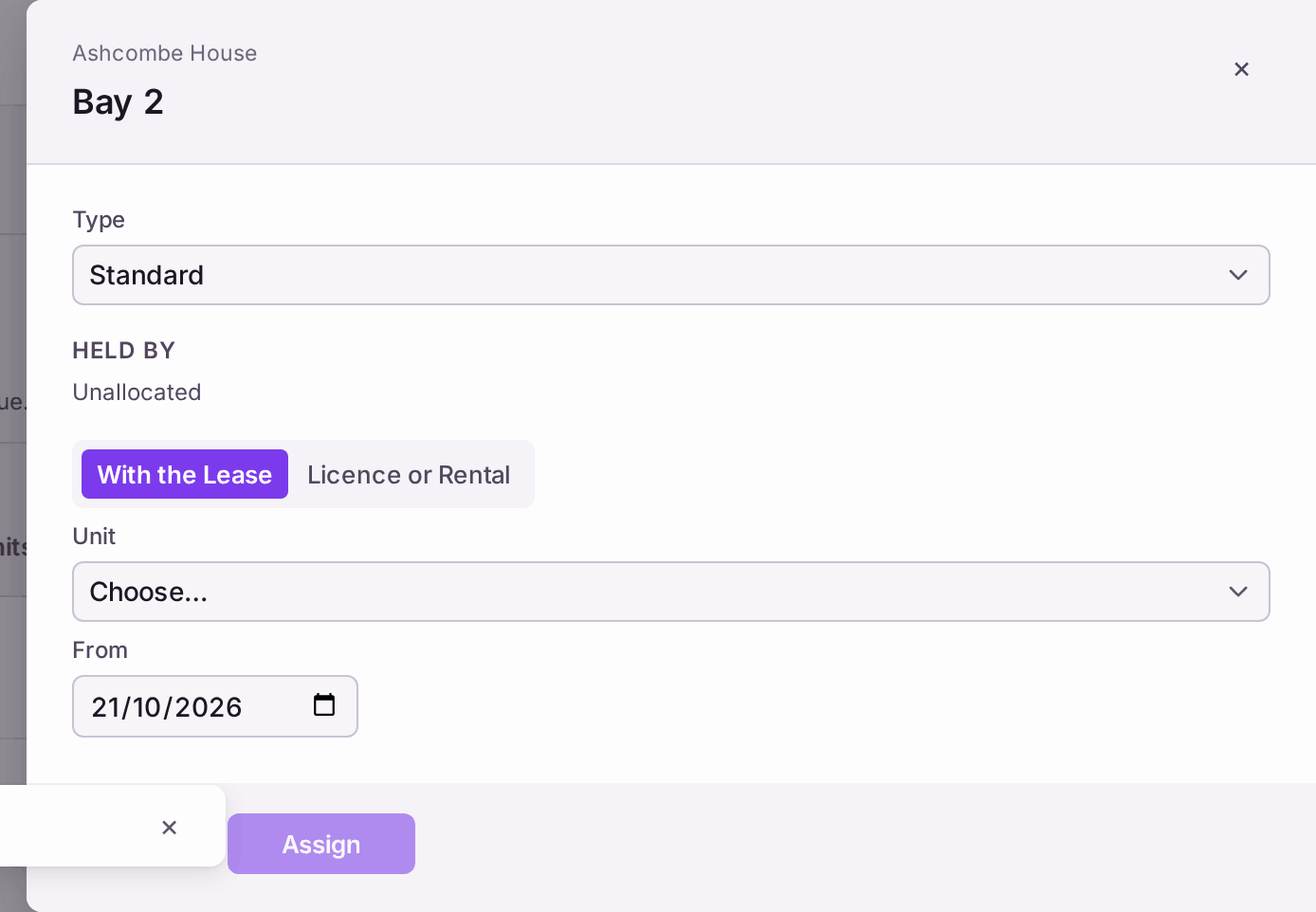
- Press the bay on the Parking card. Its panel opens, showing Held By.
- Press Assign Bay.
- Choose With the Lease (the bay is part of a flat's lease and passes to a buyer when the flat is sold) or Licence or Rental (a separate agreement, with dates and a fee, held by a flat or by someone outside the building).
- Choose the Unit (or the person, for a licence), and the date in From.
- Press Assign.
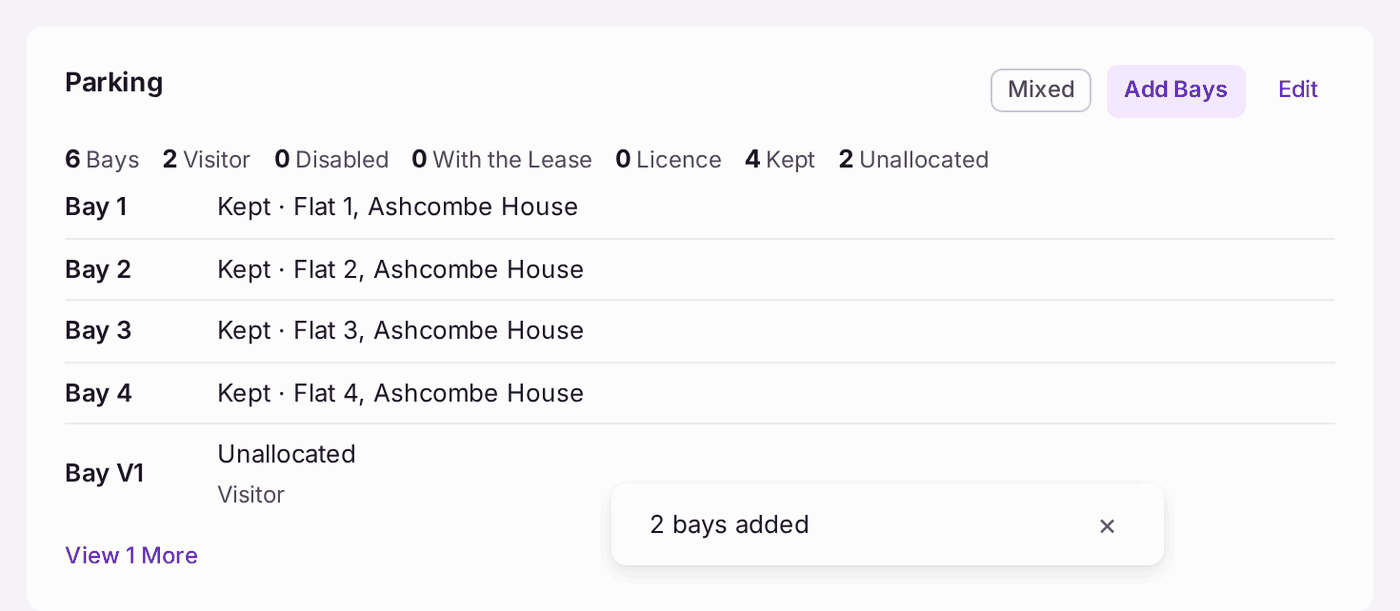
You'll know it worked when: the Parking card counts the bays (for example "6 Bays · 2 Visitor") and how they are held (With the Lease, Licence, Kept, Unallocated), and lists each bay with its holder. The flat's own page shows its bay under Bays, and the leaseholder's portal shows it too.
If something's wrong:
- A flat's bay says Kept. The bay was added with the flat, and the flat has no lease on record yet. Add the leaseholder (see Adding a leaseholder, a joint leaseholder or a company to a unit); the bay then goes with the lease.
- A bay holder has left, or a licence has ended. Open the bay, then use End with the date in End On. The holding is kept on the bay's History, not deleted.
- A flat needs a bay that was not added with it. Open the flat's page and press Add Bay under Bays.
- You want to charge for a bay. A fee is part of a licence, raised on its own cycle and paid into the account your organisation chose: see Charging a fee for a parking bay.