


Logging a repair someone has reported (raising a ticket)
What you'll end up with: a ticket for the repair, filed against the property, with who reported it, how urgent it is, who in your office owns it and the date it must next be acted on. It is on the ticket register, and, if you choose, in the leaseholders' portal.
Before you start you need: the property on SynkroTech, and what was reported. If the person who reported it is on the register, you can name them.
A ticket is your office's own record of a piece of work, followed through to the end. Raising one even for a small repair means nothing reported is forgotten, and a date is set for the next step. A repair a leaseholder reports through their portal arrives as a ticket on its own.
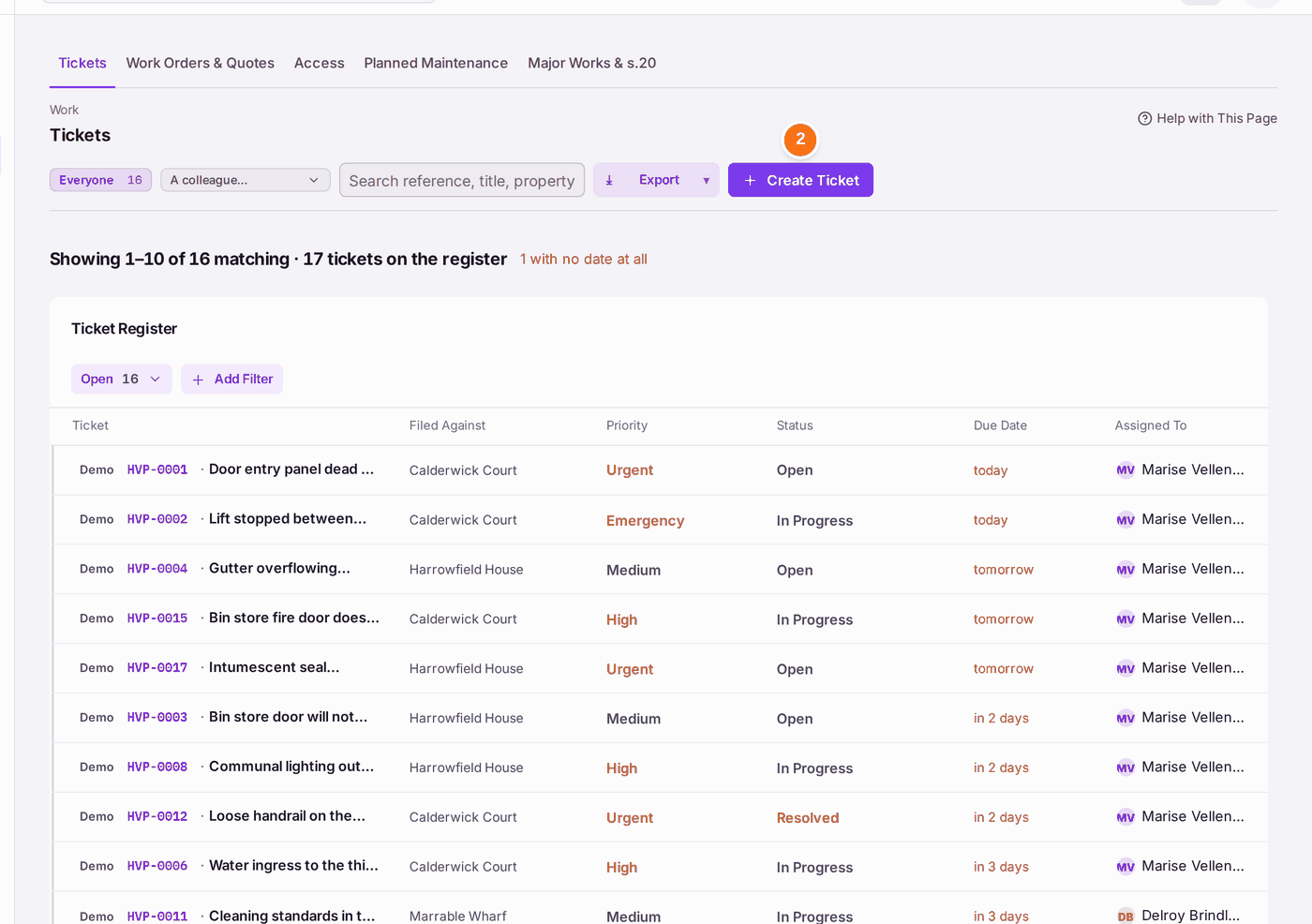
- Go to Work → Tickets.
- Press Create Ticket. You can also press Create at the top of any page, or Create Ticket on the property's Work tab.
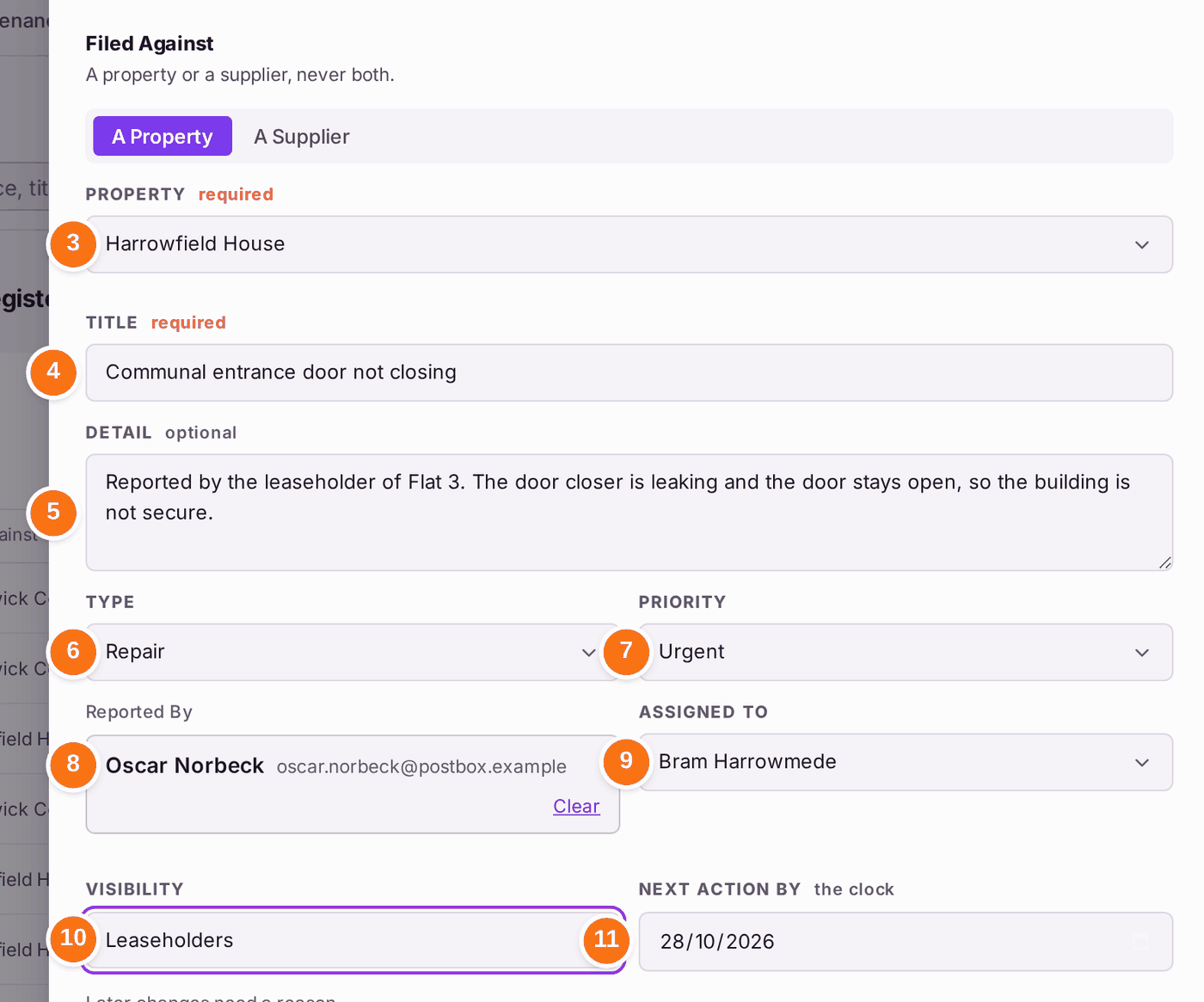
- Leave A Property chosen and choose the Property. Choose A Supplier instead for a complaint about a supplier.
- Type the Title: what is wrong, in a few words.
- Type the Detail: what was reported, where, and by whom.
- Choose the Type: Repair for a repair.
- Choose the Priority: Emergency, Urgent, High, Medium or Low. The priority sets the next action date.
- Under Reported By, type part of the person's name and choose them. Add New Person adds someone not yet on the register.
- Choose who it is Assigned To in your office.
- Choose the Visibility: Internal for your office only, Directors to show it to the residents' company directors, or Leaseholders to show it in the leaseholders' portal too.
- Check Next Action By. It is set from the priority. Changing it later needs a reason, so set it now if you know better.
- Press Create Ticket at the foot of the panel.
Tick Recurring for work that repeats, such as a quarterly gutter clear. Use Add Files to attach photos or a letter from the start.
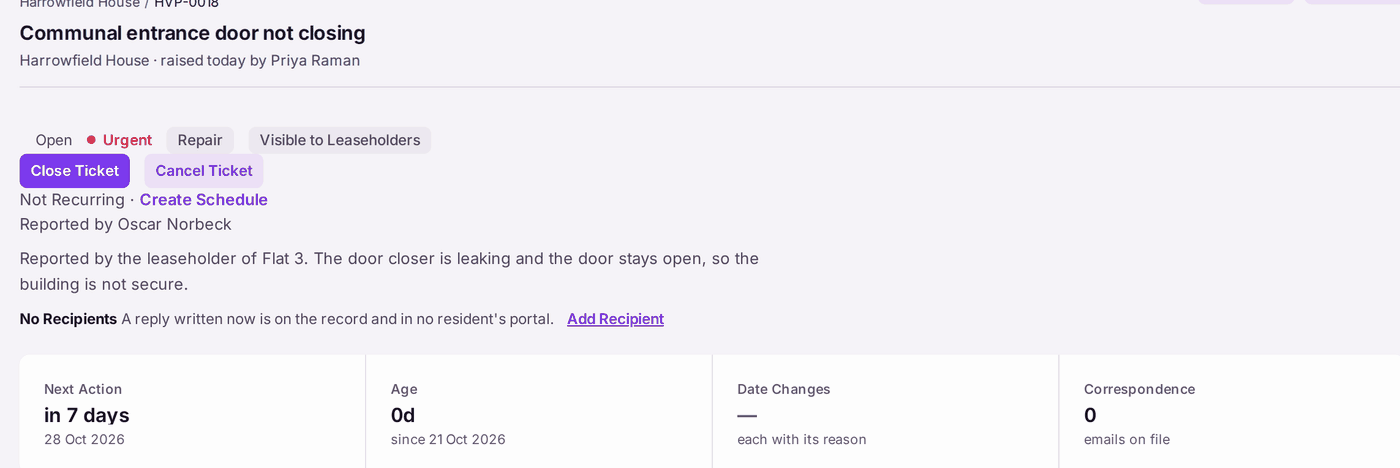
You'll know it worked when: a message names the new ticket, such as "HVP-0018 raised", and the ticket opens with its reference, its status Open, its priority, who reported it and the next action date.
If something's wrong:
Create Ticket is greyed, with "A title and a property or supplier are needed." Type a title and choose a property (or a supplier).

The reason sits beside the button. - The person who reported it is not found. Press Add New Person and add them, or leave Reported By empty and name them in the detail.
- A reply on the ticket would reach no one. Naming who reported it does not make them a recipient. Press Add Recipient on the ticket first (see Replying to a resident about their ticket, or adding an internal note).
- The wrong property was chosen. On the ticket, change Filed Against under Ticket Details.