


Chasing a contractor who is late
What you'll end up with: every late job found, the firm asked on the job's own thread when they will attend, and the chase recorded on the work order where anyone in the office can see it.
Before you start you need: work orders sent to firms (see Instructing a contractor (raising a work order)).
A job is late when the firm has not accepted it, has not booked a visit, or has not finished after the visit, within the days your organisation set (see Choosing what gets escalated and chased automatically). SynkroTech tells the person the work order is assigned to, in the bell and by email. It sends the firm a reminder itself only if Chase the Contractor is turned on.
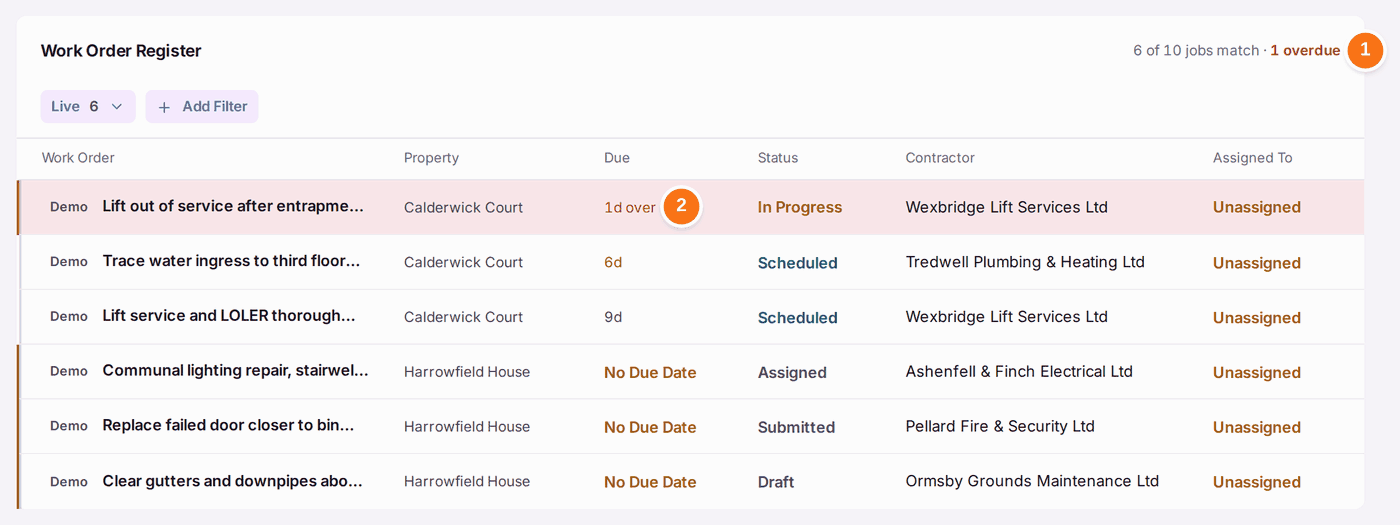
- Go to Work → Work Orders & Quotes. The register says how many jobs are overdue, and lists the worst first.
- Find the late job: its Due reads, for example, "1d over".
- Open it.
- Under From the Firm, type your message.
- Press Send. A firm on SynkroTech Trade reads it on the job in their app.
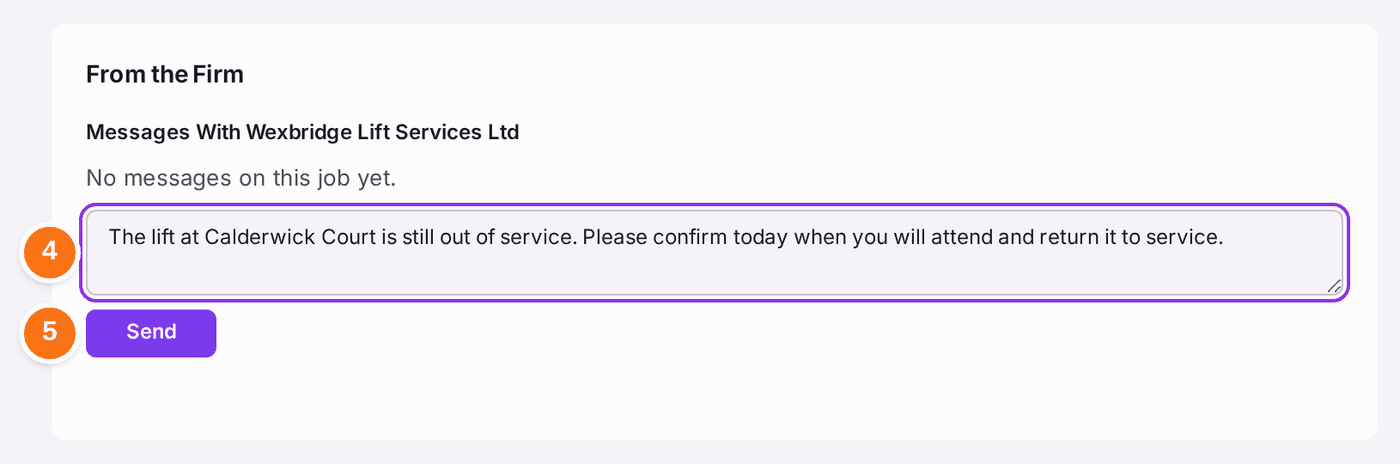
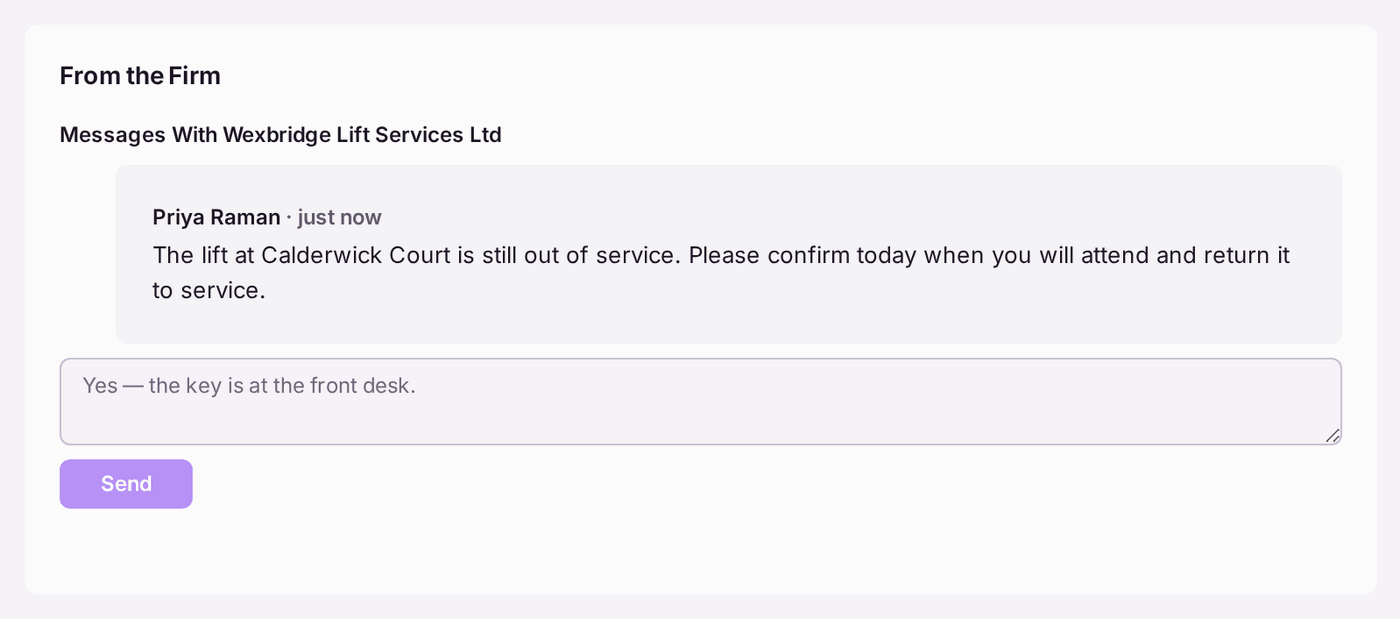
You'll know it worked when: your message shows under From the Firm with your name and "just now". Their reply arrives in the same place.
If something's wrong:
- The firm is not on SynkroTech Trade. They will not see a message here. Phone or email them, then record what they said in a note on the ticket (see Replying to a resident about their ticket, or adding an internal note).
- The firm gives you a new date. If the work has not started, press Book a Date on the work order and enter it. Once work is in progress, Book a Date is no longer offered: record the new date in a message on the job.
- The firm cannot do the job. Press Move to Another Firm on the work order, or Cancel Work Order if the job is no longer needed.
- Nobody in the office was told the job was late. The reminder goes to the work order's Assigned To, or the building's manager when nobody is assigned. Check Remind Staff is on under Settings → Chasing and Escalation.