


Adding a leaseholder, a joint leaseholder or a company to a unit
What you'll end up with: each unit's leaseholder on record from the day their lease started, with any joint leaseholder beside them, and a correspondence address chosen for each, so that every demand can be served.
Before you start you need: the units on the property (see Taking on a new block by hand), and for each lease the leaseholder's name, the date the lease started and, if you have it, their email address.
Every demand is addressed to the leaseholders on the unit on the day it is issued, so a unit with a share and no leaseholder cannot be billed.
- Open the property, then press its Units tab.
- Press the unit, such as Flat 1. Its page opens.
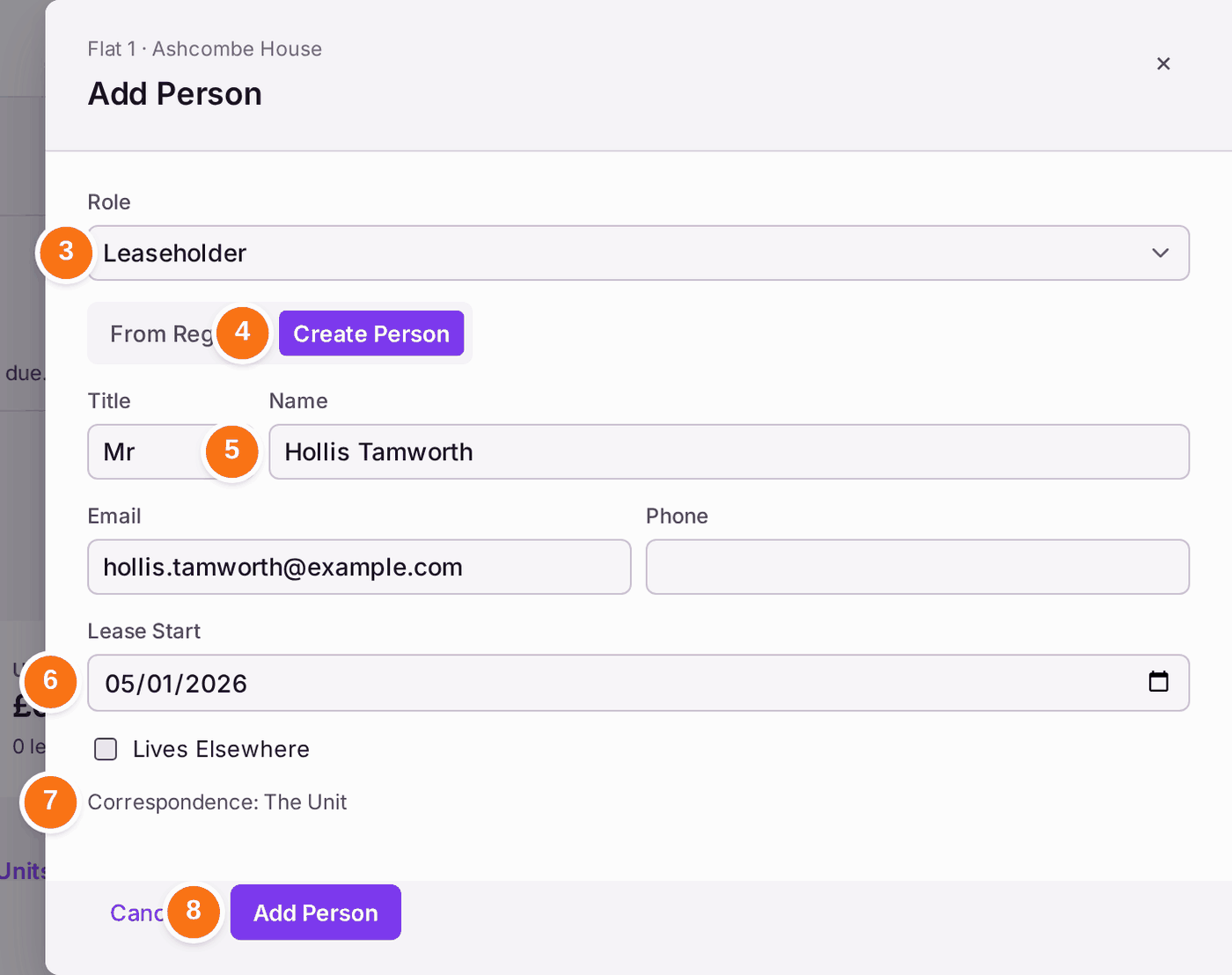
- Press Add Person on the People card, then choose Leaseholder in Role.
- Press Create Person, or From Register if they are already on your register (for example, they hold another flat).
- Type their name in Name, and their Email and Phone if you have them. Type their Title too, such as Ms: letters then greet them "Dear Ms Okafor". Left blank, letters use the full name.
- Choose the Lease Start date.
- Leave Lives Elsewhere unticked if their post goes to the flat. The line under it reads "Correspondence: The Unit". Tick it if their post goes somewhere else, then type that address in Correspondence Address.
- Press Add Person.
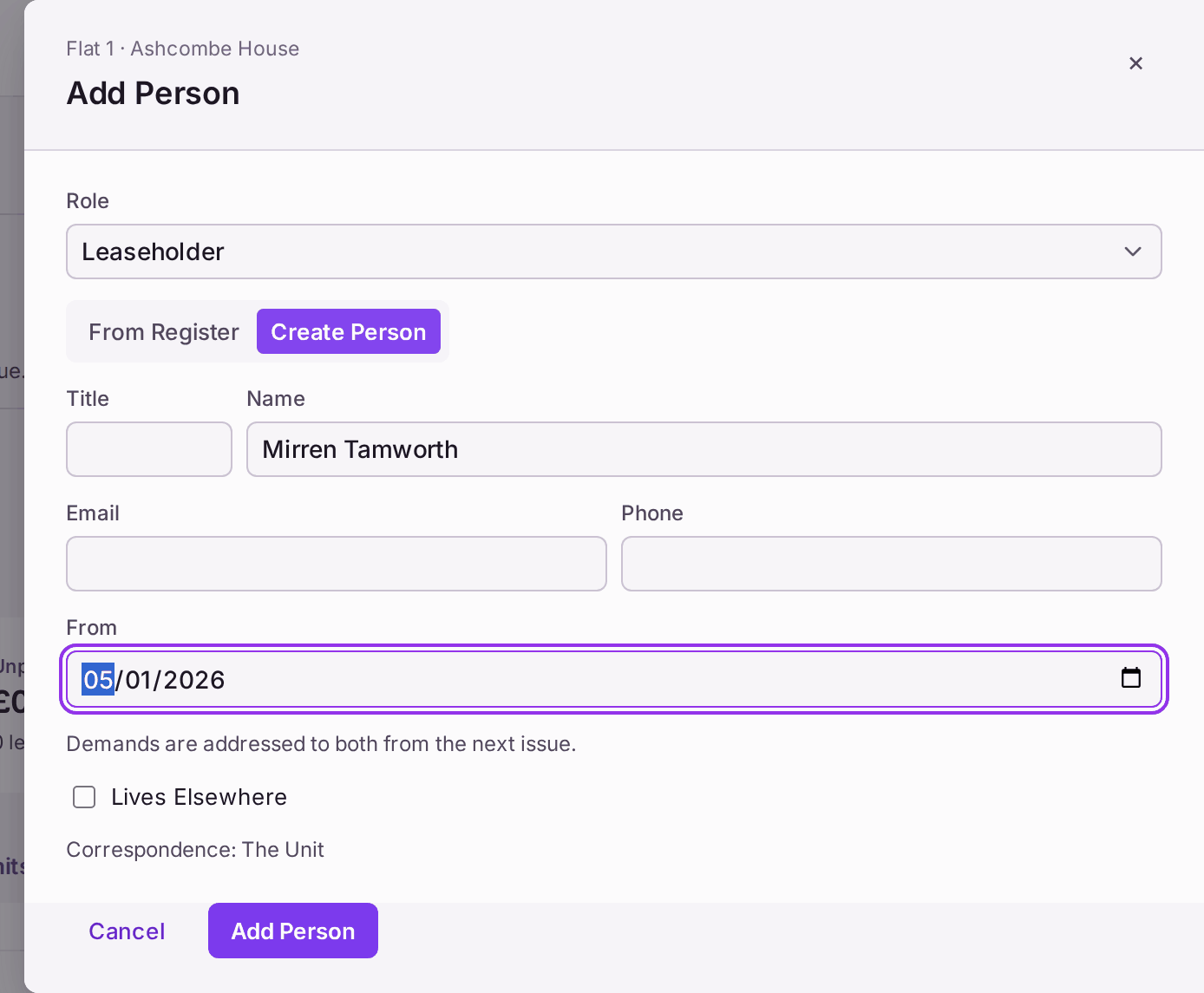
For a second, joint leaseholder: open the unit again and repeat steps 3 to 8. Because the unit now has a lease, the panel asks From (the date they joined the lease) instead of Lease Start, and says "Demands are addressed to both from the next issue."
For a company: choose Company Leaseholder in step 3. The panel also asks for the Company Number, its Registered Office and a Named Contact.
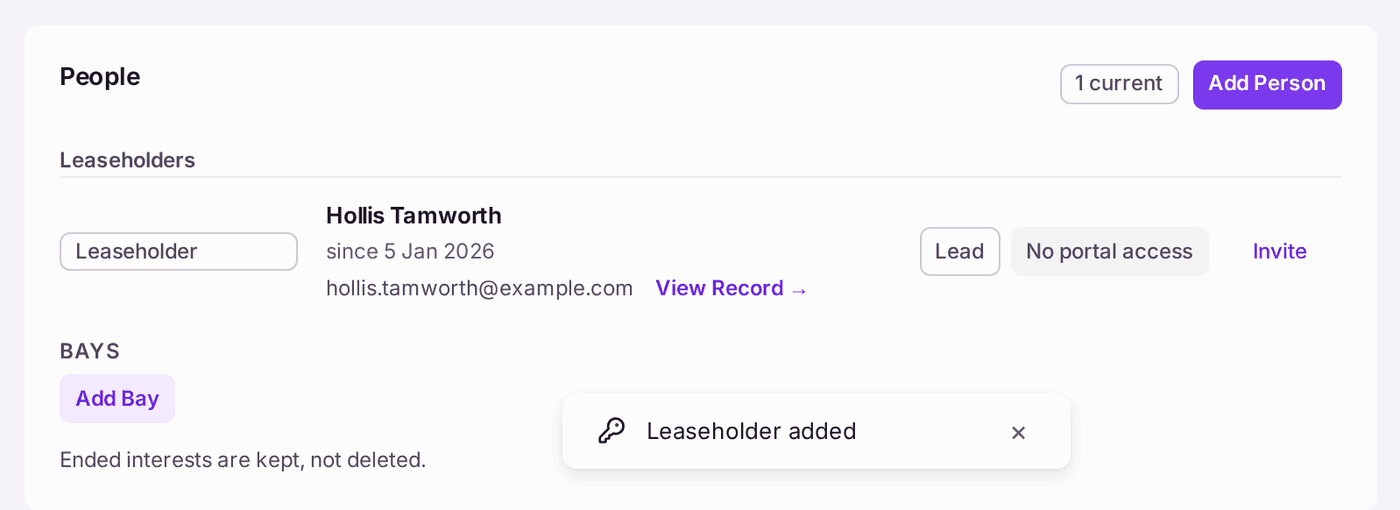
You'll know it worked when: the unit's People card lists them under Leaseholders with "since" and the lease date, the first marked Lead, and the unit's row on the Units tab shows their name instead of "unlet".
If something's wrong:
- "This flat already has a live lease." It appears when you add a second leaseholder and the panel still asks for Lease Start: the unit page has not caught up with the lease you added a moment ago. Press Cancel, reload the page, then press Add Person again: the panel then asks From and adds them as joint. If the flat has really been sold, record the sale instead (see Recording a sale or other change of owner).
Add Person stays greyed. A box it needs is empty: Role, Name, Lease Start (or From), or Correspondence Address when Lives Elsewhere is ticked.
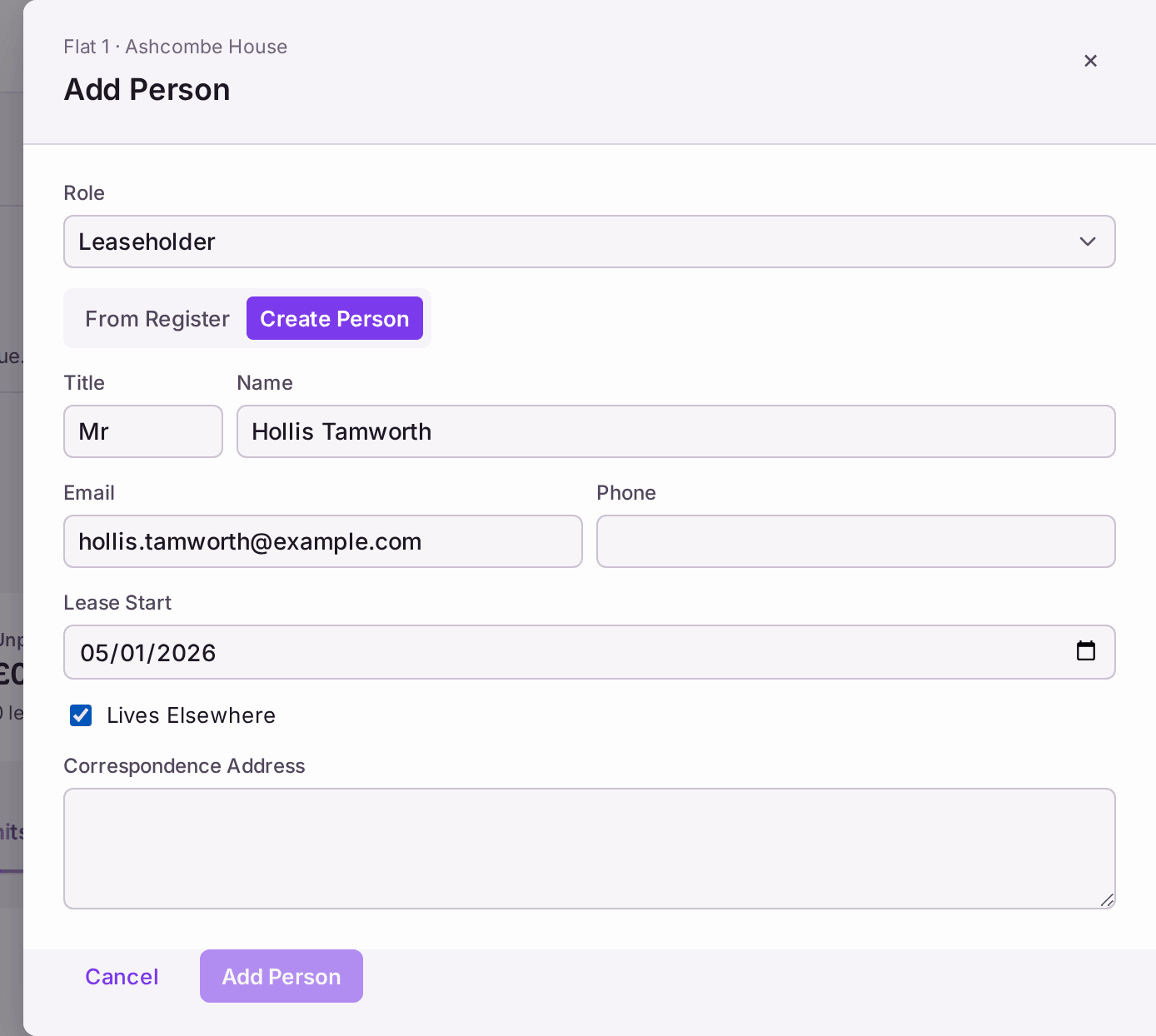
With Lives Elsewhere ticked, Add Person waits for the address. - The leaseholder has no email. That is fine: they are written to by post at their correspondence address. Their line shows No Email, with Add Email and Invite by Letter.
- They hold flats in more than one of your buildings. Use From Register in step 4, so one person holds both leases and gets one statement, rather than two records for the same person.