


Loading your portfolio from spreadsheets
What you'll end up with: your properties, units, leaseholders, shares, suppliers, compliance register, budgets and opening balances in SynkroTech from your old system's spreadsheets, checked before anything is saved.
Before you start you need: an export from your old system for each kind of record, and the outgoing agent's figures for the day each property moved to you.
If you are moving from another system, SynkroTech loads these for you. Send SynkroTech your old system's exports. When a set of records has been loaded, the Setup Checklist says so on the step it fed: "Done by SynkroTech on" and the date. Then check what was loaded, property by property (see Checking your figures against the old system).
To load a file yourself:
- Press Settings, then Bulk Import at the top of the page.
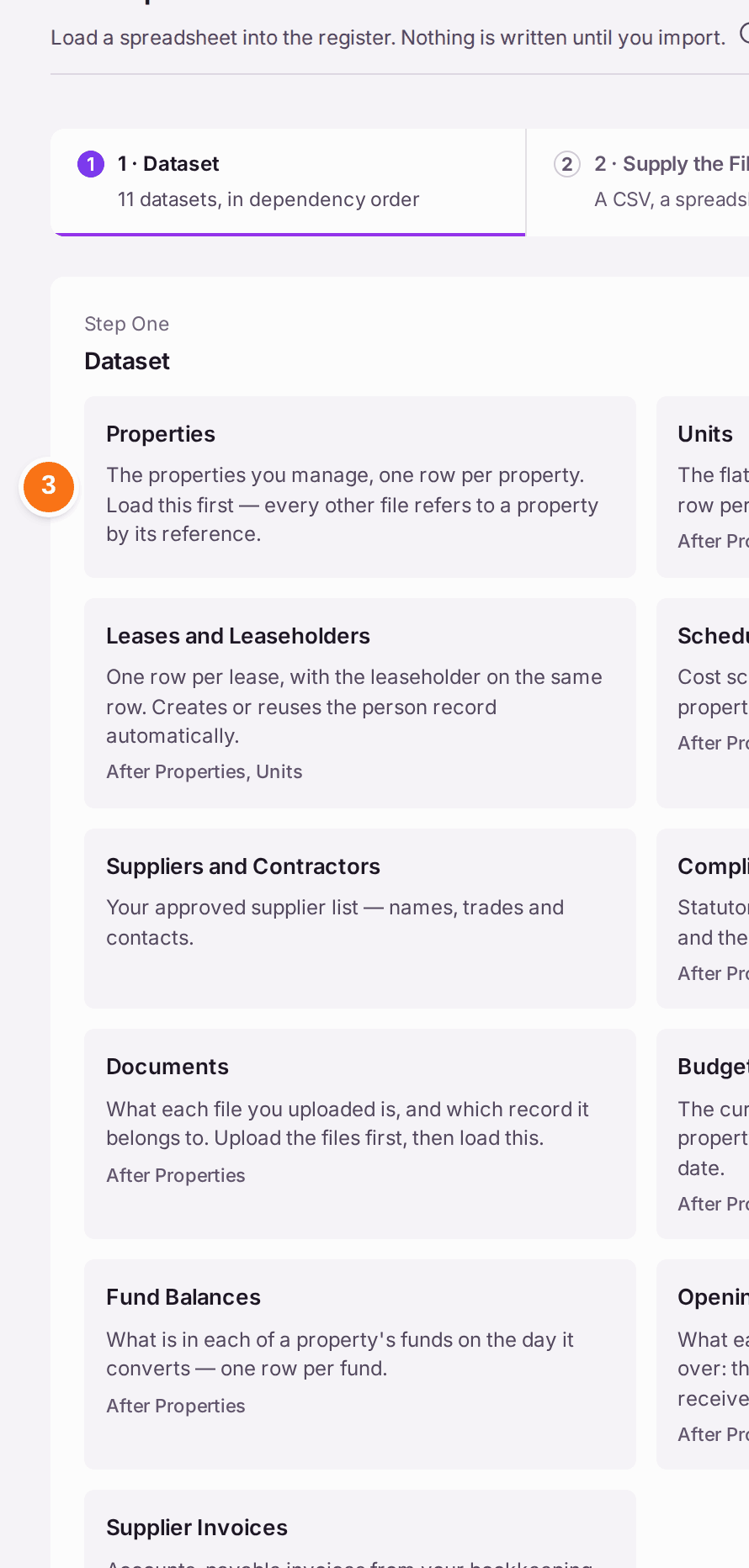
- Read the list under Dataset. There are 11 kinds of file, in the order they must be loaded: Properties first, because every other file refers to a property; then Units; then Leases and Leaseholders; and so on. A kind that depends on another says so ("After Properties, Units") and cannot be chosen until that one is loaded.
- Press the kind of file you are loading, such as Properties. 2 · Supply the File opens.
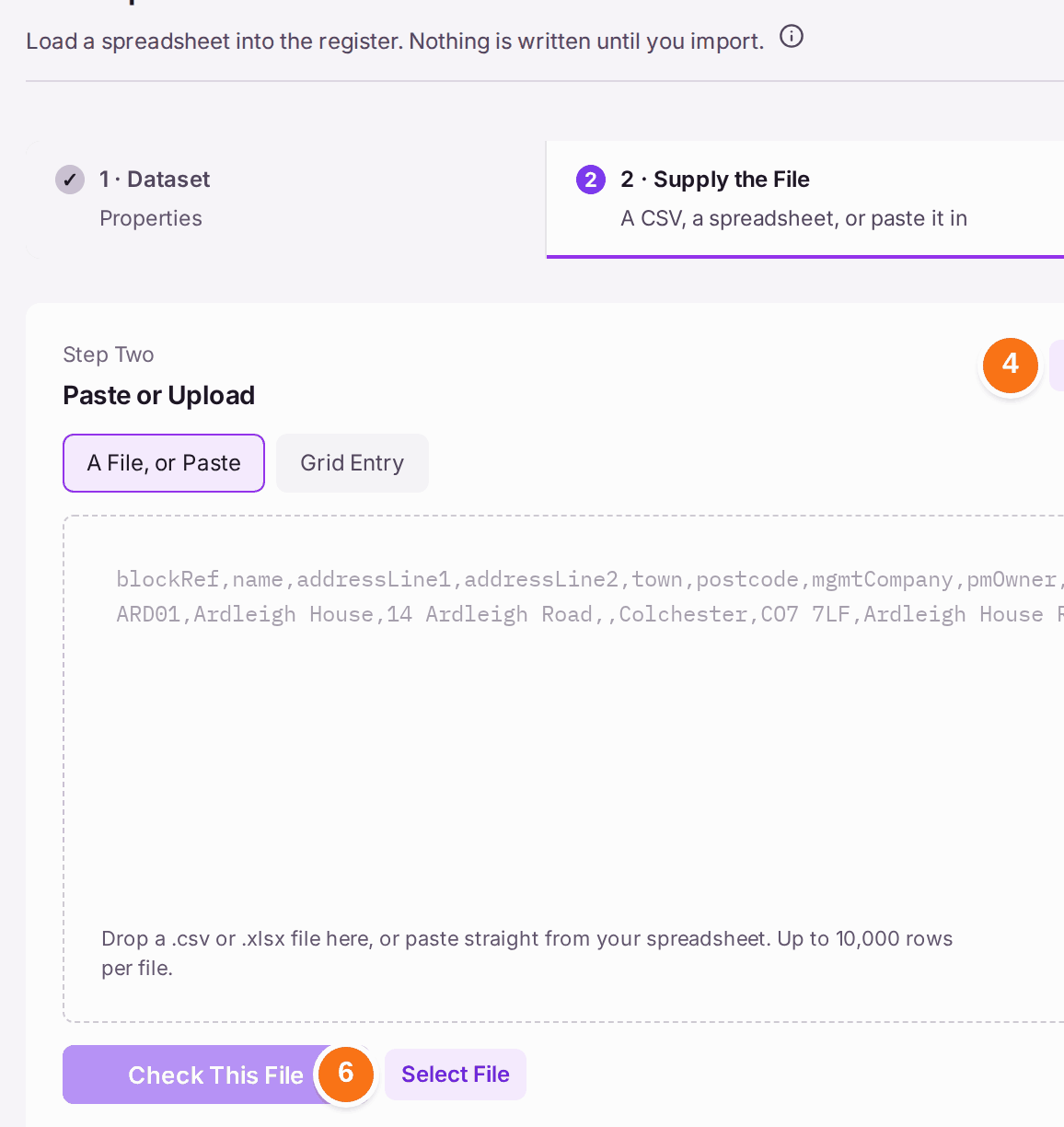
- Press Download Template for a spreadsheet with the right columns. The Column Contract beside it lists each column and whether it is required.
- Fill in the template from your old system's export.
- Press Select File and choose it, or paste the rows in.
- Press Check This File. 3 · Check the Dry Run shows what would be created or updated, and every row that would be refused, with the reason. Nothing is saved yet.
- Correct any refused rows in the file, then check it again.
- Press Import on step 4.
You'll know it worked when: the file appears under Earlier Imports with how many rows it created, and the Setup Checklist steps it fed turn Done. A parking bay kept for a unit (added with A Bay Each before its lease was recorded) goes with the lease a Leases and Leaseholders file loads, as it does when the lease is recorded on the unit's page; the result says how many.
If something's wrong:
- Rows are refused at the dry run. Each refused row gives its reason. The usual ones are a property reference that does not match a property already loaded, and a missing required column. Fix the file and check it again; nothing was saved.
- You loaded the wrong file. An import can be undone from Earlier Imports "while nothing is built on it". A lease that now holds a parking bay counts as something built on it: end the bay's holding first. Once demands, receipts or other records have been built on what it loaded, it can no longer be undone, and the records have to be corrected one by one.
- A kind of file cannot be chosen. It depends on another that has not been loaded yet. Load that one first.
- Opening balances are wrong after loading. Leaseholders are told what they owe from these figures, so check them on Migration Verification before any statement or demand goes out.