


Handing a property back when you stop managing it
What you'll end up with: the date your management of a property ends recorded, so its checks stop being chased after that date while its money and open tickets are finished, and its history kept.
Before you start you need: the date the management ends, from the notice given or received.
Ending the service ends the management, not the record. Nothing is deleted: the documents, the money trail and the history stay.
- Open the property.
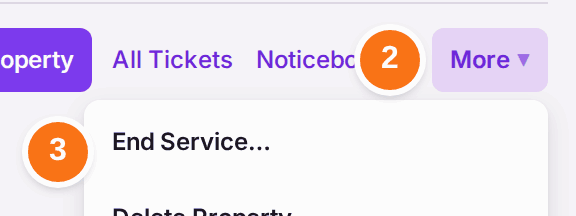
- Press More at the top of the page.
- Choose End Service….
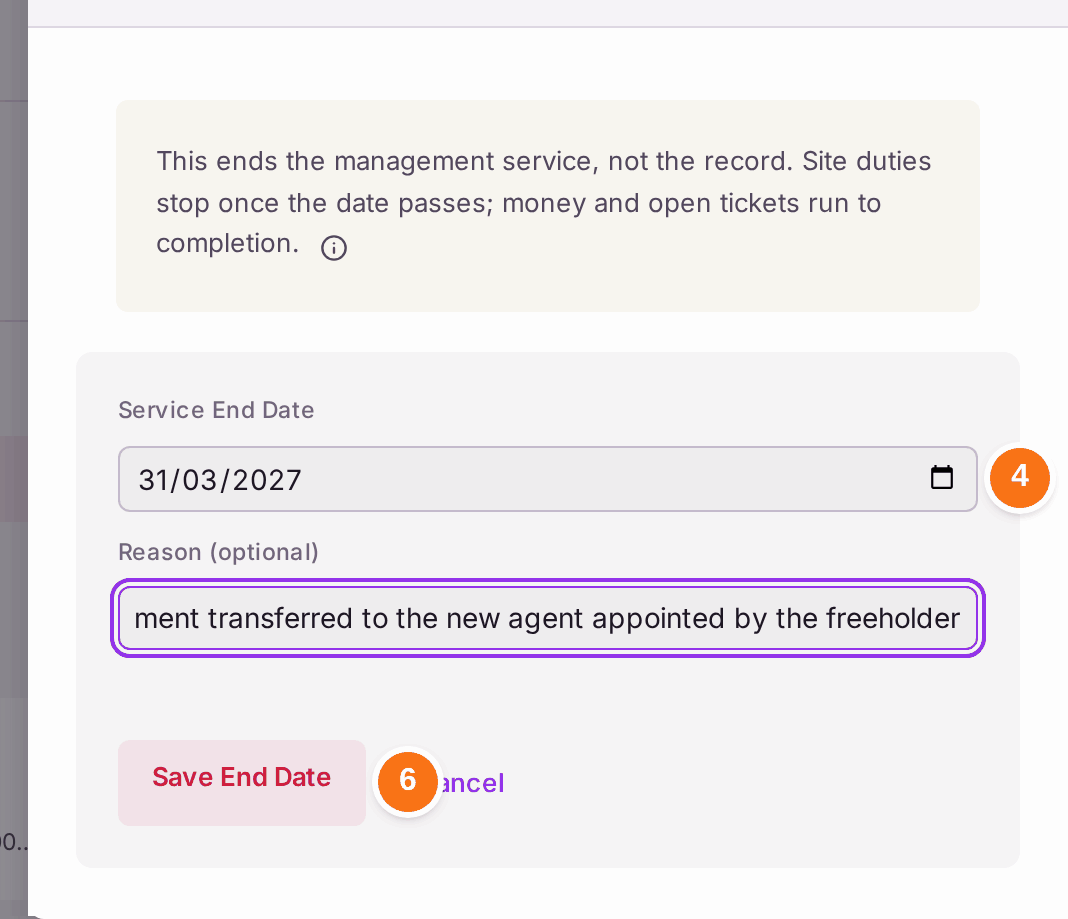
- Choose the Service End Date.
- Type the Reason, such as "Management transferred to the new agent appointed by the freeholder". It is optional.
- Press Save End Date.
You'll know it worked when: "Service end recorded — 31 Mar 2027." The top of the property reads "Service ends 31 Mar 2027" with your reason, and choosing Service Ending in the view on Properties lists it.
A property added by mistake (typed twice during set-up, or under the wrong name) is deleted, not ended: under More, press Delete Property…, type why, and press Delete. Its empty buildings go with it. It is refused while anything on the record names it — a flat, a person, a demand, a document, a ticket or anything else — and the refusal lists what. A property with a history is ended with End Service….
If something's wrong:
- The date was wrong, or the client changed their mind. Open End Service… again: correct the date, or press Clear End Date.
- End Service… is greyed. Your role can read properties but not change them. Ask an administrator.
- You need to hand the outgoing records over. Export what the new agent needs from each register (see Exporting a register to a spreadsheet).