


Putting the sign-in addresses and posters in front of people
What you'll end up with: the web address of each sign-in page (staff, leaseholders, residents, directors, contractors and the concierge desk) in your hands, and a poster for each building's noticeboard telling residents where to sign in.
Before you start you need: each portal's web address, which SynkroTech sets for your organisation. Until it is set, the page reads "No Address Set" and the portal's address shows "—".
A sign-in page opens only for someone you have invited (see Giving a leaseholder, resident or director a portal login).
- Go to Settings, then Sign-In Pages, under Organisation.
- Press Copy Link beside a sign-in page to copy its address, to paste into an email or your website.
- Press Print Poster beside a portal for a poster to put up in the building.
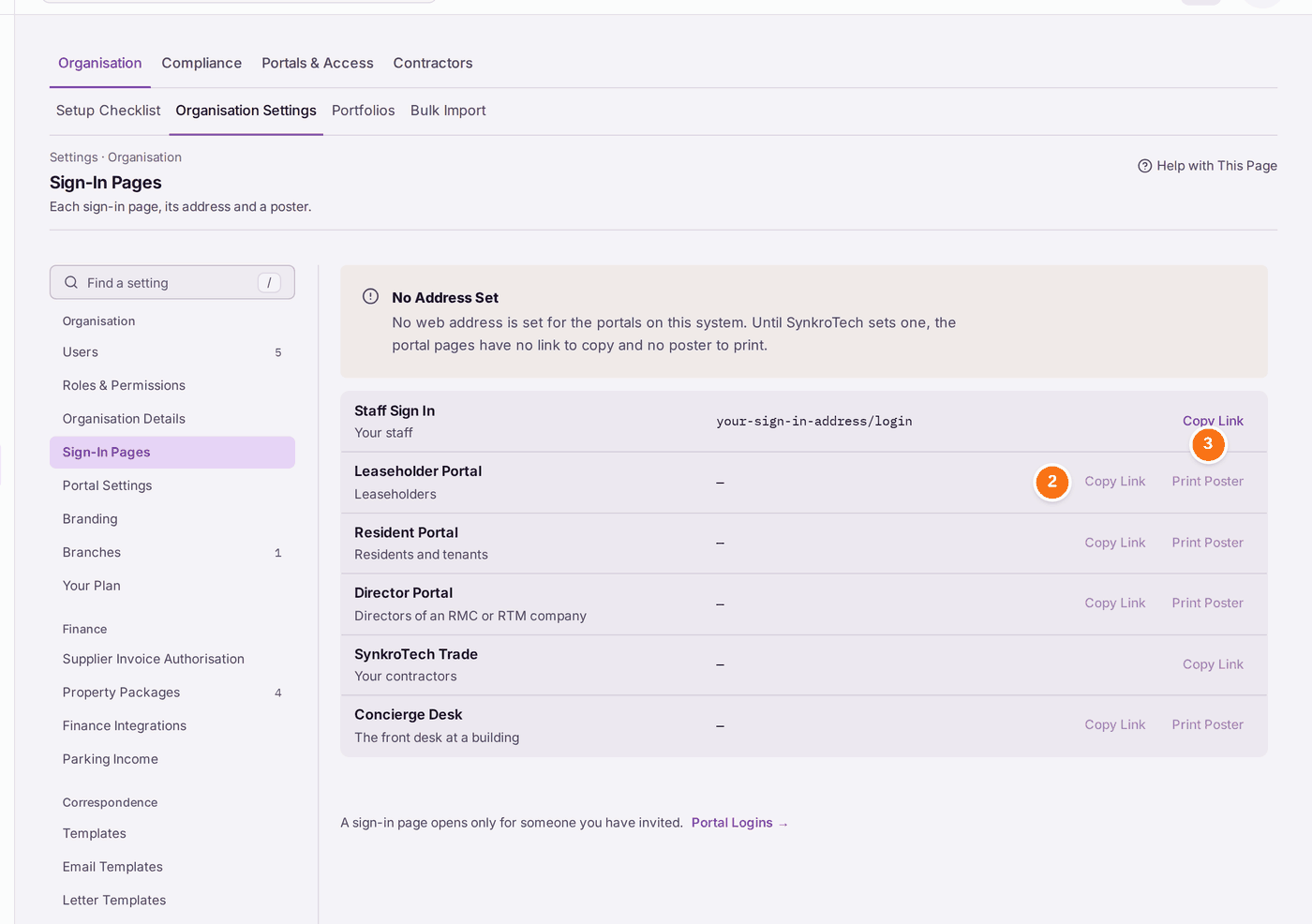
You'll know it worked when: each portal shows its address, and the poster prints with it.
If something's wrong:
- "No Address Set". "No web address is set for the portals on this system. Until SynkroTech sets one, the portal pages have no link to copy and no poster to print." Ask SynkroTech (see Asking SynkroTech for help). Until then, invitation letters cannot be made either.
- Copy Link and Print Poster are greyed. That portal has no address yet. See the point above.