


Refunding a leaseholder who is in credit
What you'll end up with: money a leaseholder paid over what they owed, repaid to their bank account, taken out of the right fund on the right day, with a refund notice to them waiting in the Outbox.
Before you start you need:
- Money held on account for the leaseholder. It is there when a payment was more than the demand and whoever recorded it ticked Hold Surplus on Account.
- The leaseholder's bank details, in writing from them.
- Two people. Whoever records the bank details cannot also repay to them. This stops one person from changing where money goes and sending it there.
Before you refund, check the leaseholder owes nothing that is overdue. If they do, use the credit to settle that first. The statement says so in Money on Account Not Applied.
- Go to Contacts → Leaseholders, then press Statement on the leaseholder's row.
- Scroll to Money on Account. Press Record Bank Details.
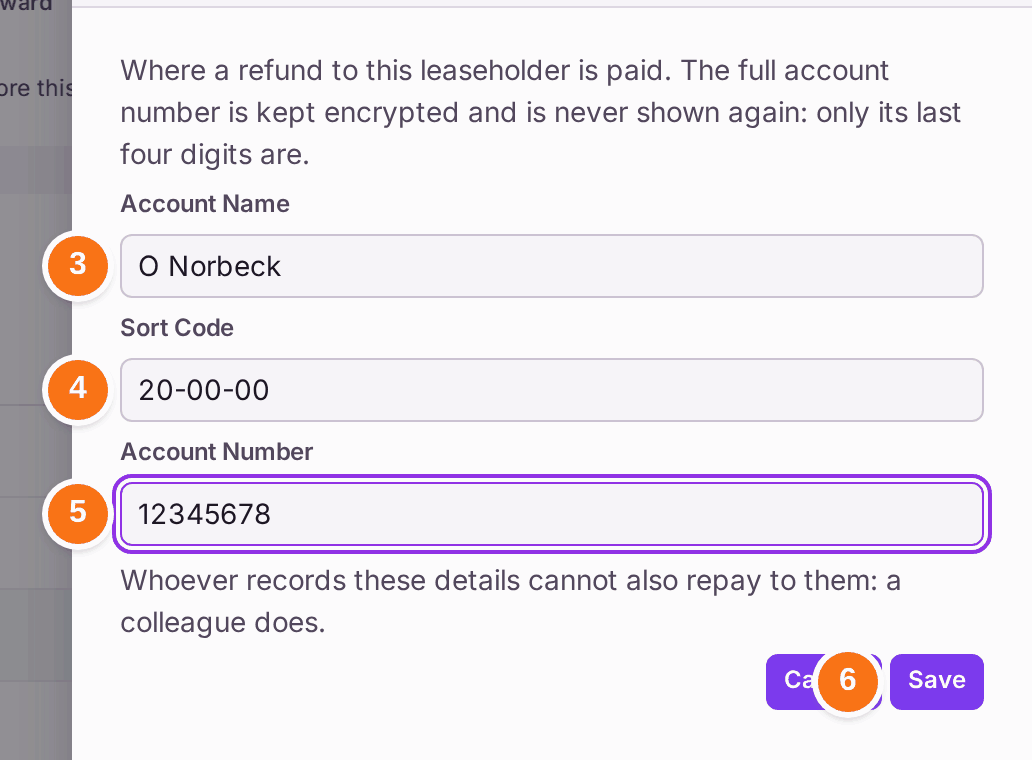
- Type the Account Name.
- Type the Sort Code.
- Type the Account Number.
- Press Save. "Bank details recorded". Only the last four digits are shown from now on.
- A colleague (not the person who recorded the details) makes the transfer at the bank, then opens the same statement and presses Repay Credit beside the amount held.
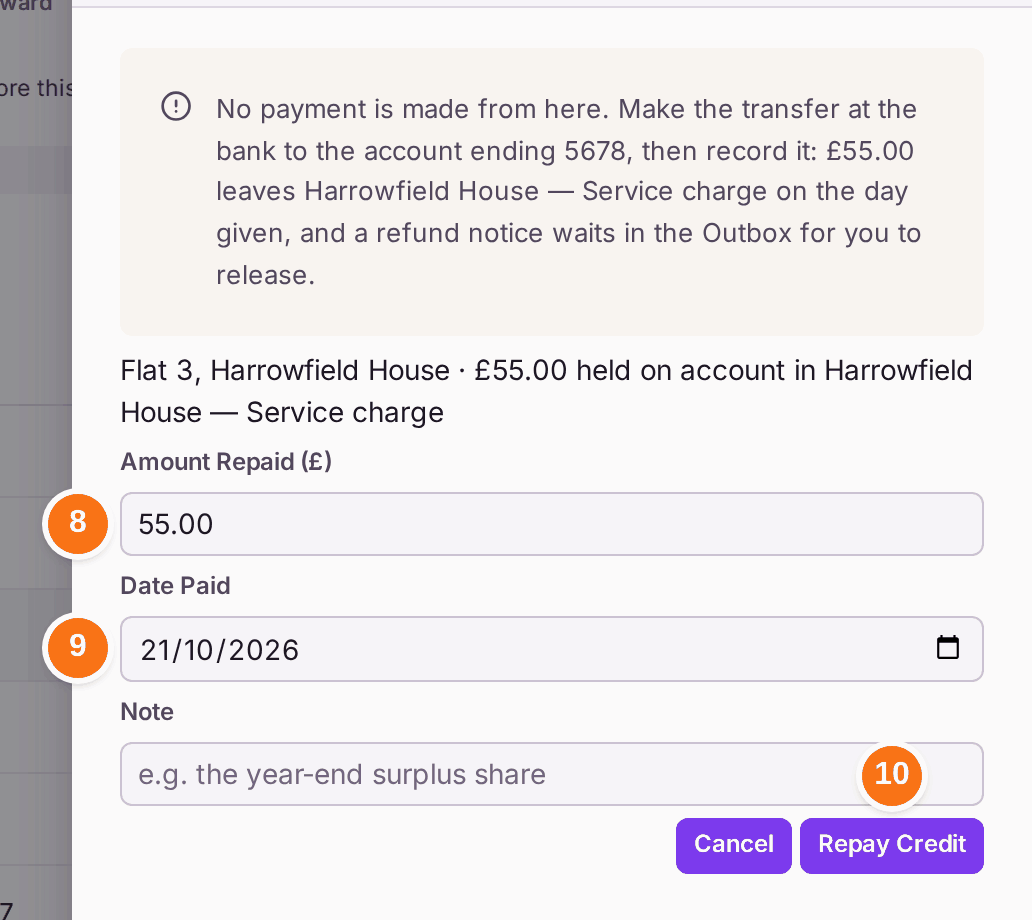
- Check the Amount Repaid. It starts at the full amount held.
- Choose the Date Paid: the day the transfer left the bank.
- Press Repay Credit. The amount leaves the fund on that date, and a refund notice waits in the Outbox.
- Send the notice in Comms → Outbox (see Issuing your service charge demands for sending a mailing).
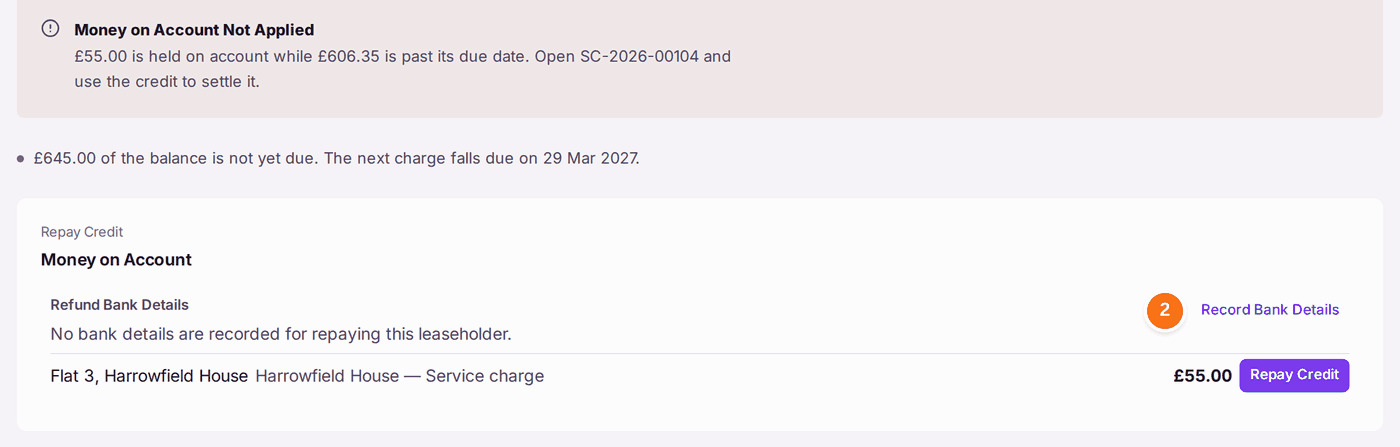
You'll know it worked when: the amount is no longer listed under Money on Account, a Repaid list shows the reference, the date, the last four digits of the account and the amount, and the statement shows the refund. If no notice was made, press Create Notice beside the refund.
If something's wrong:
"Nothing is held on account to repay." There is no credit for this leaseholder. A payment that was more than the demand is held only if Hold Surplus on Account was ticked when it was recorded.

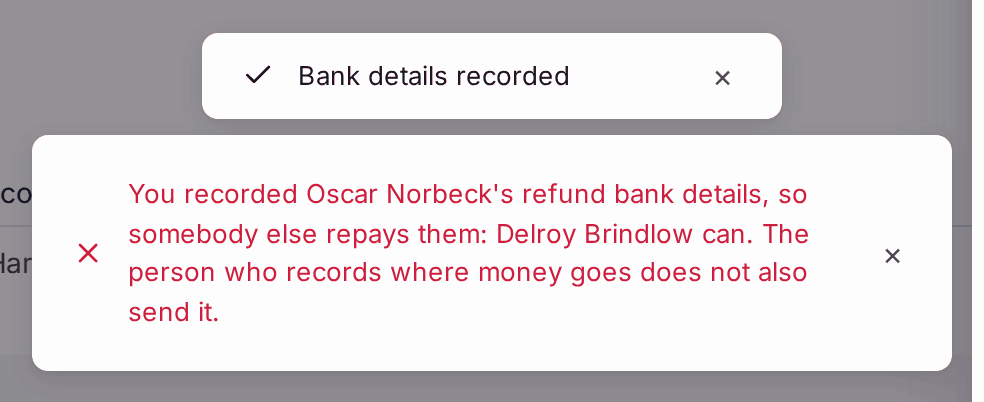
Bank details can still be recorded ready for later. "You recorded … refund bank details, so somebody else repays them". The person who recorded the bank details pressed Repay Credit. The message names a colleague who can. Ask them to do steps 7 to 11.
Nothing is recorded as repaid. - Record Bank Details or Repay Credit is greyed with "Permission required". Recording bank details needs a role that records money; repaying needs a role that approves money (see Deciding what each colleague can do).
- "The account number can no longer be read. Record the details again before repaying." Press Replace Bank Details and type them again from the leaseholder's written instruction.
- You paid the wrong amount at the bank. Record what actually left the bank, not what you meant to pay. Any difference stays on account.