


Getting quotes and choosing one
What you'll end up with: each firm's price recorded against the job, with how long they hold it, the one you choose approved and turned into a work order, and the others turned down with a reason.
Before you start you need:
- The firms on your contractor list (see Adding a contractor to your approved list).
- Their prices, by email, letter or phone. Recording a quote here does not send anything to the firm: you ask them yourself.
- For works where any one leaseholder's share would be over £250, a Section 20 consultation instead (see Running a Section 20 consultation for major works).
Recording every quote, even those you turn down, shows the directors and the leaseholders that the price was tested. A price is only good while the firm holds it, so the date it runs out matters as much as the figure.
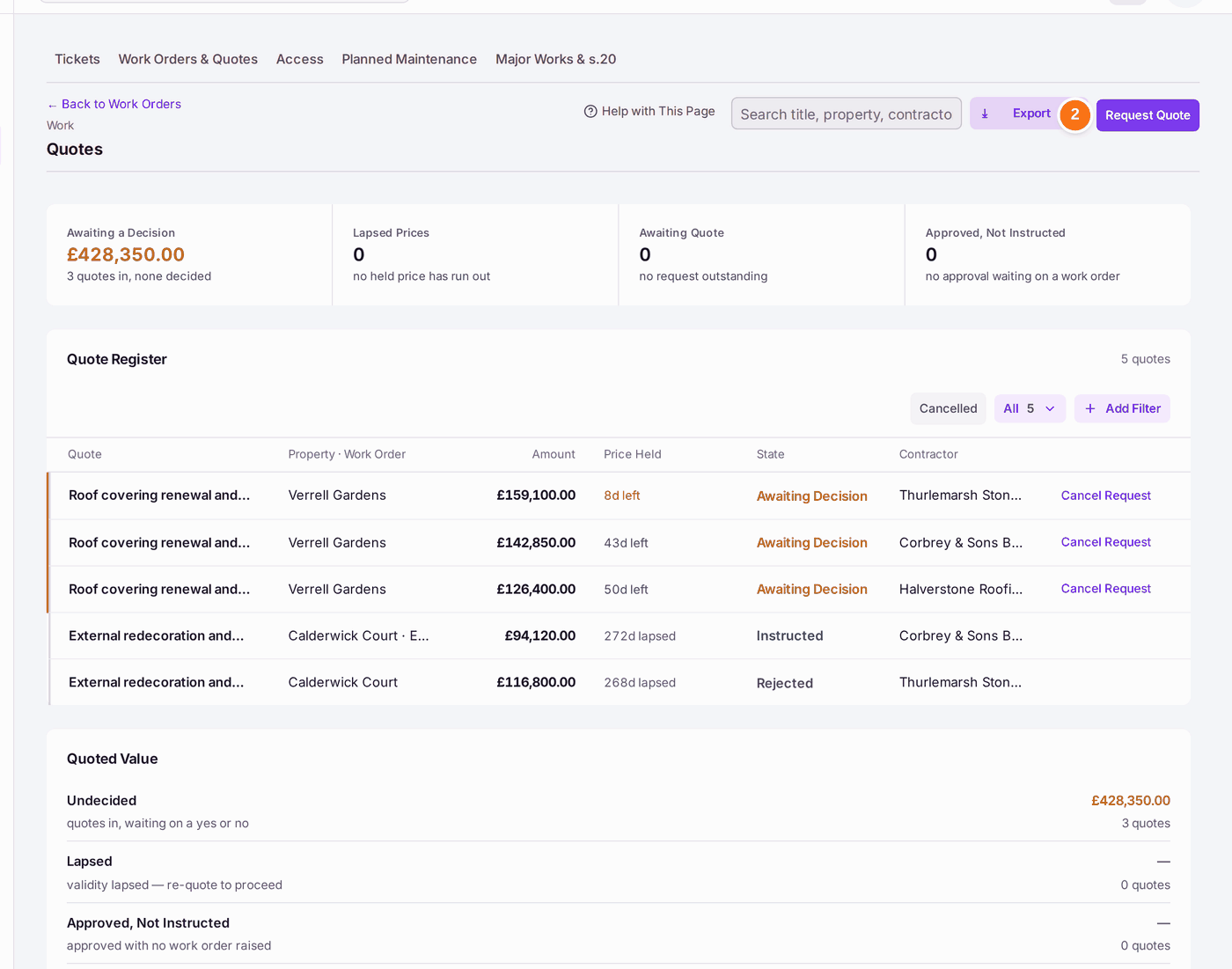
- Go to Work → Work Orders & Quotes, then open Quotes.
- Press Request Quote.
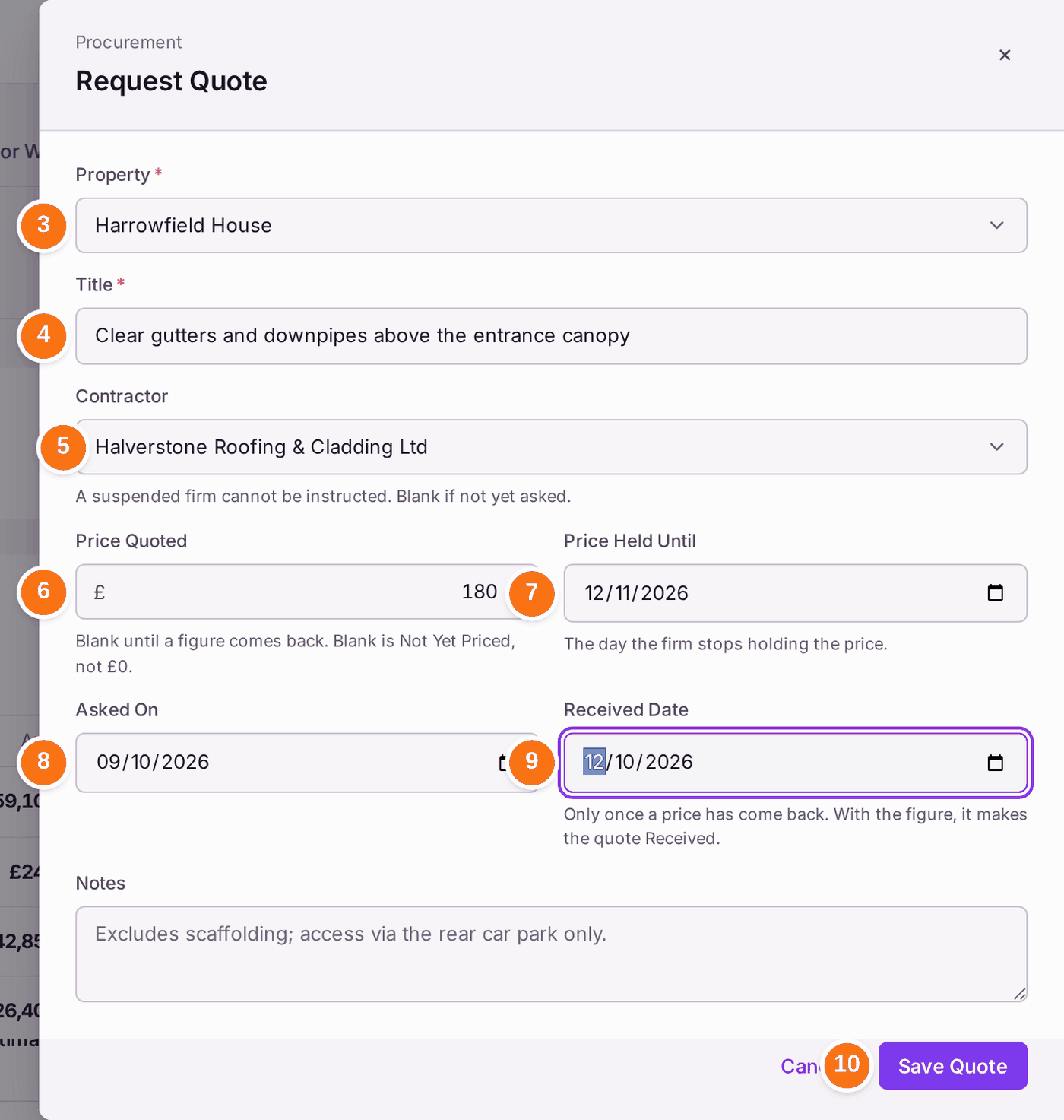
- Choose the Property.
- Type the Title: the job, worded the same for every firm you ask, so the quotes sit together.
- Choose the Contractor you asked.
- When the price comes back, type it in Price Quoted. Leave it blank until then. Blank means "not yet priced", which is not the same as £0.
- Choose Price Held Until: the last day the firm stands by the price.
- Choose Asked On: the day you asked.
- Choose Received Date once the price has arrived.
- Press Save Quote. "[title] is on the register."
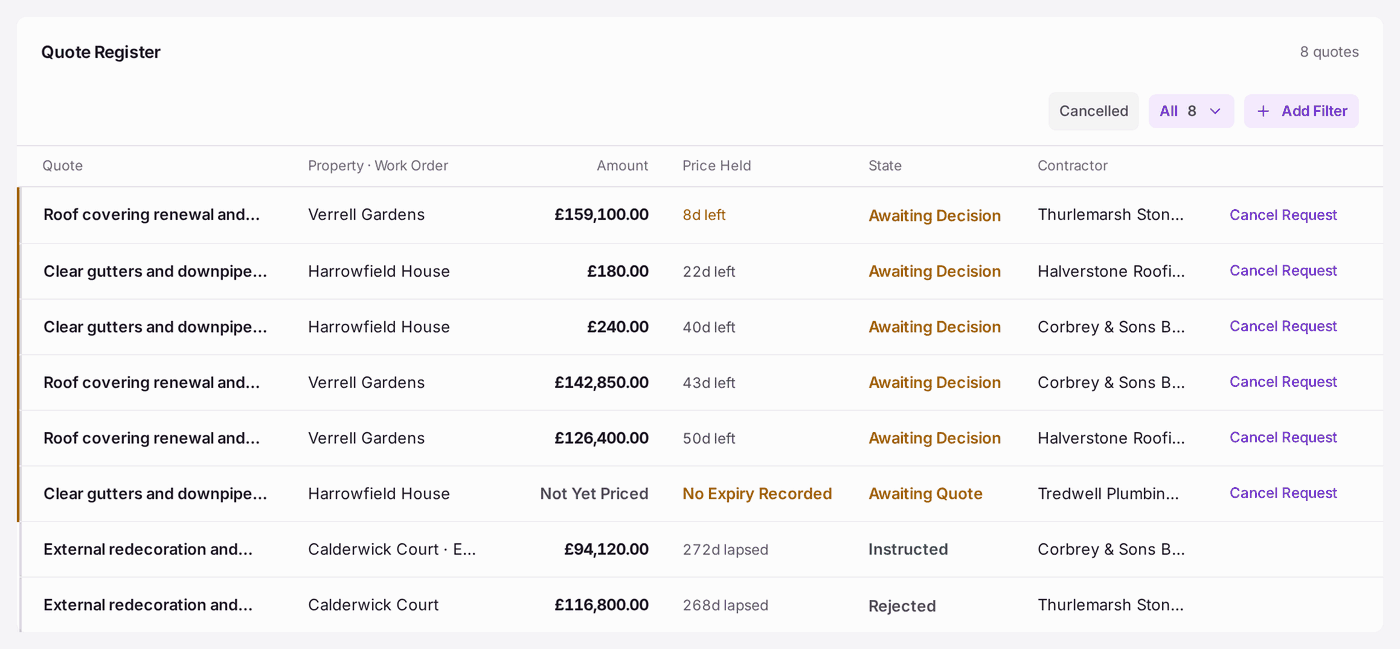
- Repeat steps 2 to 10 for each firm.
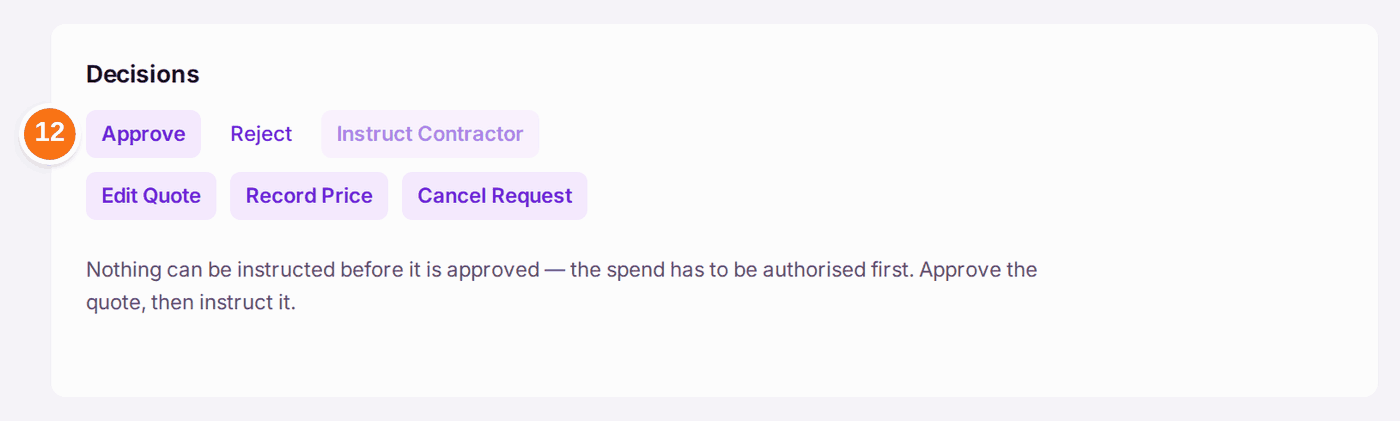
- Compare the prices on the Quote Register, then open the quote you choose and press Approve.
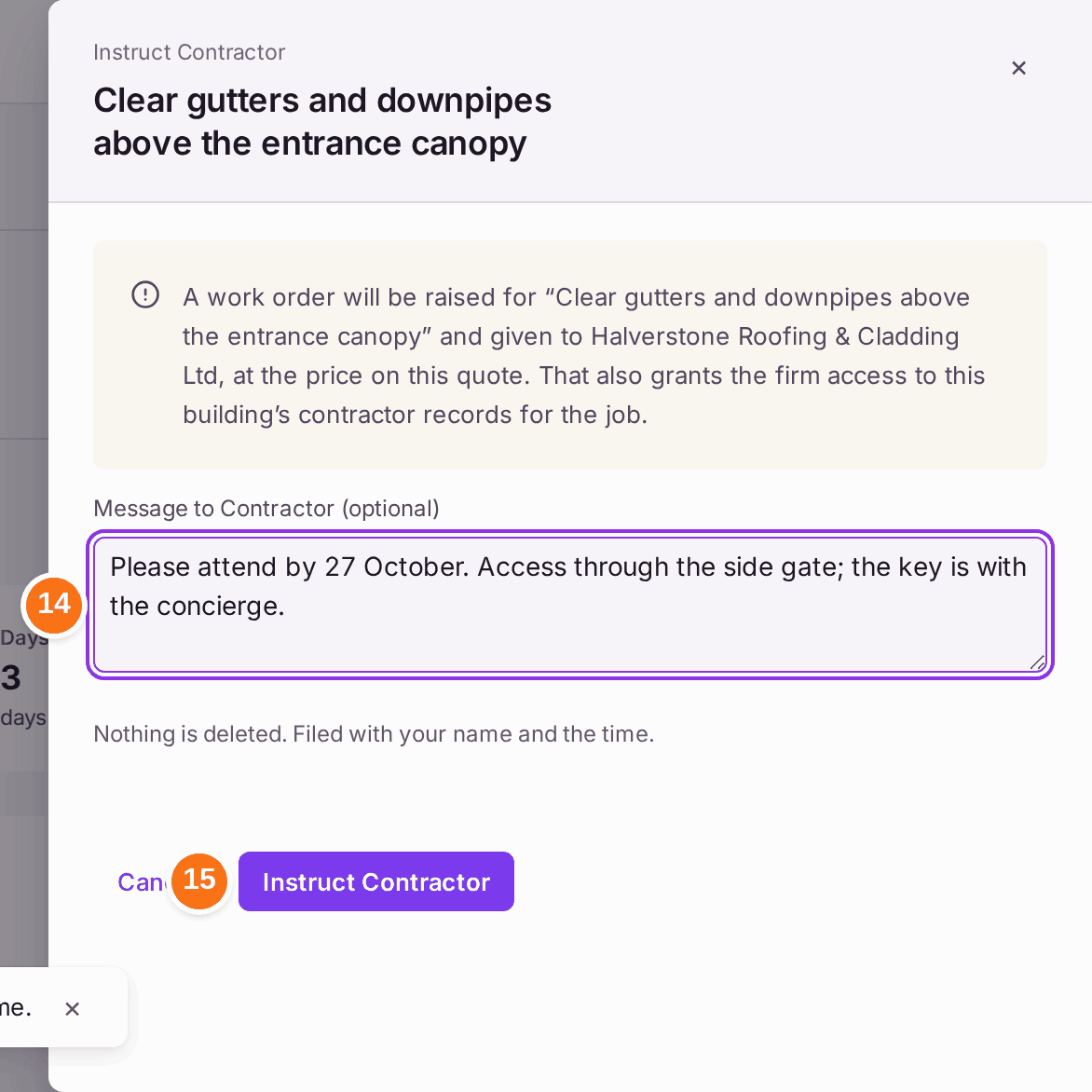
- Press Instruct Contractor.
- Type a Message to Contractor if they need one, such as access arrangements. If any leaseholder's share of the price is over £250, the panel asks for the Section 20 Record, and if the price is over the client's spending limit, for the Client Approval (see Instructing a contractor (raising a work order)).
- Press Instruct Contractor. A work order is raised for the job at the quoted price.
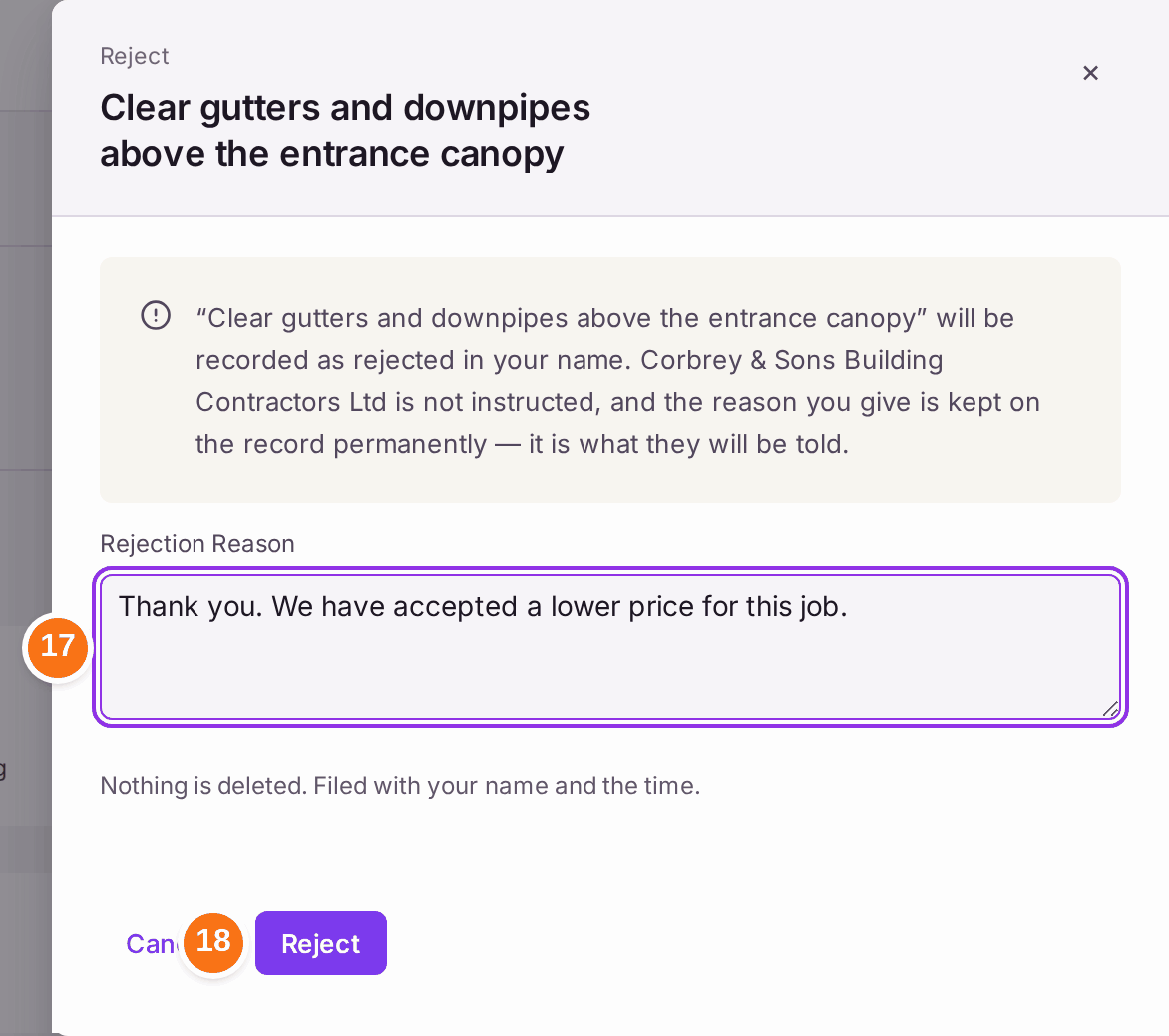
- Open each quote you did not choose and press Reject.
- Type the Rejection Reason. "It is what they will be told."
- Press Reject.
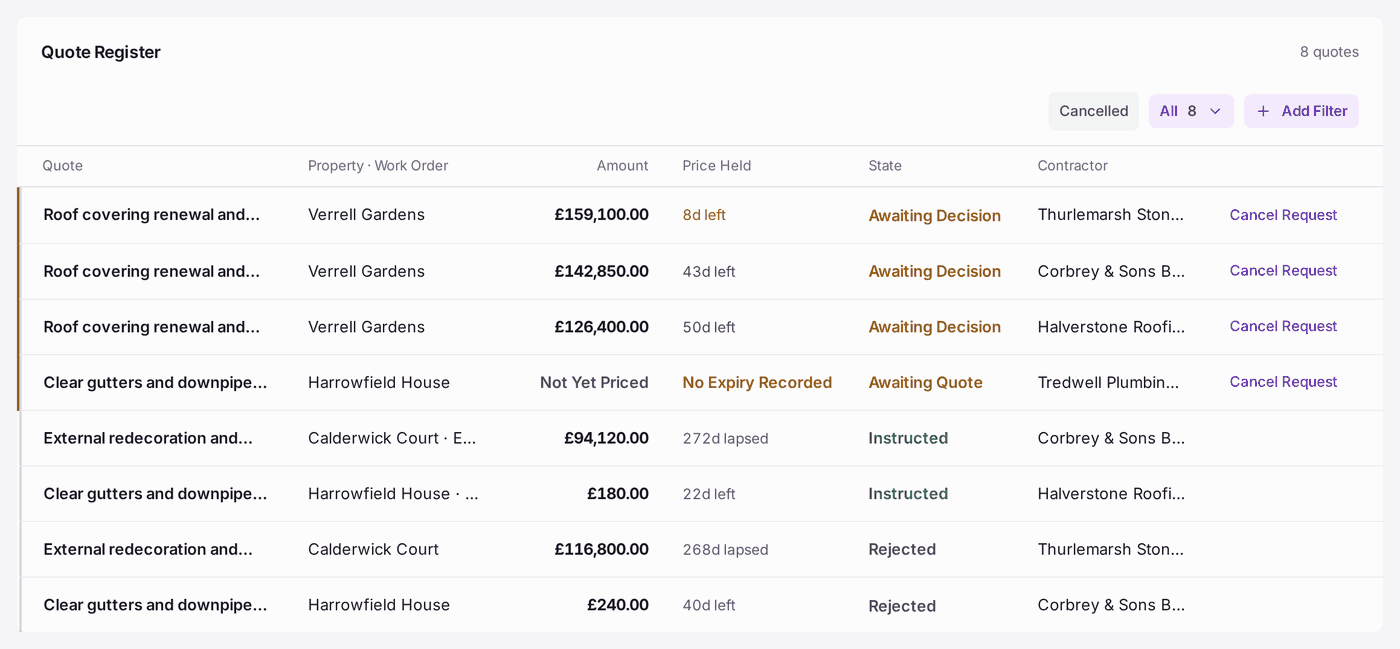
You'll know it worked when: the register shows the chosen quote as Instructed, with its work order beside the property, and the others as Rejected. Each decision is recorded against the quote in your name.
If something's wrong:
- Instruct Contractor is greyed with "Nothing can be instructed before it is approved". Press Approve first.
- "Section 20 applies: one leaseholder's share of … is …, over £250.00." The price needs a Section 20 record before it is instructed: choose the Consultation, or record the Dispensation, or give the Emergency Reason. The same applies on a ticket's Quotes.
- "… is over [client]'s … spending limit. Record the client's approval to instruct." Fill in Approved By, Approved How and Approved On in the panel.
- You approved the wrong quote. An approval cannot be turned into a rejection: "An approval is a decision the contractor may already have been told about". If you have not instructed it, leave it and approve the right one. If the work is no longer wanted, ask the firm to quote again when it is.
- You cannot change the figures on an approved quote. Changing them would leave an approval on record for a price nobody approved. Ask the firm to quote again.
- A firm sent its price by email or phone. Open the quote and press Record Price, beside Cancel Request. Type the price, the VAT and the date it came, and press Record Price. It reads Received, as if the firm had sent it in SynkroTech Trade.
- A firm never sent a price, or the work is no longer wanted. Press Cancel Request on the quote's row (in Quotes, on a ticket's Quotes, or on a work order) or on the quote itself, and type why. The firm's SynkroTech Trade page shows it Cancelled, so they stop pricing it; your reason stays with you. Cancelled on the register shows cancelled requests. A quote already approved, rejected or instructed cannot be cancelled.
- The price has lapsed. Past Price Held Until the quote shows as lapsed: "validity lapsed — re-quote to proceed". Ask the firm for a fresh price and record it as a new quote.
- Approve takes effect at once. There is no question before it, so check you have the right quote open.