


Asking SynkroTech for help
What you'll end up with: a help request with SynkroTech, with a reference, that you can follow under My Help Requests.
Before you start you need: what you were doing, what you expected and what you saw. A screenshot helps.
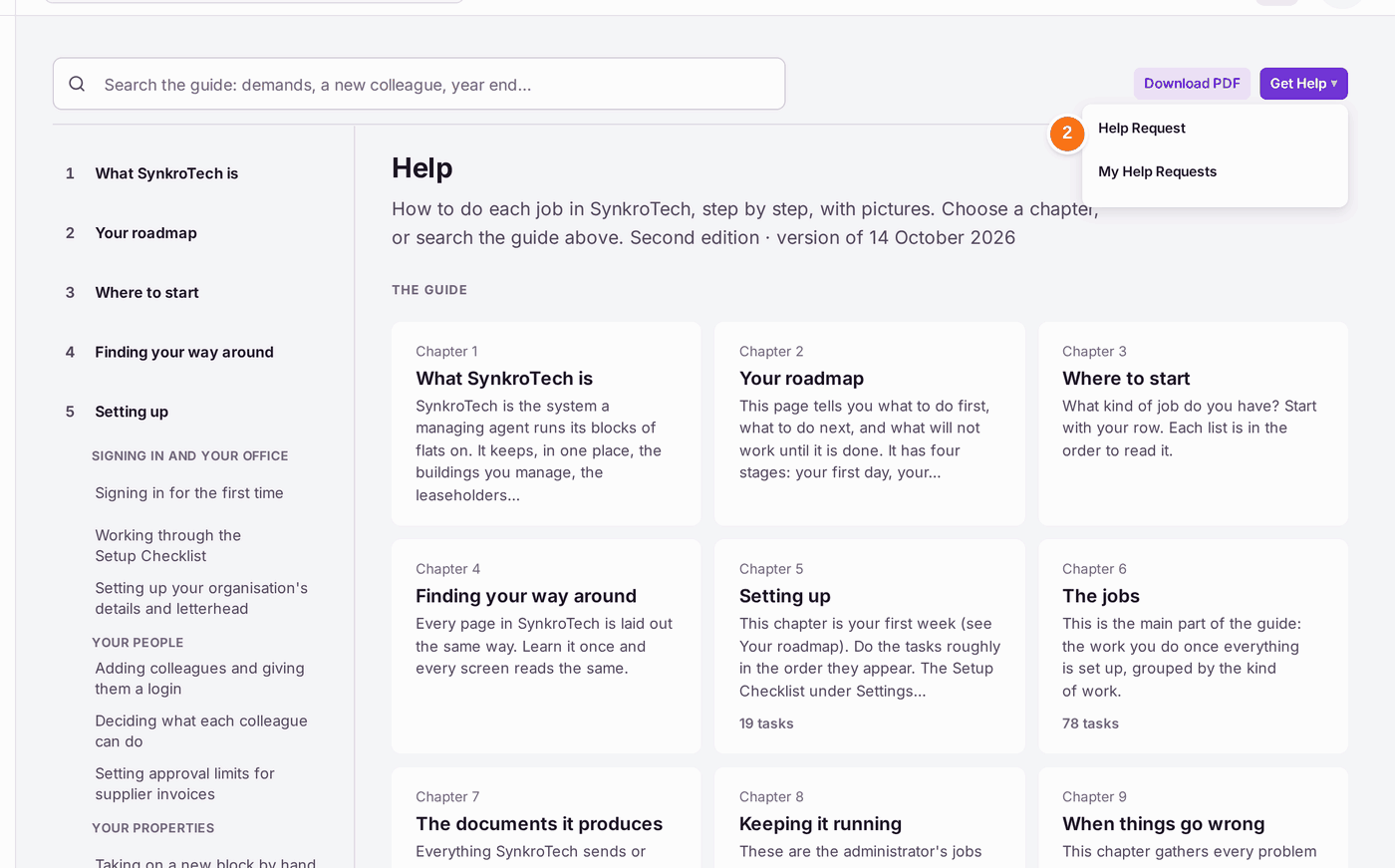
Read Help first. It holds this guide, a page for each job. The search box is across the top: type what you are trying to do, such as "year end" or "new colleague". The guide's chapters are down the left, and the page you open fills the middle. On most pages, Help with This Page at the top right opens the guide's page for the screen you are on. If that does not answer it, ask.
- Press your initials at the top right of any page, then Help.
- Press Get Help at the top, then Help Request.
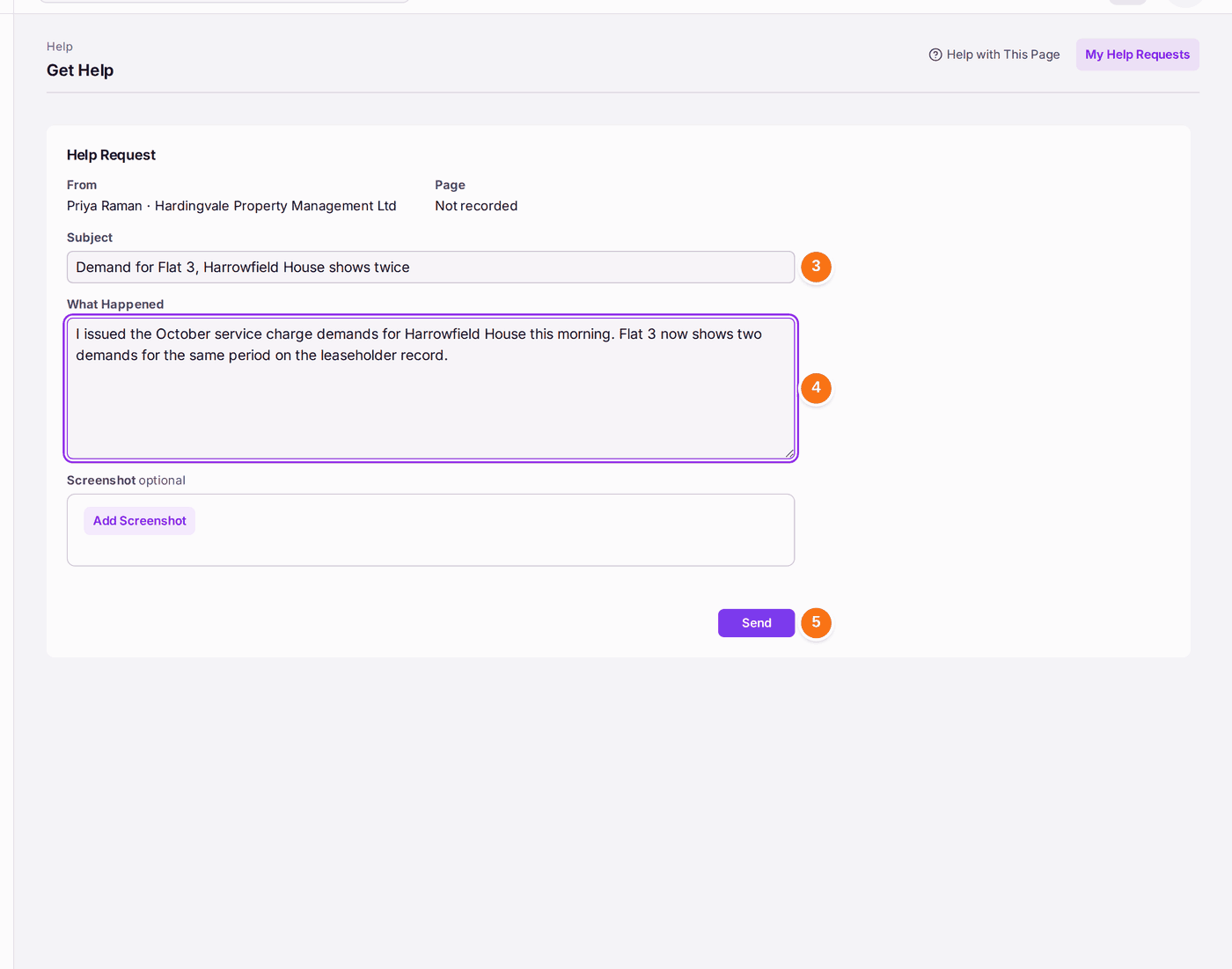
- Type the Subject: the problem in a few words, with the property or the reference.
- Type What Happened: what you pressed, what you expected, and what the screen said, word for word. Press Add Screenshot to attach a picture of the screen.
- Press Send.
You'll know it worked when: the page reads Sent, with the request's reference (such as H-AT3JCE) and its status Open. My Help Requests lists it, and View Request shows the replies.
If something's wrong:
- SynkroTech needs to look at your records to answer. They will ask. Give them access for a fixed time (see Letting SynkroTech support look at your account).
- You cannot find an earlier request. Press Get Help, then My Help Requests. It lists every request you sent, open or answered.