


Logging what a client has asked you to do
What you'll end up with: each thing a client or director asks for, by phone, letter or in person, on one list with a due date, until you mark it complete.
Before you start you need: nothing.
Nothing is added to this list on its own. A request that is not logged here exists only in someone's memory.
- Go to Home, then Client Requests. A request pressed on My Work opens here, marked where it stands in the list.
- Press Add Request.
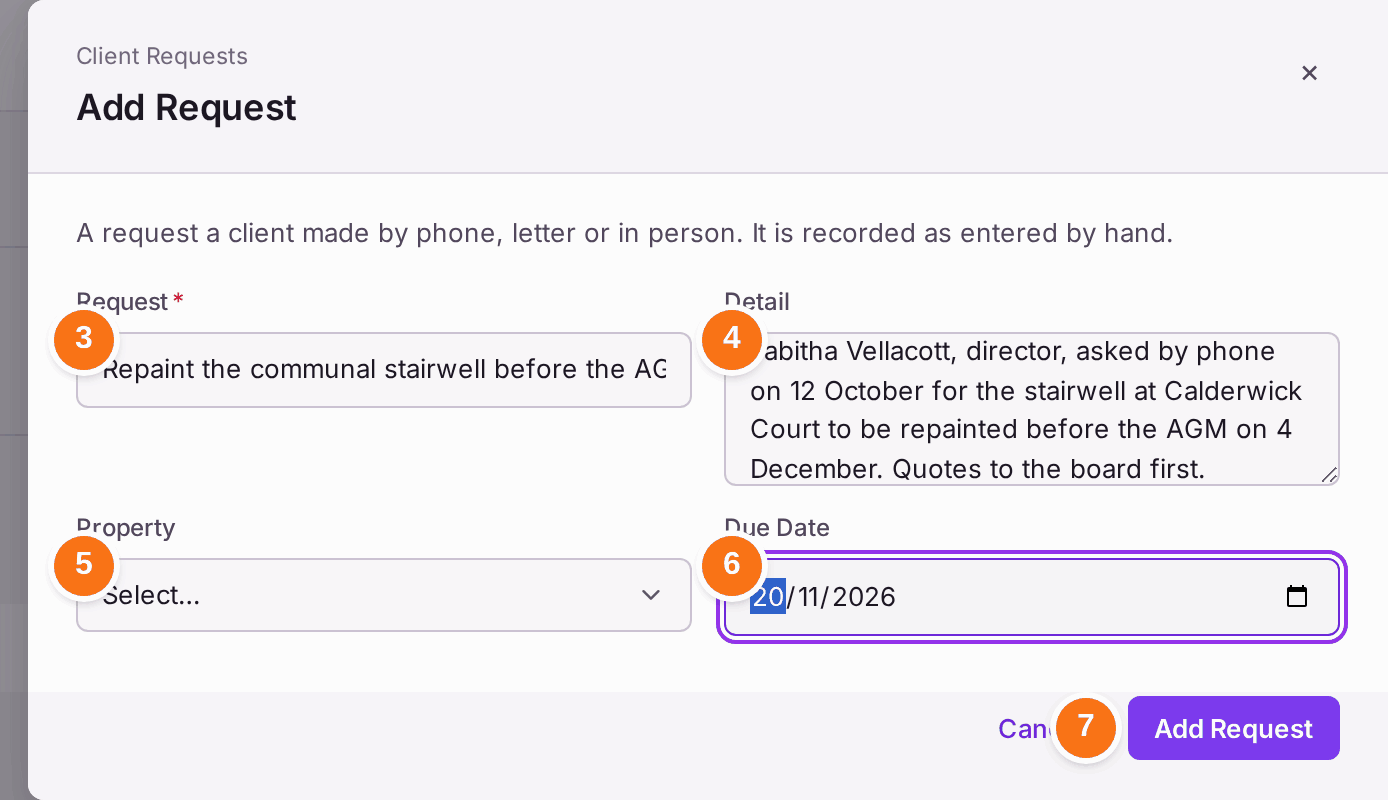
- Type the Request in a line, such as "Repaint the communal stairwell before the AGM".
- Type the Detail: who asked, when, how, and anything agreed.
- Choose the Property, or Not for one property.
- Choose the Due Date.
- Press Add Request.
- When it is done, press Complete on the request.

You'll know it worked when: the message reads "'Repaint the communal stairwell before the AGM' added to the queue." It is listed under Awaiting Action, and after step 6 it leaves the list: "marked complete". Show Completed shows finished requests.
If something's wrong:
- You marked one complete by mistake. Press Show Completed to find it. Add it again if it still needs doing.
- Add Request and Complete are greyed. Your role can read the list but not change it. Ask an administrator.