


Asking a contractor for an invoice they haven't sent (Auto-Chase)
What you'll end up with: a rule on a property that writes to the firm on each completed work order that has no invoice yet, on a schedule you set, through the Outbox, and stops when the invoice arrives.
Before you start you need: work orders sent to firms (see Instructing a contractor (raising a work order)), an email address or a postal address on each firm's record, and a mailbox connected for your organisation (or print and post, for letters).
A work order's invoice has arrived when an invoice on the purchase ledger is linked to that work order, or when the firm's invoice names the work order's reference (see Paying a supplier's invoice). Each reminder names the work order, what the job was and the day it was completed, and asks for the invoice. You can write your own wording instead.
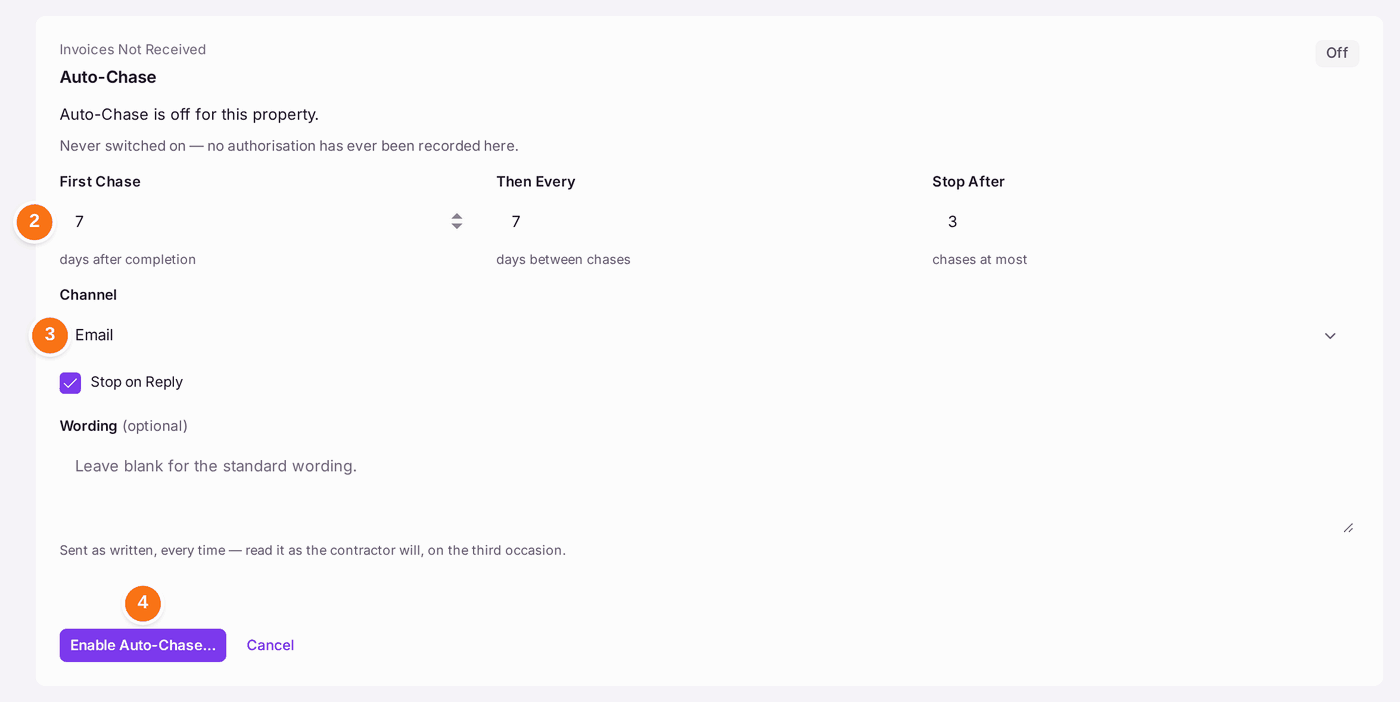
- Open the property and go to Work. Find Auto-Chase (under Invoices Not Received) and press Enable Auto-Chase.
- Set First Chase (days after a work order is completed), Then Every (days between reminders) and Stop After (the most reminders a work order gets).
- Choose the Channel: Email or Letter. Leave Stop on Reply ticked to stop when the firm writes back on the job.
- Press Enable Auto-Chase….
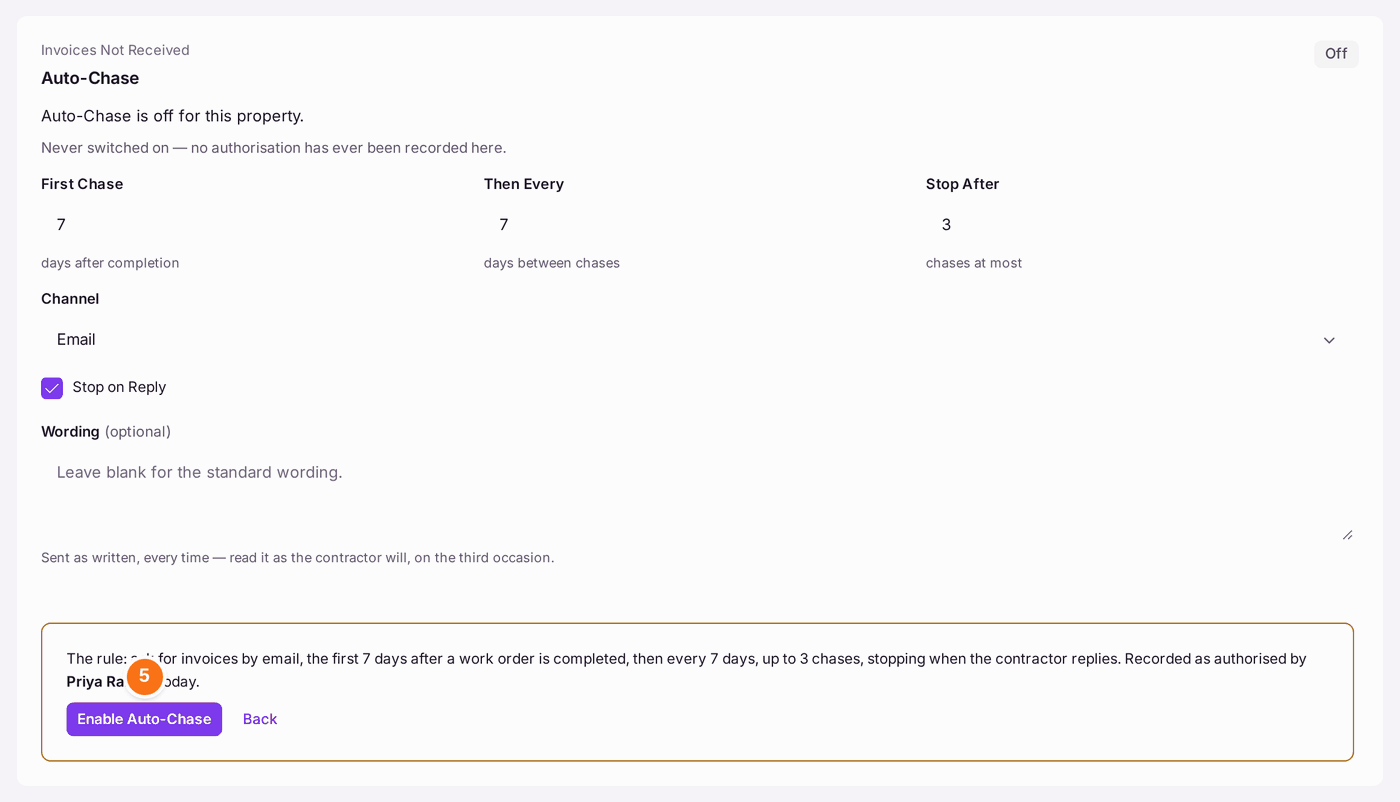
- Read the rule as SynkroTech will carry it out, then press Enable Auto-Chase. The rule is recorded as authorised by you, today.

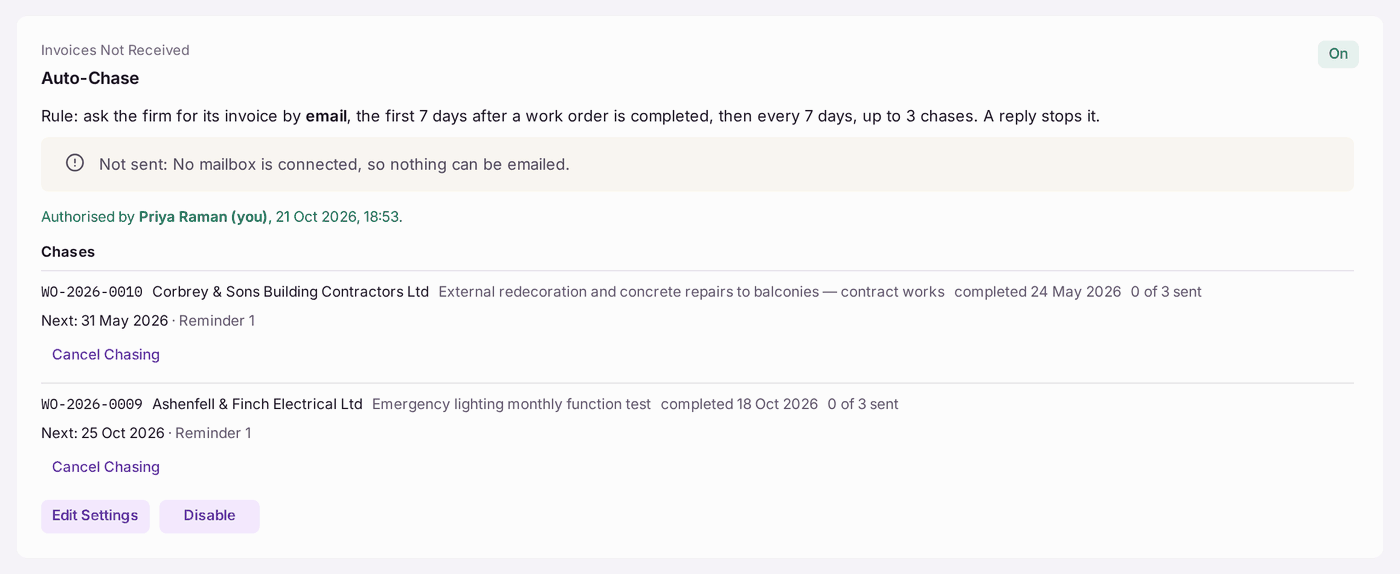
You'll know it worked when: the card reads On, says who authorised the rule and when, and lists under Chases each completed work order still waiting for its invoice: the firm, the job, the day it was completed and the day its next reminder is due ("Next: 18 Oct 2026 · Reminder 1"). Reminders go on weekdays between 08:00 and 18:00. Each one is sent through the Outbox, and the card then shows it: to whom, by email or letter, when, and whether it was Queued, Sent or Failed. Open a reminder to read the words that were sent.
Chasing a work order stops for good when its invoice arrives, when the work order is reopened or cancelled, when the last reminder has gone, when the firm replies on the job (if Stop on Reply is ticked), or when somebody presses Cancel Chasing on it.
If something's wrong:
- "Not sent: No mailbox is connected, so nothing can be emailed." Nothing is emailed until a mailbox is connected for your organisation (see Connecting your mailbox). The reminder that is due goes on the first weekday after that, and none is sent twice.
- "Not sent: … has no email address on record." Add the firm's email address on its record (see Adding a contractor to your approved list), or choose Letter under Edit Settings.
- "Letters cannot be printed and posted from here." Print and post is not set up for your organisation. Choose Email under Edit Settings, or ask SynkroTech (see Asking SynkroTech for help).
- The invoice came in, but the reminders go on. The invoice is not linked to the work order and does not name its reference. Link it to the work order on the invoice (see Paying a supplier's invoice).
- The firm answered by email or phone. A reply by email or phone does not stop the reminders. Press Cancel Chasing on that work order, then Cancel Now. It is recorded with your name and the date.
- You want to stop everything on this property. Press Disable. The last authorisation stays on the card.
