


Adding or removing a duty from a property's register
What you'll end up with: a property's compliance register that lists every check the building needs, and nothing it does not.
Before you start you need: to know the check applies. Most duties are added for you from the building questions and the asset register (see Answering the building questions so the right checks appear and Recording an asset (plant) and its servicing). Add one by hand when something is required that those do not cover, such as a tree survey on an estate with mature trees.
A missing duty is never chased, so a building can look compliant when it is not. A duty that does not apply clutters the register and hides the ones that matter.
- Go to Compliance → Compliance Register.
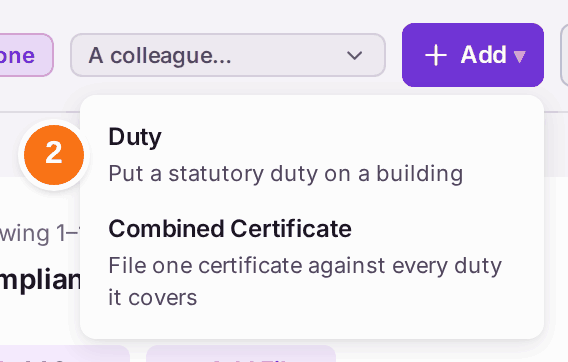
- Press Add, then Duty. (Combined Certificate files one certificate against several duties it covers.)
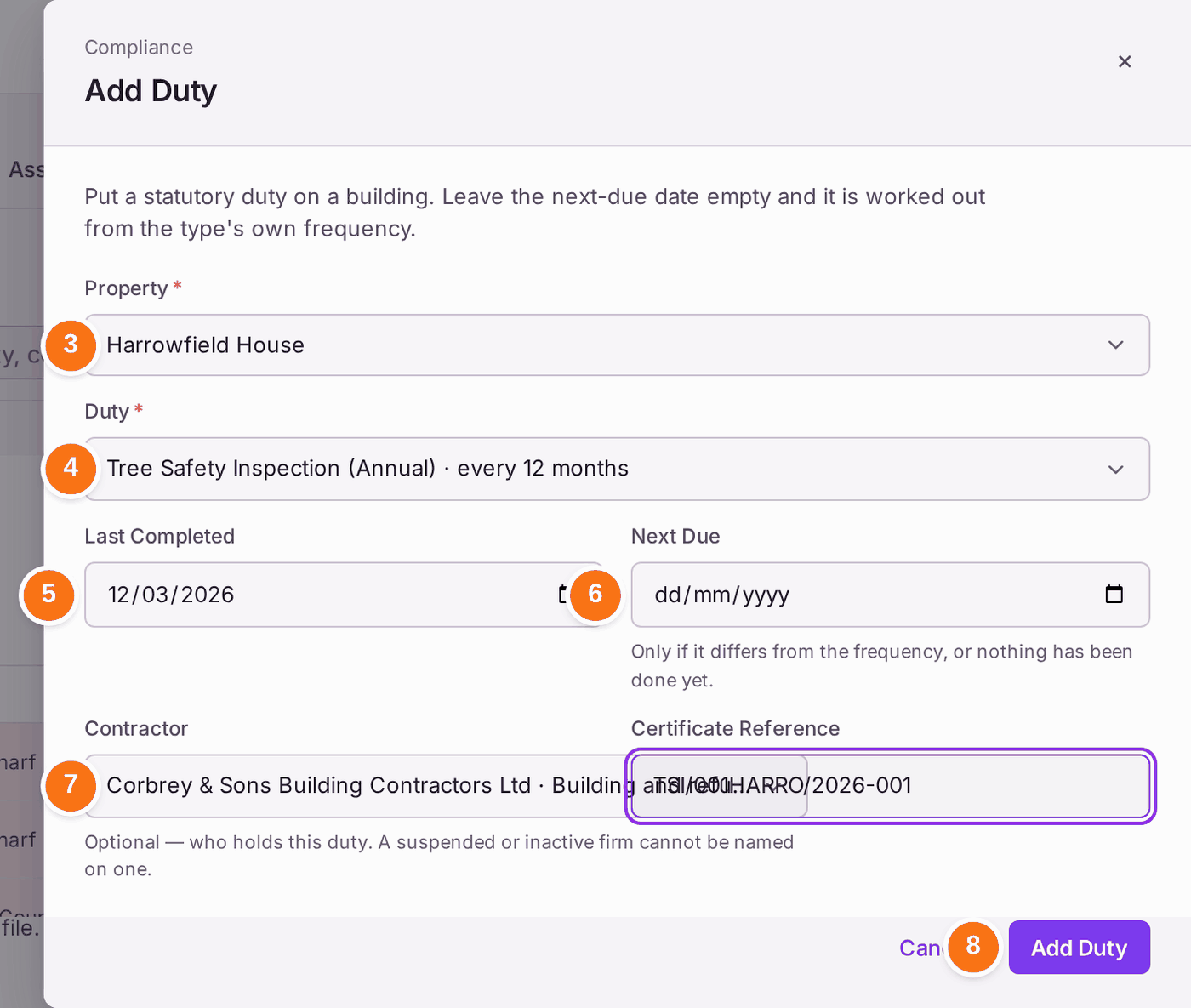
- Choose the Property. When the register is filtered to one property, or opened from an asset's duties, it is already chosen.
- Choose the Duty from SynkroTech's library. Each shows how often it is due.
- Choose Last Completed if it has been done before.
- Leave Next Due empty to have it worked out from the last completed date and the frequency. Set it only if it differs.
- Choose the Contractor who carries it out, if there is one. Opened from an asset, the asset's Serviced By firm is filled in, marked "From [asset], Serviced By · check".
- Press Add Duty. "[duty] added to the register".
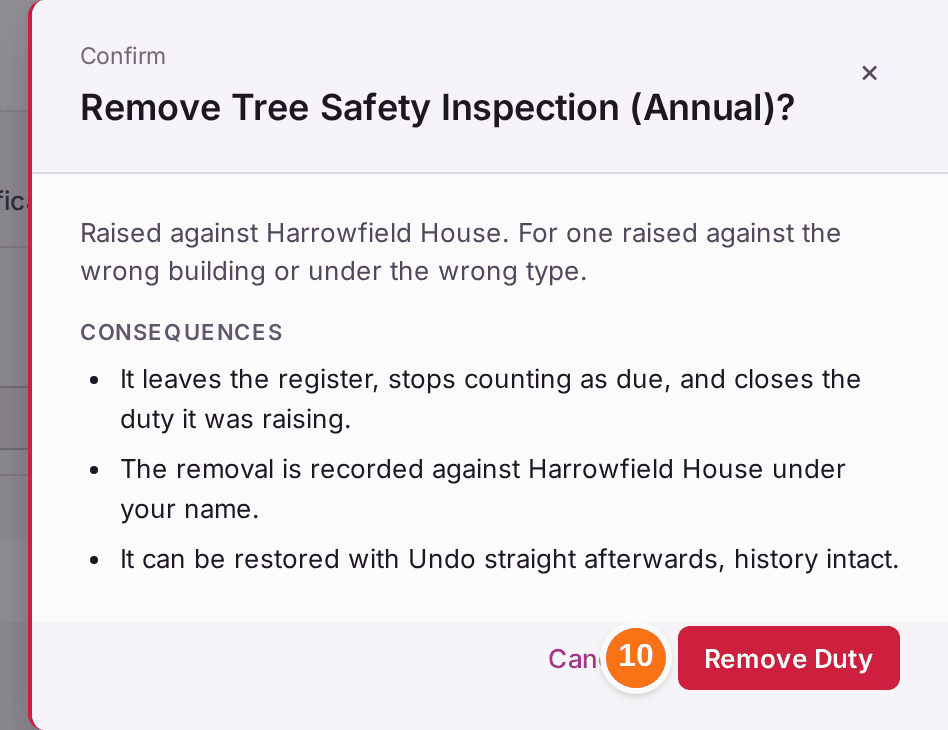
To remove a duty raised against the wrong building or under the wrong type:
- Find it on the register and press Remove on its row.
- Read the consequences, then press Remove Duty. Press Undo in the message straight away if you removed the wrong one.

You'll know it worked when: the duty is on the register for the property with its frequency and next due date; or, removed, it no longer appears.
If something's wrong:
- The building does not need the duty. Open it and press Mark Not Needed, with the reason. It leaves the register and its reminders, and is not suggested again unless the building changes. Add Back on the property's Required Duties puts it back.
- The duty applies but will not be done this time. Waive it on My Duties, so the register records why (see Waiving a duty that does not apply).
- A duty you removed is suggested again. Something about the building changed since, such as a new asset that brings it. Add it, or mark it Not Needed.
- A duty's name says one frequency and its interval another. For example "Scaffold Inspection (Weekly)" is listed "every 1 months". Check the interval before you rely on it, and set Next Due by hand if needed.
- You searched the register and nothing changed. The list narrows after a moment, or when you press Enter.