


Talking to colleagues in team channels
What you'll end up with: a channel where your colleagues talk about a building or a piece of work, kept inside SynkroTech beside the records it is about.
Before you start you need: nothing.
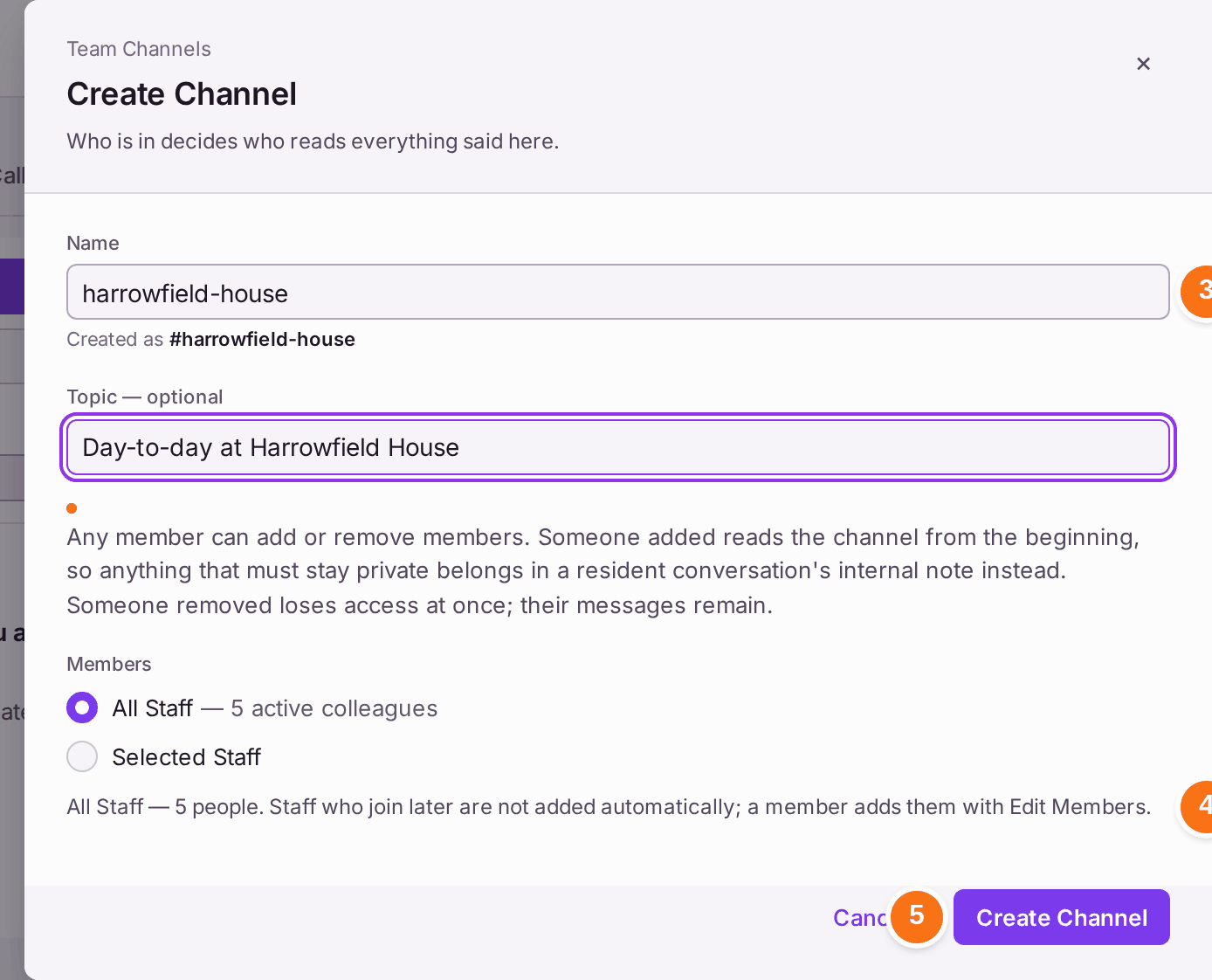
Who is in a channel decides who reads everything said in it, including what was said before they joined. Anything that must stay private belongs in an internal note on a resident conversation or a ticket instead.
- Go to Comms, then Team Channels.
- Press Create Channel.
- Type the Name (no need for the #). Add a Topic if you like.
- Choose the Members: All Staff, or Selected Staff. Colleagues who join the organisation later are not added on their own.
- Press Create Channel.
- Type a message in the box at the foot.
- Press Send, or press Enter.
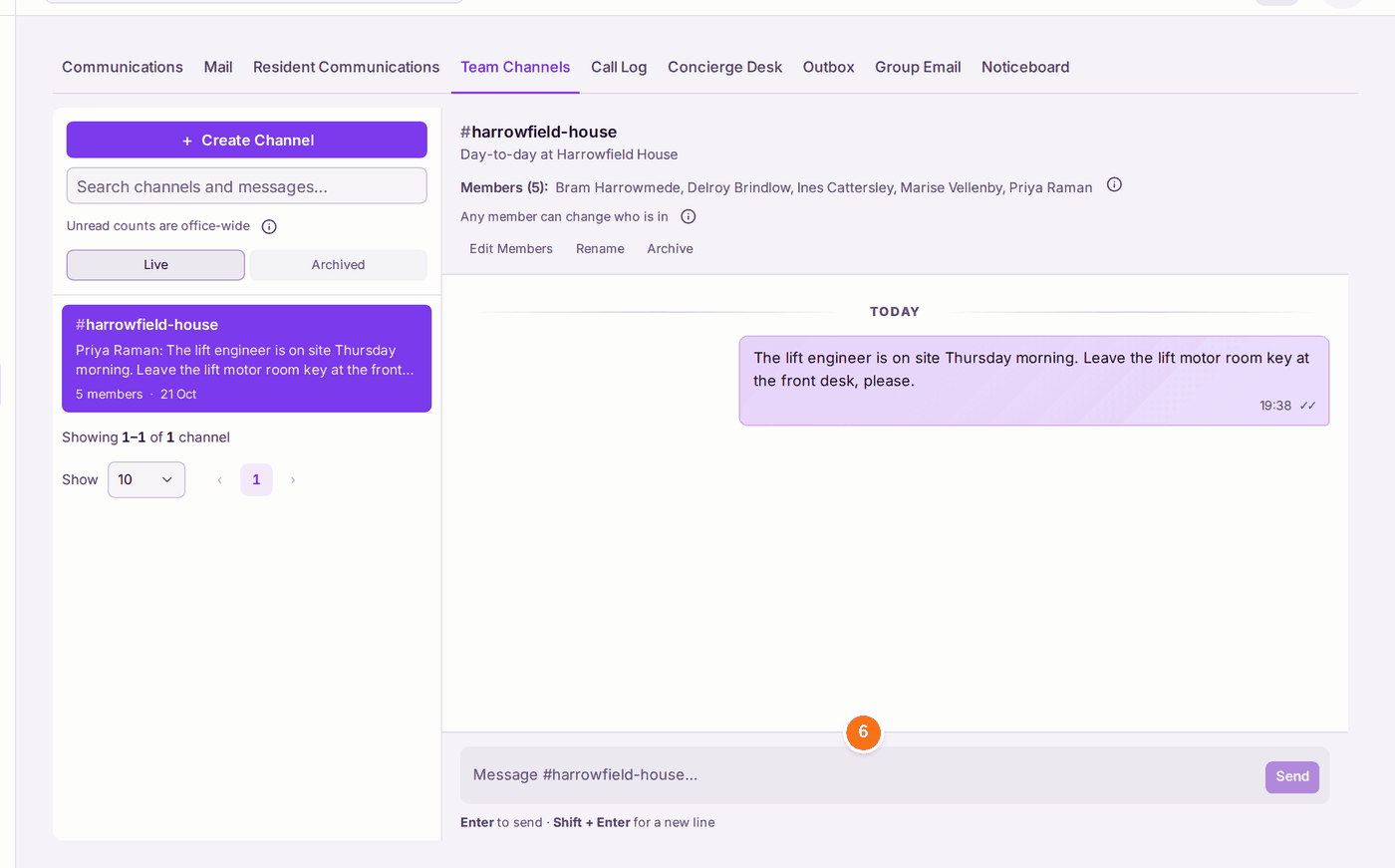
You'll know it worked when: the channel is listed under Live with its members, and your message shows in it with the time.
If something's wrong:
- A colleague cannot see the channel. They are not a member. Any member can add them with Edit Members.
- Someone left who should not read it any more. Remove them with Edit Members; they lose access at once, and their messages remain.
- The channel is no longer needed. Archive it; it moves to Archived.