


Keeping your chart of accounts
What you'll end up with: the list of nominal accounts (the headings every cost and every income is filed under, such as Cleaning or Buildings insurance) set the way your accountants want, so budget lines, invoices and year-end figures all use the same headings.
Before you start you need: the codes and names your accountants use. A new organisation starts with a standard UK service charge chart, so most offices only add a few.
A nominal account says what a cost is. It is not a fund (where the money sits) and not a schedule (who pays). An account cannot be deleted once anything is coded to it, because old invoices and budgets must keep reading the same heading. You close it instead.
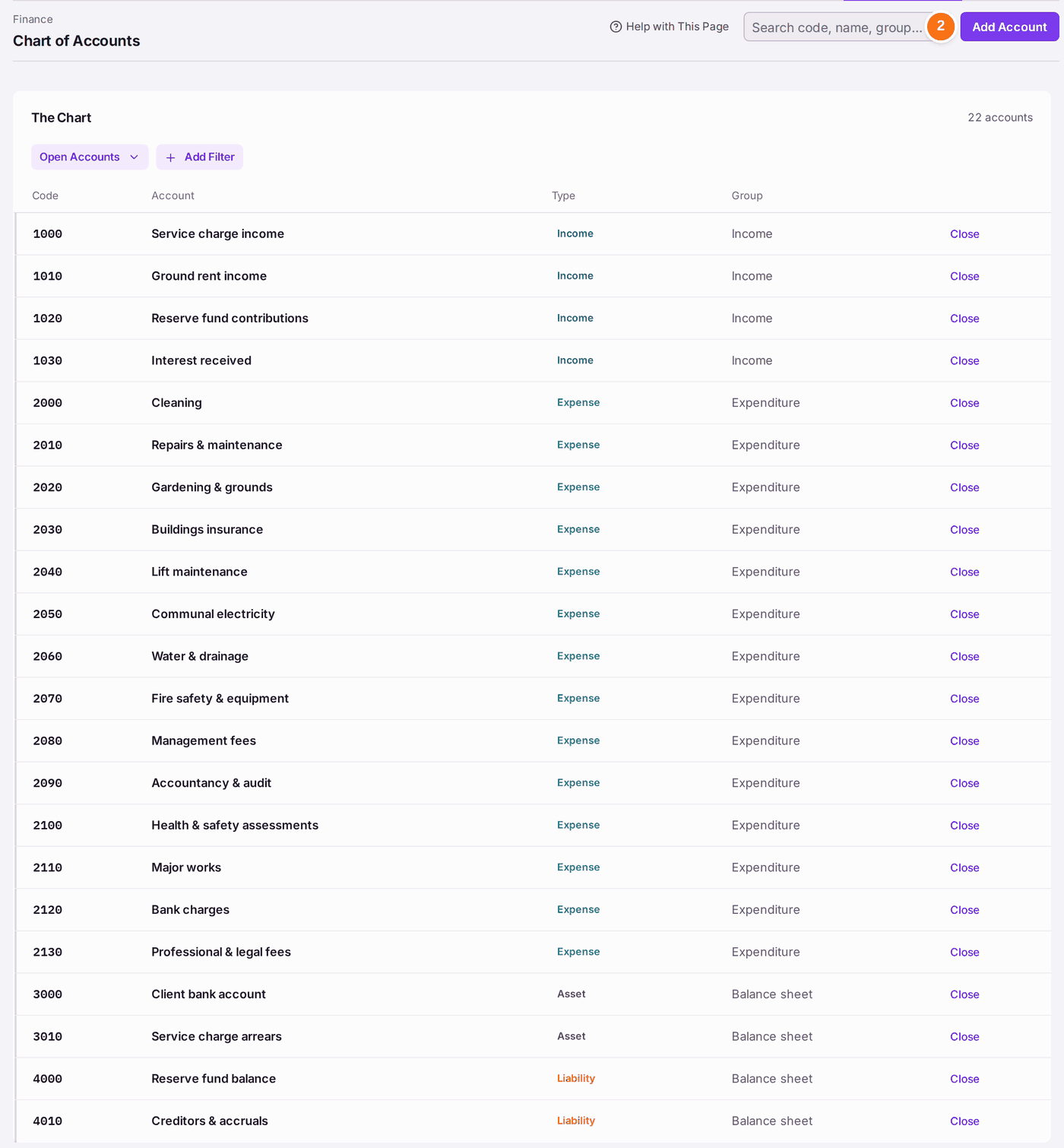
- Go to Finance → Chart of Accounts. The chart lists each account's code, name, type and group.
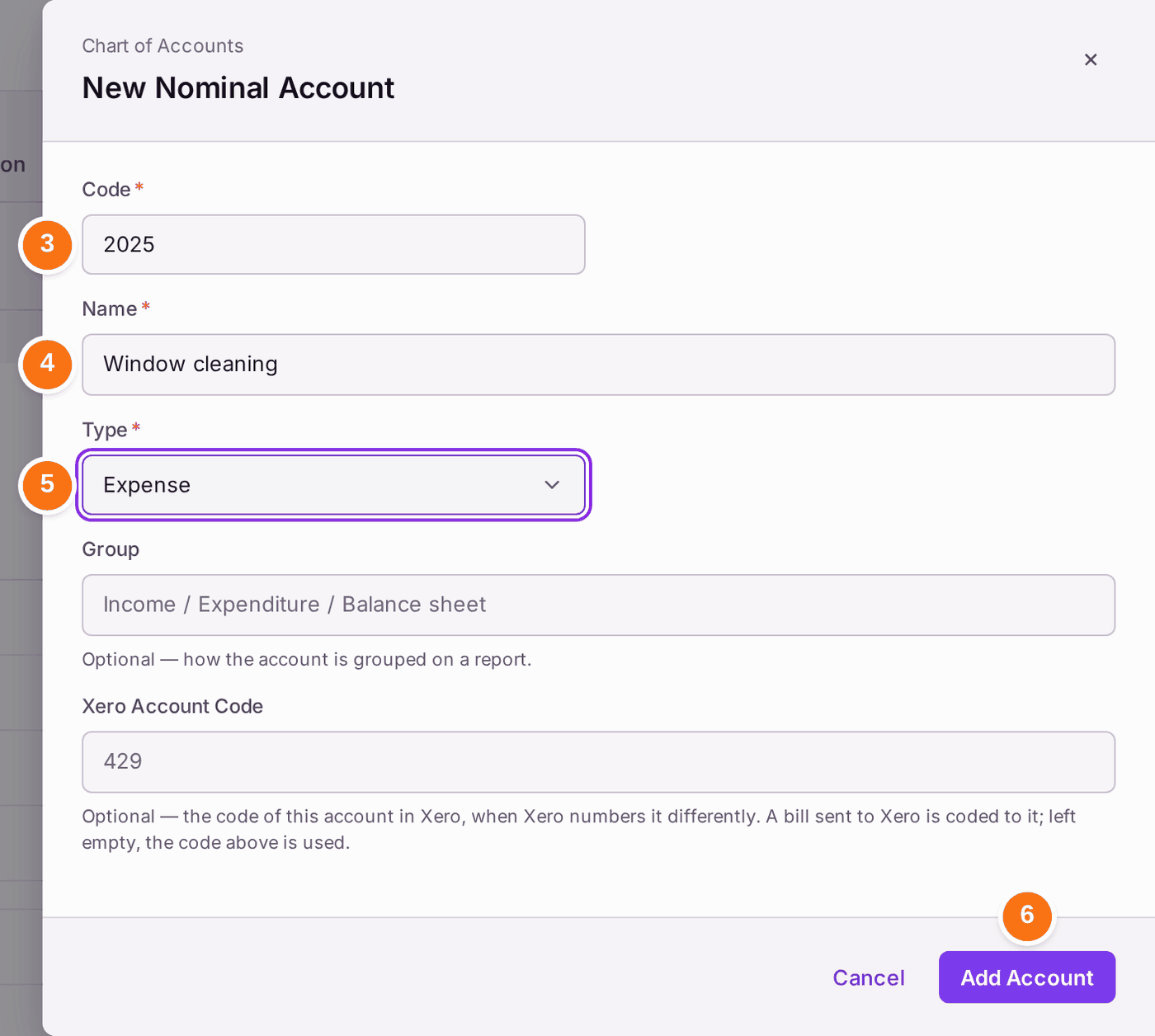
- Press Add Account. New Nominal Account opens.
- Type the Code. Each code can be used once.
- Type the Name, as it should read on budgets and invoices.
- Choose the Type: Income, Expense, Asset, Liability or Equity. Service charge costs are Expense.
- Press Add Account. "Account added to the chart".
Group (how the account is grouped on a report) is optional. So is Xero Account Code, which you fill in only when your Xero chart numbers the same account differently.
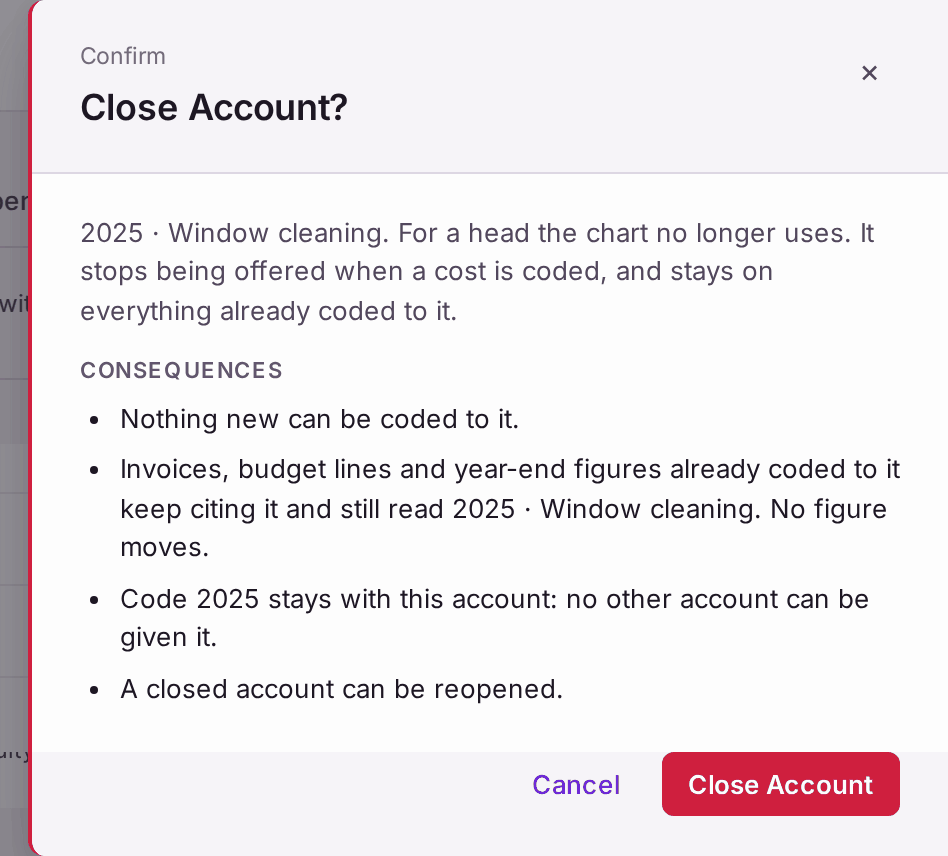
To stop using an account, press Close on its row, then Close Account in the question. Nothing new can be coded to it; everything already coded to it keeps its code and name. The code stays with that account and is never given to another. A closed account can be reopened.
You'll know it worked when: the new account is in the chart, and it is offered when you choose a nominal on a budget line or a supplier invoice. A new account is listed at the end of the chart, after the standard ones.
If something's wrong:
"An account with code 2000 already exists. Codes are unique within the chart." Choose another code. A closed account keeps its code too, so a code you closed cannot be reused.
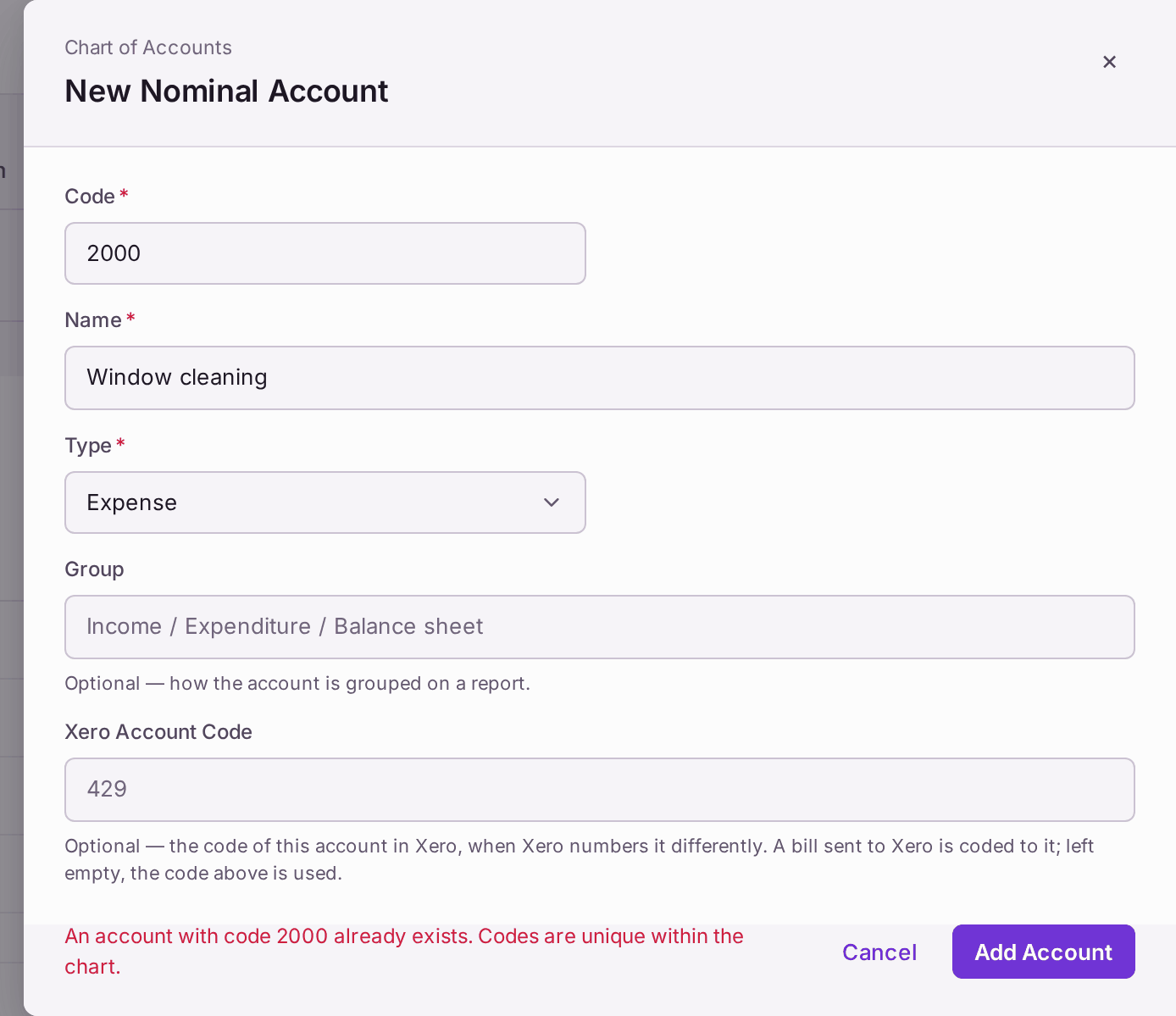
The account is not added until the code is free. - Add Account is greyed with "Permission required". Your role can read the chart but not change it. The chart is usually kept by whoever does the bookkeeping (see Deciding what each colleague can do).
You want to rename an account. Click the account's name in the chart, change Name, then press Save Changes. The app asks first, because a rename changes what every invoice, budget line and year-end figure already coded to it says, and it cannot be undone. If the old name matters on paperwork already sent, close the account and add a new one instead.
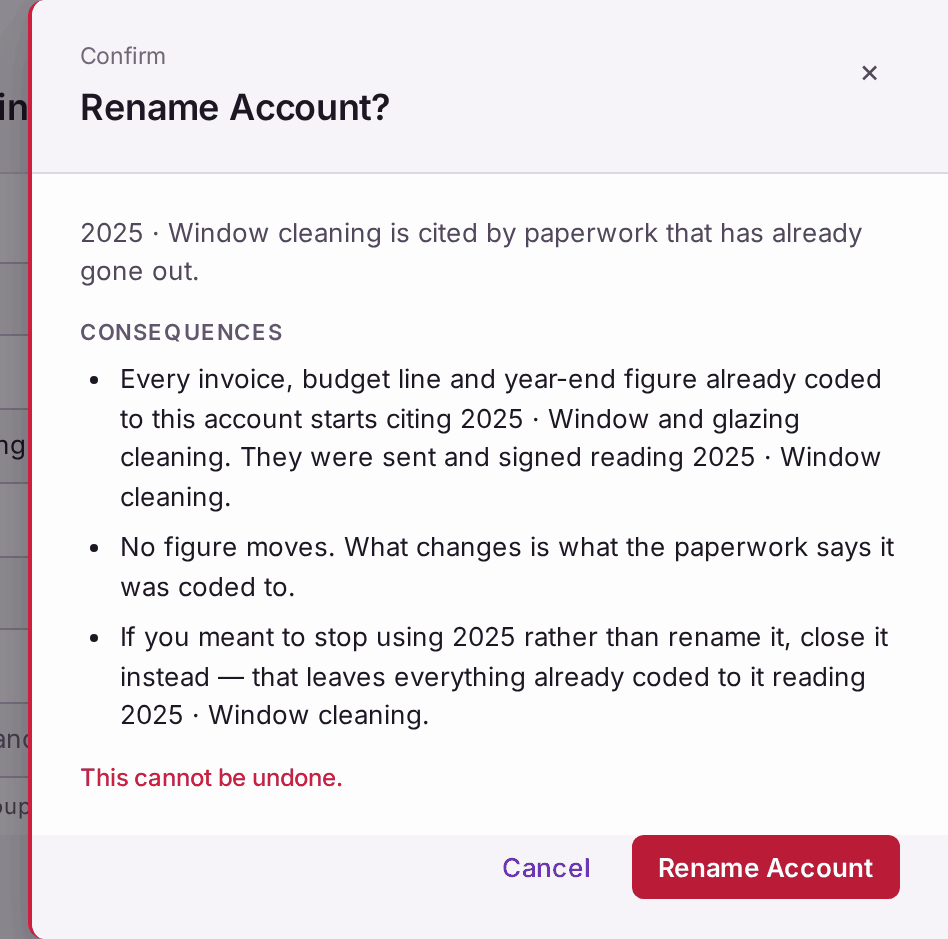
"They were sent and signed reading 2025 · Window cleaning."