


Looking at inspection trends
What you'll end up with: a view of the schedule year: how many planned visits were done and signed off, month by month, and where the findings are, by severity and by section of the checklist.
Before you start you need: an inspection schedule and some signed-off inspections.
Trends show what one inspection cannot: a building whose findings keep growing, a section of the checklist that always fails, or months when visits slip.
- Go to Compliance → Inspections, then Inspection Analytics.
- Choose the Schedule Year: This Year or Last Year.
- Read the totals: Visits Done against planned, Signed Off, properties Overdue, and Findings.
- Completed Against Planned shows each month's visits done, planned and signed off.
- Findings by Severity and Findings by Section show where the problems are.
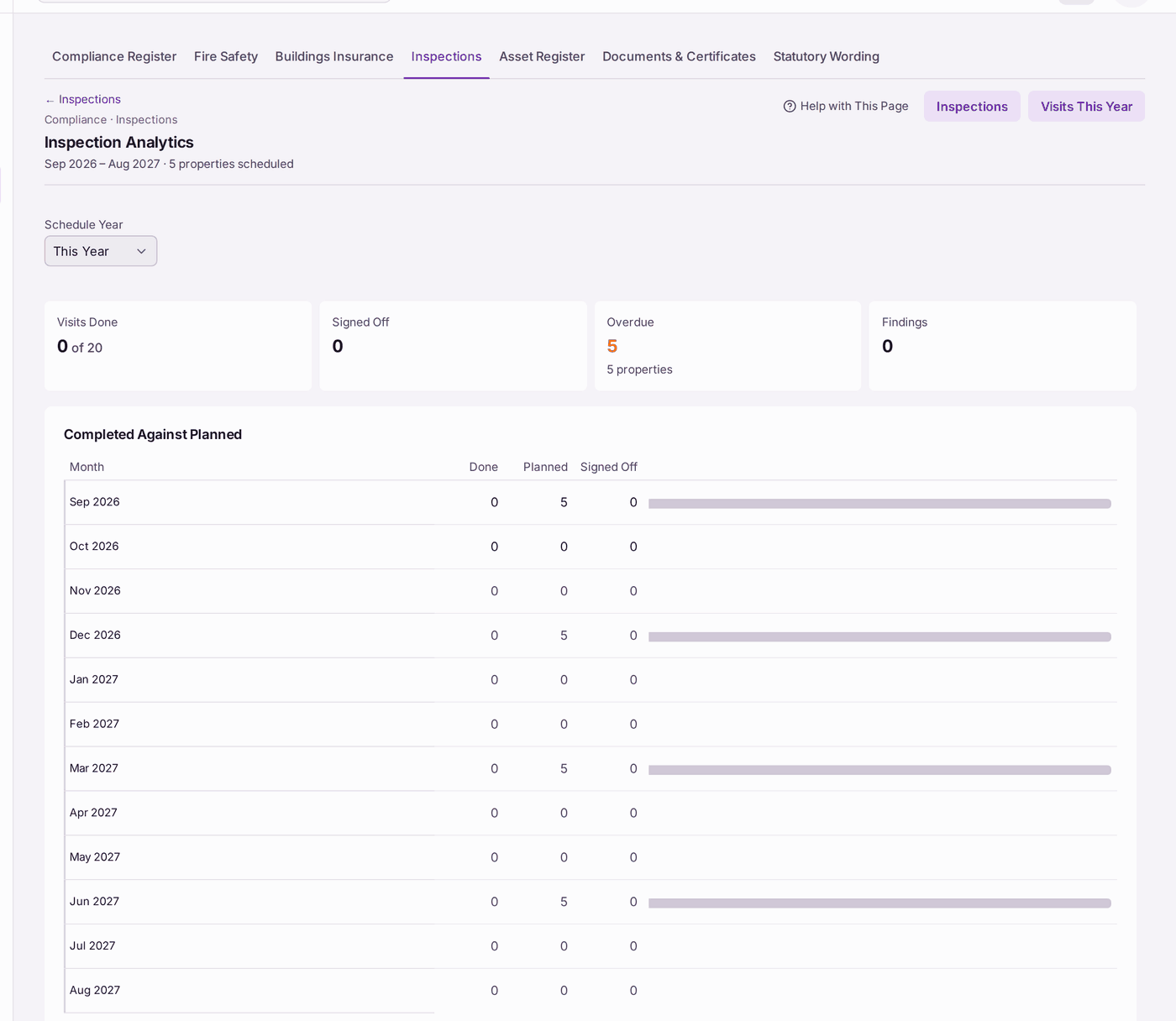
You'll know it worked when: you can say how many of this year's visits are done, and which kind of problem comes up most.
If something's wrong:
- "No visits planned". No inspection schedule is set (see Setting up the inspection schedule and checklists).
- "No findings". No signed-off inspection this year recorded a finding.