


Replying to a resident about their ticket, or adding an internal note
What you'll end up with: the leaseholder or resident who reported a problem able to read your replies in their own portal, and notes for your team kept on the same ticket where the resident can never see them.
Before you start you need: the ticket, and the person you are replying to on the register as a leaseholder or a tenant or resident.
A reply goes only to the ticket's recipients. Naming who reported a problem does not make them a recipient, so add them first. Without a recipient, a reply is on the record and reaches nobody.
- Open the ticket from Work → Tickets.
- If the ticket says No Recipients, press Add Recipient.
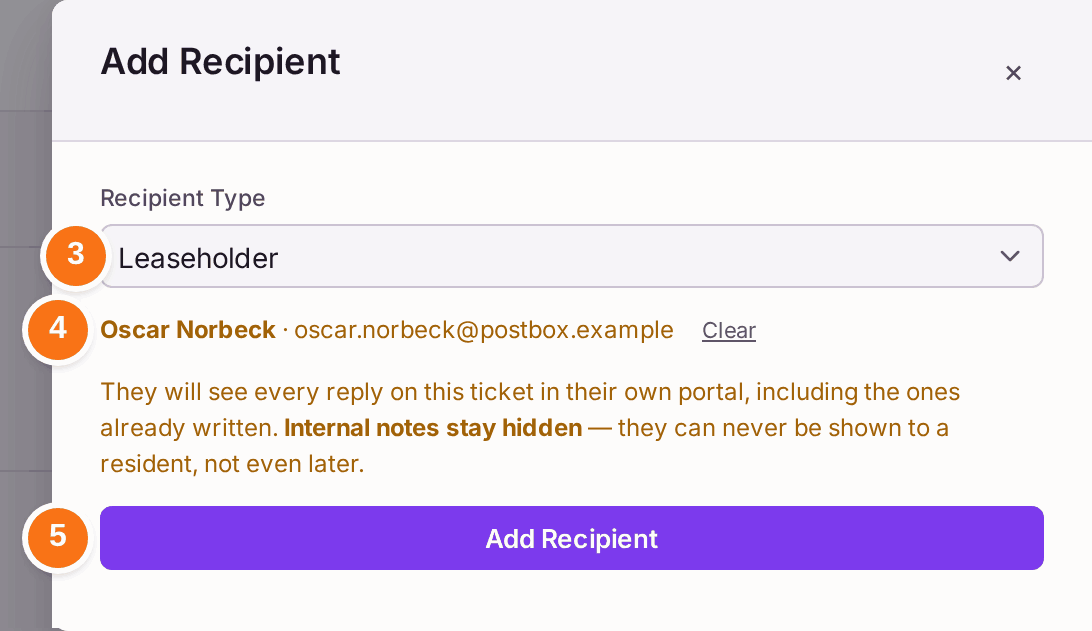
- Choose the Recipient Type: Leaseholder or Tenant or Resident.
- Type part of their name in Recipient and choose them from the list.
- Press Add Recipient. The ticket now reads "Recipients:" with their name.
- Under Activity, leave Reply chosen.
- Type the reply.
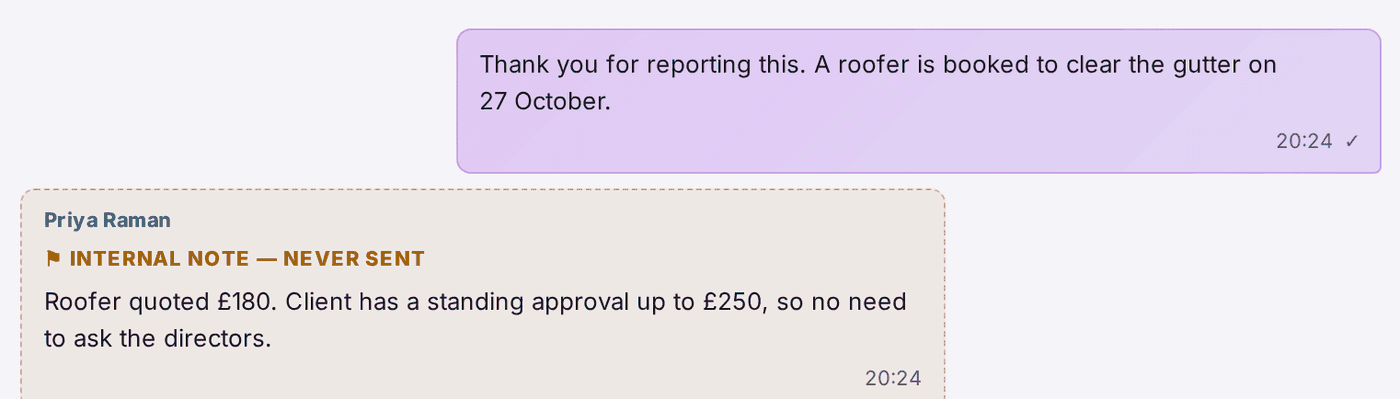
- Press Add Reply. It appears in the activity, and in the recipient's portal.
- For something only your team should see, press Internal Note. It says "Never shown to the resident".
- Type the note.
- Press Add Note.
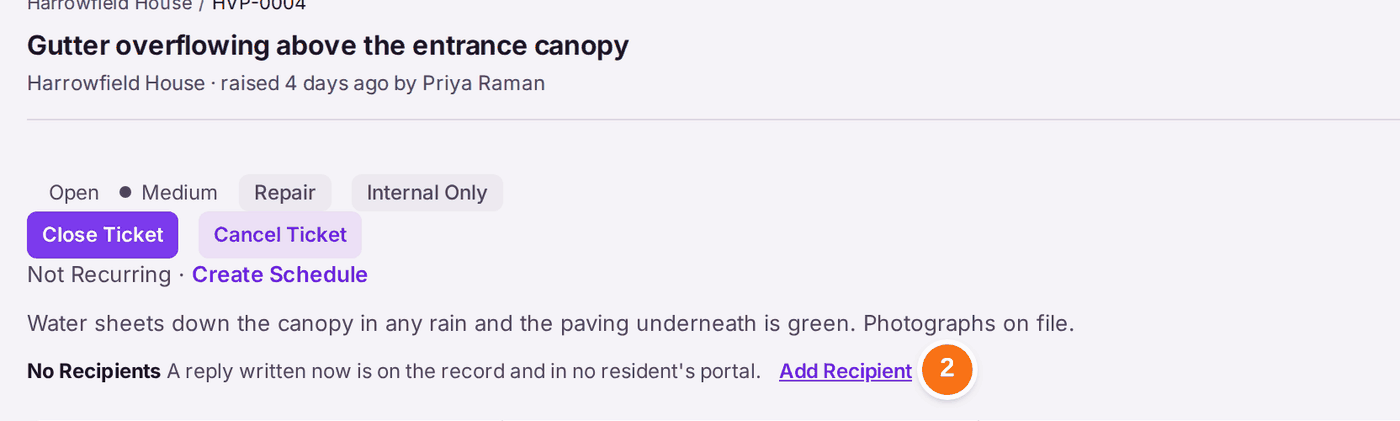


You'll know it worked when: the reply is in the ticket's activity with a tick, and the note is marked "Internal note — never sent".
If something's wrong:
- The person is not in the Recipient list. Check the Recipient Type: a tenant is not listed under Leaseholder. The list offers people from every property, so check the email address shown beside the name before you choose.
- A recipient says they cannot see your reply. They see replies in their own portal, so they need a portal login (see Giving a leaseholder, resident or director a portal login).