


Setting up the inspection schedule and checklists
What you'll end up with: the dates of every property's inspection visits for the year worked out from one set of rules, and the checklist (the questions each inspection asks) your firm uses.
Before you start you need: how many times a year you visit each property, which day you visit on, and the month your inspection year starts.
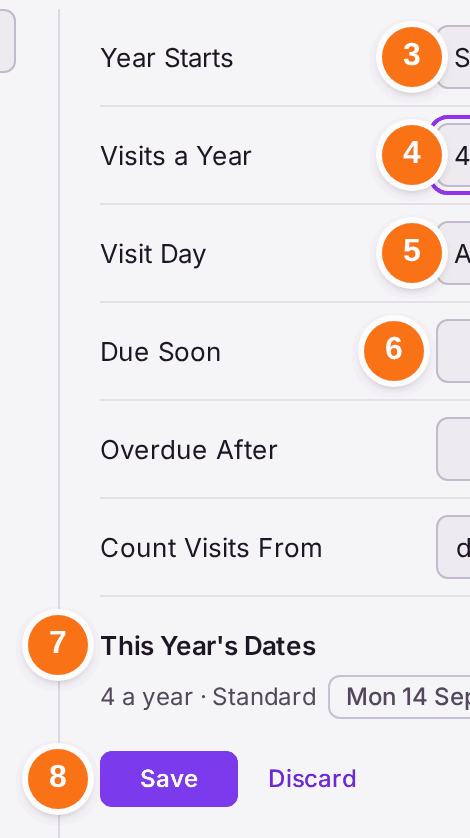
Nothing is scheduled until you choose how many visits a year. Visits a Year starts at None, so until this is done no visit is planned and none is ever shown as overdue.
- Press Settings, then Organisation Settings.
- Press Inspection Schedule in the list on the left, under Inspections.
- Choose the month in Year Starts.
- Choose how many visits in Visits a Year, such as 4.
- Choose the Visit Day: A weekday (such as the 2nd Monday of the month) or A date.
- Set Due Soon (how many days before a visit it shows as due soon) and Overdue After (how many days after the date it counts as overdue).
- Check This Year's Dates. It shows the dates the rules give, for example "4 a year · Standard · Mon 14 Sep, Mon 14 Dec, Mon 8 Mar, Mon 14 Jun".
- Press Save. A message says "Saved".
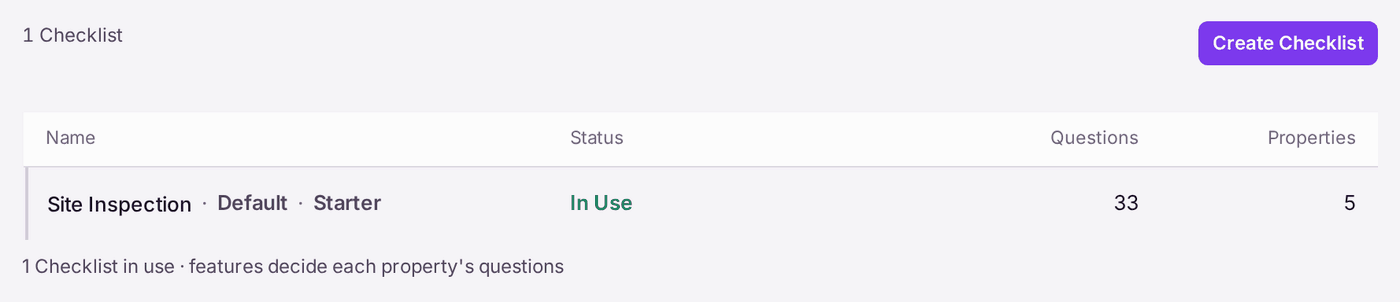
The checklist. SynkroTech starts you with one: Site Inspection, marked Default, Starter and In Use, with 5 sections and 33 questions. Each question is asked only at properties that have the feature it is about, such as a car park or a bin store.
- Press Checklists in the list on the left.
- Press Site Inspection to read its questions, or Create Checklist to start your own.
- Press Edit Checklist to change the questions. A new or changed checklist is a draft until it is approved, and only an approved checklist is put In Use.
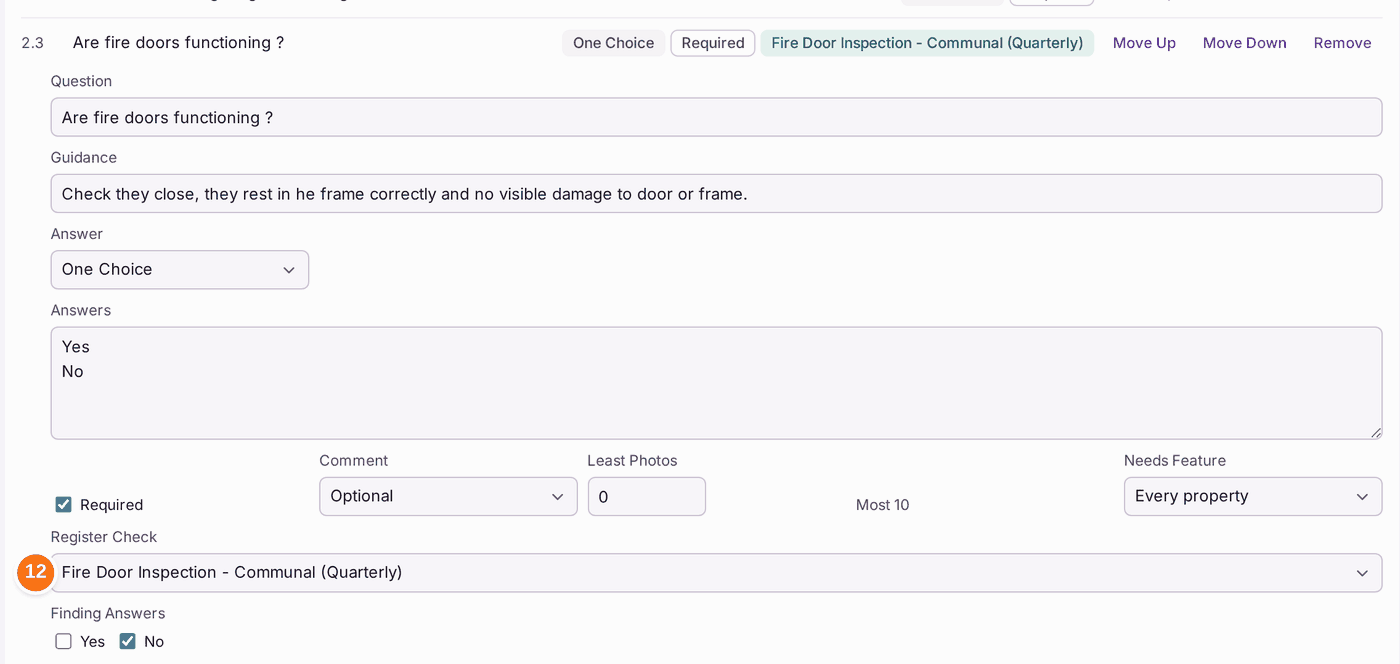
- To have an answer record a duty on the compliance register, press the question and choose its Register Check. Only a question answered by a choice (such as Yes or No) can have one. At sign-off, a good answer marks a duty listed under Recorded as Done as done that day; a duty listed under Seen Only (one a certificate discharges) is marked as seen, and no date moves. Site Inspection has five questions linked already, such as Are fire doors functioning ?, shown with the duty's name beside them.
You'll know it worked when: This Year's Dates lists your visit dates after saving, and Compliance → Inspections → Visits This Year shows each property's planned visits (see Seeing this year's inspection visits and what is due).
If something's wrong:
- This Year's Dates says "No visits set". Visits a Year is still None. Choose a number.
- Save stays greyed. Nothing has changed since the last save.
- A question has no Register Check. Its answer is free text, a number or a photo. Change Answer to a choice first.
- The duty you want is not offered. It is not on your compliance register, or it is a duty your firm added that SynkroTech's library does not hold.
- A question is asked at a property that does not have the feature. The property's answers decide which questions apply. Correct its Building Knowledge (see Answering the building questions so the right checks appear).