


Recording an asset (plant) and its servicing
What you'll end up with: a piece of plant, such as a boiler, a lift or a fire alarm, on the asset register against its property, with the checks the law requires for it added to the property's compliance register.
Before you start you need: what the plant is, where it is, when it was installed, and who services it.
Recording plant is how SynkroTech knows which checks a building needs. A communal gas boiler, for example, brings an annual gas safety record and an annual service. Leave it off the register and nothing reminds you the checks are due.
- Go to Compliance → Asset Register. You can also use the property's Assets tab.
- Press Add Asset.
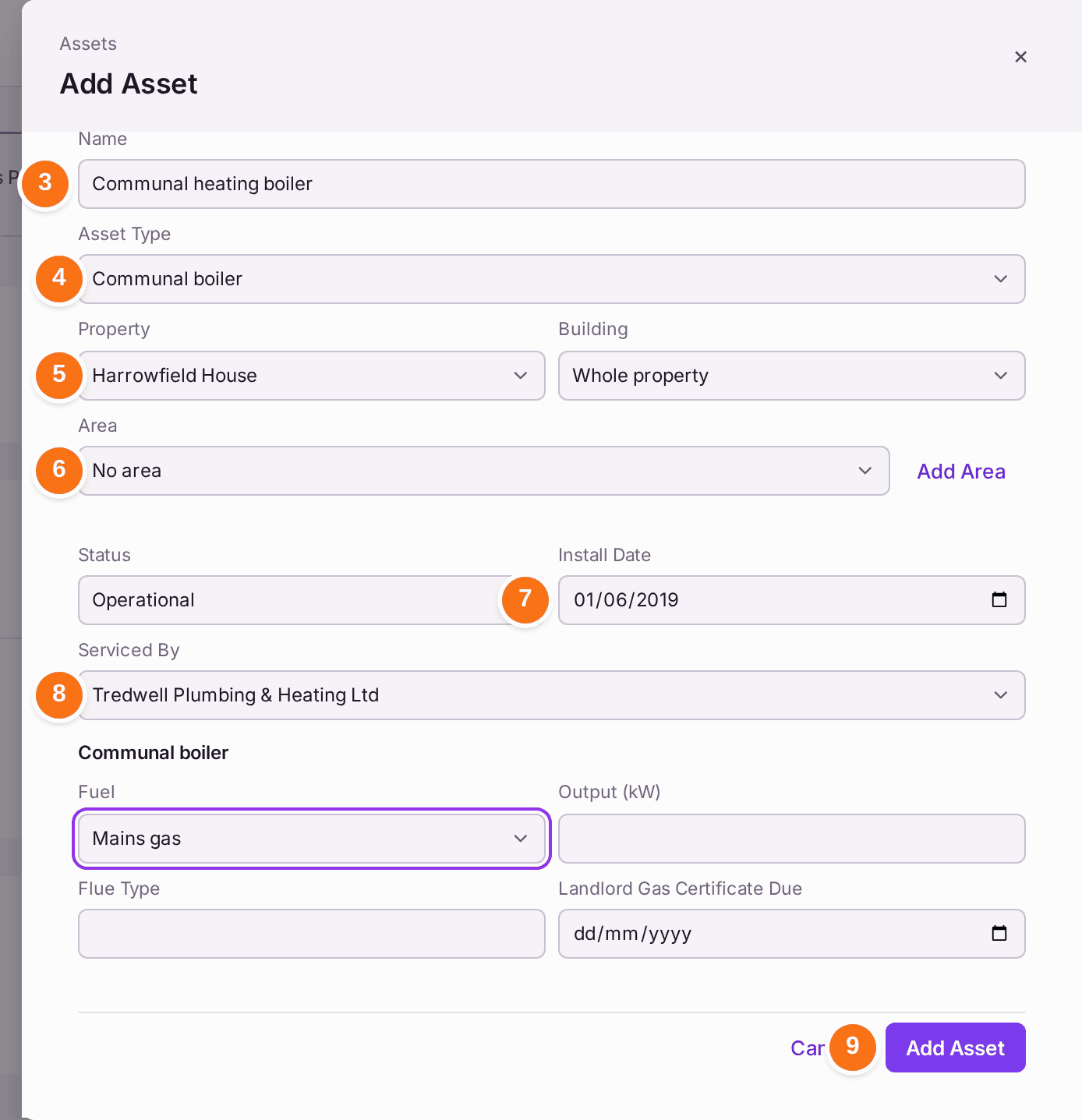
- Type the Name, such as "Communal heating boiler".
- Choose the Asset Type. The type decides which checks are added.
- Choose the Property, and the Building if it has more than one.
- Choose the Area, such as a plant room, or press Add Area to add one.
- Choose the Install Date. Without it, the checks this type brings read No Record, due now.
- Choose who it is Serviced By. Some types ask for more, such as a boiler's Fuel.
- Press Add Asset.
- Read the list of checks added to the compliance register, then press Close. Each check carries the firm chosen in Serviced By as its contractor (a firm that is not Active is left off). A check one inspection covers for the whole building, such as the EICR brought by both the landlord's electrical installation and its distribution board or intake, is added once.
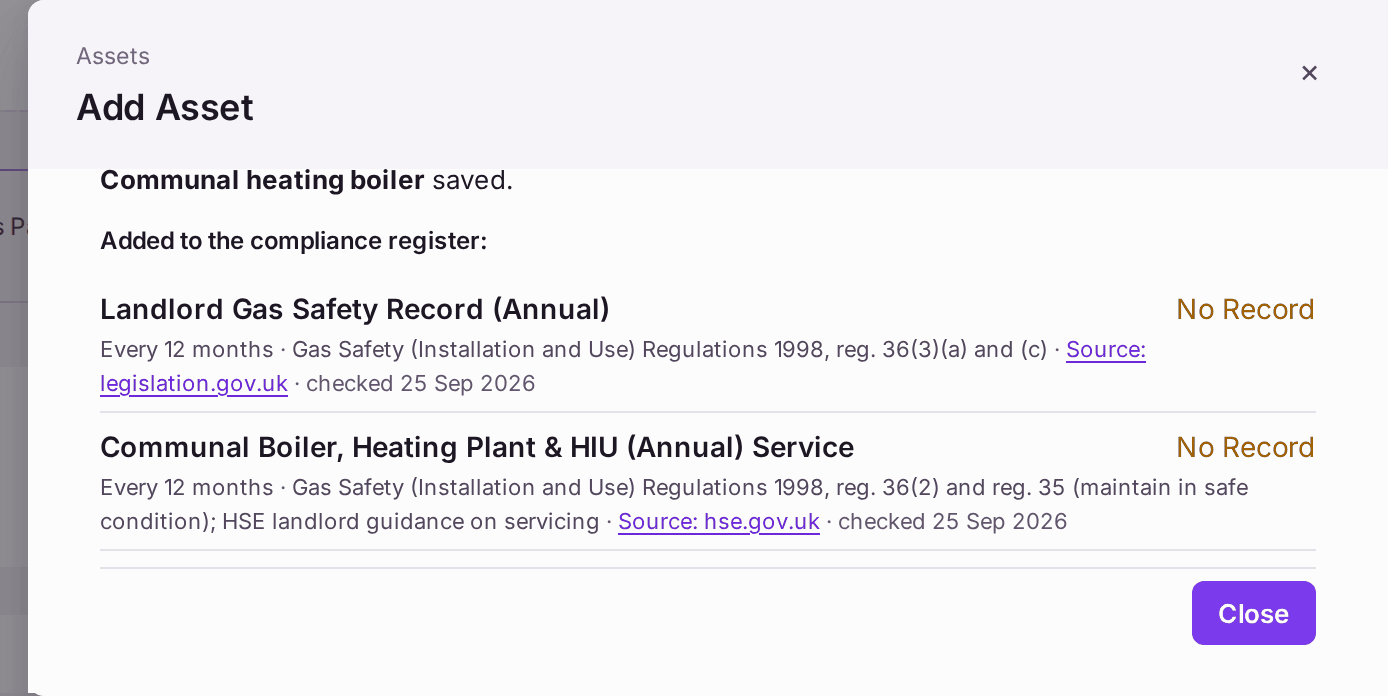
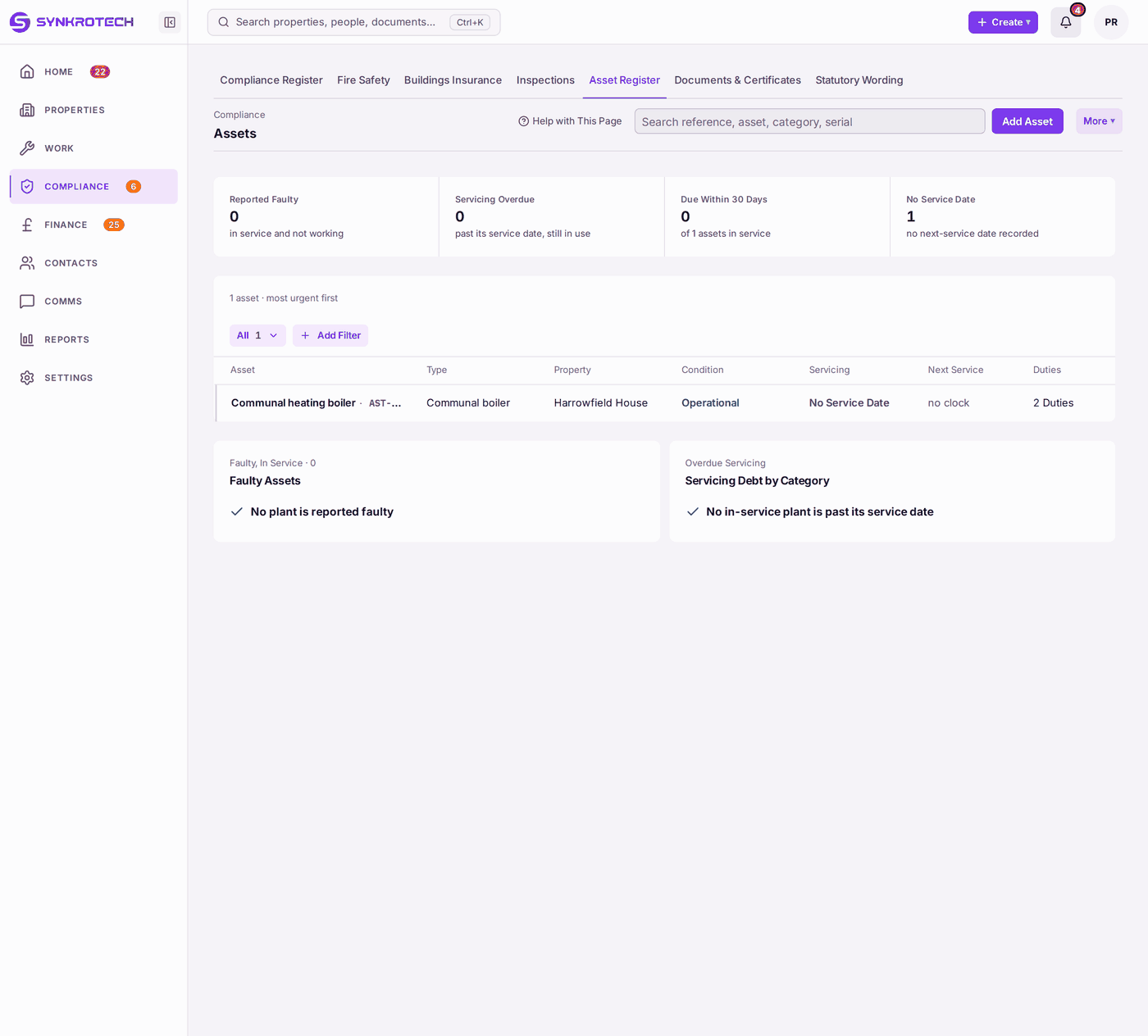
You'll know it worked when: "[name] saved. Added to the compliance register:" lists the checks, and the asset is on The Asset Register with its reference (such as AST-0001) and the number of duties it brings.
If something's wrong:
- The checks read No Record, due now. Nothing has been recorded yet. File the latest certificate for each (see Recording that a check was done (filing a certificate)).
- The asset shows No Service Date. Set up its servicing (see Setting up planned maintenance (servicing schedules)), choosing this asset on the schedule.
- You have many assets to add. Use Import Assets on the property's Assets tab, or ask for them to be loaded with your portfolio (see Loading your portfolio from spreadsheets).
- The plant is broken. Edit the asset and set its Status to Faulty. It is listed under Faulty Assets until it is fixed.