


Getting a budget approved
What you'll end up with: the budget marked Approved, its figures locked, and demands ready to be created against it.
Before you start you need:
- A draft budget with its lines in it (see Setting next year's budget).
- Your client's agreement to it. Send it to them with Send to Client on the budget (see Setting next year's budget): it goes through the Outbox as a PDF. SynkroTech records that the budget was approved, by you, when you press the button; keep your client's agreement (their reply, or the signed budget uploaded as the Budget Document) with it.
- The property's year end set, and the budget's landlord chosen.
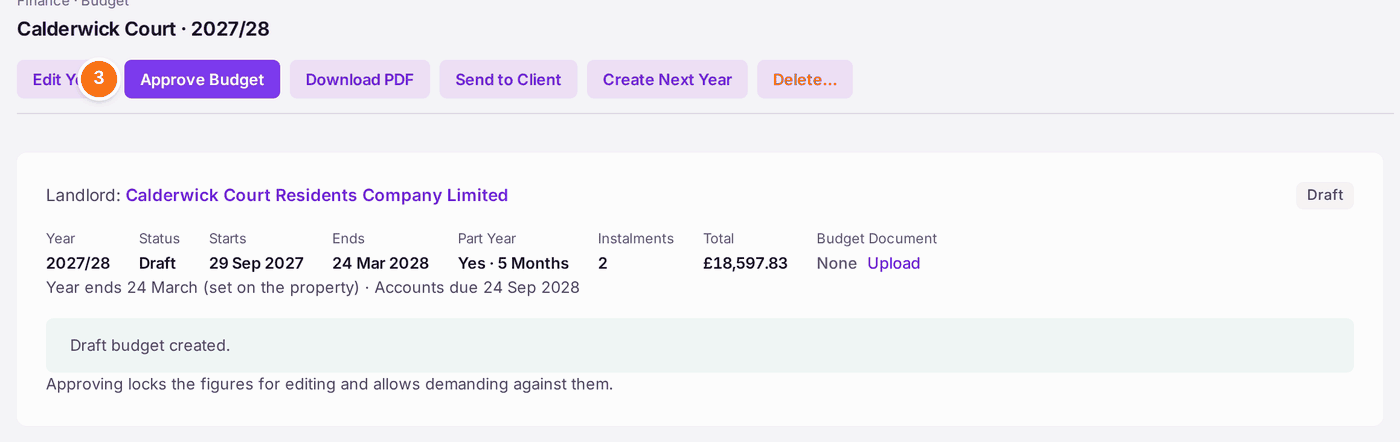
Approving is what allows demanding: nothing can be demanded against a draft. It also locks the lines, so check the figures first.
- Open the draft budget from Finance → Budgets & Apportionment.
- Check Apportionment at the bottom: "Every schedule adds up to exactly 100.00%", and the total apportioned reads "reconciles".
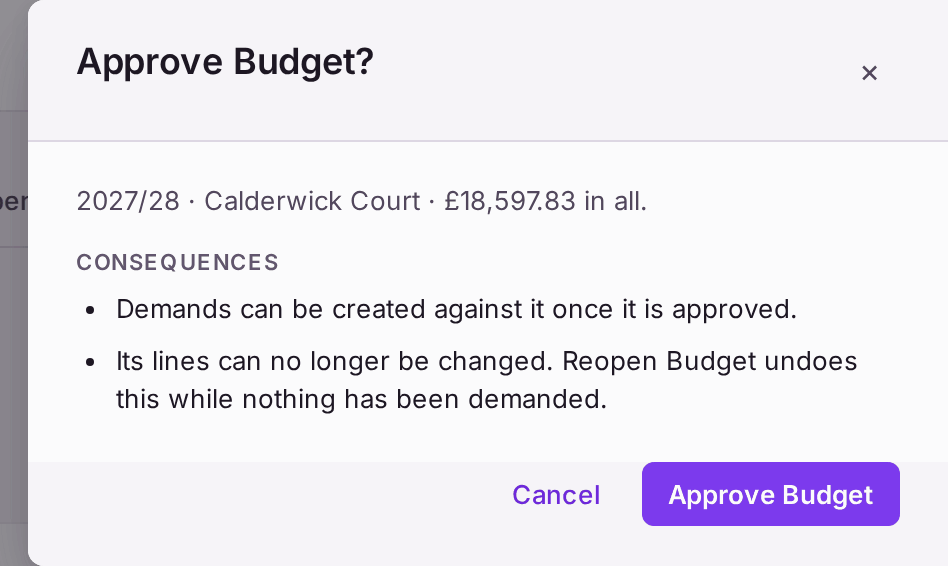
- Press Approve Budget. A question opens with the year, the property and the total, and what approving does.
- Press Approve Budget in the question.
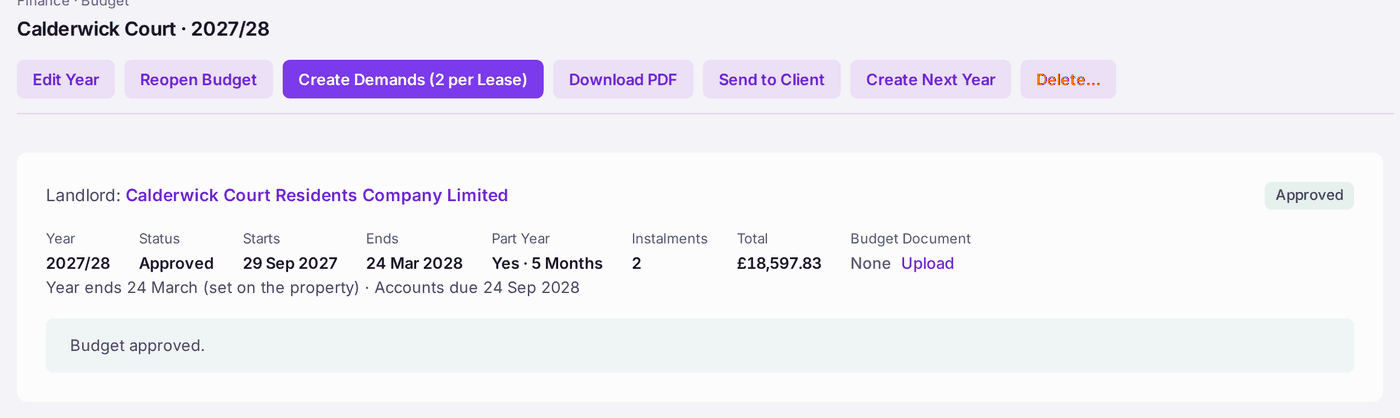
You'll know it worked when: the budget reads "Budget approved." and its status is Approved, and the buttons at the top now offer Create Demands (2 per Lease) (the number is the budget's instalments).
If something's wrong:
- Approve Budget is greyed, with "Set the property's year end before approving this budget." The budget shows No Year End. Press Set Year End on the budget, enter the day and month from the lease, then approve. Every budget year and accounts date counts from it.
- Approve Budget is greyed, with "Choose the landlord for this budget before approving it". The budget says No Client Appointed. Press View Clients, open the client (or Add Client), press Add Appointment for this property, then choose them as Landlord on the budget.
- "A budget with no expenditure cannot be approved." The budget has no lines. Add them first.
- You need to change an approved budget. Press Reopen Budget: it goes back to draft. This works only while nothing has been demanded against it. Once demands exist, a mistake is put right with a correction line (see Correcting or cancelling a wrong demand).