


Sending a leaseholder their statement
What you'll end up with: a statement of the leaseholder's account, every charge and payment with a running balance, sent to them by email or post, or saved as a PDF.
Before you start you need: the leaseholder's record (see Finding a leaseholder and their account).
A leaseholder is entitled to ask for their account. Sending it from SynkroTech means the figures are the ones on the ledger, the letterhead is yours, and the Outbox keeps a record that it went.
- Go to Contacts → Leaseholders.
- Press Statement on their row.
- Choose the Period: All Time, or a year.
- Press Statement PDF to see or save the statement as a PDF.
- Press Add to Outbox to send it. "Statement queued in the Outbox, to go by email." (or by post, as they asked).
- Send it from Comms → Outbox.
Print prints the page as it is; Export gives the account as a spreadsheet or a Word copy; Copy copies it to paste into an email.
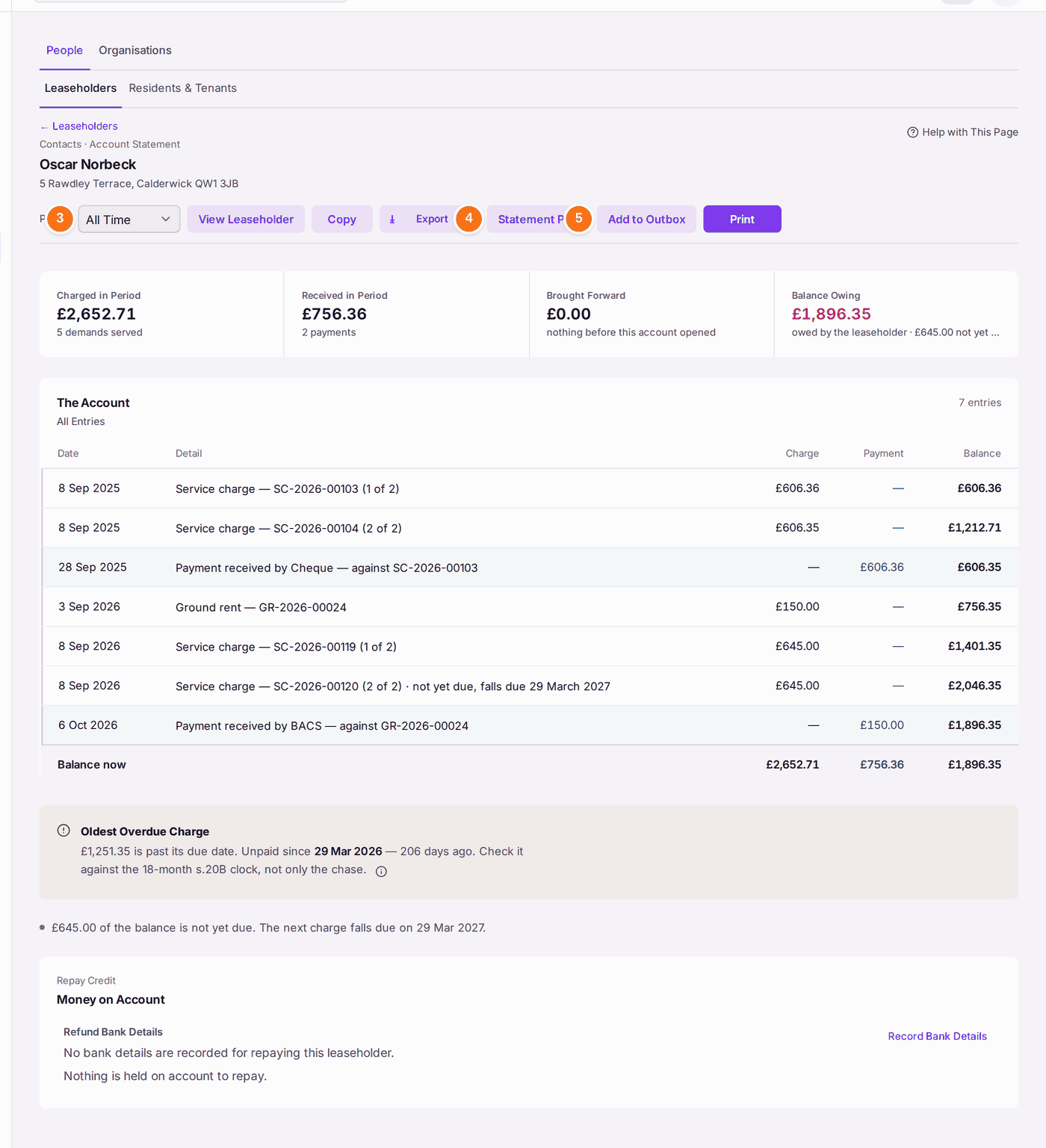
You'll know it worked when: the statement is in the Outbox, and once sent, the leaseholder's record lists it under letters and emails sent.
If something's wrong:
- The statement goes by post, not email. It follows the leaseholder's correspondence choice. Change it on their record if they asked for email (see Setting where a leaseholder's post goes).
- The statement says "Money on Account Not Applied". A credit is held while a demand is overdue. Use the credit to settle the demand before you send the statement, or the balance will look higher than it is.
- The leaseholder disputes a figure. Find the demand by its reference (press Ctrl+K and type it) to see how it was worked out and when it was served.
- Emails wait in Queued. No mailbox is connected (see Connecting your mailbox).