


Talking a leaseholder through their portal
What you'll end up with: a leaseholder who knows where to find what they owe, how to report a repair, where the building's safety checks and notices are, and how to give their tenant access, because you walked through it with them on the phone.
Before you start you need: the leaseholder's portal login (see Giving a leaseholder, resident or director a portal login). To see what they see while you talk, open their portal read-only (see Seeing a portal exactly as a leaseholder, resident or director sees it).
The portal's tabs run across the top. Home gathers the headlines: what is due now, open repairs, how many kinds of safety check the building has, and the latest notices. Under the tabs, ← Back to Home (or the tab they were on) takes them back to the tab they had open before.
What the portal shows is your choice, in Settings → Portal Settings → What Leaseholders See. What the law gives them is always on. To start with they see the kinds of safety check, the target date for each issue they reported, building works and notices; they do not see how many documents and issues you keep internal, or whether an issue is past its target. Whatever you switch off is listed under On Request, with Request Details for them to ask you.
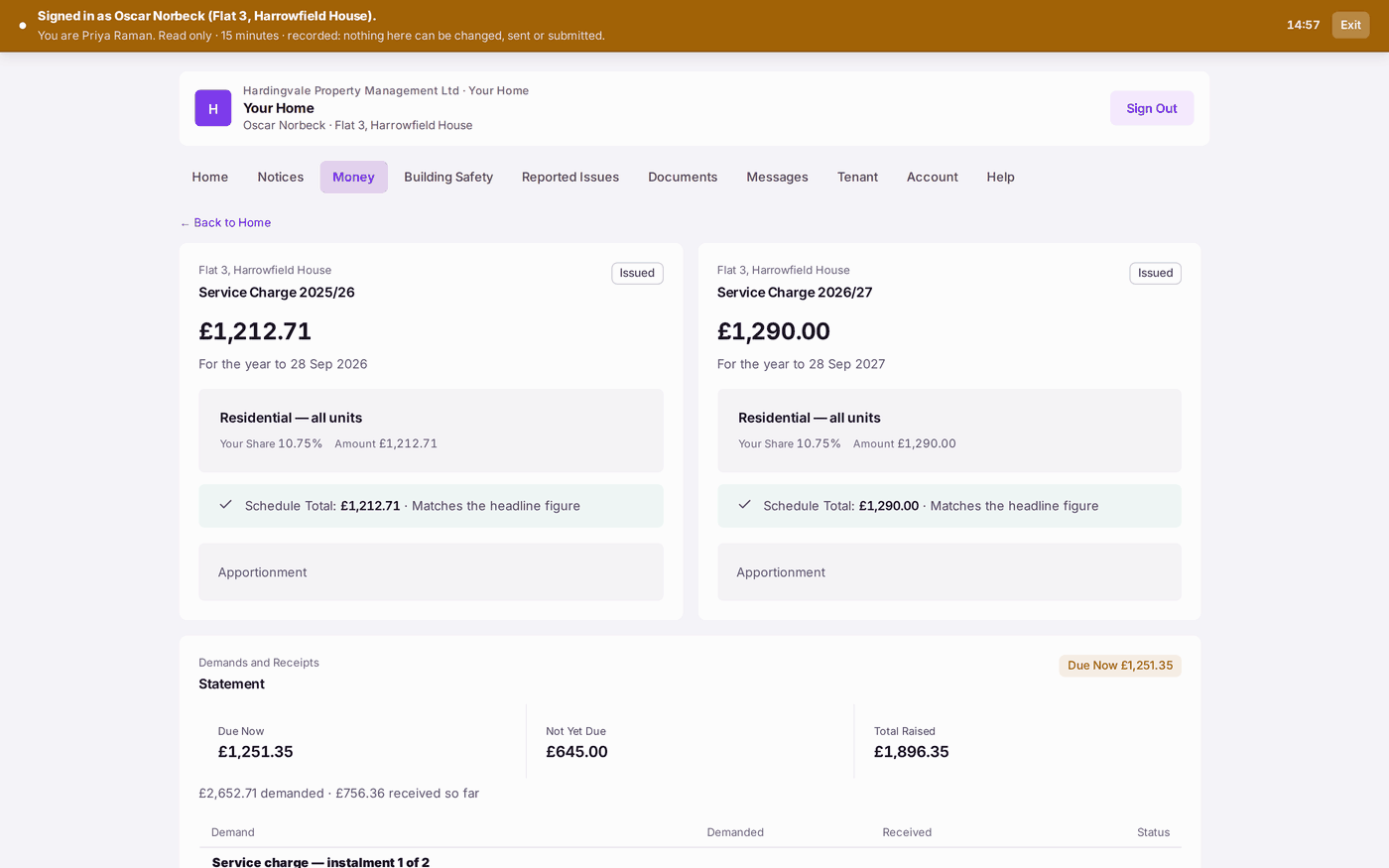
- Money shows each year's service charge and their share of it, schedule by schedule ("Your share by schedule"), then every demand and what was received against it, with Due Now, Not Yet Due and a Statement. "A demand is what we asked for; a receipt is what reached us." A demand cancelled by a credit note stays on the statement, reads Credited and names the credit note; the figures say how much credit notes cancelled.
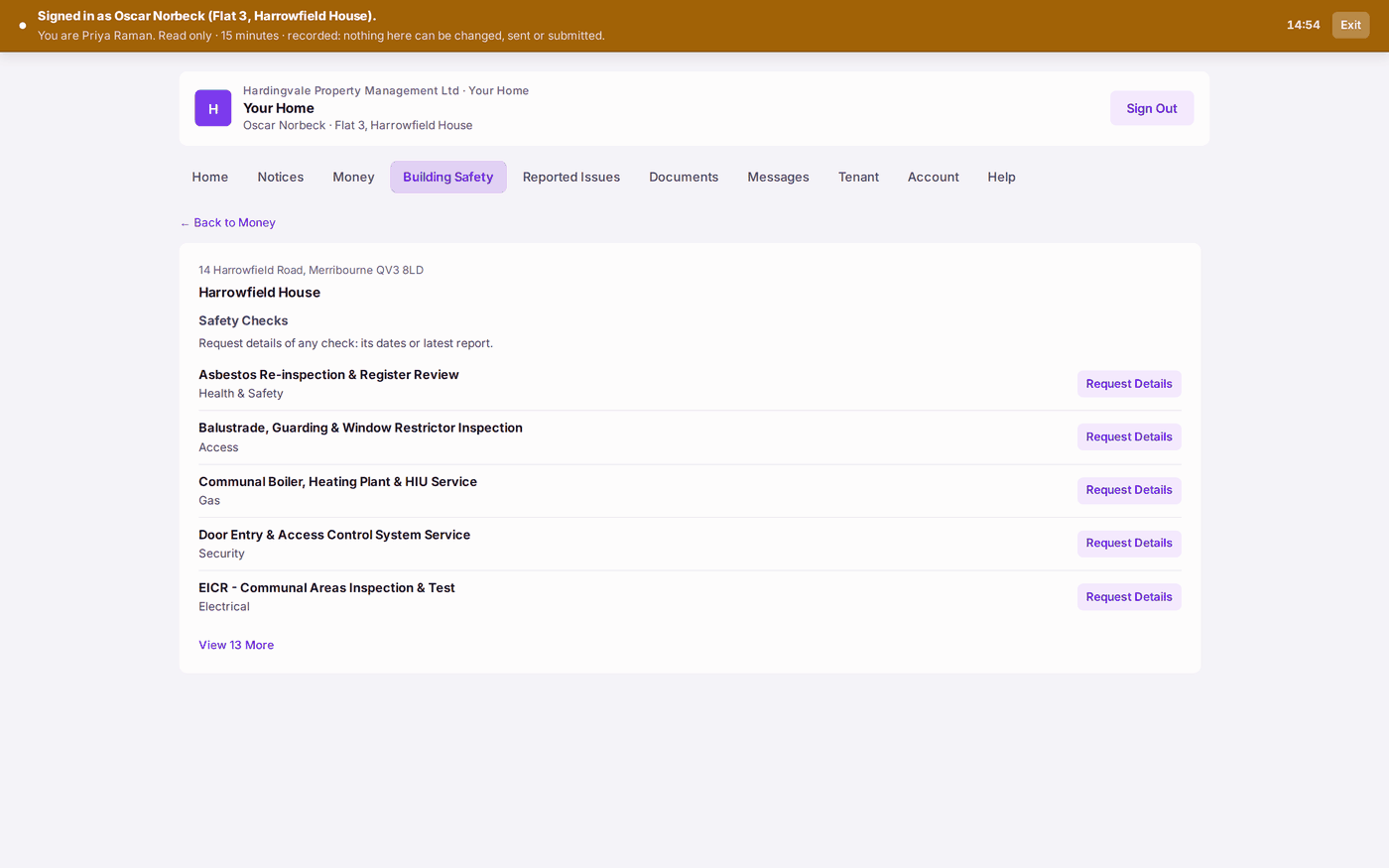
- Building Safety lists the kinds of safety check the building has, such as the fire risk assessment or the lift service, by name only. It does not show when a check was done, how often, or whether it is on track: a leaseholder who wants to know presses Request Details on the check, writes their question and presses Send. It reaches Resident Communications like any message, its first line naming the check and the building, and you answer it there. Below the checks are the papers the law says every resident is given without asking, where you have filed them: the Fire Safety Instructions, and for a higher-risk building the Accountable Person, the Registration, the Safety Case Summary, the Residents' Engagement Strategy and the Complaints Procedure. To show one, file it on the property under the category of the same name (see Keeping documents and certificates in one place). A resident who rents sees the same on their Building Safety tab.
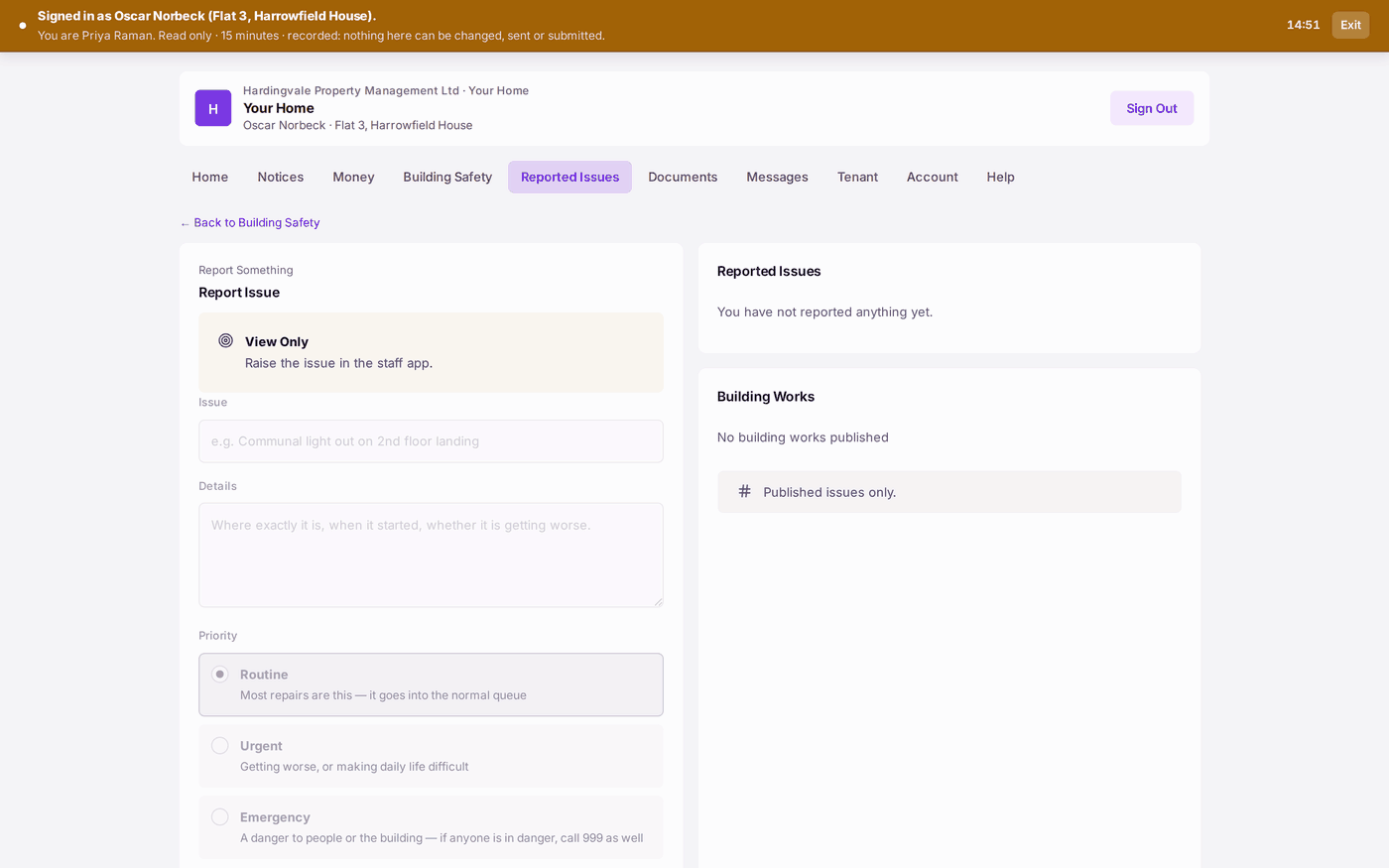
- Reported Issues is where they report a repair: Report Issue, then the Issue, the Details and the Priority (Routine, Urgent or Emergency), then Submit Report. The form tells them not to use it for a fire, a gas smell, a serious flood or anyone trapped in a lift, and to call 999 if anyone is in danger.
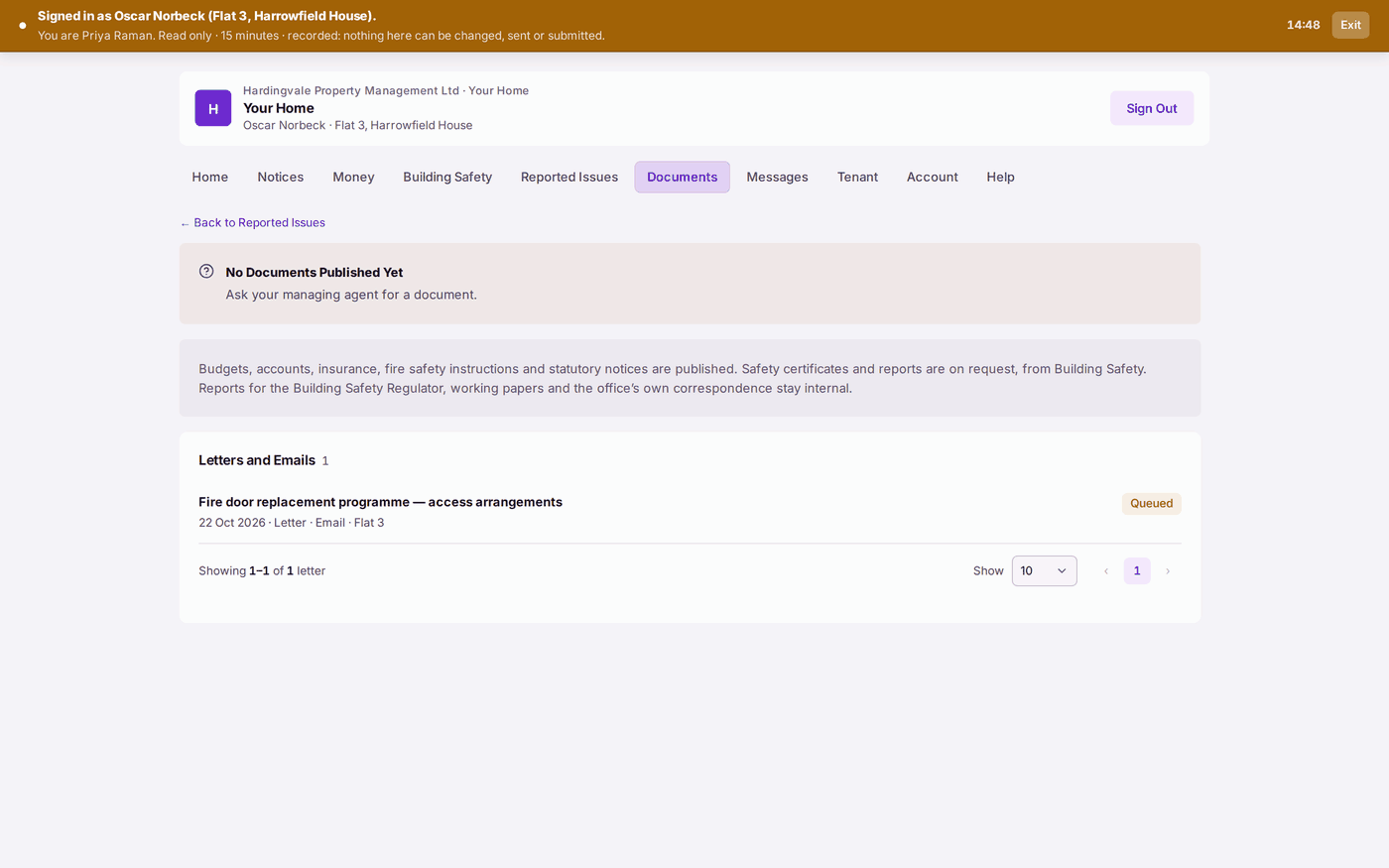
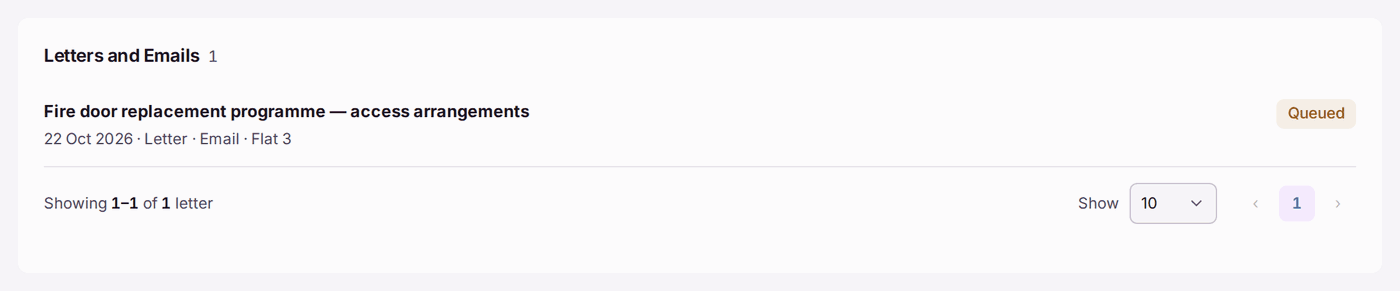
- Documents holds what is filed for the building of a kind leaseholders may see: budgets, accounts, insurance, fire safety instructions and statutory notices. Safety certificates and inspection reports, and anything filed against a safety check, are not there: their dates show when a check was done, so a leaseholder asks for them with Request Details. Reports for the Building Safety Regulator (such as the safety case report and occurrence reports), working papers and the office's own correspondence stay with you. Below them, Letters and Emails lists every letter and email sent to that leaseholder: the day, what it was, by post or by email, and how it went (Queued, Posted, Emailed, Delivered or Failed), with View to open the copy they were sent where one is kept. A leaseholder can see a demand or notice reached them without ringing you.
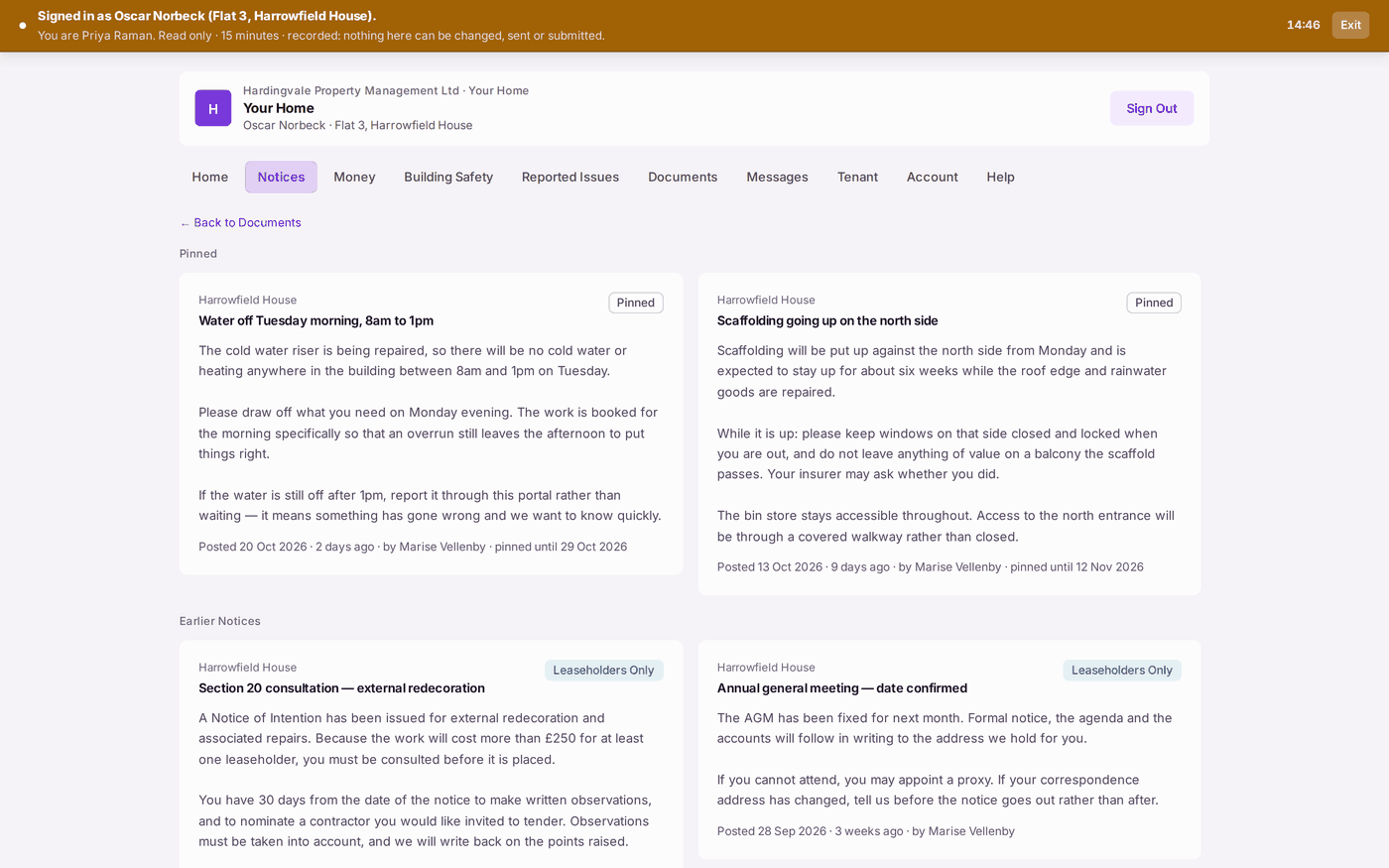
- Notices shows the building's noticeboard, pinned notices first (see Posting a notice for a building).
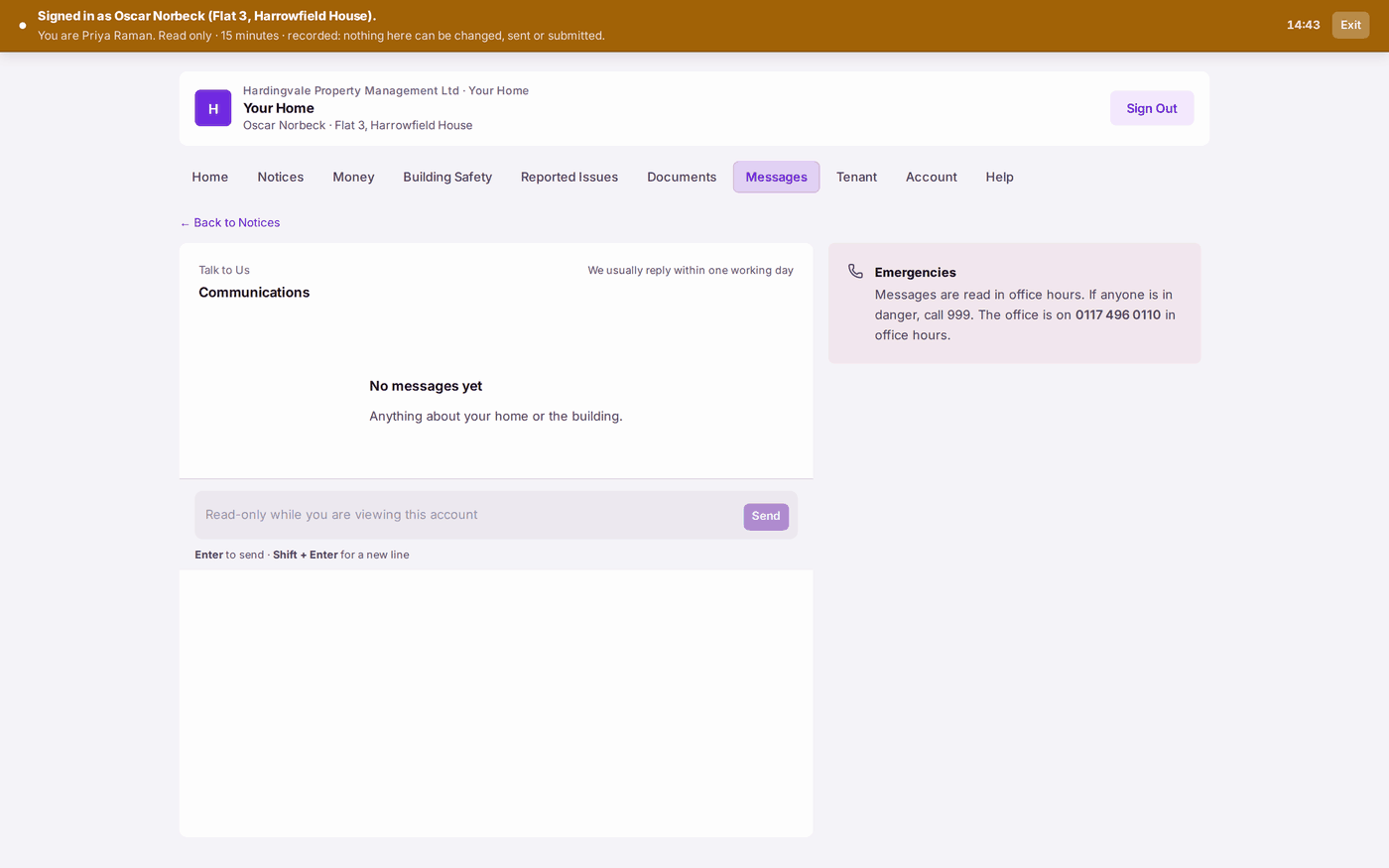
- Messages ("Talk to Us") is for anything about their home or the building. Their message reaches Resident Communications (see Answering a message from a resident or leaseholder).
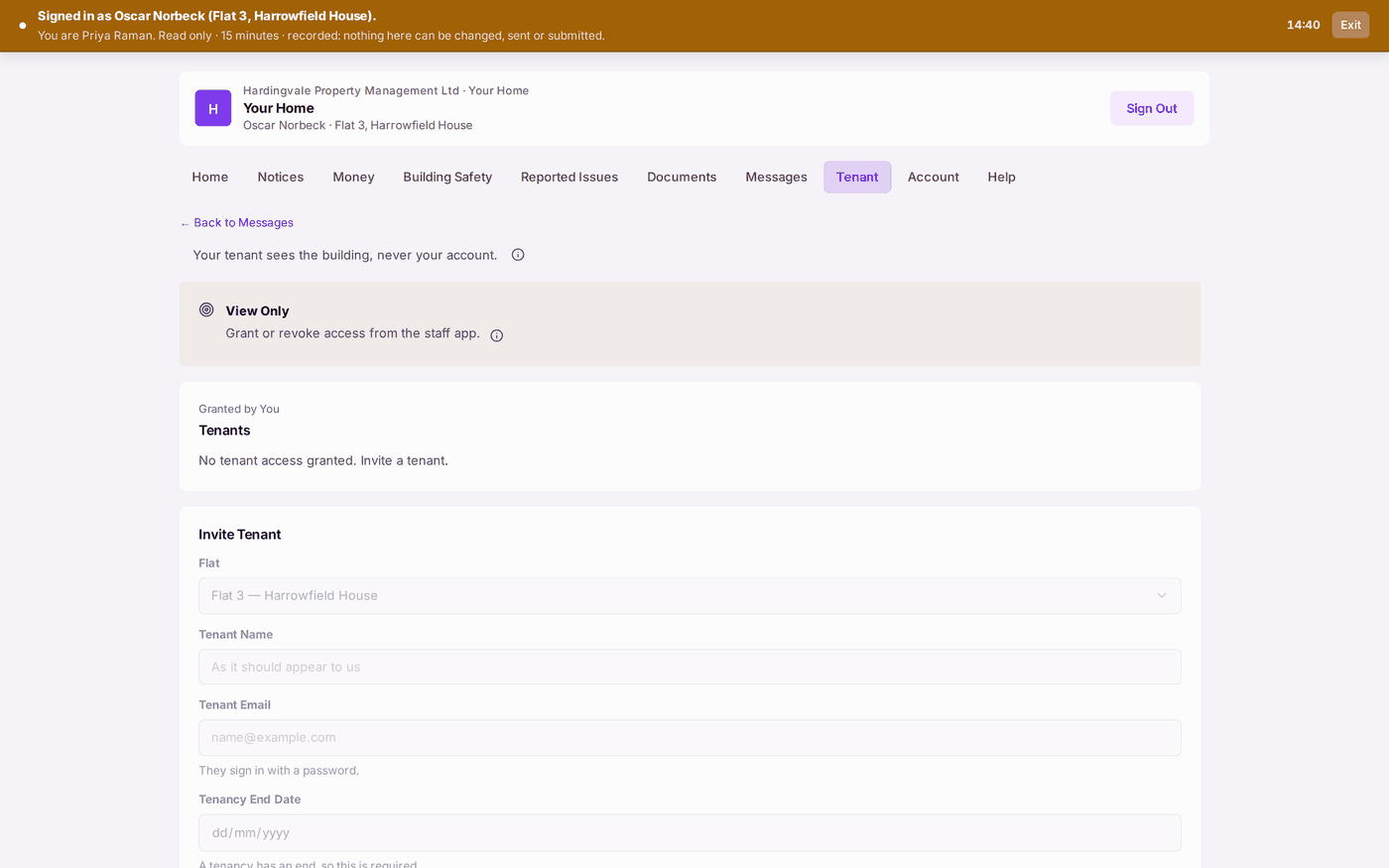
- Tenant lets them give their tenant access: Invite Tenant, then the Flat, the Tenant Name, the Tenant Email, the Tenancy End Date (required: "A tenancy has an end") and the Access Level, then Grant Access. "Your tenant sees the building, never your account."
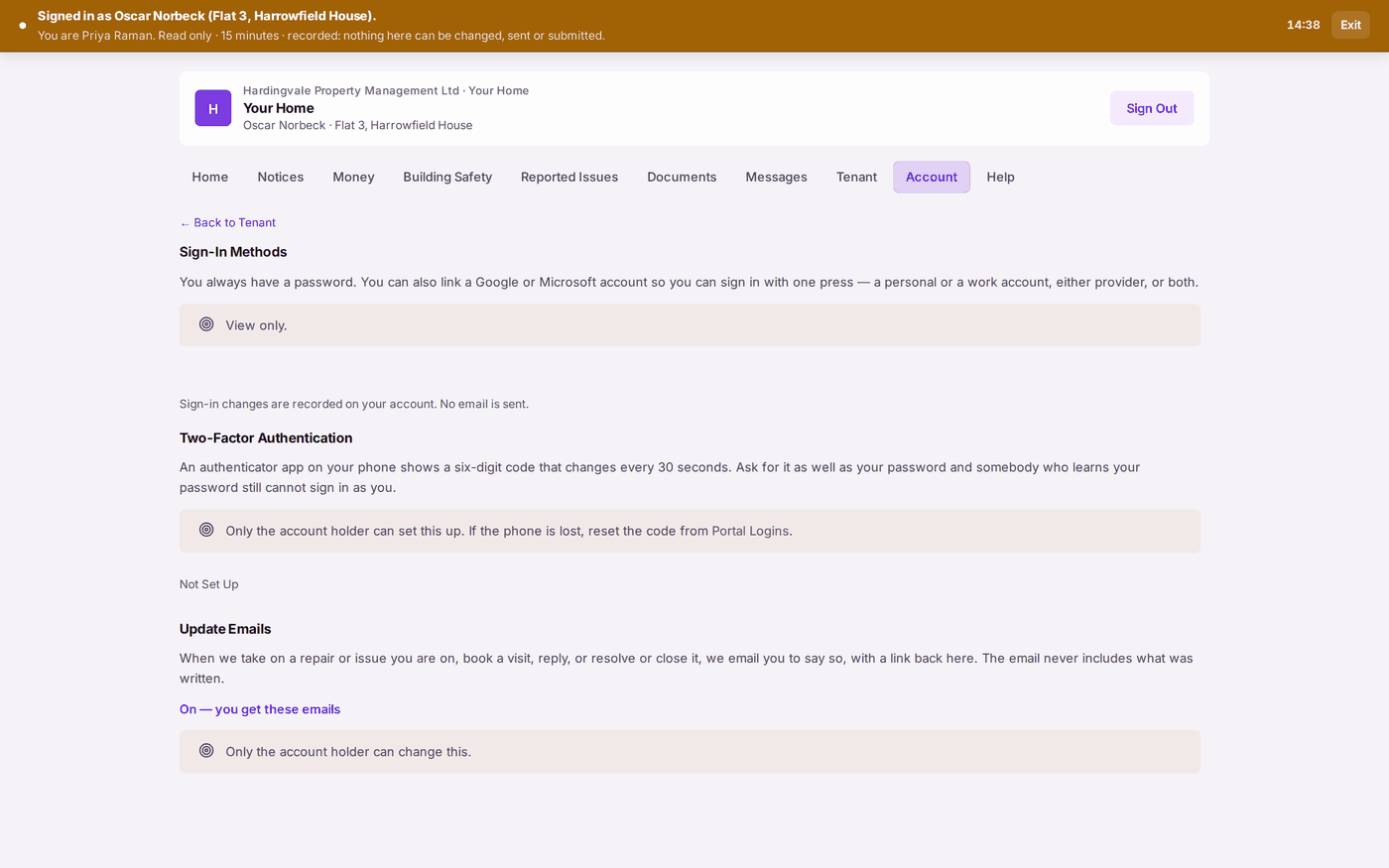
- Account is where they link a Google or Microsoft sign-in, set up two-factor authentication, and choose whether to get Update Emails about their repairs.
- Help answers the common questions: reporting a repair, who manages the building, how the service charge is worked out, getting the lease or the accounts, making a complaint, and what to do about a leak.
You'll know it worked when: the leaseholder can find their balance and report a repair without ringing the office.
If something's wrong:
- A letter you sent is not under Letters and Emails. Only letters and emails on a sent mailing are listed, and only those addressed to that leaseholder (or naming them as a joint holder). A letter still in a mailing you have not released, or one you withdrew, is not shown. Send the mailing from Comms → Outbox.
- "No Documents Published Yet". No document of a kind the portal shows is filed for that building yet. Budgets, accounts, insurance and statutory notices filed against the property appear on the portal; safety certificates and reports do not; working papers and the office's own correspondence do not (see Keeping documents and certificates in one place).
- A tab says On Request where you expected a list. That item is switched off in Settings → Portal Settings → What Leaseholders See. Switch it on there, or answer their Request Details message.
- A leaseholder asks when a check was last done. Their portal does not show it; that is deliberate. Answer from the property's Compliance tab, in reply to their message.
- A paper you filed for residents is not under Building Safety. It shows only under its own category (Fire Safety Instructions, Safety Case Summary, Residents' Engagement Strategy or Complaints Procedure), or, for the fire safety instructions, filed against that duty. The higher-risk papers show only on a building of 18 metres or 7 storeys, or one marked higher-risk. A report whose title names the safety case report, an occurrence report, key building information or the Building Safety Regulator is never shown unless it is filed under one of those categories.
- They have lost the phone with their authenticator. Only you can reset it, from Portal Logins (see Removing or resetting someone's portal access).
- Their tenant cannot see the account. That is deliberate: a tenant sees the building and, if allowed, repairs and safety documents, never the service charge account.