


Taking on a new block by hand
What you'll end up with: the property on your register, with its building and every flat, house or shop in it, ready for leaseholders, shares and its compliance register.
Before you start you need: the property's address, and the list of units, from the leases or the outgoing agent's records. You do not need the leaseholders yet: they are added next (see Adding a leaseholder, a joint leaseholder or a company to a unit).
Add the property first. Units, leases, funds and the compliance register all belong to a property, so nothing else can be entered until it is there.
- Press Properties in the menu on the left.
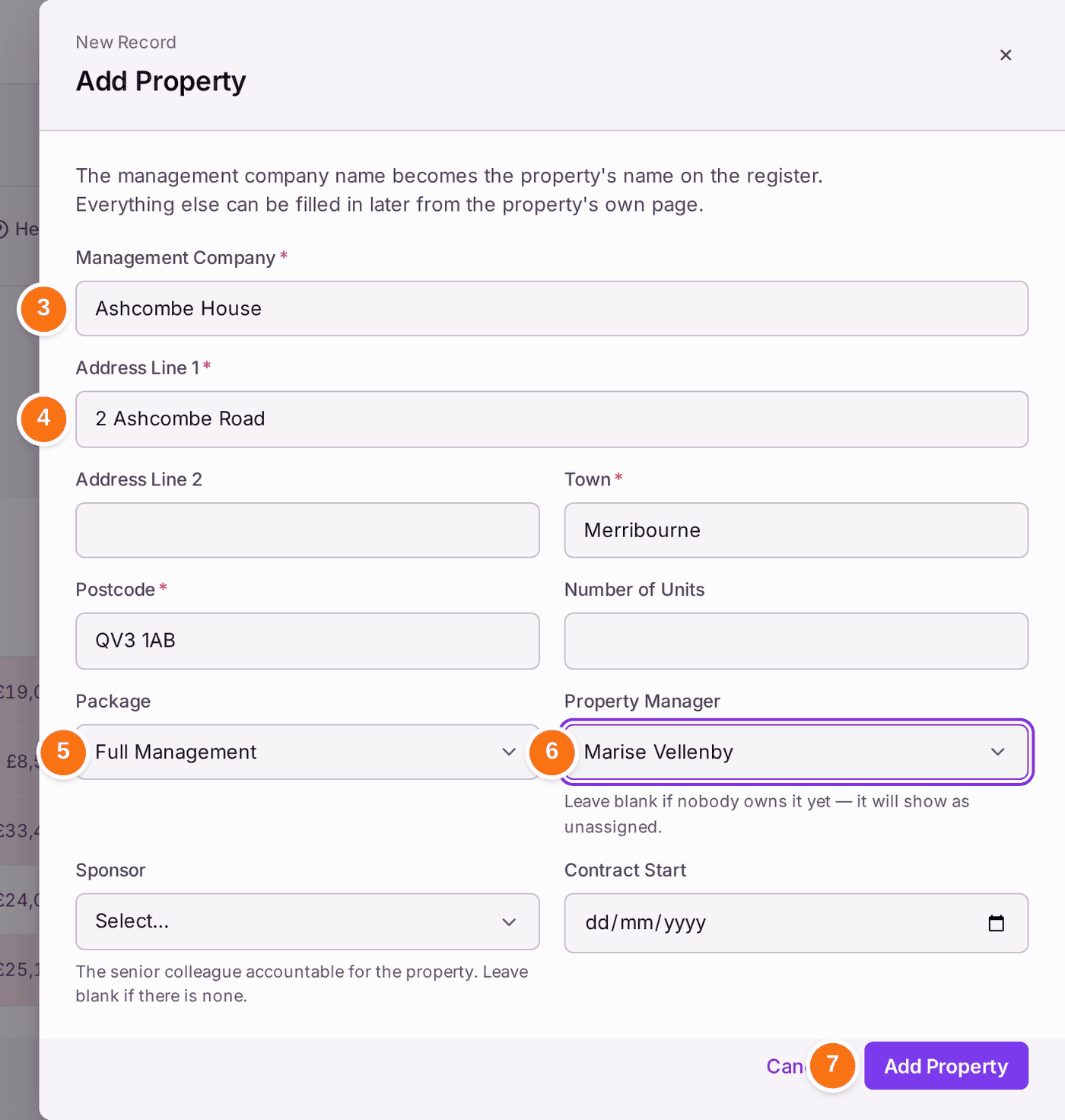
- Press + Add Property.
- Type the name in Management Company. The screen says "The management company name becomes the property's name on the register", so type the name you want to see on the register and on letters.
- Fill in Address Line 1, Town and Postcode.
- Choose the Package you provide, such as Full Management.
- Choose the Property Manager. Leave it blank if nobody owns it yet; it shows as unassigned.
- Press Add Property. A message at the foot of the screen gives the property's code, such as "Registered Ashcombe House (006ASHCO)."
The code is shown beside the property's name on the register, at the top of its page, in search, in the Outbox and on Demands. To use your own, such as HV-01, open the property, press Edit Property and change Code. No other property of yours can have the same code. The property's buildings that carry its code (006ASHCO, or 006ASHCO-A) change with it, and the change is filed on the Decision Record. Demands and letters already sent keep the code they were sent with.
Then the units:
- Open the property from Properties. Its page opens on Overview.
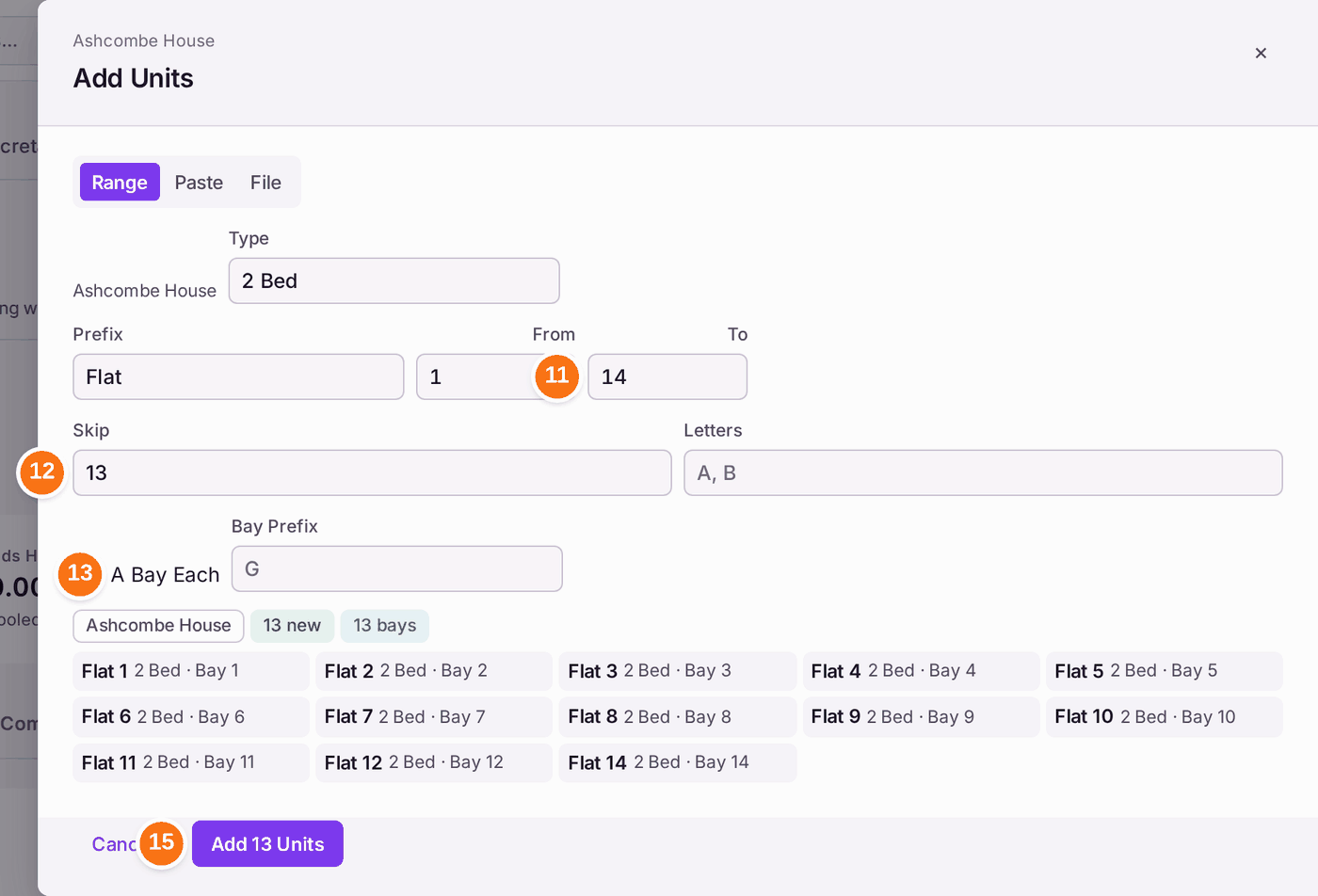
- Press the Units tab, then Add Units. Range is selected.
- Type how the units are named in Prefix, such as Flat, and the first number in From.
- Type the last number in To.
- Type any numbers the building does not use in Skip, such as 13.
- Tick A Bay Each if each unit has a parking bay that goes with its lease. Flat 1 then gets Bay 1, and so on.
- Press Preview. Nothing is saved yet; check every name in the list.
- Press Add 13 Units (the number is however many the preview shows).
If the property has more than one building, press + Add Building under Buildings before step 9, and give each a name. Its Code is the next free one in the property's scheme (006ASHCO, then 006ASHCO-A) unless you type your own. Add Units then asks which building the units are in. A unit that does not fit a range (a shop, a house) is added on its own with + Add Unit, which can also record its lease in one go.
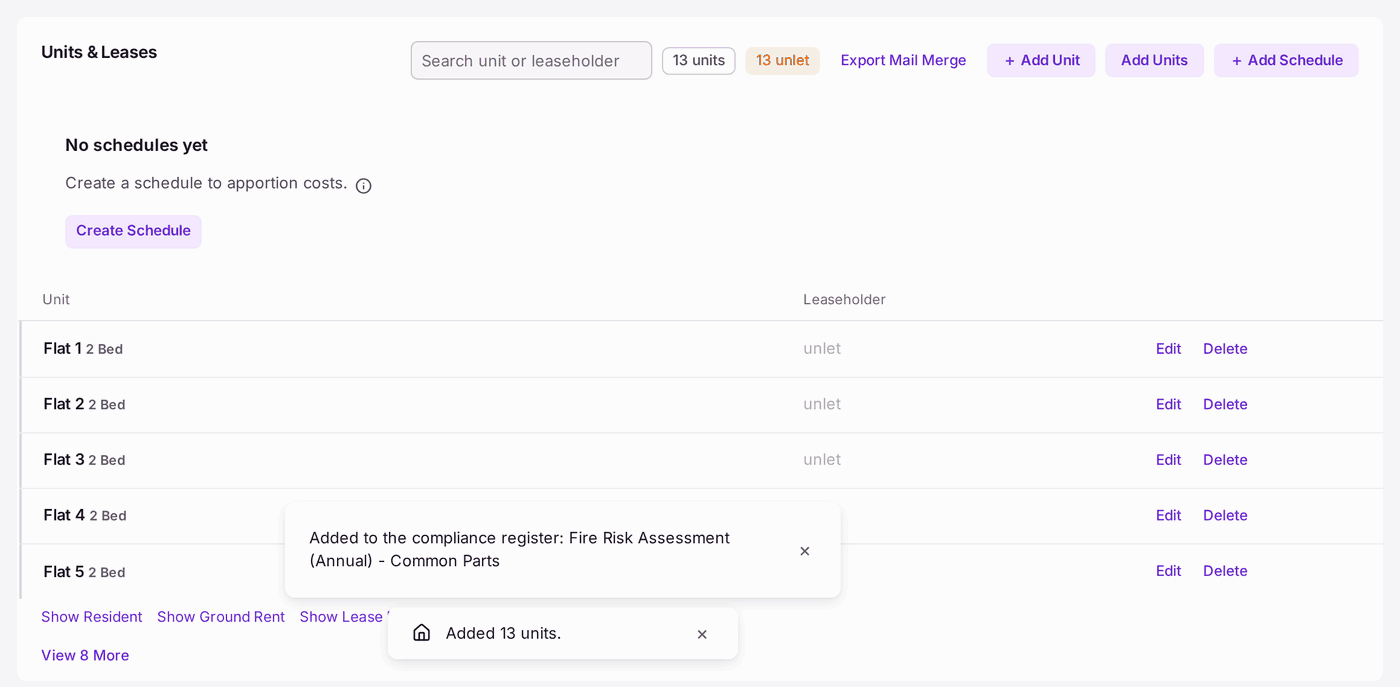
Two or more units give the block common parts, so the fire risk assessment of the common parts goes onto its compliance register as the units are added: a second message says "Added to the compliance register: Fire Risk Assessment (Annual) - Common Parts". It reads No Record until the first assessment is recorded.
You'll know it worked when: a message says "Added 13 units.", and the Units tab lists every unit, each marked "unlet" until a leaseholder is added, and the property's header and the Properties register count them.
If something's wrong:
"This May Already Be on the Register". SynkroTech found a property with the same name or address, and lists it with what matched. Open it to check; it opens in a new tab. If it really is a different building, tick Not a Duplicate, then press Add Property again. Otherwise press Cancel, so the same block is not entered twice.
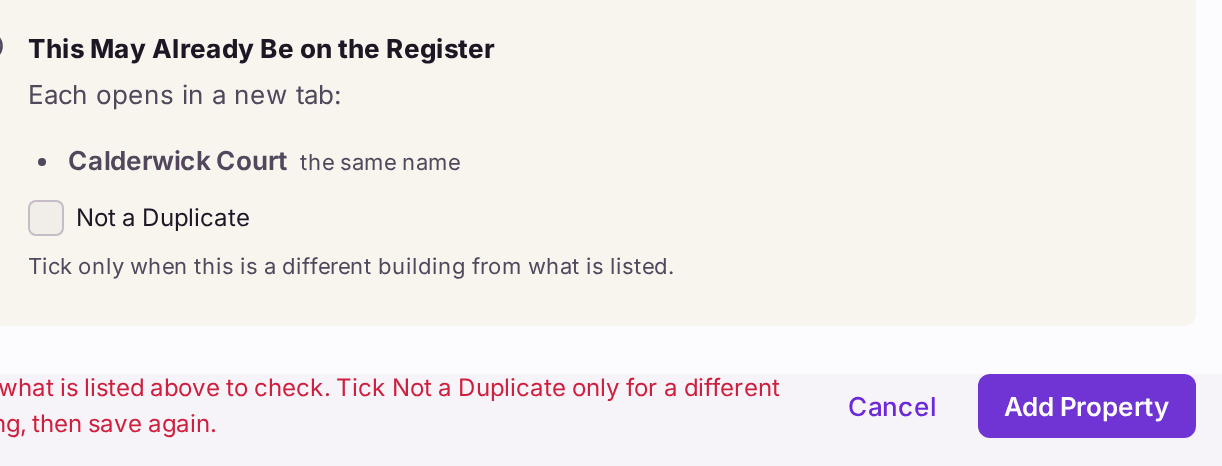
Each match says what it shares with the one you typed: "the same name", or "the same address". - "4 fields need attention." A box marked with a star is empty. Each one says so under it, for example "Postcode is required."
The preview says some units already exist. They are marked Already Exists and are left alone; only the new ones are added. Check the range if you expected none.
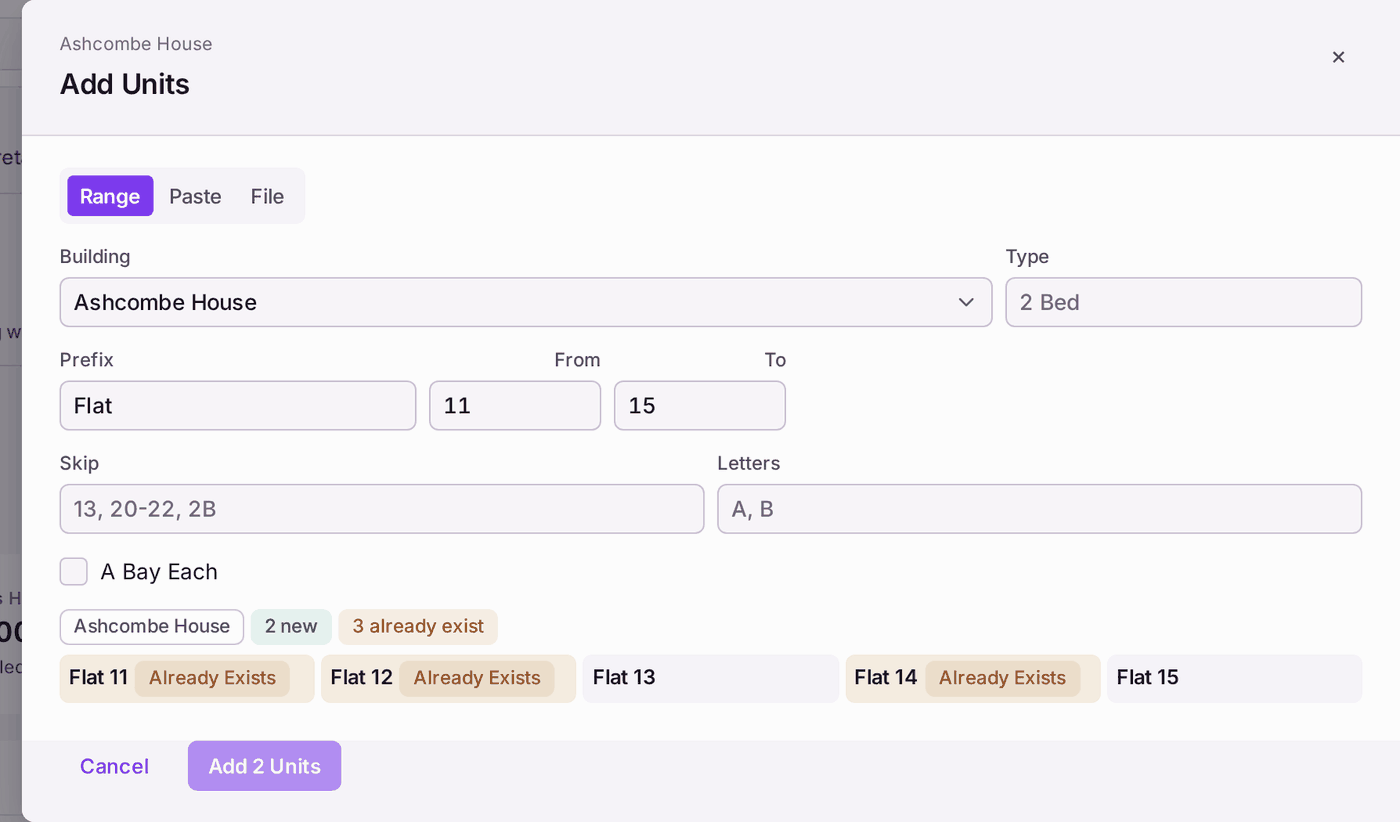
The count at the top says how many are new and how many already exist. - Preview stays greyed. To is empty, or lower than From.
- The register shows the wrong number of units. The number typed in Number of Units on Add Property is not used for counting. The header and the register count the units on record, so add the missing ones.