


Agreeing a payment plan
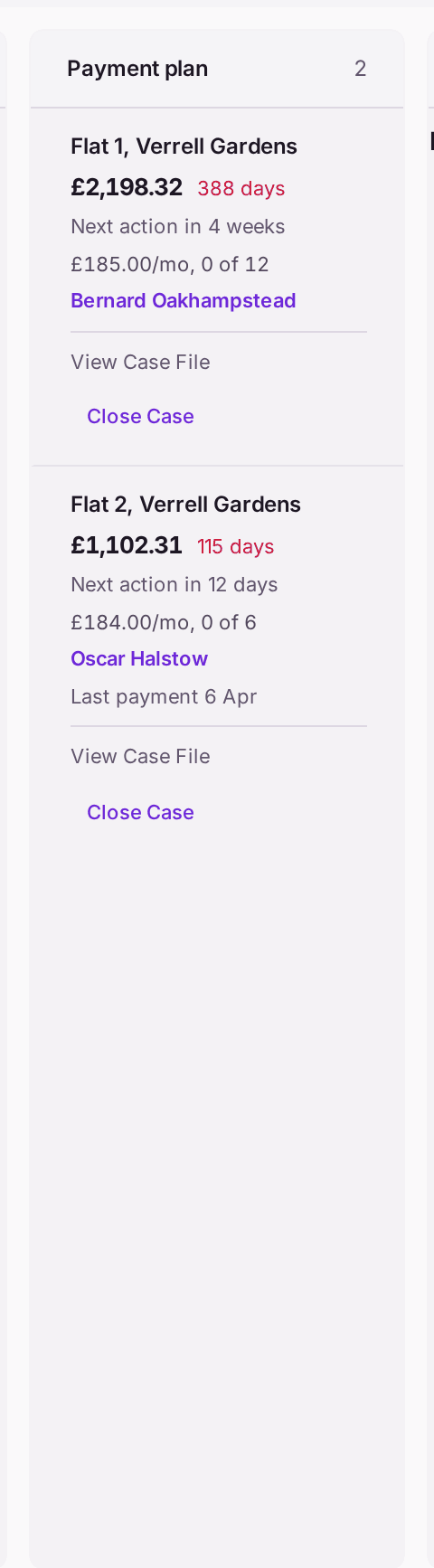
What you'll end up with: a leaseholder in arrears on an agreed plan: their case under Payment plan on Credit Control, with the instalment, the number of instalments and the start date recorded, and the board counting each instalment as it is paid ("£185.00/mo, 0 of 12").
Before you start you need: a credit control case open for the leaseholder (see Chasing someone who hasn't paid), and the terms you have agreed with them: how much a month, for how many months, and from when.
Moving a case to Payment Plan sends nothing. It records that a plan was agreed, on the case's history and on the Decision Record. A case never moves back down the stages, so move it when the plan is agreed, not while it is being discussed.
- Go to Finance → Credit Control.
- Find the case on The Pipeline, usually under Letter before action, then press View Case File.
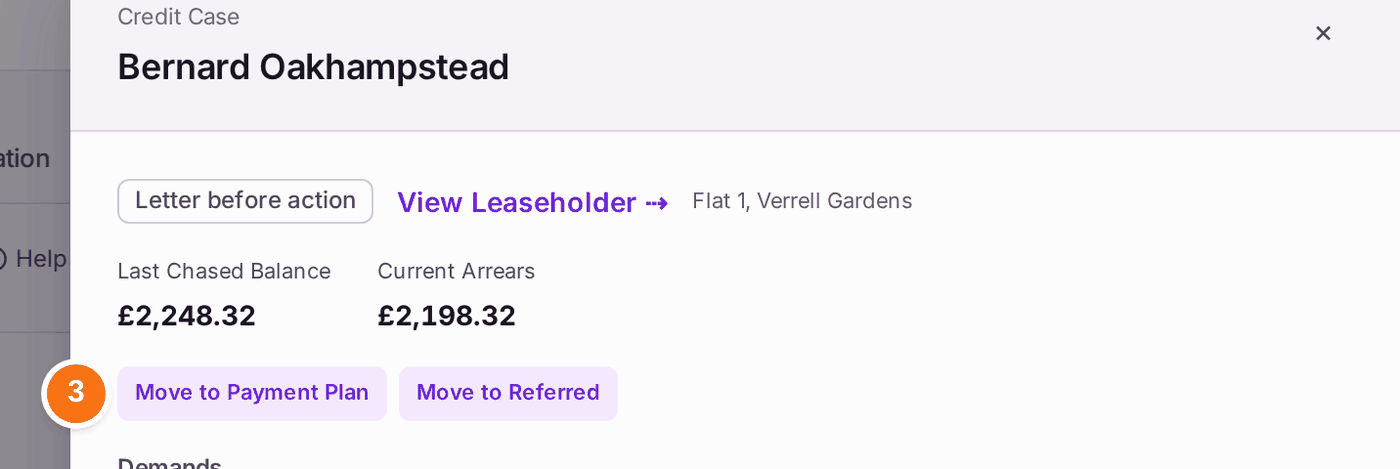
- Under the balances, press Move to Payment Plan.
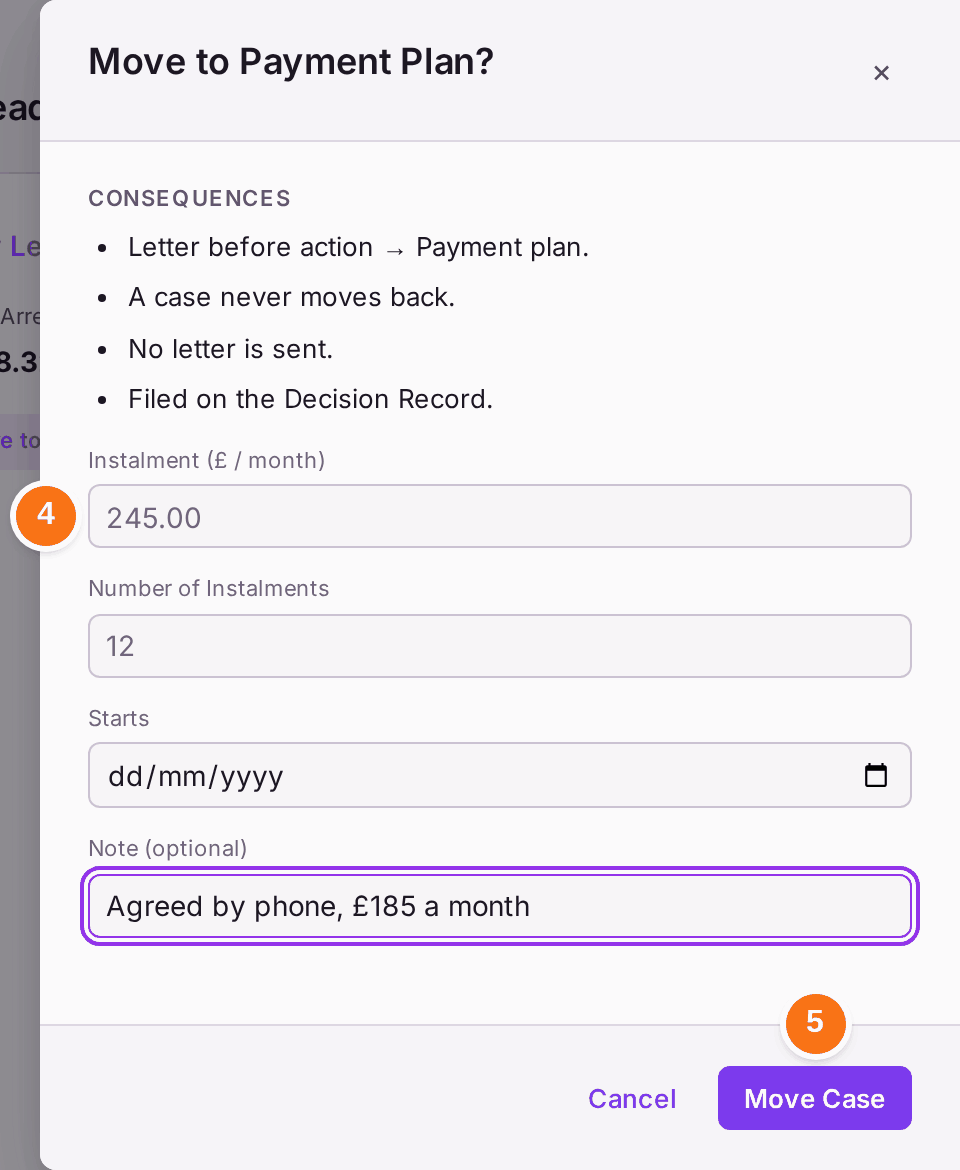
- Move to Payment Plan? opens and lists what happens: the stage it moves from and to, "A case never moves back", "No letter is sent" and "Filed on the Decision Record". Type the terms agreed: Instalment (£ / month), such as 185.00, Number of Instalments, such as 12, and Starts, the day the first instalment is due. They are recorded as the plan when the case moves, so they are typed once. Under Note (optional), write how it was agreed, such as "Agreed by phone".
- Press Move Case. "Moved to Payment Plan. Plan recorded: £185.00/mo × 12." The case file now shows The Payment Plan with its terms.
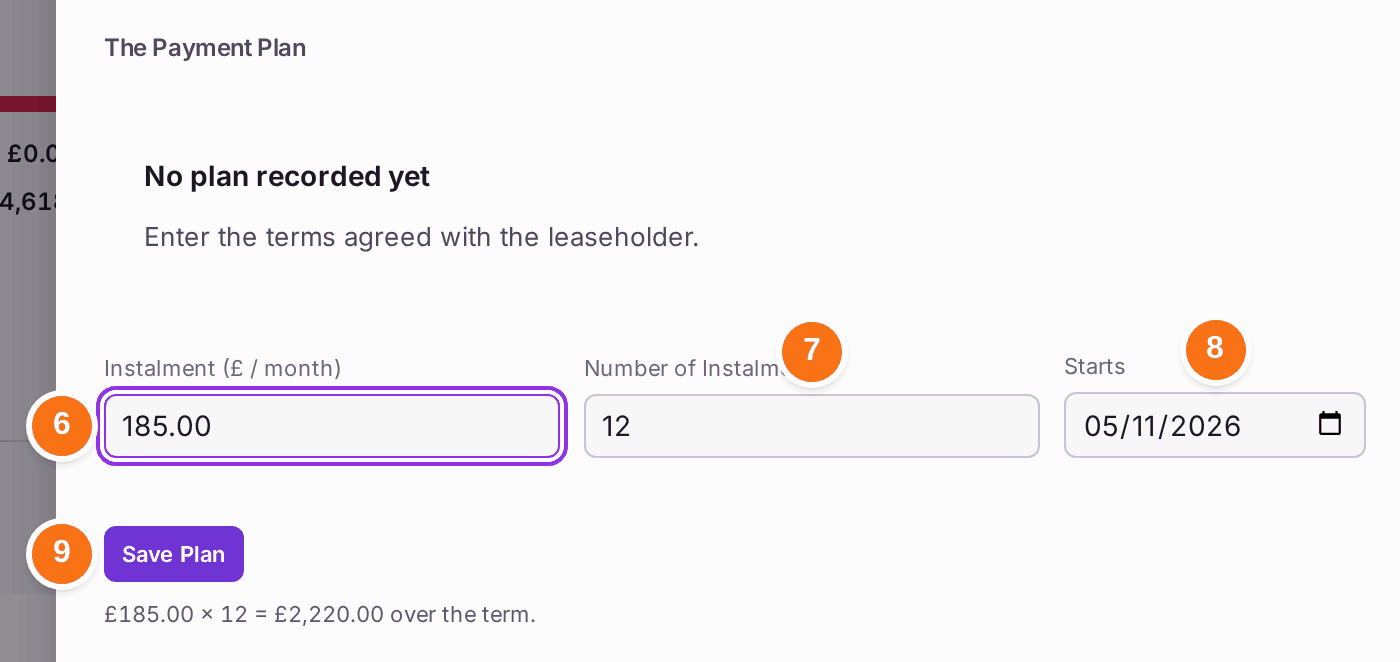
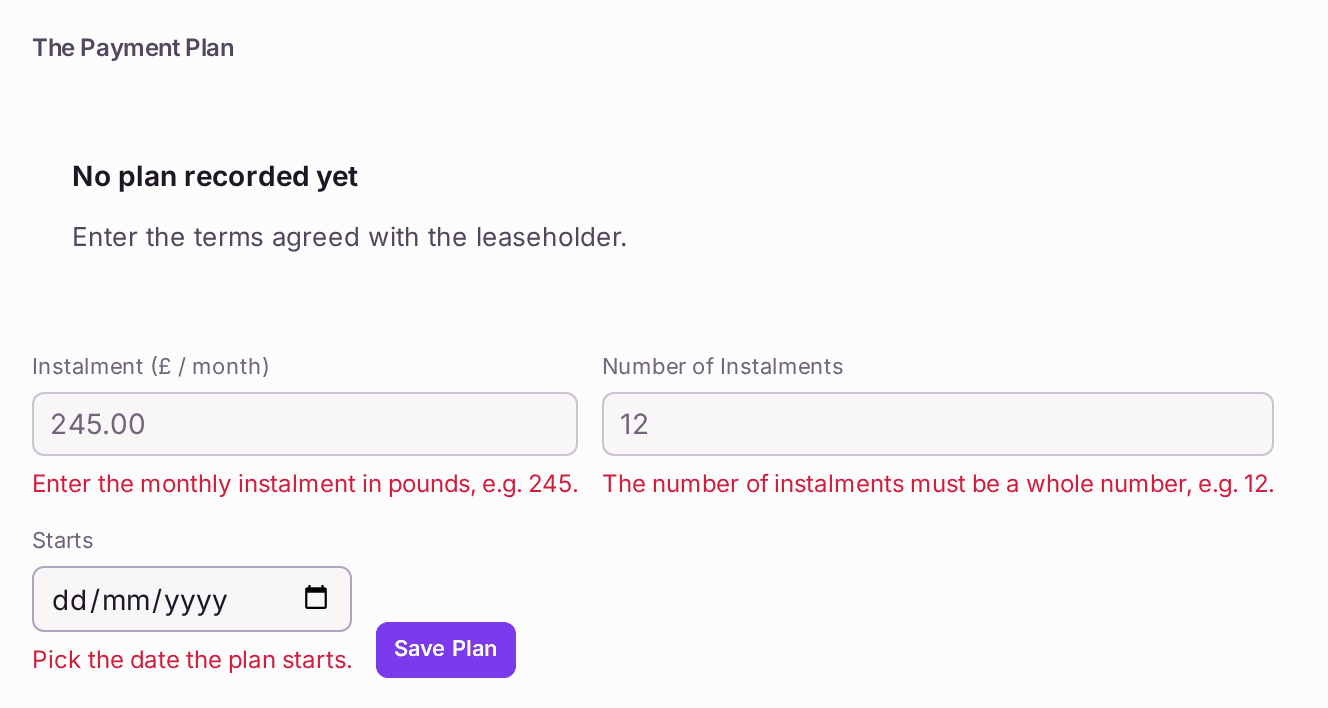
If the terms are agreed later, leave the three boxes empty in step 4. After step 5 the case file shows The Payment Plan, with the cursor in its first box:
- Under Instalment (£ / month), type the monthly amount, such as 185.00.
- Under Number of Instalments, type how many, such as 12.
- Under Starts, choose the day the first instalment is due.
- Read the line under the form, such as "£185.00 × 12 = £2,220.00 over the term", against Current Arrears at the top of the case file. Then press Save Plan.
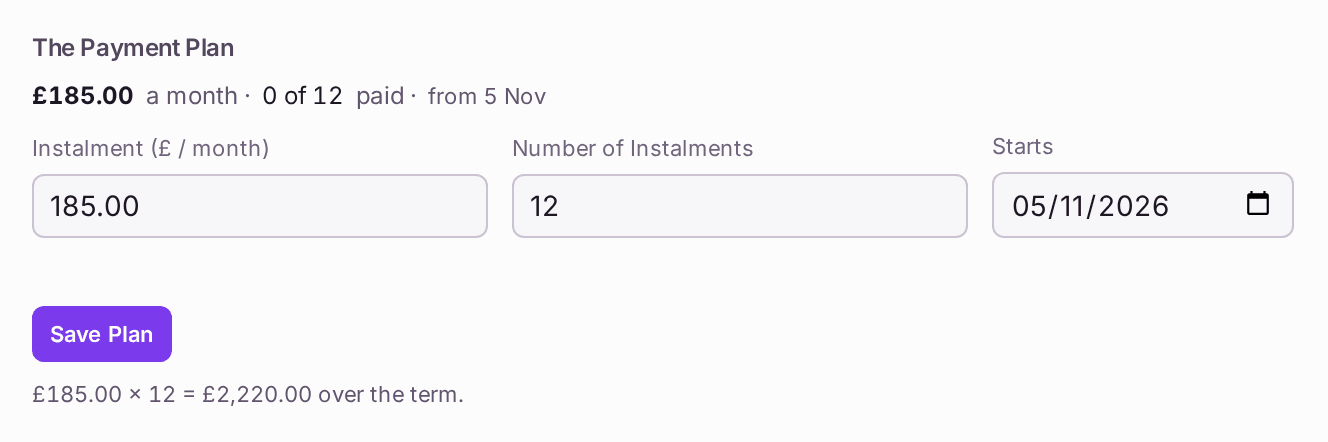
You'll know it worked when: a message says "Plan recorded: £185.00/mo × 12.", the case file shows the plan ("£185.00 a month · 0 of 12 paid · from 28 Oct"), and the case is under Payment plan on the board with its terms. The count goes up by itself as the leaseholder's payments come in; nobody ticks it.
The move is on the Decision Record (see Finding out who did what (the Decision Record)), under Leaseholder: who moved it, when, from which stage to which, and your note.

If something's wrong:
- There is no Move to Payment Plan on the case file. The case is already on a plan or referred (a case never moves back), it is closed, or it reads Confirm Debtor: confirm whose debt it is first.
Save Plan shows a sentence under each box. "Enter the monthly instalment in pounds, e.g. 245.", "The number of instalments must be a whole number, e.g. 12." and "Pick the date the plan starts." Fill in all three.
- The date you want is not offered under Starts. A plan cannot start before the case was opened, so earlier days are not offered and a typed earlier date is not accepted. Choose a day on or after the case opened.
- The line under the form comes to less than Current Arrears. The plan will not clear the debt. Agree a larger instalment or more of them, or record the shortfall in the note when you move the case.
- You moved the wrong case. It cannot be moved back. Press Close Case on its card with the reason, and open a new case for the leaseholder from Create, then Case (see Chasing someone who hasn't paid). Both stay on the record.
- The plan is renegotiated. Change the figures under The Payment Plan and press Save Plan again. The new terms replace the old, and the case history keeps both.