


Booking or starting a building inspection
What you'll end up with: an inspection of a property, started now or booked for a date, using your organisation's checklist, with the property's open tickets listed beside it to look at while you are there.
Before you start you need: a checklist In Use (see Setting up the inspection schedule and checklists), and permission to carry out inspections.
An inspection is a record of what someone saw on a date. Done on a schedule, it shows the client and the residents that the building is looked after, and it finds problems while they are small.
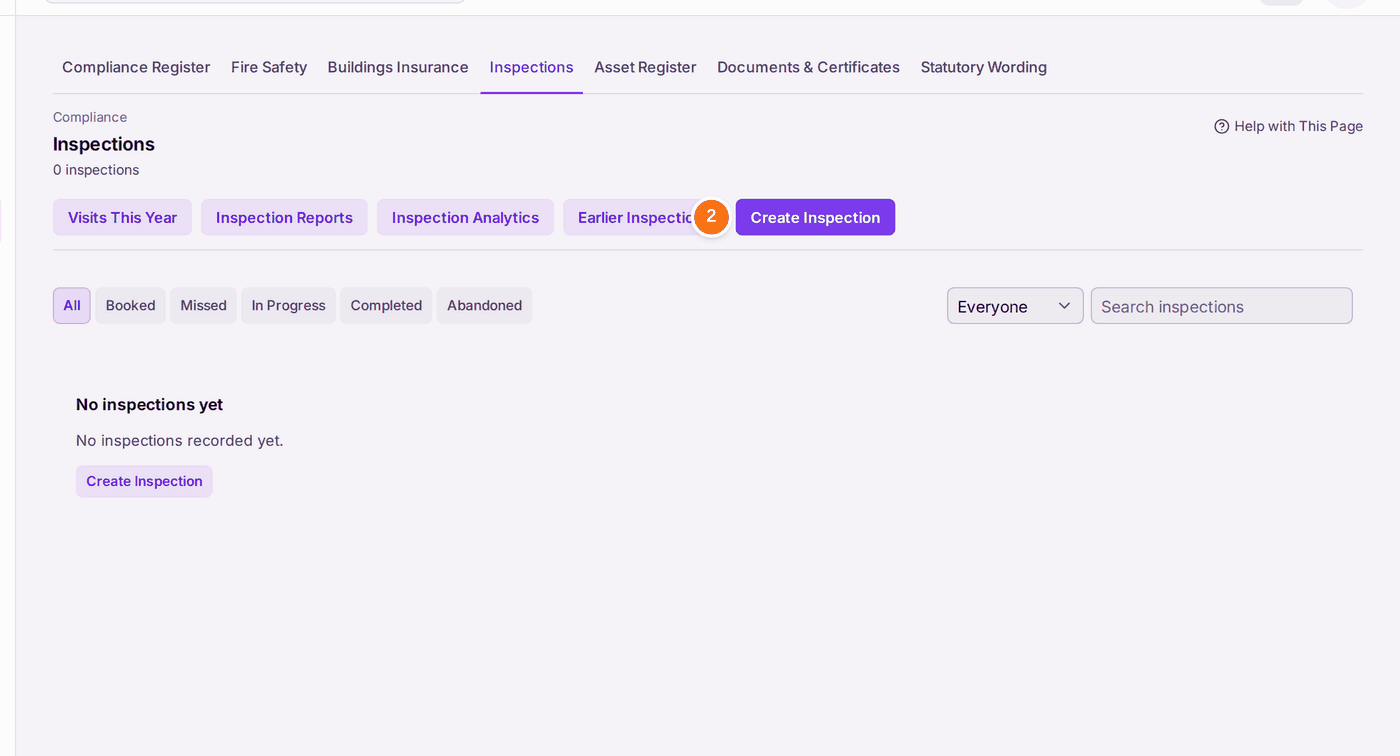
- Go to Compliance → Inspections.
- Press Create Inspection.
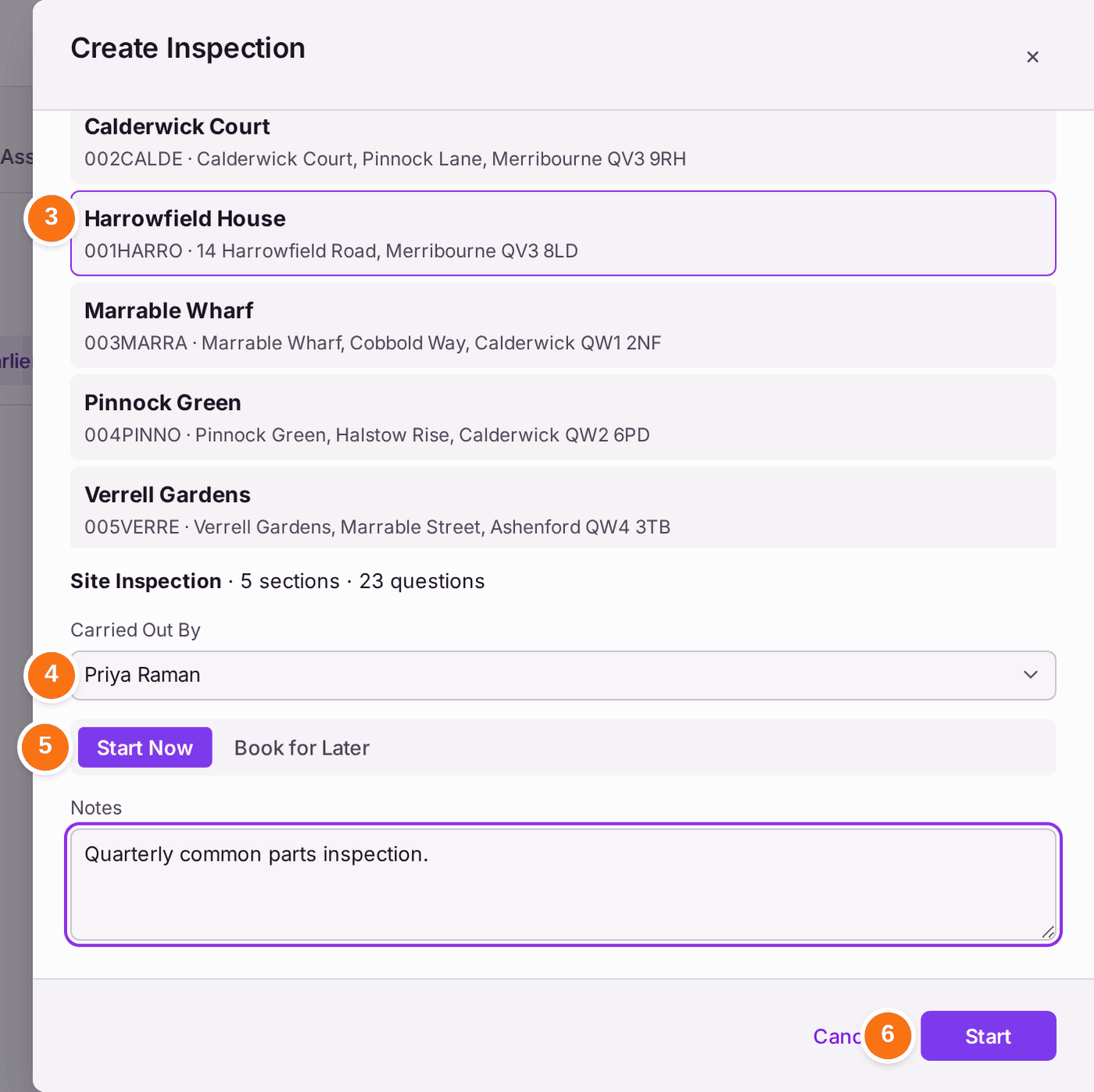
- Choose the Property.
- Choose who it is Carried Out By.
- Choose Start Now, or Book for Later and the date.
- Add Notes if they help, then press Start.
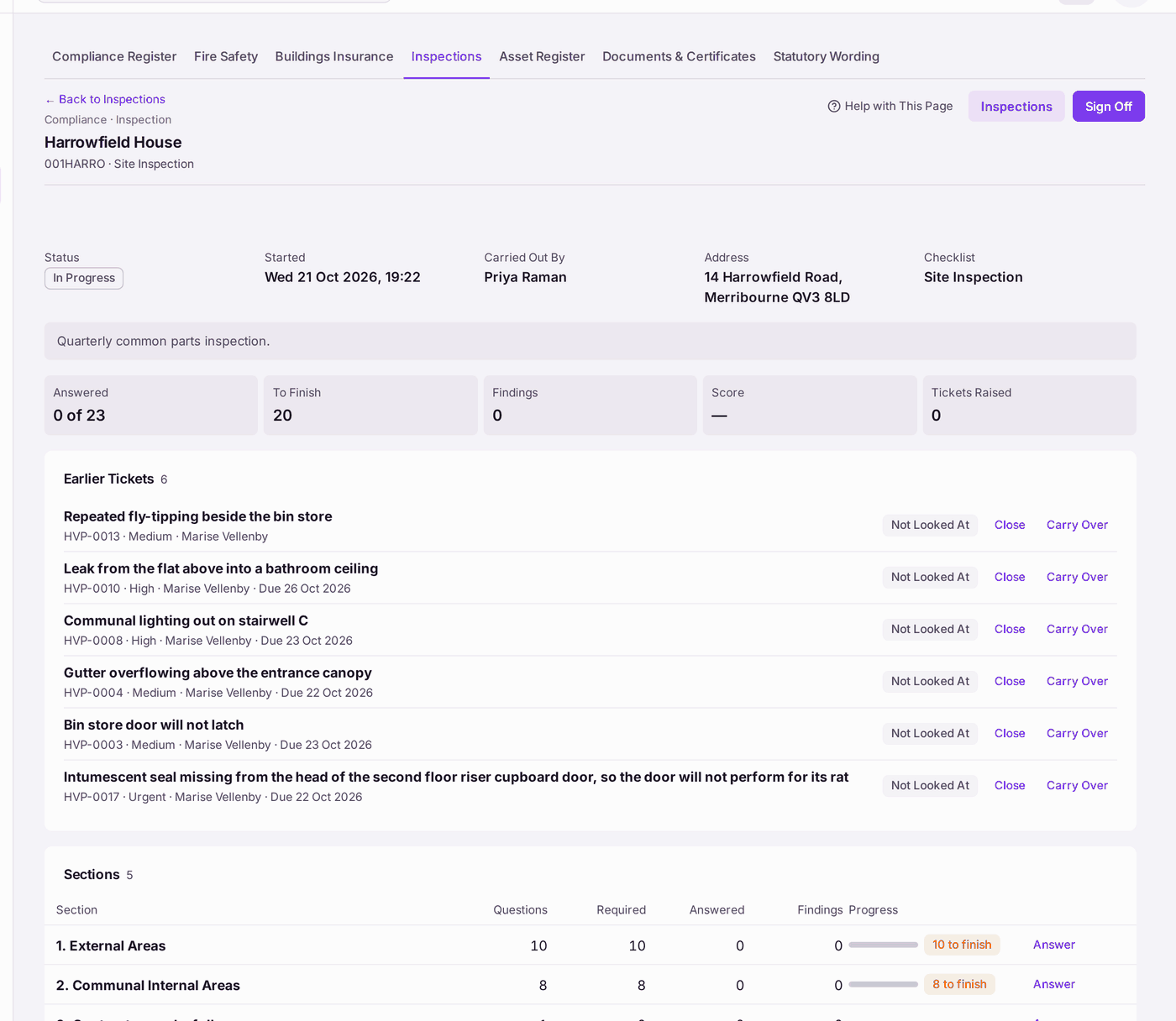
You'll know it worked when: the inspection opens, In Progress, with its checklist's sections, how many questions are answered, and the property's open tickets under Earlier Tickets, each marked Not Looked At with Close and Carry Over beside it.
If something's wrong:
Start stays grey. Choose a property first.
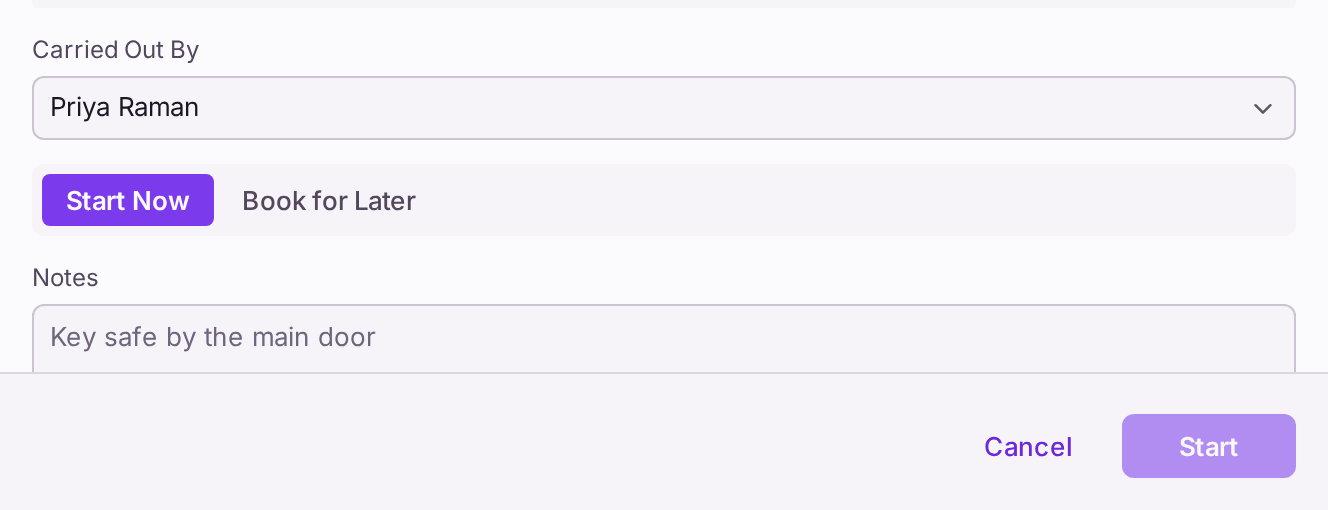
Nothing is created until a property is chosen. - A colleague is not offered under Carried Out By. They do not have permission to carry out inspections. An administrator can give it (see Deciding what each colleague can do).
- An inspection you remember is not on the list. Inspections walked with the old field app (Inspect on Site, removed on 19 October 2026) are under Earlier Inspections, read only. One it never finished sending cannot be sent now.