


Working through the Setup Checklist
What you'll end up with: every step your first week needs, in order, marked Done, or marked Skipped or Not Applicable with your reason on record.
Before you start you need: nothing. The checklist is the place to start. It reads what is already on record and marks those steps Done for you, so you never tick anything by hand.
The checklist runs in this order: First Steps (your letterhead, the office telephone, the redress scheme, approval limits), Stage 1 — Portfolio (suppliers, properties, year ends, units, leaseholders and shares, the compliance register, documents), Stage 2 — The Money (funds, opening balances, a check against your old system, the building questions), Stage 3 — Outgoing Agent Handover, and People (colleagues and leaseholders). <!-- /piece -->
- Press Settings in the menu on the left. The Setup Checklist opens.
- Read the line under the heading. It says how many steps are done and which comes next, for example "11 of 16 done · next: Add Compliance Duties".
- Press Start on the first step marked To Do. It opens the screen where that thing is made: Add Properties opens Add Property, Add Year Ends opens the Year Ends page, and so on.
- Do the step on that screen. The task in this guide for each step is named in the roadmap (see Your roadmap).
- Press ← Setup Checklist at the top of that screen to come back. The step now reads Done, worked out from what you entered. Press Refresh if you made the change in another tab.
- Press Start on the next step.
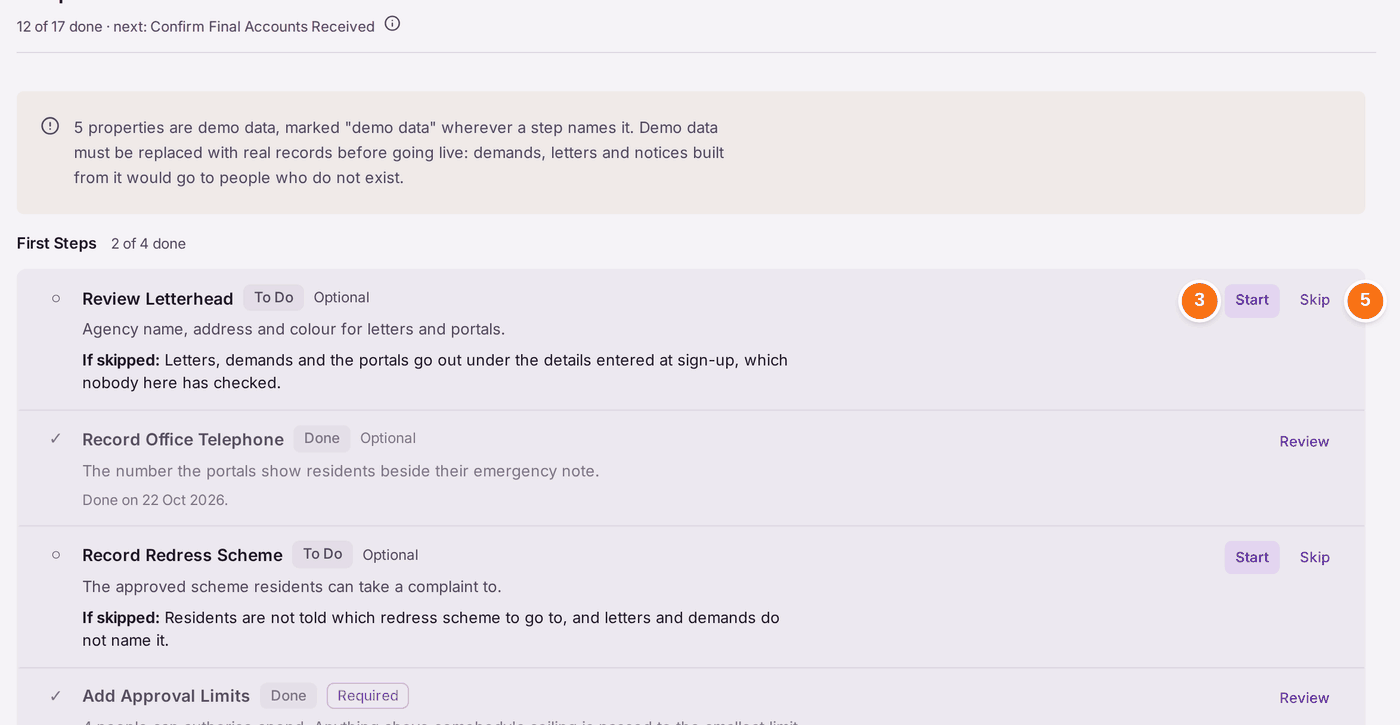
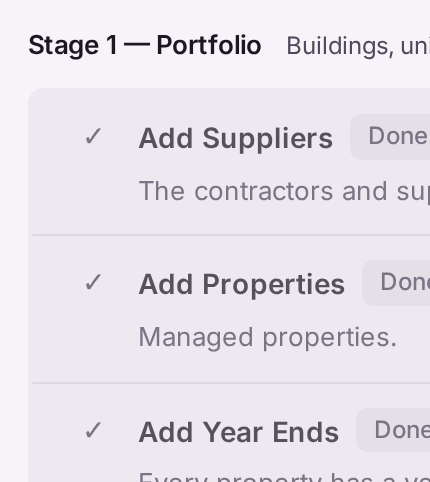
Each step is in one of five states. To Do: nothing stops it and it is not done. Waiting: it depends on something not there yet, and the line under it says what. Done: the records show it. Skipped: someone chose not to do an optional step, with a reason. Not Applicable: someone recorded that the step has nothing to act on in your organisation, with a reason.
If SynkroTech loaded some of your records for you when you moved from another system, the step they fed says so: "Done by SynkroTech on" and the date.
You'll know it worked when: every step reads Done, Skipped or Not Applicable, and the line at the top no longer names a next step.
If something's wrong:
- Skip is not offered on a step. That step is Required. Required steps cannot be skipped or marked not applicable, because something later depends on them: without year ends no budget can be approved, and without leaseholders and shares no demand can be raised.
Skip asks for a reason. "A reason is required. It is kept with your name and the date." The question also repeats what skipping costs. Type why, then press Skip Step. In six months the reason is the only record of why the step was left.
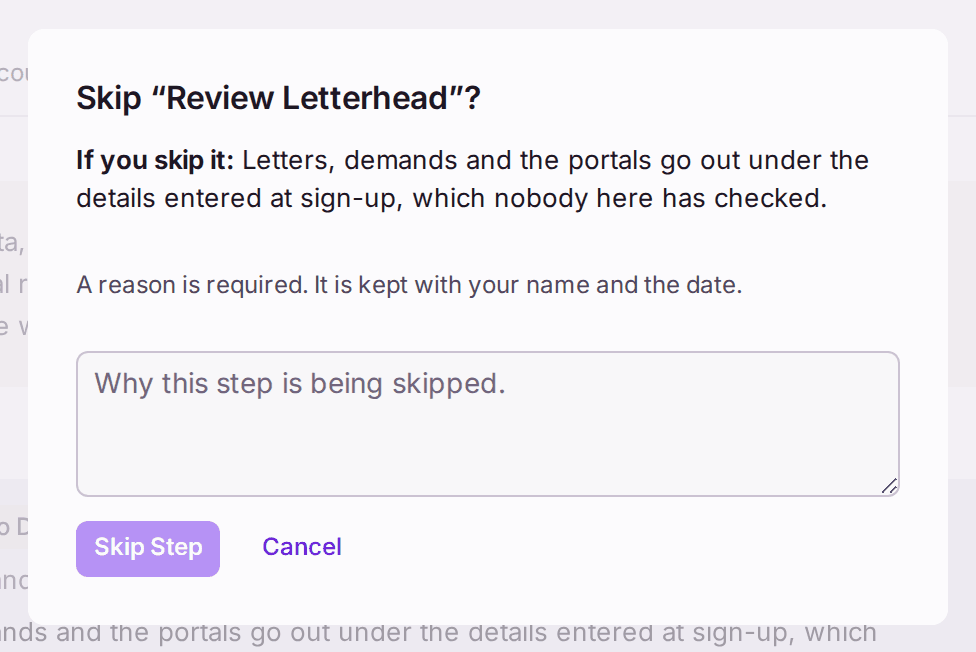
The question names the step and what skipping it costs. Skip Step stays greyed until there is a reason. - A step says Waiting. It needs something that is not there yet; the line under it names it, for example no property loaded. Do that first.
- A step names your example properties. The yellow box at the top says "5 properties are demo data". Steps that list properties mark those ones "demo data". Demands, letters and notices built from example records go to people who do not exist, so replace them with your real records before you use SynkroTech for real.
- A step stays To Do after you did it. The checklist counts a step done only when every property has the thing. For example, Add Year Ends stays To Do while any one property has no year end, and Add Leaseholders and Shares while any schedule does not add up to 100%. The line under the step names what is missing.