


Chasing someone who hasn't paid
What you'll end up with: each leaseholder in arrears on a case that moves through the stages (first reminder, second reminder, letter before action), with each letter sent from the Outbox and recorded on the case on the day it went.
Before you start you need: demands that have been issued, served and have passed their due date (see Issuing your service charge demands). Money not yet due is never chased.
Nothing in credit control is sent on its own. The page says so: "A chase starts only when a person presses Send." Each case records what was owed when it was last chased, so a later letter or a tribunal can see what each letter said.
- Go to Finance → Credit Control. A case pressed on My Work opens here with its case file open; a proposed chase is marked in Proposed Overnight.
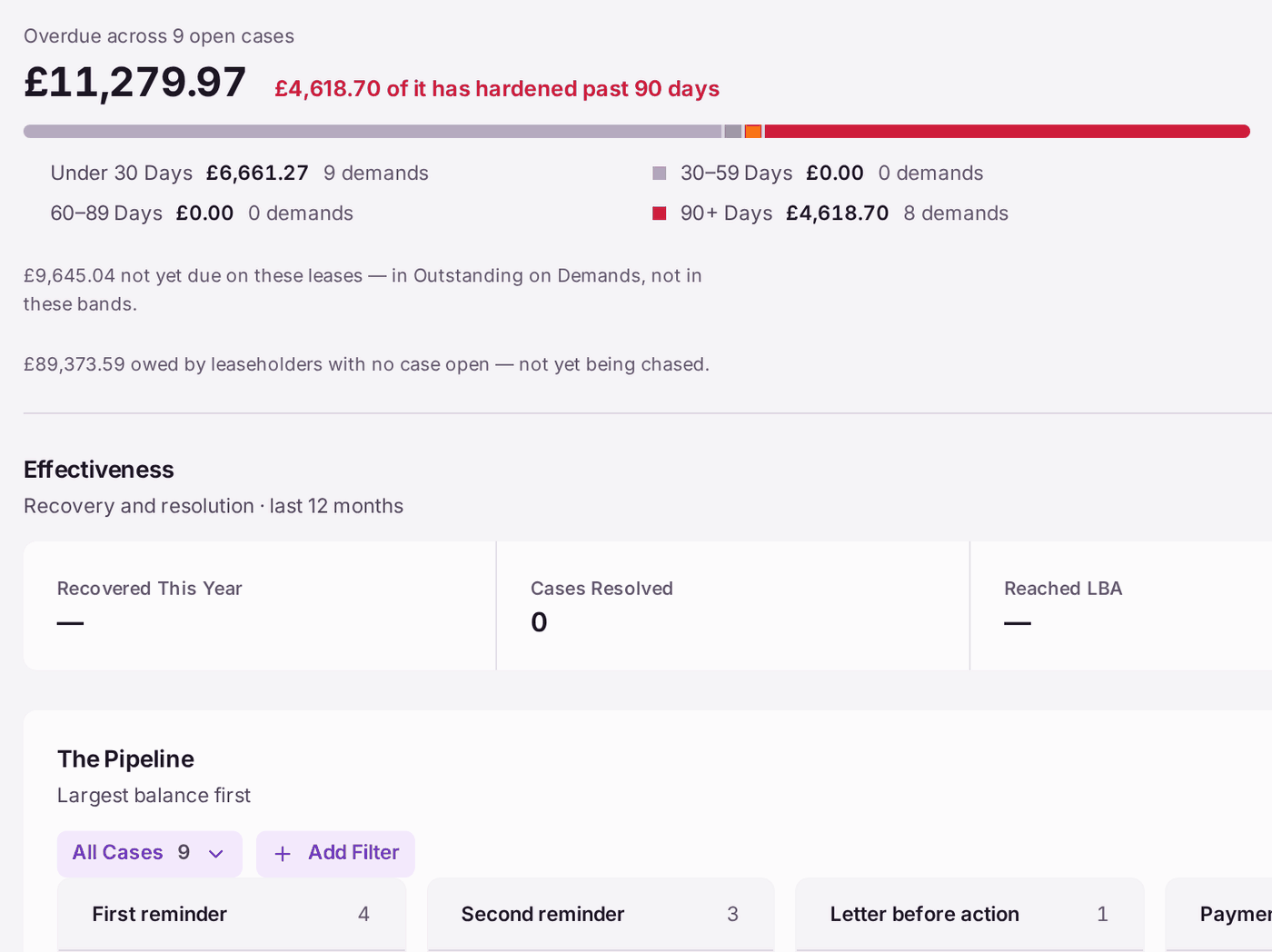
- Read the top: Overdue across the open cases, and how much has hardened past 90 days. The bands below show how old the overdue money is.
- Read The Pipeline: every open case under its stage, largest balance first, with its next action date.
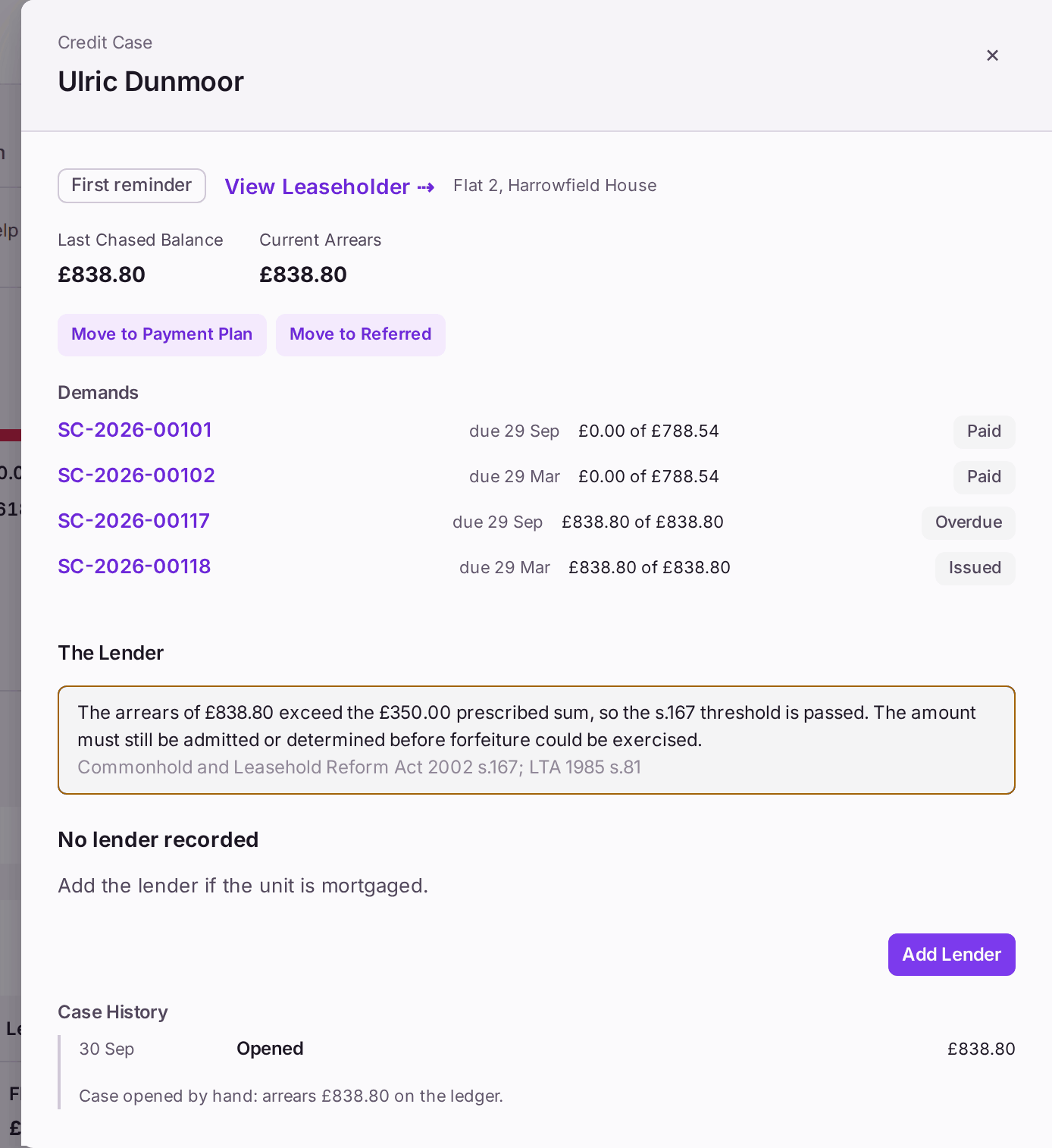
- Press View Case File on a case to see the demands behind it, what it was last chased for, and what is owed now.
To send the letters a stage is owed:
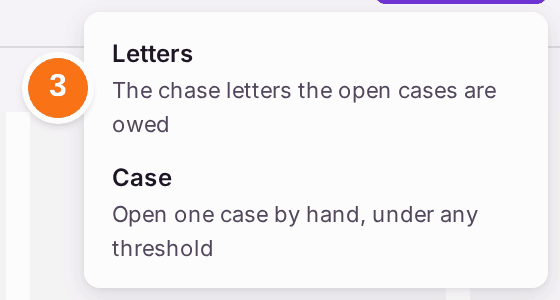
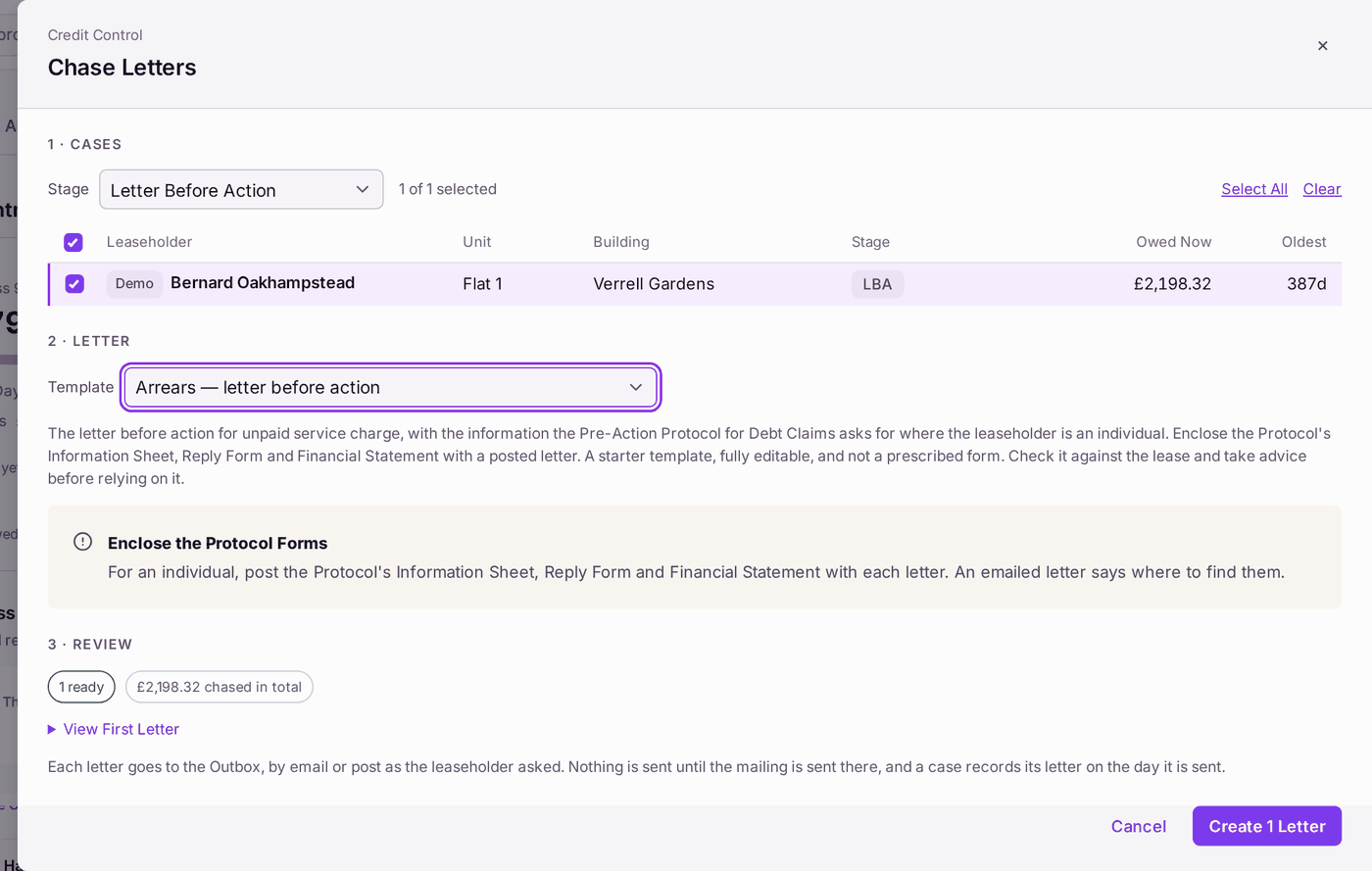
- Press Create at the top, then Letters. Chase Letters opens.
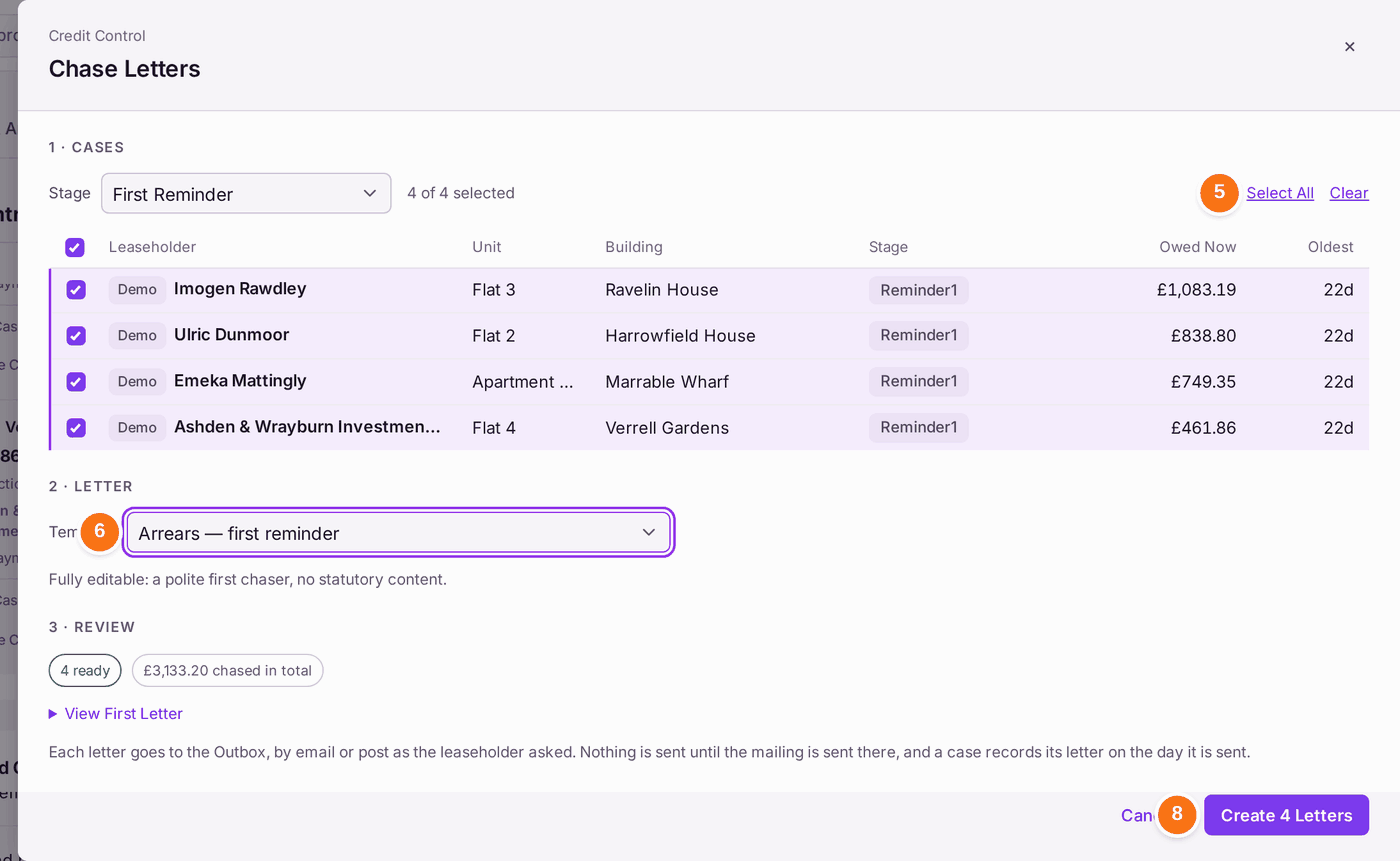
- Choose the Stage, such as First Reminder, then press Select All (or tick the cases one by one). Choosing the stage chooses its letter under Template: the one written for that stage and for the money its cases are chasing (service charge or ground rent).
- Check the Template, and choose another if you need a different letter.
- Read Review: how many letters are ready, the total chased, and View First Letter to check one.
- Press Create 4 Letters (the number is how many are ready). They go to the Outbox as one mailing.
- Send the mailing from Comms → Outbox, and post any letters, as for demands. A case records its letter on the day it is sent.
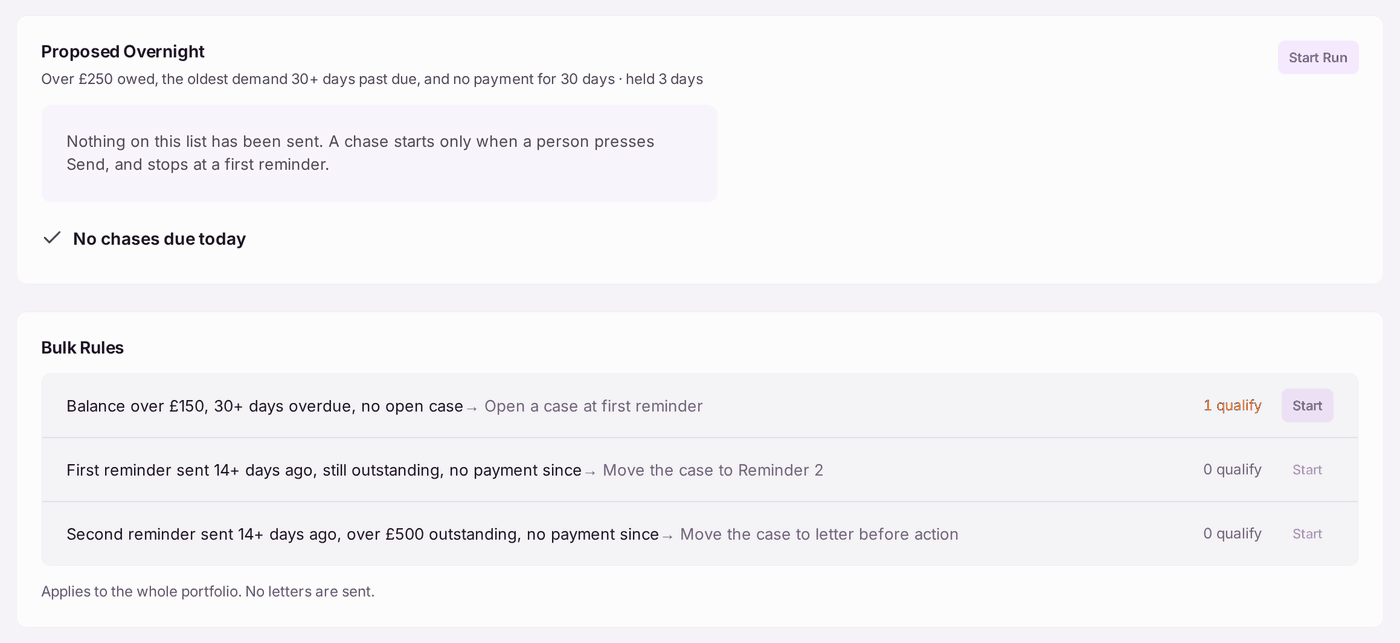
To open and move cases in bulk: under Bulk Rules, each rule says what it does and how many cases qualify. Start on the first opens a case for every leaseholder over the threshold; the next two move cases on to the second reminder and to the letter before action. Proposed Overnight lists leaseholders the overnight check suggests; nothing is sent until you press Start Run, then Send.
You'll know it worked when: a message says "4 letters created in mailing …, waiting in the Outbox to be sent.", and once it is sent each case's history shows its letter and the stage it reached.
If something's wrong:
- "No letter is ready to produce." No template is chosen, or no case is ticked. Choose both.
- A letter is held back. Chase Letters lists any letter it cannot produce under "Held Back", with the reason (usually a merge field it cannot fill, or no address). Fix the record, or press Remove from Mailing for that case.
- "missing [Org Address] (Organisation Details)". Your office's own address is not set. It is not on the leaseholder's record: it is set under Settings → Organisation Settings → Organisation Details (see Setting up your organisation's details and letterhead), and the Organisation Details link under the held-back list opens it for those who can change it. Every letter, including the letter before action, fills [Org Address] from there.
- The leaseholder agrees to pay by instalments, or the debt goes to solicitors. No bulk rule moves a case to Payment plan or Referred. Open the case file and press Move to Payment Plan or Move to Referred (see Agreeing a payment plan).
- A leaseholder has paid since the case opened. Press Close Case on their card and give the reason. The case and its letters stay on record.
- A letter before action is chosen. The panel reminds you to enclose the Pre-Action Protocol forms. Enclose them before you post.
- The leaseholder is a joint holding. Arrears letters go to every joint holder at their own correspondence address. A holder with no address is not served.