


Waiving a duty that does not apply
What you'll end up with: a duty that will not be done taken off the live board, with your reason kept on the register, so nobody chases it and anyone who asks can see why.
Before you start you need: a real reason the duty does not apply or will not be done, and who decided it. For example, the building is under 18 metres and the regulation applies only above that, or the tribunal granted dispensation.
Waiving is a decision on the record. An inspector, a client or a court may read the reason, so write it as you would explain it to them.
- Go to Home, then View All under Duties Due (My Duties).
- Find the duty and press Waive beside its name.
- Type the Reason for Waiver: the decision and who took it, with the facts it rests on.
- Press Waive This Duty. "Duty waived".

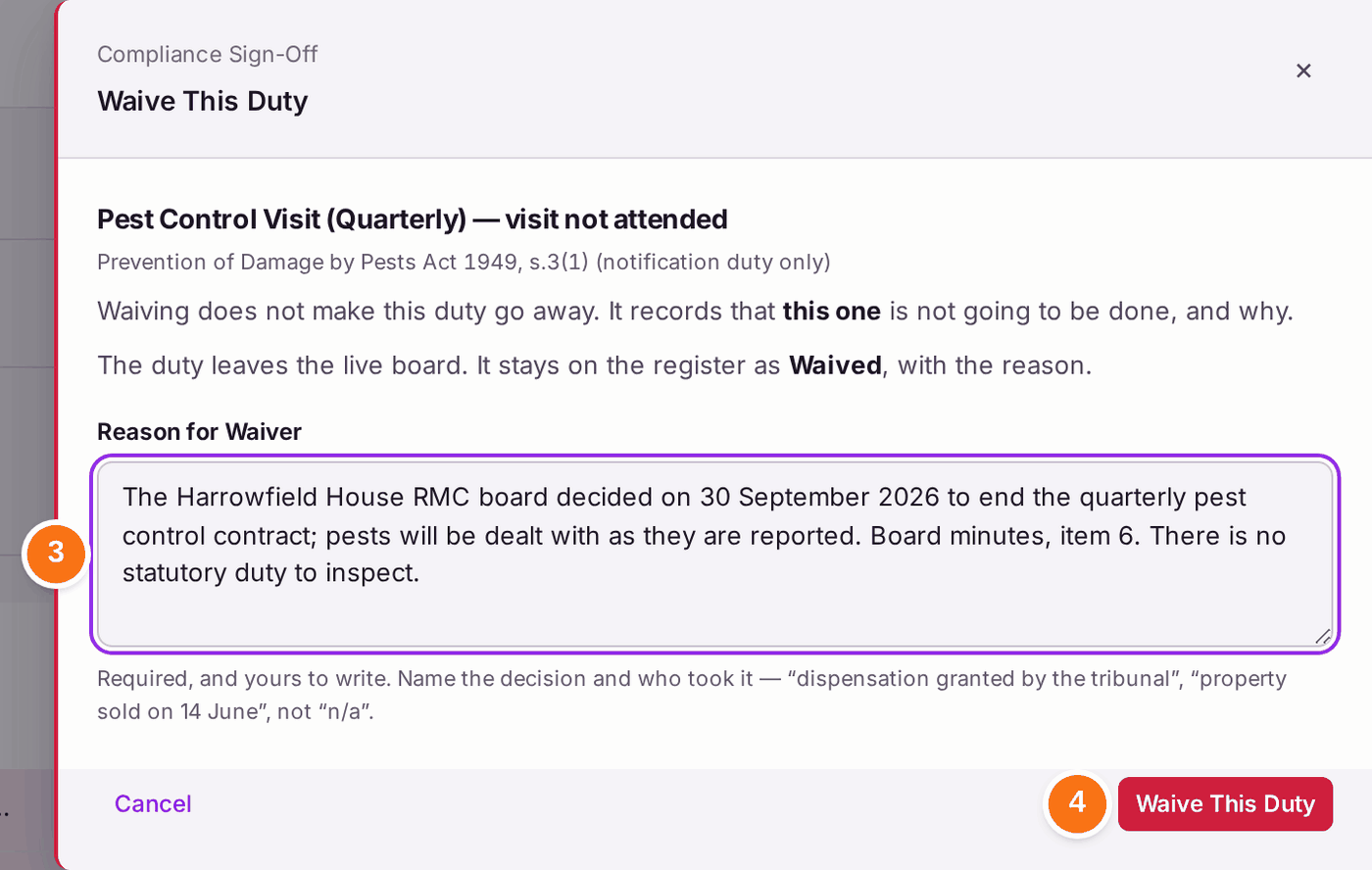
You'll know it worked when: the duty has left My Duties and the live count has dropped by one. It stays on the register as Waived, with your reason.
If something's wrong:
- You waived the wrong duty, or circumstances change. The duty stays on the register as Waived. Add it again if it applies after all (see Adding or removing a duty from a property's register).
- Waive is not offered. Your role does not include waiving duties. Ask someone who can (see Deciding what each colleague can do).
- A short reason such as "n/a" is accepted. SynkroTech does not check the reason. Write a full one; a waiver without a reason is no defence.
- The duty was raised against the wrong building. Remove it instead (see Adding or removing a duty from a property's register).