


Recording residents and tenancies
What you'll end up with: each person who lives in a flat but does not own it (a tenant or other occupier) on the Resident Register, against their unit, with the dates their tenancy began and ends, so you know who lives where and their access ends on time.
Before you start you need: the dates of the tenancy. Add Tenancy offers only people already on SynkroTech's person register ("Somebody on the register."). For someone new, add them from their unit instead (see the end of this task).
A tenancy records who lives in a unit. It does not give them a portal login. That is a separate step, so that nobody gets sight of a building by accident.
- Go to Contacts, then People, then Residents & Tenants.
- Press Add Tenancy.
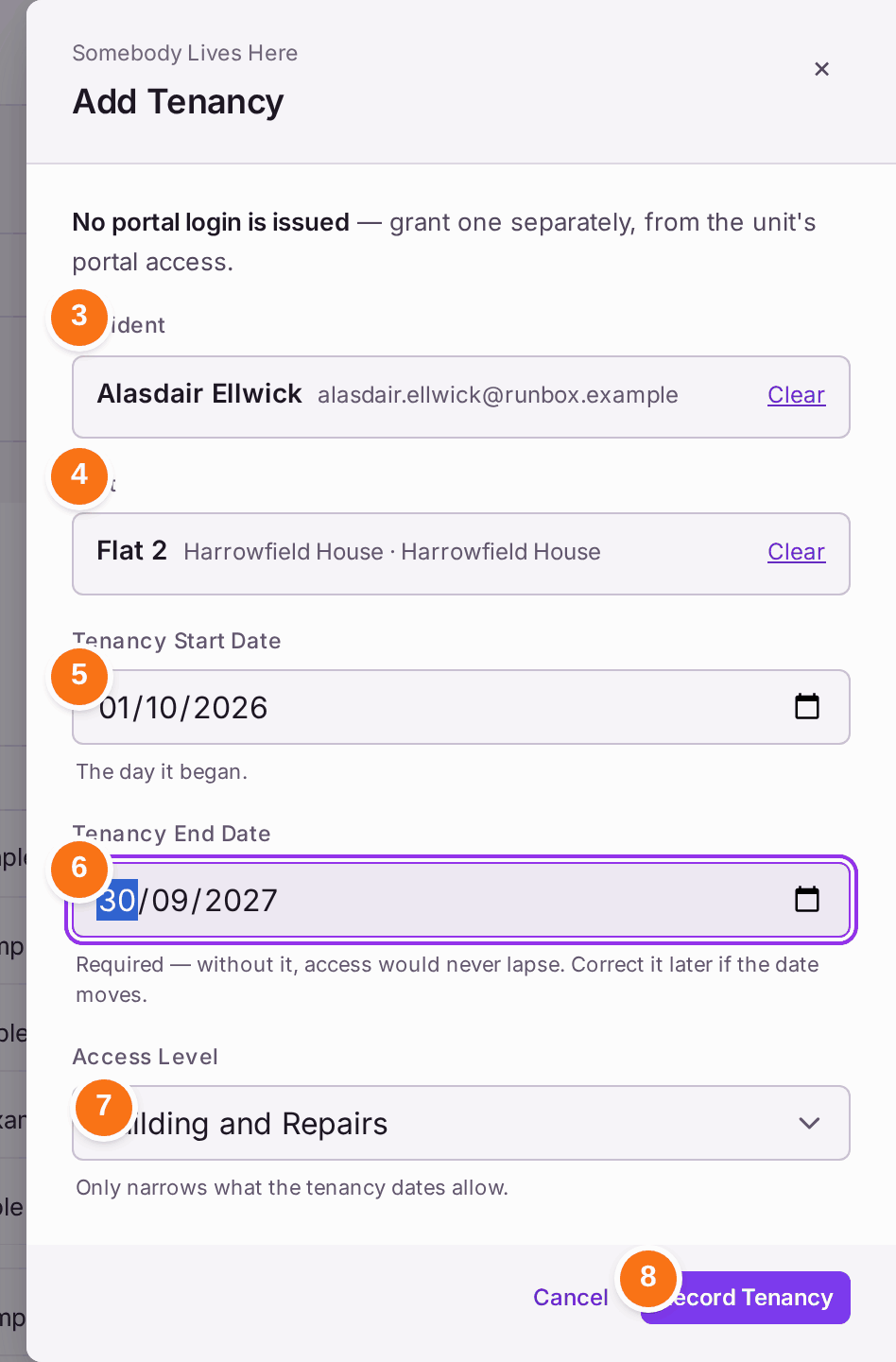
- Under Resident, type part of the person's name, then choose them from the list.
- Under Unit, type the flat or the building, such as "Flat 2" or "Harrowfield", then choose the unit.
- Choose the Tenancy Start Date: the day they moved in.
- Choose the Tenancy End Date. It is required: "without it, access would never lapse". If the tenancy is extended, correct the date later.
- Choose the Access Level: Building, Building and Repairs, or Building, Repairs and Documents. It decides how much a tenant's portal shows, if they are given one.
- Press Record Tenancy.
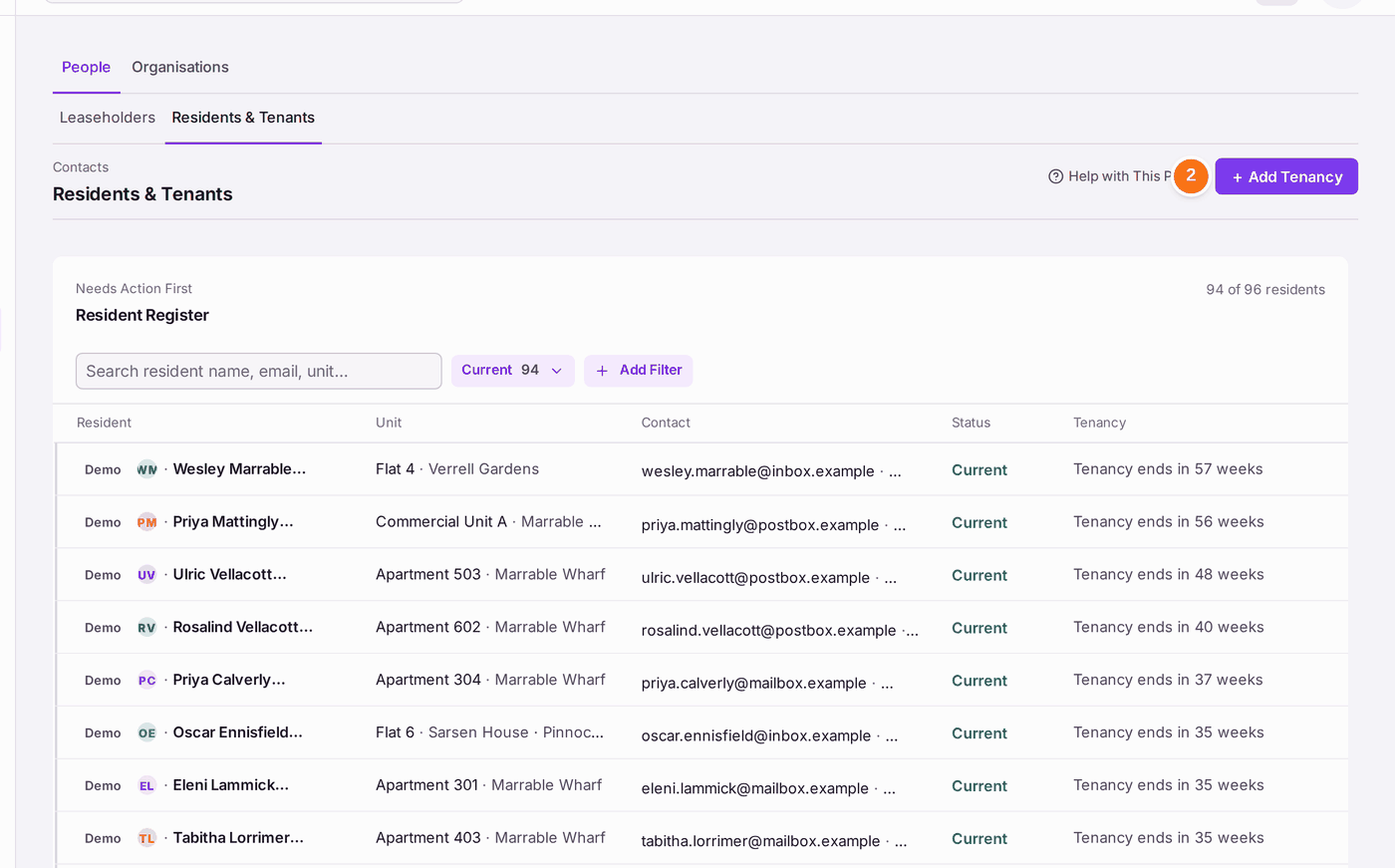
You'll know it worked when: the message reads "[Name] recorded as living at [unit]. No portal login was issued.", and the person is on the Resident Register as Current, with "Tenancy ends in" and the time left.
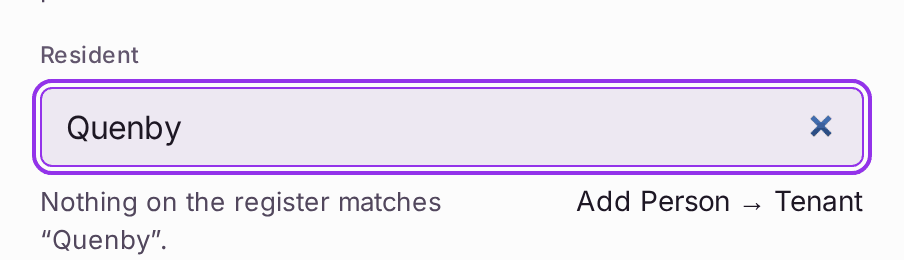
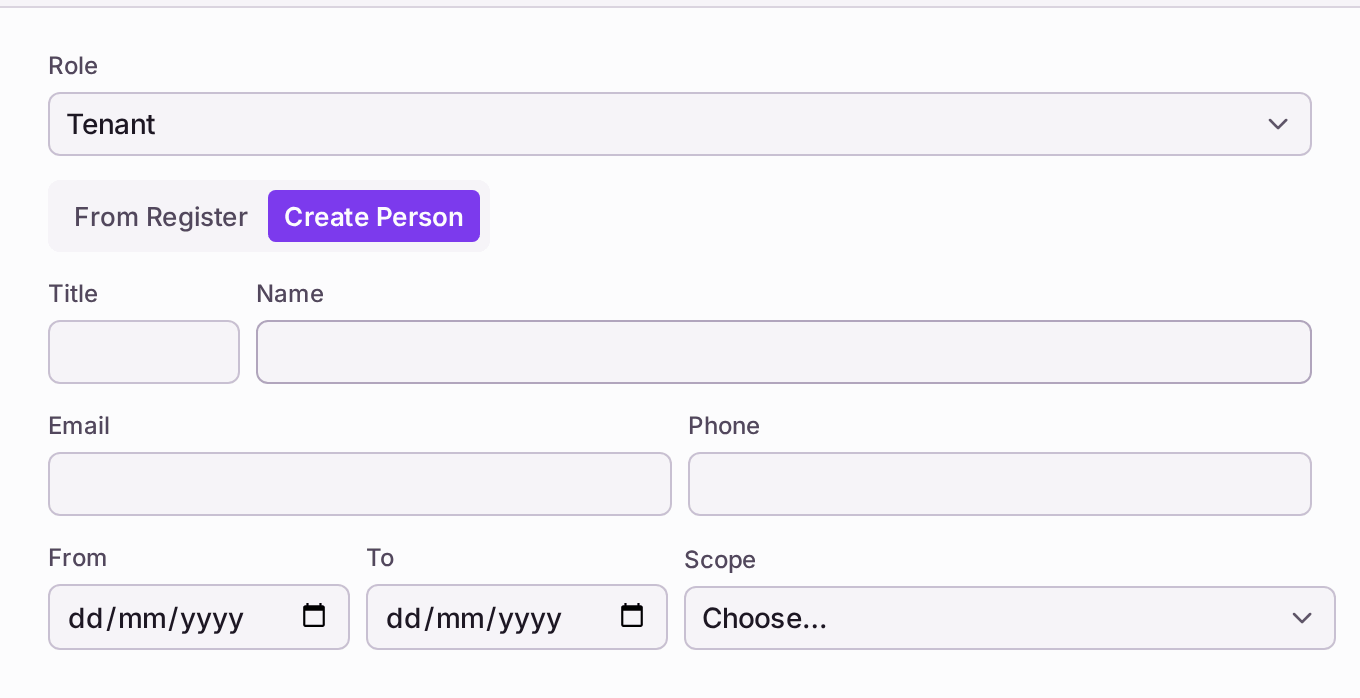
For someone not yet on the register: in Add Tenancy, choose the Unit first, then type their name under Resident. When nothing matches, the list offers Add Person → Tenant. Press it: the unit's page opens with Add Person, the Role already Tenant and Create Person chosen. Fill in the Name, Email, From, To and Scope (the same choice as Access Level), then press Add Person. They join the Resident Register in the same way. (The same form is on any unit: open the property's Units tab, open the unit, and press Add Person under People.)
To change a tenancy later, open the resident from the register and press Edit Tenancy.
To give the tenant a portal login afterwards, use Grant Access with the Access Type set to Tenant (see Giving a leaseholder, resident or director a portal login). A leaseholder can also invite their own tenant from their portal (see Talking a leaseholder through their portal).
If something's wrong:
- Record Tenancy stays greyed. Pointing at it says "Person, unit and both dates required". The usual gap is the Tenancy End Date. If the tenancy has no fixed end, enter the date it is next reviewed.
- The person is not offered under Resident. Only people already on the register are offered. The list says "Nothing on the register matches", with Add Person → Tenant once the unit is chosen (or "Choose the unit, then Add Person → Tenant." before). Add them from their unit, as above.
- "Nothing on the register matches" the unit you typed. Type less: the flat name ("Flat 2") or the building name ("Harrowfield") on its own.
- Someone has moved out but still shows as Current. The register lists tenancies past their end date first, under Needs Action First. Open the resident and press Edit Tenancy to correct the dates.