


Reconciling the bank account
What you'll end up with: each client bank account's statement for the period matched line by line to SynkroTech's ledger, every difference named, and the period closed so its closing balance carries forward as the next period's opening balance.
Before you start you need: the bank statement for the period, as a file from your bank or on paper, and the receipts and payments for the period already posted (see Recording money that has come in (matching receipts) and Paying a supplier's invoice).
Client money rules expect you to show, for every client account, that the bank and your books agree. A difference left unexplained is either money nobody has posted or money that has gone without a record.
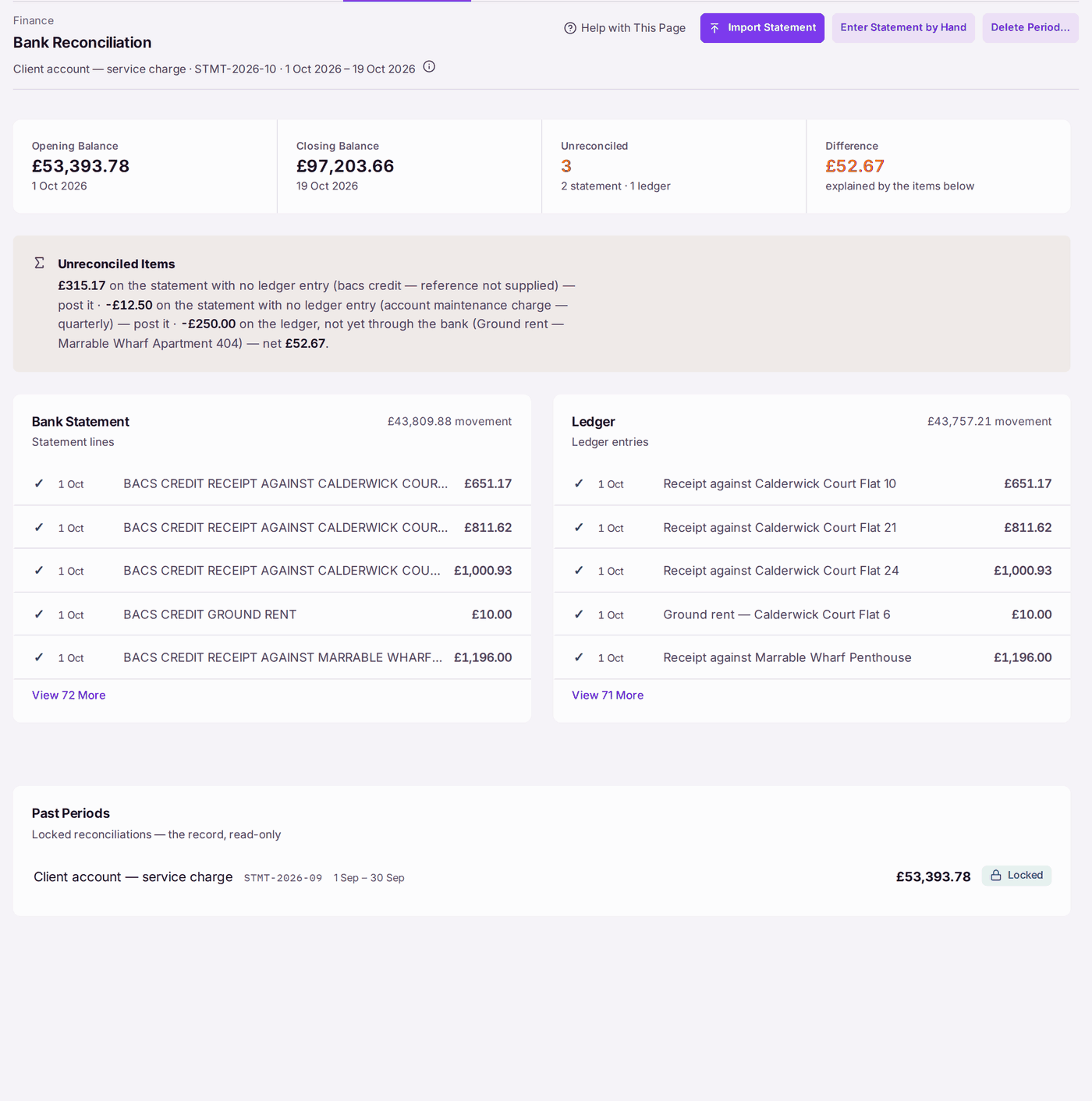
- Go to Finance → Bank Reconciliation. The open period is named at the top, with its bank account, reference and dates.
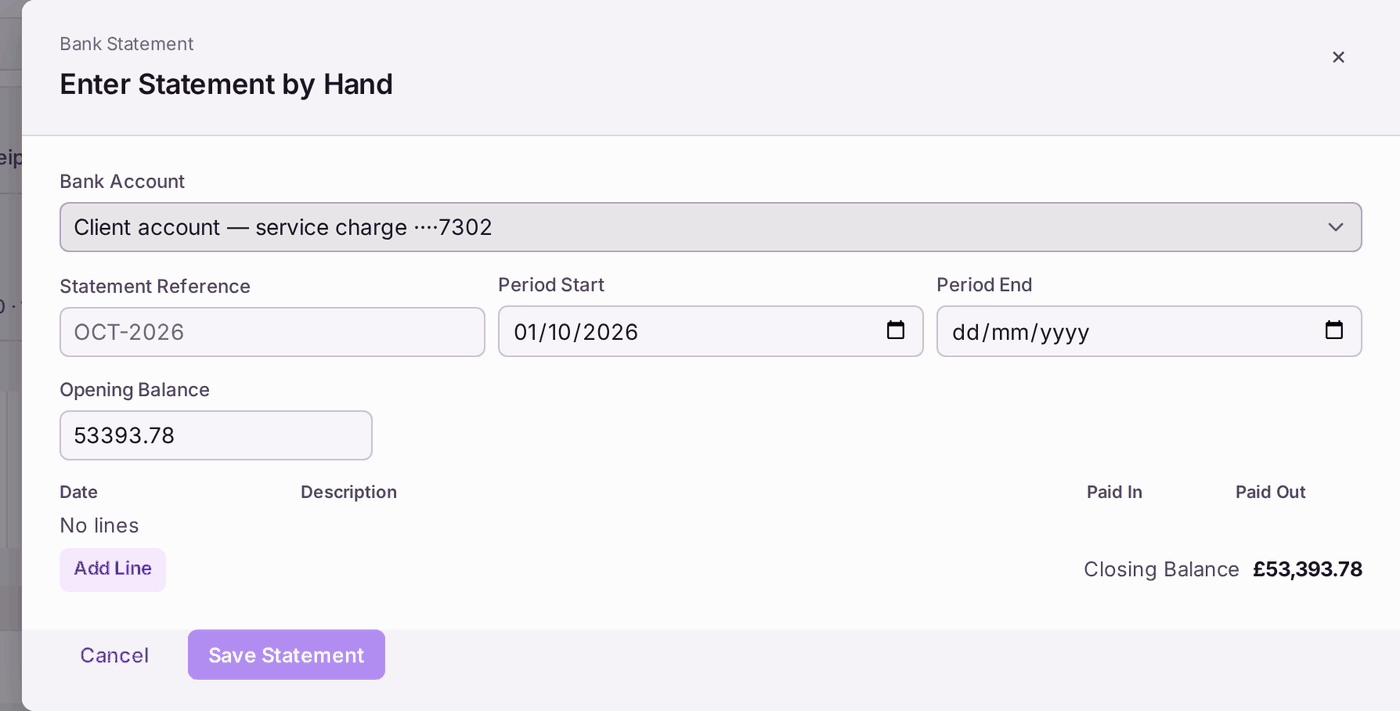
- Add the statement: press Import Statement for a file from your bank, or Enter Statement by Hand to type it in.
- For Enter Statement by Hand: choose the Bank Account. Period Start fills with the day after its last closed period, and Opening Balance with that period's closing balance. Type the Statement Reference and the Period End. On an account with no closed period yet, type the Period Start too; the Opening Balance is nil.
- Press Add Line for each line on the statement: its Date, Description and the amount in Paid In or Paid Out. Check that Closing Balance matches the statement.
- Press Save Statement.
- Read the four figures: Opening Balance, Closing Balance, Unreconciled and Difference.
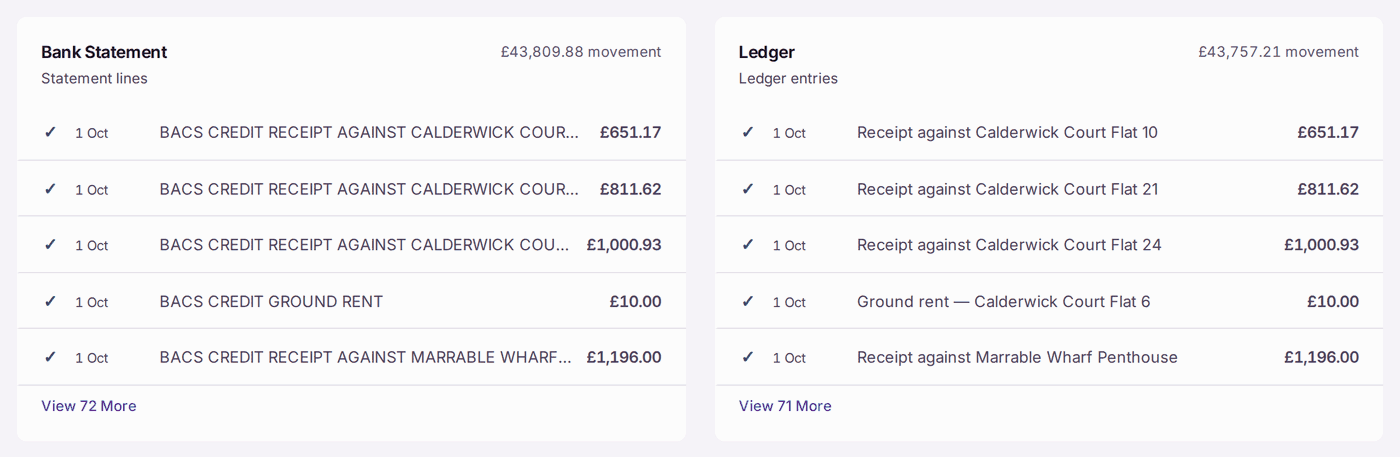
- Pair each line under Bank Statement with its entry under Ledger: press the line on one side, then its match on the other. Only equal amounts pair.
- Read Unreconciled Items. It names everything that makes up the difference, such as "£315.17 on the statement with no ledger entry … post it".
- Post each missing item (a receipt in Receipts Inbox, a bank charge as a payment), then come back.
- When every statement line has its ledger entry, the page says Reconciled. Press Close Batch.
You'll know it worked when: the period moves to Past Periods, marked Locked, and the next period opens with the closing balance as its opening balance.
If something's wrong:
- The difference will not go to nil. Read Unreconciled Items: each item is on one side only. A line "on the statement with no ledger entry" needs posting in SynkroTech. An entry "on the ledger, not yet through the bank" is usually a cheque or transfer that has not cleared: it clears on next month's statement.
- Two lines will not pair. Only equal amounts pair. If one payment on the statement covers two entries in SynkroTech, check how it was posted.
- The wrong statement was loaded. Press Delete Period…. Only this open period goes; locked past periods are untouched.
- A past period needs changing. A locked period cannot change. Correct the difference in the current period, with a reason the auditor can follow.