


Publishing the signed year-end accounts to leaseholders and directors
What you'll end up with: the accountant's signed service charge accounts for each year filed against the property, shown on the leaseholder and director portals, and, if you choose, a letter or email to every leaseholder saying they are there.
Before you start you need: the signed accounts as a PDF, and the year's pack done (see Closing the year and sending it to the accountants (year end)).
Uploading the accounts does not show them to anyone. A person publishes them, after checking them.
- Go to Finance → Year End, then choose the Property.
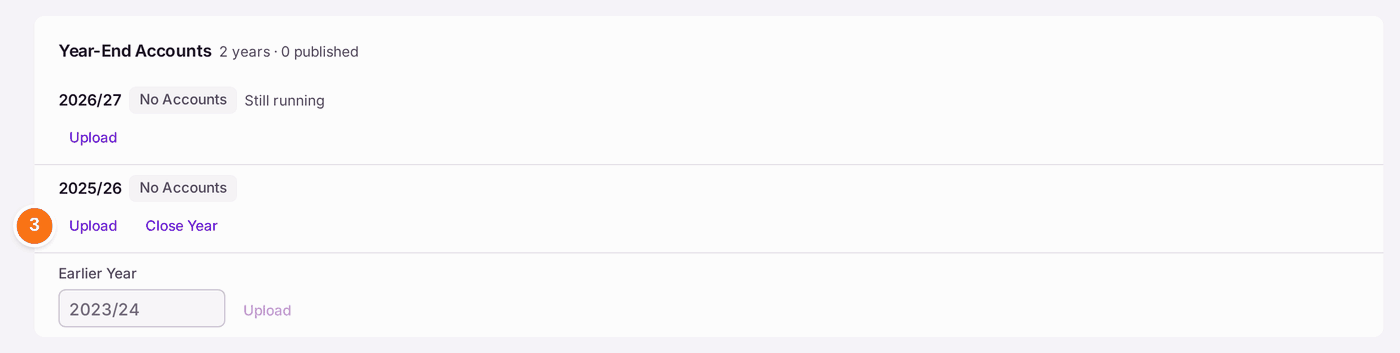
- Scroll to Year-End Accounts. Each year is listed with its state: No Accounts, Uploaded or Published. Use Earlier Year for a year before your first budget on SynkroTech.
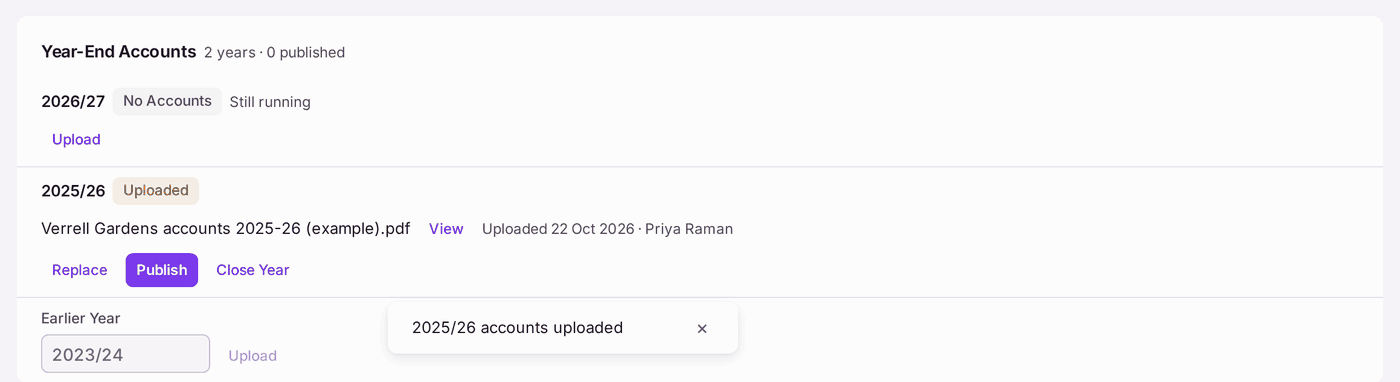
- Press Upload on the year, then choose the PDF. The year reads Uploaded, with the file, the date and your name. If the PDF was given to Record Signature on the year's pack, it is there already: go to step 4.
- Press View to check it is the right file.
- Press Publish. The year reads Published with the date. Leaseholders see it in their portal's documents, and directors on the Year-End Accounts card of their portal.
- Press Send to Leaseholders if you want to tell them. A mailing is built in the Outbox, by email or post as each leaseholder asked. Send it there.
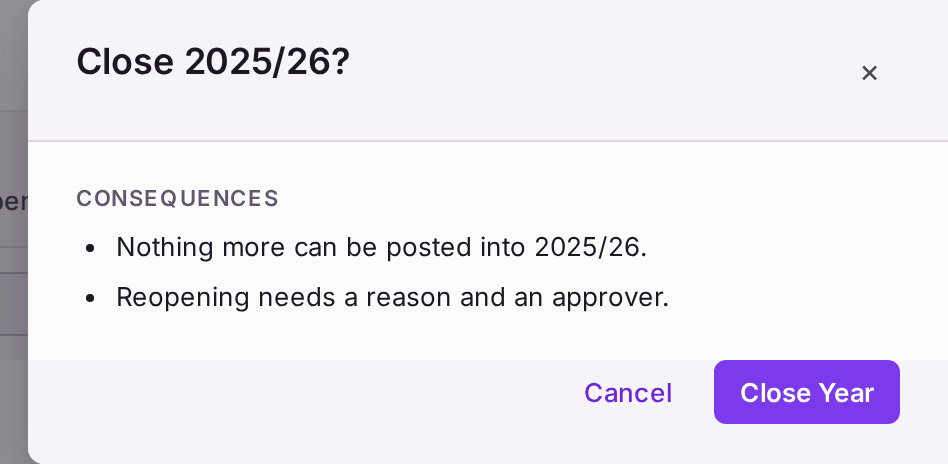
- Press Close Year if the year is finished, then Close Year in the question. "Nothing more can be posted into 2025/26."
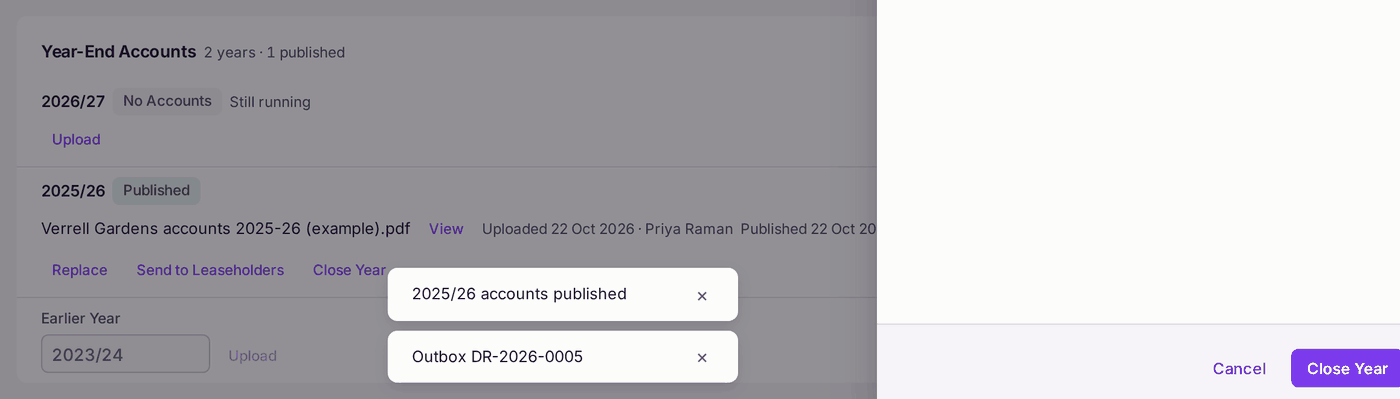
You'll know it worked when: the card's count reads "1 published", and on Sign In as Leaseholder for a leaseholder of that property the accounts are in their documents (see Seeing a portal exactly as a leaseholder, resident or director sees it).
If something's wrong:
- You uploaded the wrong file. Press Replace. The old file is cancelled and kept on record, not deleted.
Close Year asks for confirmation. "Reopening needs a reason and an approver." Close only once the accounts are signed and the surplus or deficit is settled.
Once closed, nothing more can be posted into the year. - Leaseholders say they were not told. Publishing alone sends nothing. Press Send to Leaseholders, then send the mailing in the Outbox.