


Paying ground rent over to the landlord
What you'll end up with: the ground rent you collected for a landlord over a period paid over to them, recorded with a statement of every receipt, and the statement sent to the landlord from the Outbox.
Before you start you need: ground rent received into the property's ground rent fund, and the landlord on record as a client appointed to the property (see Adding a client and appointing yourselves to their property).
Ground rent belongs to the landlord, not the leaseholders. It is held as client money until you pay it over, and it is never available to spend on the building.
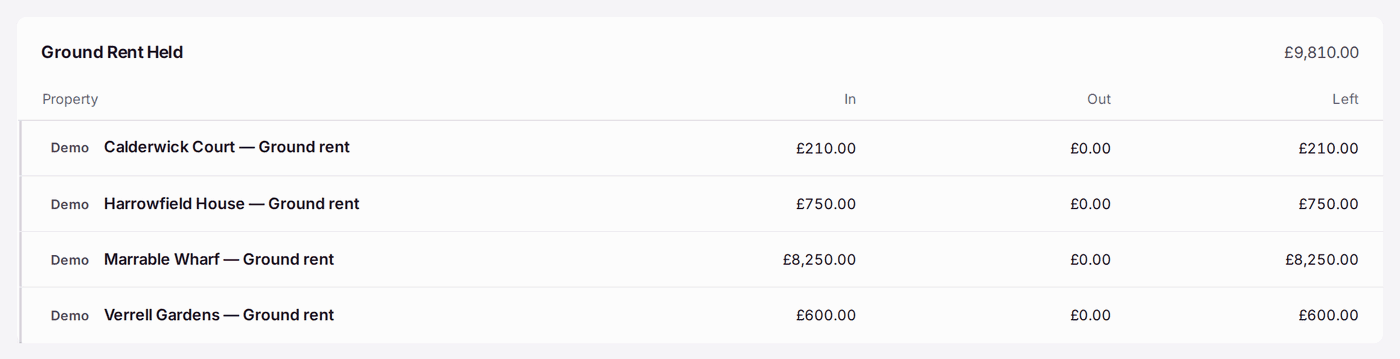
- Go to Finance → Ground Rent Pay-Over. Ground Rent Held lists each property's ground rent fund: In, Out and Left.
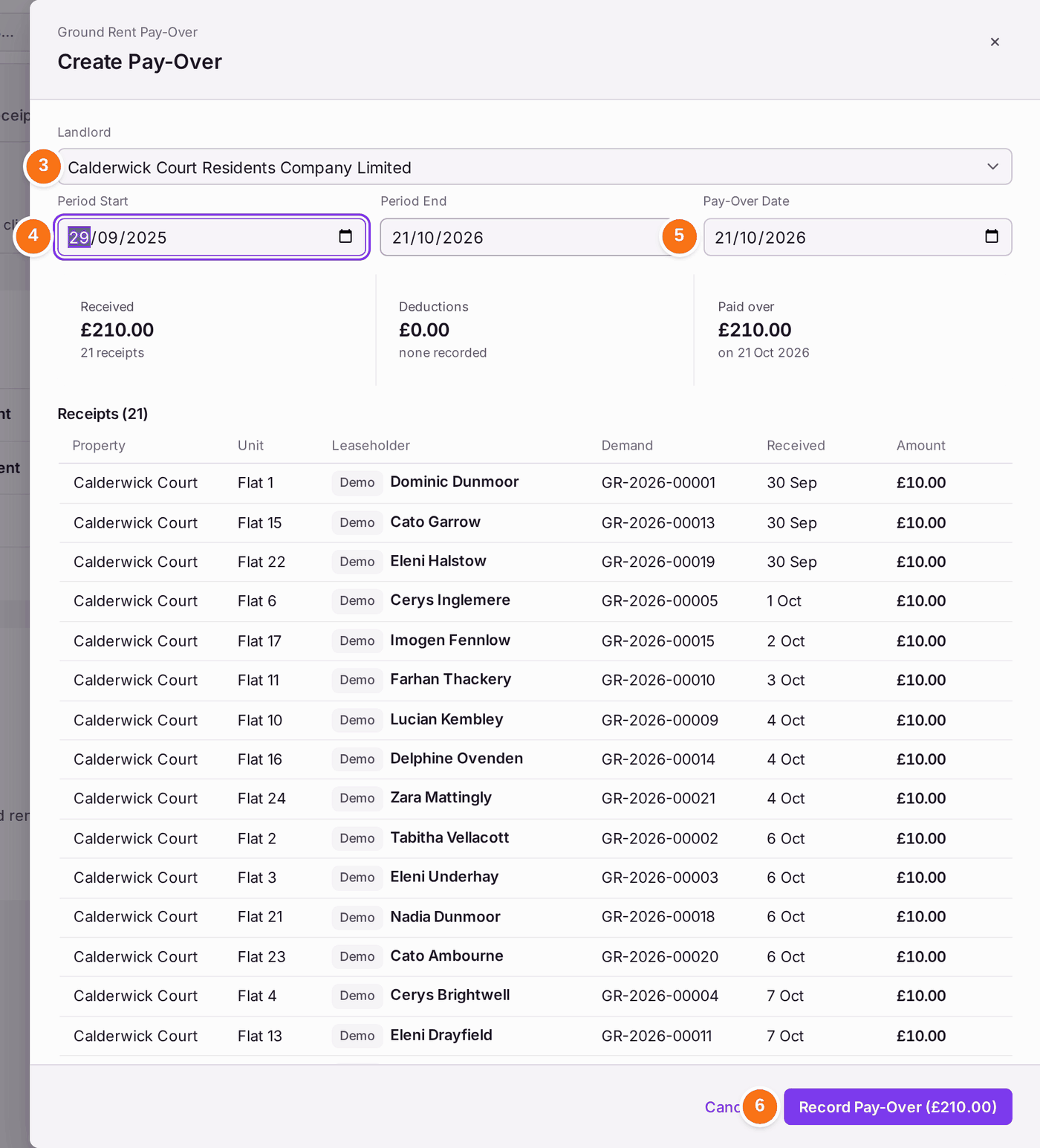
- Press Create Pay-Over.
- Choose the Landlord.
- Set the Period Start and Period End: the receipts in this period are paid over.
- Set the Pay-Over Date: the day the money goes to the landlord.
- Press Record Pay-Over. The pay-over's own page opens.
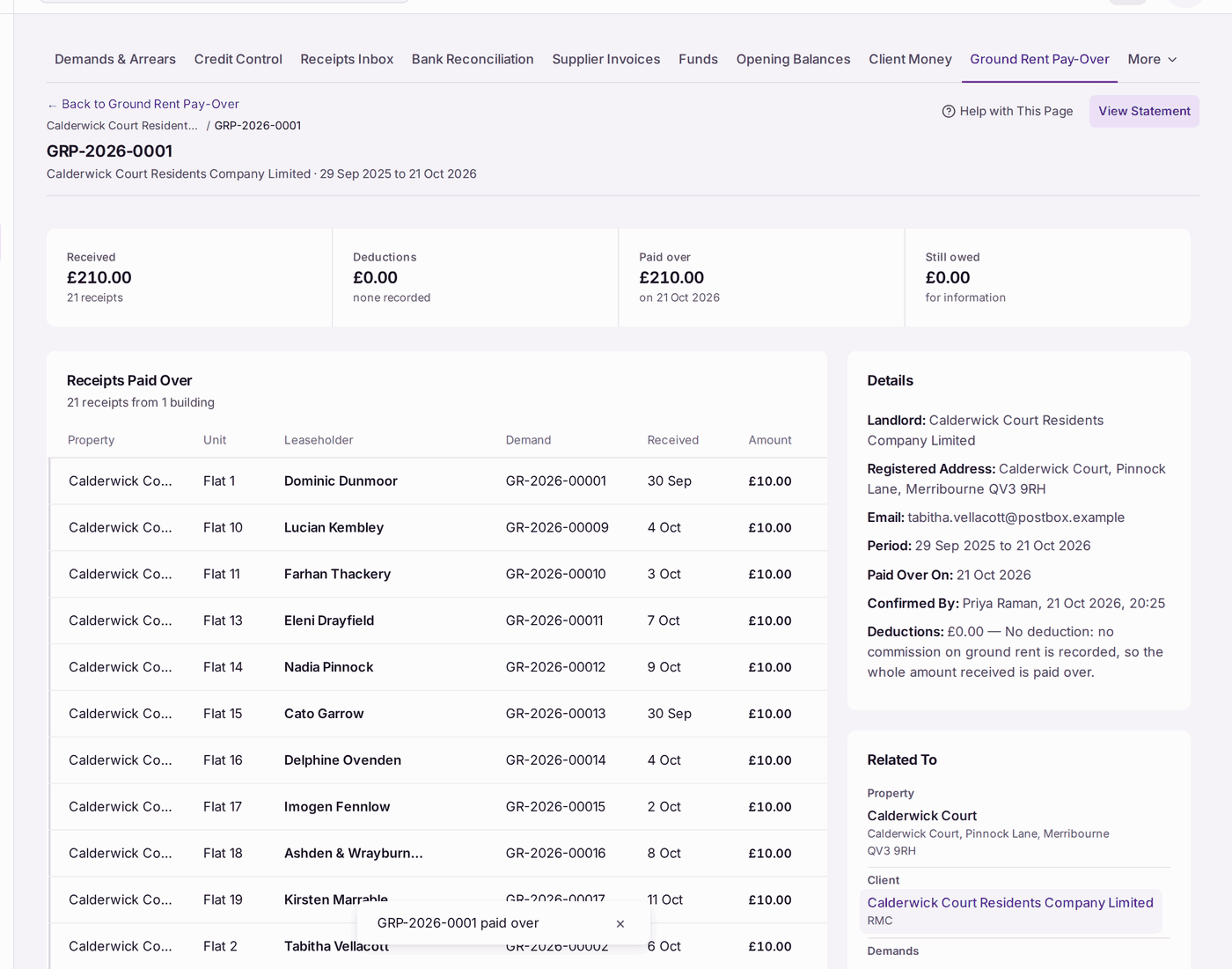
You'll know it worked when: the pay-over's page shows its reference (such as GRP-2026-0001), Received, Deductions, Paid over with the date, and who confirmed it. Its statement is filed against the landlord and the property, and a copy is queued in the Outbox to the landlord's email address. Release it there (see Checking what letters and emails went out, and to whom).
Administration charges. An administration charge (a fee charged to a leaseholder under their lease, such as for a consent) belongs to the landlord, or to you as agent where the lease or your management agreement says so. It is not service charge money. Once your organisation's books are started, Administration Charges Held appears under Ground Rent Held, listing what each property's service charge fund holds for the landlord or agent. Until then this part of the page does not appear.
- Press Record Pay-Over on the property's row.
- Check the Amount (£): it starts at the whole amount held.
- Set the Pay-Over Date: the day the money went.
- Fill in Paid To (the landlord or the agent) and the Reason.
- Press Record Pay-Over.
No payment is made from SynkroTech: make the transfer at the bank, then record it. The amount leaves the service charge fund on the day given, and the pay-over is listed under Paid Over. You cannot pay over more than is held, and it needs the permission to approve money, within your approval limit.
If something's wrong:
- The landlord is not in the Landlord list. They are not a client appointed to the property. Add the client and the appointment first.
- The amount is less than you expected. The pay-over takes the receipts dated in the period. Check Period Start: a receipt before it is left for the next pay-over.
- The statement went to the wrong person. It goes to the client's email address. Correct it on the client's page under Contacts → Clients & Companies, then send the statement again from the Outbox.