Moving money between a property's funds
What you'll end up with: money moved from one of a property's funds to another (most often from the service charge fund to the reserve fund), written to both ledgers with your reason, permanently.
Before you start you need: the amount, and the reason the lease allows it, such as the reserve contribution agreed in the budget.
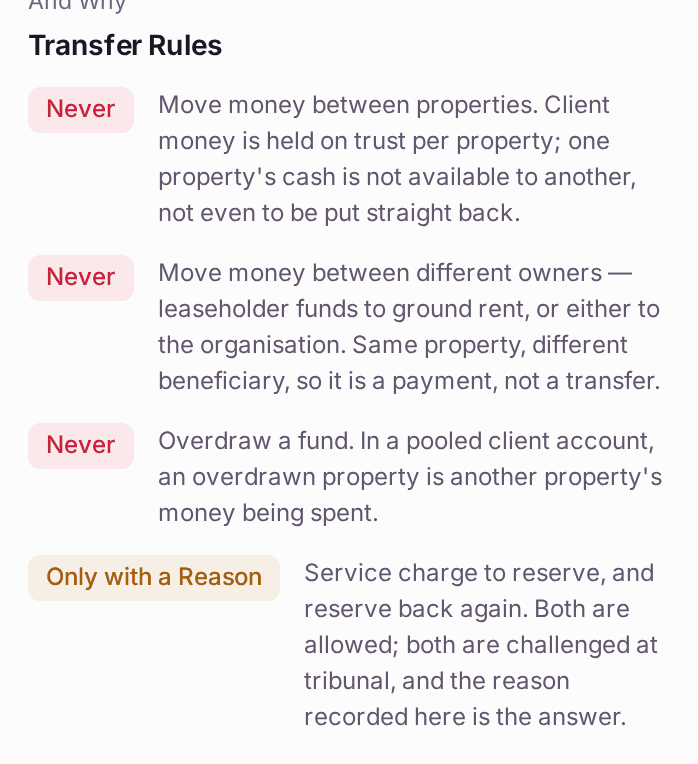
The law treats each property's money as held on trust for its own leaseholders, so SynkroTech refuses any transfer that would move money between properties, between different owners, or overdraw a fund. A move from service charge to reserve, or back again, is allowed with a reason, and the reason is what you would show a tribunal.
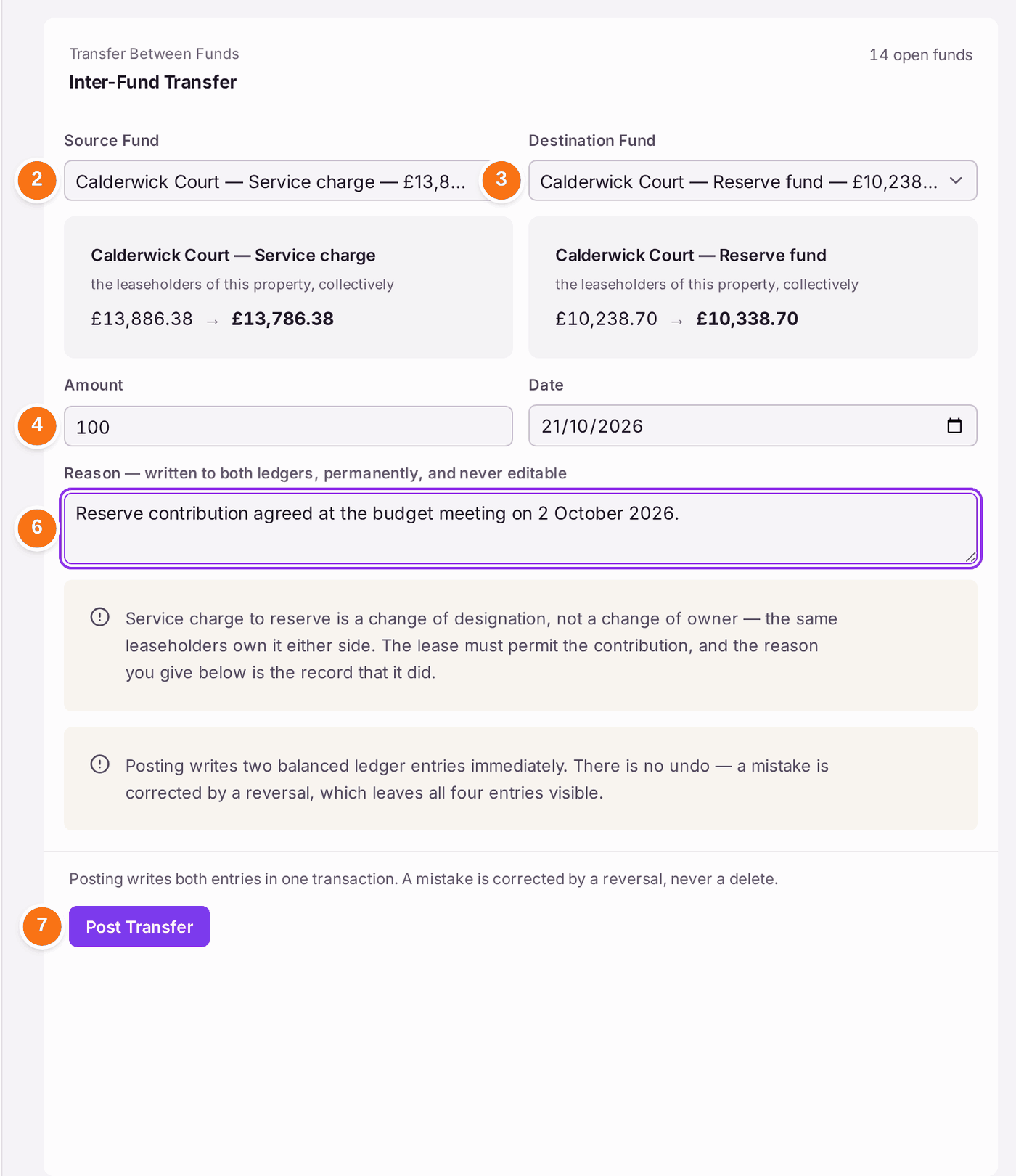
- Go to Finance → Client Money. Transfer is the first tab.
- Choose the Source Fund. Each fund is listed with its balance.
- Choose the Destination Fund.
- Type the Amount. Under the two funds the page shows each balance before and after.
- Check the Date.
- Type the Reason, in at least a few words. It is "written to both ledgers, permanently, and never editable".
- Press Post Transfer. It posts at once: "There is no undo — a mistake is corrected by a reversal, which leaves all four entries visible."
You'll know it worked when: a message says the amount was posted, and the transfer is at the top of Recent Movements, marked Posted, with both funds and your reason.
If something's wrong:
"Different properties". "Client money is held on trust for each property: money held for Calderwick Court cannot be used for Harrowfield House, even temporarily." The transfer cannot be posted. If a property is short, raise a demand on its leaseholders, or record a loan from your organisation.
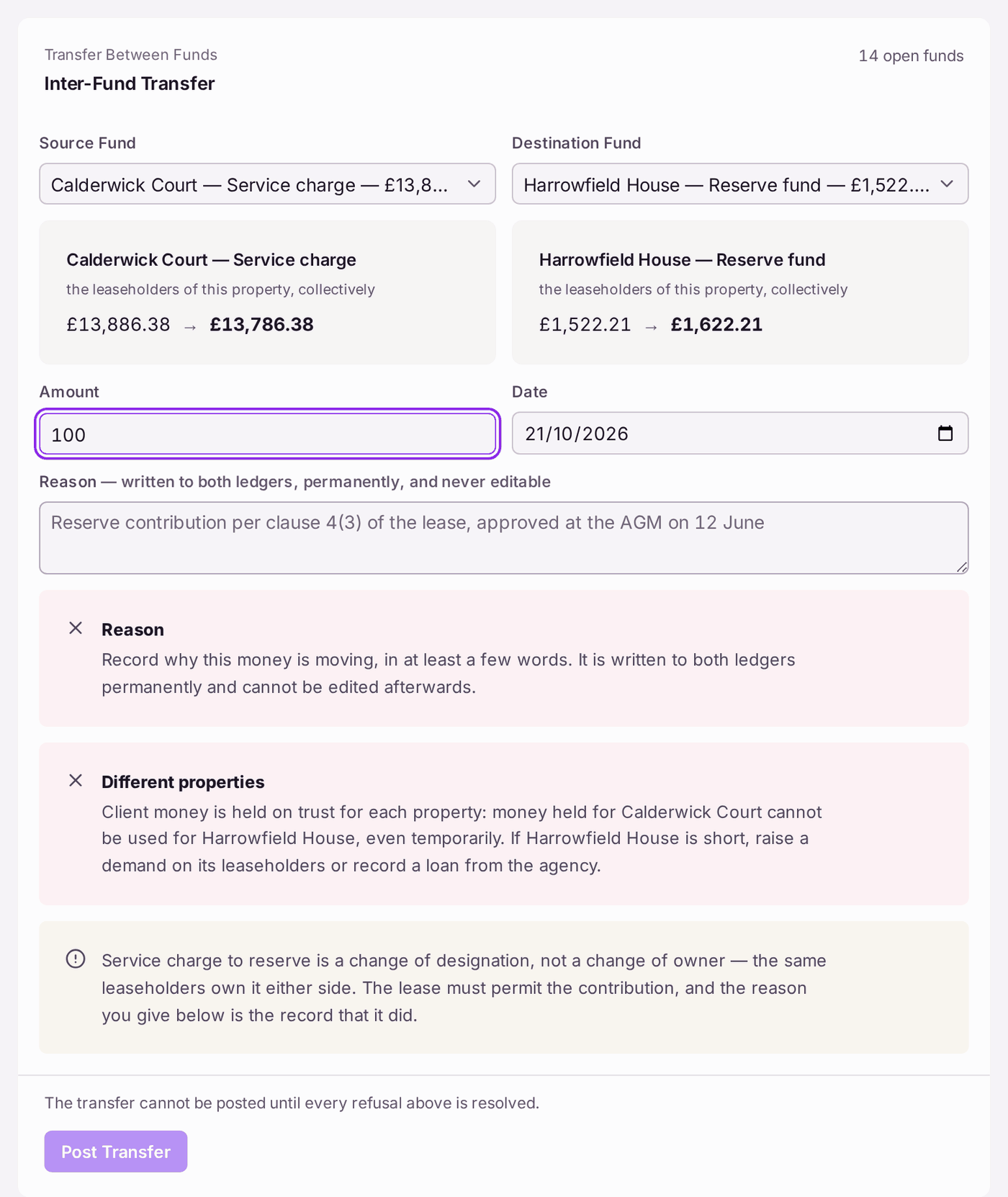
Each refusal is named in red above the button, with what to do instead. "The transfer cannot be posted until every refusal above is resolved." - Post Transfer stays greyed with "Choose both funds and an amount first." One of them is missing.
- The transfer was wrong. Press Reverse on it under Recent Movements. The original and the reversal both stay on record.
- Ground rent cannot be moved to the service charge. Ground rent belongs to the landlord, not the leaseholders: a different owner. Pay it over instead (see Paying ground rent over to the landlord).