


Charging your management fees
What you'll end up with: a fee schedule for each property saying what you charge, how, how often and from which fund, and each period's fees collected into your organisation's office fund in one run, with every charge on the record.
Before you start you need:
- Your management agreement with each client: the fee and how it is worked out.
- An office fund (your organisation's own money) on Finance → Funds: Add Fund…, kind Office (agent's own). Fees cannot be collected without one.
- The fee in the property's budget, so leaseholders were told about it.
- Go to Finance → Client Money.
- Press the Fee Schedule tab.
- Check the Year.
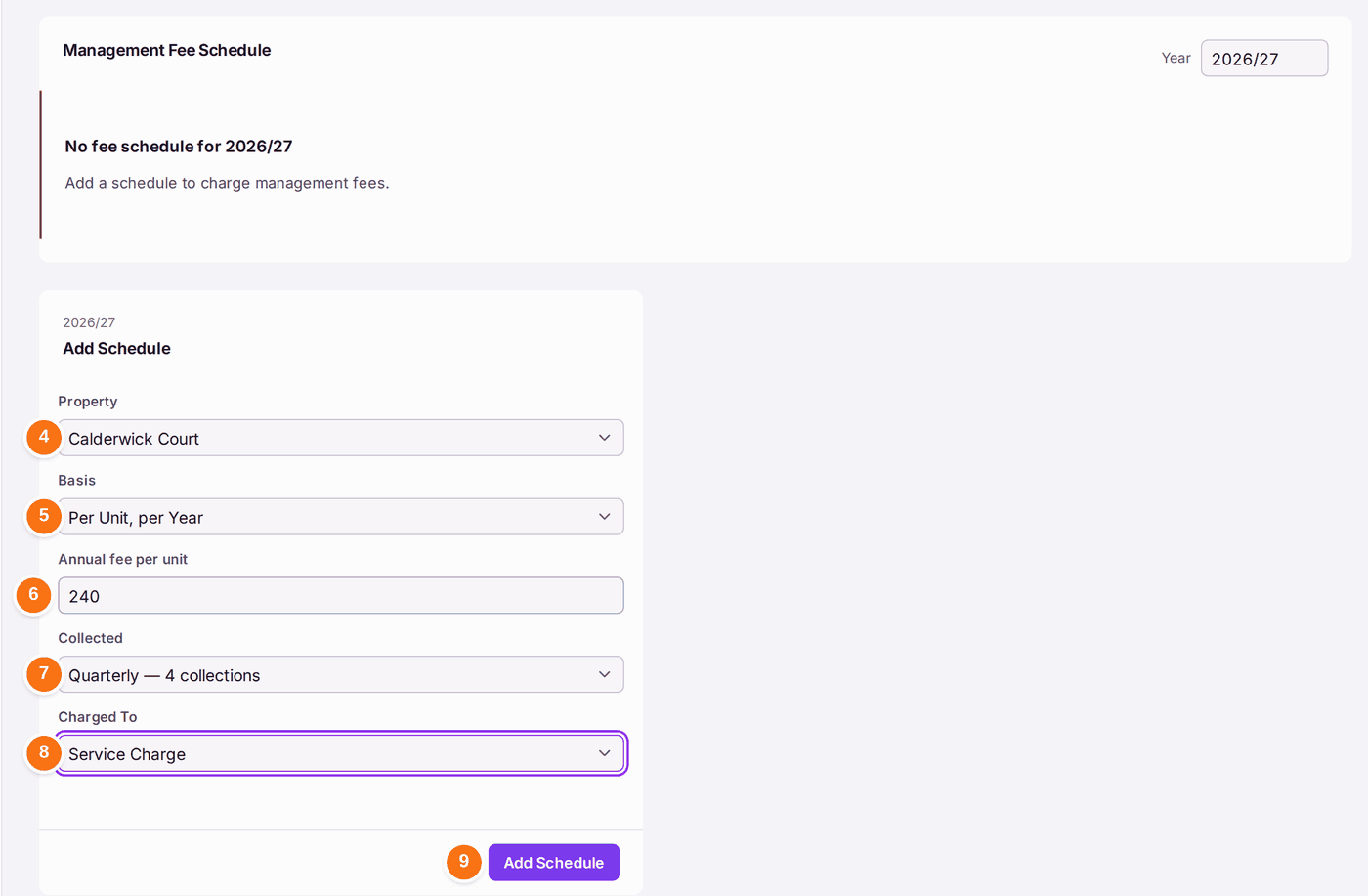
- Choose the Property.
- Choose the Basis: Fixed Annual Fee, Per Unit, per Year or Percentage of Budget.
- Type the fee.
- Choose how often it is Collected, from monthly to annually.
- Choose the fund it is Charged To, usually Service Charge.
- Press Add Schedule. A message says "Schedule added." and the schedule reads in words, for example "£240.00 per unit a year × 24 units, collected every 3 months".
Each period:
- Press the Fee Run tab.
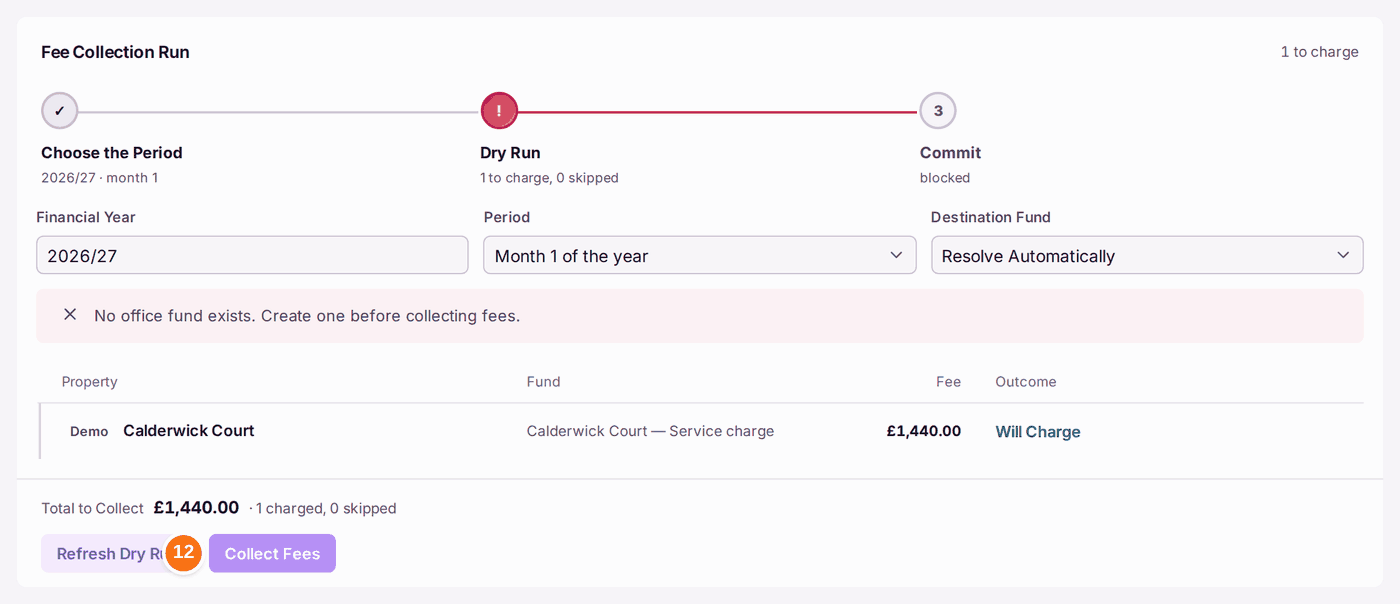
- Choose the Financial Year and the Period, then press Start Dry Run. Each property's fee is listed with its fund and what will happen: Will Charge, or why it is skipped. Nothing moves yet.
- Check the Total to Collect, then press Collect Fees.
You'll know it worked when: the run is listed under Runs, the fees have left each property's fund, and Organisation Funds at the top of Client Money has gone up by the total.
If something's wrong:
- Collect Fees stays greyed, with "No office fund exists. Create one before collecting fees." Add an office fund on Finance → Funds (Add Fund…, kind Office (agent's own)), then refresh the dry run.
- A property is skipped in the dry run. The line says why, usually that its fund cannot pay. Fees never overdraw a fund.
- A client's fee has changed. Press Edit on its schedule. A schedule you no longer use is archived with Archive, not deleted.