


Seeing everything that happened with a repair, and what it cost
What you'll end up with: the whole story of one repair on one screen, from the resident's report (or the inspection finding) to the final payment: who did what and when, what was sent, what SynkroTech did by itself, and what the work cost, net, VAT and gross.
Before you start you need: any one record of the repair: its ticket, one of its work orders or one of its supplier invoices. The story is the same from each.
- Open the ticket (Work → Tickets), the work order (Work → Work Orders & Quotes) or the invoice (Finance → Supplier Invoices).
- Find Activity. It opens on Whole Job.
- Read what the job cost at the top: Invoiced and Paid, each as Net, VAT and Gross, with how many invoices. Instructed is what the work orders were raised at.
- Under it, each record in the job, in the order the work runs: the inspection it came from, the ticket, the quotes, the work orders and the invoices, each with its status. Press one to open it.
- Read the rows under them, oldest first, from the report to the payment. Each row says what happened, and who did it, on the right. A chip above them (Work, Finance, Communication…) narrows the rows to that kind.
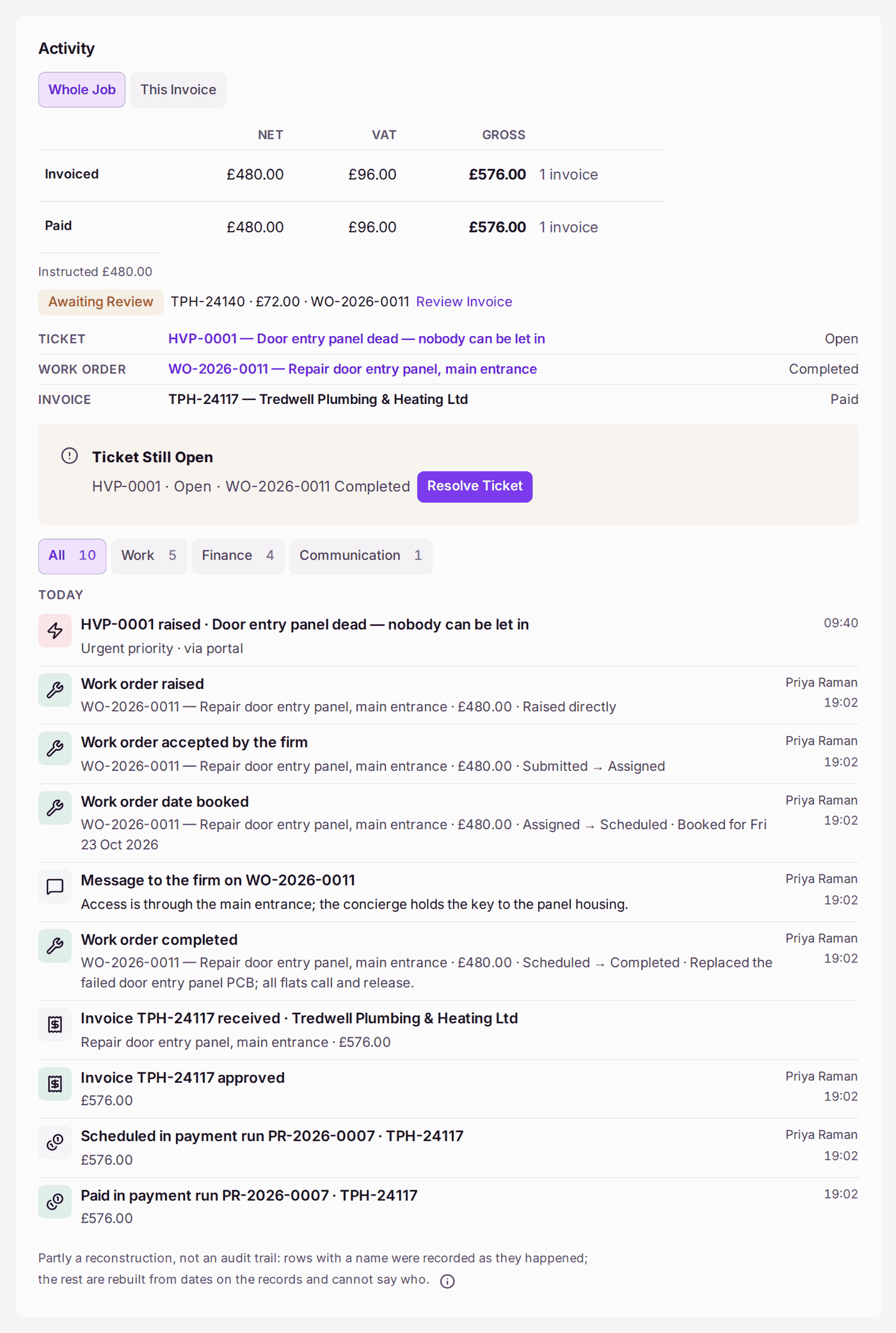
- To see only the record you are on, press This Ticket (This Work Order, This Invoice).
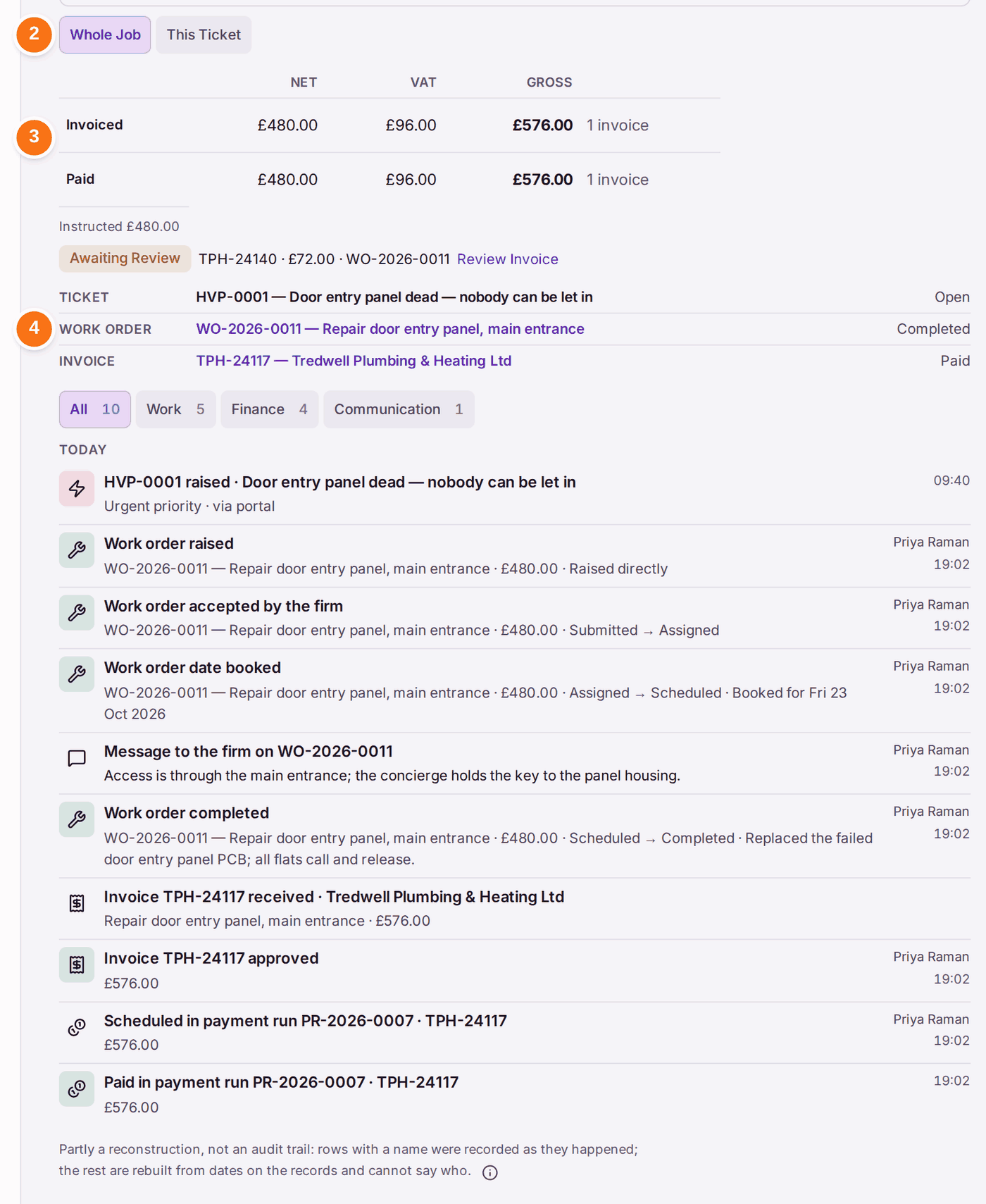
You'll know it worked when: the first row is the report (or the inspection finding) and the last is the latest thing that happened, usually the payment; the cost is the same whichever of the job's records you opened it from.
What the rows mean:
- A row with a name on the right was recorded as it happened, by that person.
- A row marked Automatic was done by SynkroTech on its own, and names what did it, never a person: Contractor Chasing (a reminder posted to the firm), Ticket Update Emails (the resident told their repair moved on), Paid Invoice Completes Work Order, or Job Notice Email. Where a person's press set it off, the row says so ("set off by …").
- A row with no name is rebuilt from a date on a record, which cannot say who.
- A booking says the day booked, with its weekday ("Work order date booked · Booked for Fri 16 Oct 2026").
- Each thing is told once. An approval of a flagged invoice is one row, with its flags and the approver's reason; a remittance advice built and queued in one go is one row, and its release or sending another.
If something's wrong:
The work is finished and the ticket is still open. The job says Ticket Still Open, with Resolve Ticket; the top of the work order and of the ticket say it too. Press it once the people who reported it can be told. SynkroTech never resolves a ticket by itself, because resolving tells them.
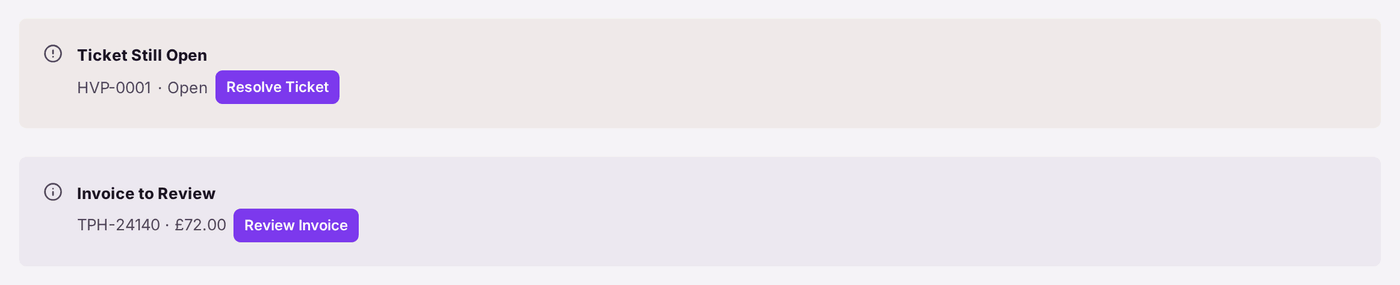
The top of a completed work order. - A firm's invoice is not in the cost. It has not been reviewed yet: the job shows Awaiting Review with its number and amount. Press Review Invoice to open its review, filled in from the firm's invoice. An invoice still in Draft is not counted either, and the job says how many.
- There is no cost, and the rows say "Also recorded: invoices — your role does not include access to those." Your role does not include Finance. The rest of the story is shown; ask an administrator if you need the money.
- The story starts at the ticket, though the repair was found on an inspection. The ticket was raised by hand rather than from the finding with Raise Ticket, so nothing joins them. Raise repairs from the finding (see Raising a repair from something found on an inspection).